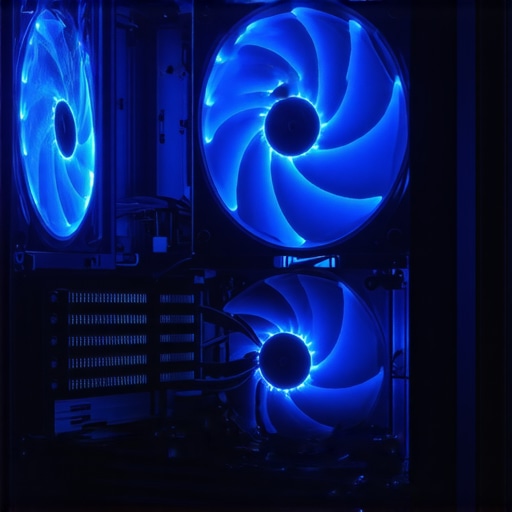

The Art of Precision Cooling: Elevating Your PC Performance in 2024
In an era where high-performance computing is the norm, mastering fan curves and air cooler setup becomes essential for maintaining optimal thermal conditions. As an expert in PC cooling solutions, I recognize that nuanced control over thermal management not only prolongs component lifespan but also enhances overall system stability. This article explores advanced strategies for configuring fan curves and air cooler setups, leveraging the latest innovations to achieve superior cooling efficiency in 2024.
Deciphering the Complex Dynamics of Fan Curves
Fan curves serve as the backbone of dynamic thermal management, translating temperature readings into precise fan speed adjustments. An optimized fan curve balances noise levels with cooling demands, especially under varying workloads. Modern motherboards and cooling software, such as fan curve configuration guides, empower enthusiasts to craft custom profiles that respond intelligently to temperature fluctuations. The key lies in understanding the non-linear relationship between temperature thresholds and fan RPM, allowing for tailored acceleration that minimizes noise during idle while ramping up efficiently during intensive tasks.
Strategic Placement of Air Coolers for Maximum Effectiveness
Positioning air coolers involves more than just mounting the heatsink; it requires a detailed analysis of airflow pathways within the case. Effective airflow design ensures that cool intake air reaches critical components while hot exhaust is swiftly expelled. Techniques such as positive pressure setups, combined with high-quality case fans and thermal paste application, create a synergistic environment that maximizes heat dissipation. For advanced insights, visit comprehensive guides to airflow optimization.
Can Automated Fan Curve Adjustments Keep Up with Dynamic Workloads?
How effective are automatic fan curve adjustments in handling sudden workload spikes without sacrificing noise levels?
This remains a pertinent question among enthusiasts and professionals alike. While auto-tuning features and AI-driven algorithms have improved significantly, manual fine-tuning still offers unparalleled control. By analyzing workload patterns and customizing fan responses accordingly, users can preemptively manage thermal loads, ensuring quieter operation during low demand periods and aggressive cooling during gaming or rendering tasks. Consider integrating software solutions that allow for real-time profile adjustments, such as professional-grade fan curve tools.
Exploring advanced fan curve techniques is crucial for those aiming to push their PC’s thermal boundaries. For further expertise, delve into latest fan curve methodologies for 2024. Your insights and modifications contribute to a collective knowledge base, advancing the field of thermal management.
For personalized advice or to share your success stories, contact our expert team via our contact page.
Refining Fan Curves for Peak Thermal Control
While basic fan curve adjustments can yield noticeable improvements, true mastery involves understanding the non-linear relationships between temperature thresholds and fan speeds. Modern BIOS and software tools, like fan curve configuration guides, enable enthusiasts to craft highly responsive profiles that adapt to real-time thermal demands. By setting intermediate points that trigger incremental RPM increases, users can avoid abrupt fan speed jumps, reducing noise without sacrificing cooling performance. Think of it as creating a finely tuned orchestra where each instrument responds perfectly to the conductor’s cues, ensuring a harmonious balance between silence and thermal safety.
Optimizing Airflow Pathways for Cooler Components
Strategic airflow management is more than just selecting the right case fans; it’s about designing a flow pathway that maximizes heat extraction. Implementing positive pressure setups, which introduce more intake than exhaust, helps prevent dust buildup and directs cool air precisely where it’s needed. Proper thermal paste application, paired with high-quality fans, creates an efficient heat transfer system that minimizes hotspots. For comprehensive airflow strategies, visit case fan selection tips and learn how to balance intake and exhaust for optimal cooling. Enhancing your case’s internal airflow can significantly lower CPU and GPU temperatures, extending component lifespan and boosting performance.
Can Smart Software Truly Replace Manual Fine-Tuning?
Are AI-driven fan curve algorithms capable of outperforming manual configurations during unpredictable workload spikes?
This is a hot topic among PC cooling experts. While automated solutions and AI algorithms have made leaps in real-time thermal management, they often lack the nuance that manual tuning provides. Skilled users analyze workload patterns and adjust fan responses to preemptively mitigate heat, especially during sudden spikes like gaming bursts or rendering tasks. Integrating professional-grade software, such as advanced fan curve tools, allows for dynamic adjustments that mimic expert intuition. The question remains: can these intelligent systems learn to anticipate thermal needs with the same precision as experienced overclockers? Evidence suggests that while AI can assist, the best results often come from a hybrid approach that combines automation with manual oversight.
For those eager to push their thermal management to the next level, exploring innovative fan curve techniques is essential. Dive deeper into cutting-edge methodologies for 2024. Sharing your experiences and modifications can help build a community of enthusiasts dedicated to mastering PC cooling performance.
If you have questions or wish to share your cooling success stories, reach out through our contact page.
Leveraging Dynamic Fan Response for Overclocked Performance
In the realm of high-end PC building, pushing components beyond standard specifications demands an even more nuanced approach to thermal management. Dynamic fan response, when meticulously calibrated, allows overclockers and enthusiasts to maintain stability under extreme workloads while minimizing noise pollution. By integrating software solutions that support custom fan profiles, such as ASUS Armoury Crate or MSI Afterburner, users can set multi-stage responses that activate at specific temperature thresholds, ensuring each component remains within safe operating limits without unnecessary fan noise. For instance, implementing a stepped fan curve that gradually increases RPM at critical temperature points can prevent sudden fan speed jumps, promoting both acoustic comfort and thermal safety. This strategy is especially vital during prolonged rendering sessions or gaming marathons where consistent thermal regulation is paramount. To maximize the benefits of such setups, consider pairing them with high-quality thermal sensors and real-time monitoring tools to fine-tune response curves and adapt to evolving workloads.
Optimizing Airflow Architecture for Complex Case Geometries
Traditional airflow optimization techniques must be adapted when dealing with modern, intricately designed cases featuring unconventional layouts or multiple compartments. Effective cooling in such environments hinges on detailed airflow modeling, often employing computational fluid dynamics (CFD) simulations to predict heat flow and identify potential hot spots. Incorporating strategically placed intake and exhaust fans, along with adjustable fan controllers, can create a balanced environment where cool air reaches critical components like VRMs and RAM modules. Additionally, integrating ducting or shrouds can direct airflow precisely, reducing turbulence and enhancing heat transfer efficiency. For advanced practitioners, deploying sensors throughout the case to map temperature gradients offers invaluable data, enabling iterative refinements to fan curves and fan placement. This meticulous approach ensures that despite complex geometries, thermal performance remains optimal, extending component lifespan and maintaining system stability during demanding operations.
How can thermal modeling software inform real-world fan setup adjustments?
Thermal modeling software, such as ANSYS Fluent or COMSOL Multiphysics, provides detailed simulations of heat flow within PC cases, translating theoretical data into actionable insights. By inputting specific case geometries, component thermal properties, and airflow parameters, users can visualize potential hotspots and airflow stagnation zones. This information guides the placement of fans, vents, and ducting for maximum heat extraction. Moreover, these tools can simulate various fan speed profiles, allowing for pre-emptive adjustments that achieve optimal thermal conditions before physically modifying hardware. Although primarily used in industrial applications, recent developments have made these tools more accessible for high-end PC builders aiming for precision cooling solutions. Incorporating thermal modeling into your setup process elevates your ability to craft bespoke cooling architectures that outperform conventional methods, especially in overclocked or high-load scenarios.
For enthusiasts eager to delve deeper, exploring the latest research and case studies on airflow optimization can uncover innovative strategies. Engage with professional forums or academic publications that focus on thermal dynamics in electronics to stay ahead of emerging trends and techniques. Remember, the key to mastering advanced cooling lies in continuous experimentation complemented by data-driven decision making.
Interested in refining your PC cooling system further? Contact our experts or join our community discussions to share your experiences and learn from other cutting-edge builders.
Harnessing Thermally Responsive Fan Profiles to Push Overclocked Limits
In the pursuit of extreme performance, fine-tuning fan curves with high precision becomes indispensable. Implementing multi-stage fan profiles that respond dynamically to temperature variations allows enthusiasts to sustain overclocked CPUs and GPUs without compromising acoustic comfort. Modern motherboard BIOS and sophisticated software such as custom fan curve tools enable users to craft nonlinear response patterns, ensuring that each thermal threshold activates a tailored RPM increase. This granular control mitigates abrupt noise spikes during workload spikes, maintaining a stable yet silent system under demanding tasks.
Innovative Airflow Architectures for Complex Case Geometries
Designing airflow pathways in intricately shaped cases necessitates a meticulous approach beyond standard fan placement. Employing advanced CFD (Computational Fluid Dynamics) simulations, users can visualize heat distribution and airflow stagnation zones within unconventional layouts. Integrating ducting, shrouds, and strategically positioned intake and exhaust fans minimizes turbulence and hot spot formation. For example, deploying adjustable fan controllers with real-time monitoring allows for iterative refinement, ensuring each component receives optimal cooling. Such precision engineering extends component longevity and enhances thermal performance, even in high-density configurations.
Image prompt: Detailed CFD simulation of airflow in an custom high-performance PC case, highlighting heat flow and fan placement.
Can AI-Powered Algorithms Surpass Manual Fan Tuning During Sudden Thermal Spikes?
How close are AI-driven fan management systems to matching expert manual adjustments in unpredictable workloads?
While AI and machine learning algorithms have made significant strides in adaptive thermal management, they still face challenges in mimicking the nuanced judgment of seasoned overclockers. Advanced solutions like AI-based fan control platforms analyze workload patterns and adapt responses in real time, but manual fine-tuning remains superior in highly unpredictable scenarios. Combining AI automation with user oversight creates a hybrid approach that harnesses the predictive power of intelligent systems while allowing for manual intervention during critical thermal events. This synergy ensures sustained performance, lower noise, and prolonged component life under extreme conditions.
Explore more about integrating AI with your cooling system to achieve unmatched thermal stability and acoustic performance in your custom build.
Refining Thermal Management in Multi-Compartment Case Designs
Modern cases with segmented or modular architectures challenge traditional airflow strategies. Effective thermal management involves deploying sensors throughout the case to map temperature gradients precisely. Using software that supports comprehensive sensor data analysis enables iterative adjustments to fan curves and ducting configurations. Implementing dedicated airflow channels for each compartment—such as separate GPU and CPU zones—prevents heat recirculation and hotspots. Furthermore, utilizing CFD simulations prior to physical setup can prevent costly trial-and-error, ensuring that each thermal zone maintains optimal conditions. This meticulous approach maximizes component lifespan and maintains stable performance during intensive workloads.
What role does thermal modeling software play in crafting bespoke cooling solutions?
Thermal modeling software like ANSYS or COMSOL provides detailed insights into heat flow dynamics, allowing for virtual testing of airflow arrangements and fan configurations. By inputting specific case geometries and thermal properties, builders can predict hotspots and airflow stagnation zones, guiding physical modifications before hardware assembly. Such predictive analysis facilitates the creation of highly efficient, customized cooling architectures that outperform standard setups, especially in overclocked or high-load scenarios. Advanced practitioners leverage this technology to push the thermal boundaries of their systems with precision.
Stay ahead in the field of high-performance cooling by exploring cutting-edge thermal modeling techniques and sharing your innovative solutions with the community.
Expert Insights That Elevate Your Cooling Game
Precision Matters in Thermal Management
Fine-tuning fan curves with expert-level precision allows for a seamless balance between noise and cooling performance, especially when overclocking or running demanding workloads. Leveraging dynamic response curves that adapt to real-time thermal data ensures components operate within ideal temperature ranges without unnecessary fan noise.
Airflow Design as an Art Form
Optimizing airflow pathways in complex case geometries requires meticulous planning. Strategic placement of intake and exhaust fans, combined with computational fluid dynamics (CFD) modeling, can significantly reduce hotspots and improve overall thermal efficiency, extending component lifespan and system stability.
Harnessing AI for Advanced Thermal Control
Artificial intelligence-driven fan management systems are approaching expert-level performance, capable of preemptively adjusting fan speeds during workload spikes. Integrating these with manual fine-tuning creates a hybrid approach that maximizes cooling efficiency and minimizes noise, especially in overclocked setups.
Curated Resources for Deep Expertise
- Cooling Workstation Wizard’s Guides – Comprehensive articles on fan curve optimization, airflow strategies, and thermal paste application provide detailed, expert-level insights.
- Thermal Modeling Software – Tools like ANSYS Fluent and COMSOL Multiphysics enable simulation of heat flow, guiding precise fan placement and airflow pathways.
- Industry-Leading Hardware Reviews – Stay updated with the latest in high-performance coolers and case designs that push the boundaries of thermal efficiency.
Final Reflection from a Cooling Authority
Achieving peak PC cooling performance in 2024 hinges on a sophisticated understanding of fan curves, airflow pathways, and adaptive control systems. As an expert, I emphasize that continuous experimentation, supported by advanced modeling and smart automation, unlocks new levels of thermal safety and acoustic comfort. Engage with these insights and resources to elevate your system’s cooling mastery, and don’t hesitate to share your findings or ask for tailored advice—your next breakthrough could redefine what’s possible in high-performance computing.


![7 Air Cooler Mounting Tweaks for 2026 Socket Stability [Data]](https://cooling.workstationwizard.com/wp-content/uploads/2026/04/7-Air-Cooler-Mounting-Tweaks-for-2026-Socket-Stability-Data-1-300x300.jpeg)

![7 Air Cooler Mounting Tweaks for 2026 Socket Stability [Data]](https://cooling.workstationwizard.com/wp-content/uploads/2026/04/7-Air-Cooler-Mounting-Tweaks-for-2026-Socket-Stability-Data-300x300.jpeg)
![Testing the 'Butter Knife' Method: Better 2026 CPU Temps? [Data]](https://cooling.workstationwizard.com/wp-content/uploads/2026/01/Testing-the-Butter-Knife-Method-Better-2026-CPU-Temps-Data.jpeg)
This article touches on many crucial aspects of PC cooling that often get overlooked by casual builders. I’ve found that the placement of case fans is more of an art than a science—sometimes even small adjustments can considerably affect the overall thermals. One thing I’ve experimented with is integrating ducting to direct airflow precisely where needed, especially in dense or custom loop setups. It’s impressive how CFD simulations can predict airflow patterns and hotspots before physically modifying the case, saving both time and guesswork. The discussion on AI-driven fan algorithms is quite intriguing, but I wonder how well they adapt in real-world scenarios with unpredictable workloads. Has anyone here experienced AI systems outperforming manual tuning during sudden workload changes? I’d be curious to hear different approaches for balancing automated management with manual fine-tuning, especially in overclocked systems where thermal margins are thin. Overall, this article is a comprehensive guide that encourages proactive and creative thermal management strategies.
This article provides an excellent deep dive into the nuances of fan curve optimization and airflow management. I’ve personally found that even small tweaks—like adjusting the temperature thresholds at which fans ramp up—can make a big difference, especially for silent operation during idle or light tasks. The concept of dynamically responding to workload changes with multi-stage fan profiles resonates with my experience, where a finely calibrated setup ensures steady thermal performance without excessive noise. One challenge I’ve faced is balancing aggressive cooling with acoustic comfort in high-end builds. I wonder, do others here employ adaptive fan curves that automatically adjust based on background noise levels, or do you prefer fixed profiles? Also, implementing CFD for airflow analysis sounds promising, but it’s often resource-intensive; has anyone used simpler yet effective methods for airflow testing in real-world cases? Exploring these optimization techniques further could help hobbyists and professionals alike push their systems to new thermal peaks while maintaining a quiet environment.
This article really highlights the importance of understanding thermal dynamics beyond just installing a cooler and hoping for the best. I agree that fine-tuning fan curves and airflow pathways is a bit of an art, especially in custom builds with intricate case layouts. I’ve experimented with adding ducting and using different fan speeds in response to various workloads, and the difference in thermals and noise levels can be substantial. One thing I’ve been curious about is how AI-driven fan management systems perform in unpredictable scenarios like sudden workload spikes—does anyone have firsthand experience with their efficacy? Also, integrating thermal sensors in different zones of a case seems promising for more precise control. Has anyone tried advanced thermal mapping to optimize fan responses further? I think the key takeaway is that ongoing experimentation, supported by simulation tools, really pushes the boundaries of thermal performance, especially when overclocking or in high-performance tasks.
This article really resonated with my recent experience building a new high-end gaming rig. I’ve found that fine-tuning fan curves using software like MSI Afterburner or comparable tools can make a noticeable difference in maintaining low temperatures during intense gaming sessions. I’ve also experimented with creating custom fan profiles that respond to temperature thresholds at different components, which significantly reduces noise while keeping thermals in check. I particularly agree on the importance of airflow management—positive pressure setups with well-placed intake and exhaust fans help keep dust out and ensure that cool air reaches critical parts. Regarding AI-driven fan control, I’ve been curious about how they perform in unpredictable workloads, such as during sudden rendering spikes. Has anyone had success with AI systems outperforming manual tuning in such situations? I’d love to hear insights or alternative strategies that others have found effective in balancing noise, thermals, and system stability.
This post really hits close to home for me, especially when it comes to fine-tuning fan curves for different workloads. I’ve been experimenting with multi-stage fan profiles myself, and I’ve noticed that setting intermediate RPM points helps reduce noise while maintaining solid cooling. The part about using CFD simulations to optimize airflow is intriguing, but I find that simpler ducting and strategic fan placement often yield impressive results without needing complex software—especially in cases where physical constraints limit airflow. Regarding AI-driven fan control systems, I’ve had mixed experiences; in some scenarios, they perform well under predictable workloads, but during sudden workload spikes, manual adjustments still sometimes outperform automation. Has anyone here used real-time thermal sensors to dynamically adjust fan profiles? I’d love to hear how that impacts overall stability and noise levels, particularly in overclocked systems. What’s been your most effective approach for balancing silence with aggressive cooling in high-performance builds?