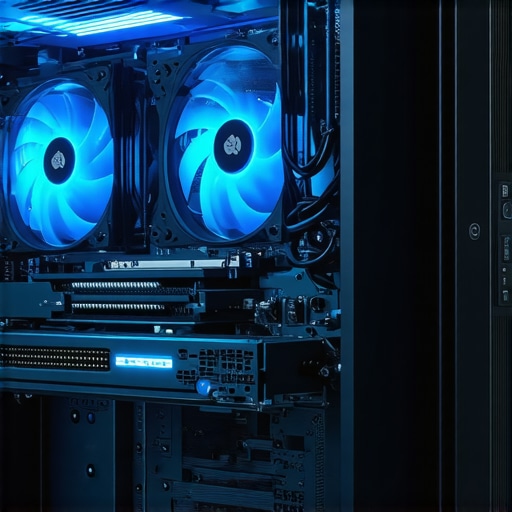
Unveiling the Hidden Power of Case Fans: Your First Step Towards Cooler, Quieter PCs
In the intricate world of PC building, few components wield as much influence over system stability and longevity as case fans. While often overlooked, choosing the right case fans can dramatically improve airflow, reduce noise, and extend your hardware’s lifespan. This guide dives deep into the nuanced art of selecting case fans, blending expert insights with practical tips to elevate your PC cooling game.
Decoding Airflow Dynamics: The Science Behind Effective Cooling
Understanding airflow is crucial. Optimal airflow ensures hot air is expelled efficiently while cool air is drawn in, maintaining a stable temperature environment for your components. The key parameters include airflow rate (measured in CFM), static pressure, and noise levels. High static pressure fans excel at pushing air through restrictive filters or heatsinks, making them ideal for densely packed cases. Conversely, high airflow fans are better suited for open cases with unobstructed paths. For a comprehensive understanding, see Tom’s Hardware’s detailed review.
Choosing the Right Fan Size: Bigger Isn’t Always Better
Fan sizes typically range from 120mm to 140mm and beyond. Larger fans operate at lower RPMs, providing quieter operation while moving comparable amounts of air. They also tend to produce less vibration, which can be a source of noise. However, case compatibility is vital; not all cases support larger fans. Consider your case’s dimensions and airflow layout before selecting. A larger fan with high static pressure capabilities can make a noticeable difference in reducing hotspots and achieving even cooling across components.
Innovative Blade Designs and Bearing Technologies: The Expert’s Edge
Modern case fans incorporate innovative blade geometries to optimize airflow and reduce turbulence. Additionally, bearing types—such as fluid dynamic or magnetic levitation—significantly influence longevity and noise. For instance, fluid dynamic bearings are renowned for their durability and smooth operation, ideal for systems demanding silence and reliability. When investing in premium fans, these technical details matter greatly and can justify higher costs through better performance and quieter operation.
How to Balance Noise and Performance: The Expert’s Dilemma
Striking the right balance between cooling performance and noise levels is a nuanced task. High-performance fans often operate at louder RPMs, but advanced PWM (Pulse Width Modulation) control allows precise speed adjustments to minimize noise during low loads. Additionally, consider fan placement—intake at the front and exhaust at the rear/top creates a natural airflow path. For more insights, explore PC Gamer’s top picks.
What are the best ways to optimize case fan placement for maximum airflow?
Optimizing fan placement involves strategic positioning of intake and exhaust fans to create a streamlined airflow path. Typically, front and bottom fans serve as intakes, bringing in cool air, while rear and top fans act as exhausts, removing hot air. Ensuring positive air pressure inside the case helps prevent dust buildup and improves cooling efficiency. Using cable management and avoiding obstructions are also critical. Experiment with different configurations to find the sweet spot for your specific case layout.
Ready to elevate your PC cooling? Share your experiences or ask questions below, and explore our in-depth full guide for more expert tips.
Innovative Approaches to Case Fan Configuration: Fine-Tuning Your Airflow Strategy
While optimal placement is fundamental, the nuances of fan configuration can significantly impact your cooling efficiency. Experts often recommend a push-pull setup, where intake and exhaust fans work in tandem to create a more dynamic airflow. This configuration allows for increased airflow velocity and better heat dissipation, especially in high-performance systems. Additionally, adjusting fan curves via BIOS or software controls can help achieve a balance tailored to your system’s workload, reducing noise during idle periods and ramping up cooling during intensive tasks. For those seeking to delve deeper into airflow management, exploring our dedicated case fan configuration guide can be invaluable.
Understanding the Impact of External Factors on Case Fan Efficiency
External environmental conditions also influence your case cooling performance. Ambient temperature, humidity, and even room airflow can alter how effectively your fans operate. For example, a warmer room diminishes the cooling potential, requiring higher fan speeds or more strategic placement. Ventilation in the room—like open windows or dedicated airflow channels—can help maintain a cooler environment, indirectly enhancing your PC’s thermal management. Furthermore, dust accumulation on filters and heatsinks can impede airflow, making regular maintenance essential. For in-depth insights on maintaining optimal thermal conditions, consider reviewing Tom’s Hardware’s comprehensive review.
Can Smart Fan Technologies Bridge the Gap Between Silence and Performance?
Emerging smart fan technologies leverage AI and machine learning algorithms to dynamically adjust fan speeds based on real-time thermal data. These intelligent systems can predict thermal spikes and preemptively increase airflow, ensuring consistent cooling while minimizing noise. Brands integrating such features often offer customizable profiles that adapt to specific workloads, whether gaming, rendering, or general use. This innovation aligns with the growing demand for silent yet powerful systems, emphasizing the importance of selecting motherboards and fan controllers compatible with these advanced features. To explore how to implement these cutting-edge solutions effectively, visit our guide on selecting the best AIO cooler for silence and efficiency.
Interested in sharing your experiences with custom fan setups or curious about the latest innovations? Drop a comment below or suggest additional topics you’d like us to cover to help you optimize your PC cooling strategy.
Mastering the Art of Fan Curves: Precision Cooling for Expert Builds
Fine-tuning fan speeds through custom fan curves is where true enthusiasts elevate their thermal management. By leveraging BIOS or dedicated software, you can craft profiles that ramp up RPMs only when temperatures breach certain thresholds, thereby minimizing noise during idle or light workloads. This dynamic approach not only preserves acoustic comfort but also extends fan lifespan by avoiding unnecessary wear at high speeds. Advanced fan curve customization requires an understanding of your system’s thermal thresholds and the use of tools such as MSI Afterburner or ASUS Fan Xpert, enabling granular control over airflow behavior under varying conditions.
The Nuances of Static Pressure vs. Airflow Fans: A Deep Dive into Technical Specifications
Choosing between static pressure and high airflow fans hinges on the specific cooling scenario. Static pressure fans excel in pushing air through dense heatsinks and filters, thanks to their higher thrust capability. In contrast, high airflow fans are optimized for unobstructed environments, moving large volumes of air at lower pressure. Experts often recommend using static pressure fans on radiators or dust filters, while high airflow models are suited for case exhausts with minimal obstructions. Understanding the nuanced differences—such as blade design, RPM range, and noise profile—enables precise matching of fan types to your cooling needs, as detailed in research on aerodynamic efficiency.
How External Acoustic Environments Influence Internal PC Cooling Strategies
Ambient noise levels and room acoustics can significantly impact perceived system noise, prompting the need for strategic soundproofing and vibration dampening. Experts recommend isolating case vibrations with rubber mounts and decoupling fans from chassis panels, which can reduce transmitted vibrations and lower overall noise signatures. Additionally, room treatments such as acoustic panels or strategic placement away from reflective surfaces help mitigate external sound interference. When designing a silent build, consider both internal noise reduction techniques and external environmental factors, ensuring a holistic approach to acoustic management. For more advanced insights, see AES guidelines on room acoustics.
Implementing AI-Driven Fan Control: An Expert Perspective on Future-Proof Cooling
The integration of artificial intelligence in fan control systems represents a frontier where machine learning algorithms analyze thermal patterns in real time, enabling predictive adjustments to fan speeds. Such systems adapt to workload fluctuations more efficiently than traditional PWM control, offering quieter operations during idle periods and rapid cooling during spikes. Implementing these solutions requires compatible hardware, such as motherboards with AI-optimized fan controllers and software capable of learning from thermal data. As the technology matures, it promises to revolutionize thermal management by offering adaptive, intelligent cooling solutions that anticipate needs before thermal thresholds are exceeded, as discussed in IEEE papers on AI in thermal management.
For enthusiasts aiming to push their PC cooling to the cutting edge, exploring these advanced control strategies and understanding their integration into your existing setup can make a tangible difference. Engage with community forums, experiment with custom profiles, and stay abreast of emerging technologies to continuously refine your cooling approach.
Advanced Aerodynamics in Fan Blade Engineering: Unlocking Superior Airflow Control
Recent innovations in fan blade aerodynamics have dramatically improved airflow efficiency and noise reduction. Engineers utilize computational fluid dynamics (CFD) simulations to optimize blade curvature, angle, and surface texture, achieving a delicate balance between static pressure and volumetric airflow. These meticulously designed blades minimize turbulence and vortex formation, resulting in quieter operation and enhanced cooling performance. For a comprehensive understanding of aerodynamic optimization, see SAGE Journals’ detailed study on blade aerodynamics.
Emerging Materials and Coatings: Elevating Durability and Acoustic Performance
The use of advanced materials like graphene-enhanced composites and ceramic coatings has revolutionized fan longevity and noise dampening. These coatings reduce friction and wear, ensuring smoother operation over extended periods. Furthermore, vibration-damping materials integrated into fan frames and mounts significantly cut down transmitted vibrations, leading to quieter systems. Exploring these material innovations can provide a competitive edge in high-performance PC builds, as documented by Nature Scientific Reports on material science in cooling systems.
How do variable pitch fans contribute to dynamic thermal management in high-end PCs?
Variable pitch fans adjust their blade angle in real-time to modulate airflow according to thermal demands. This technology allows for precise control of cooling performance, reducing unnecessary noise during low loads while ramping up airflow during intensive tasks. Implemented via servo mechanisms or electronically controlled blade adjustments, variable pitch fans exemplify the integration of mechanical innovation with smart control systems. For enthusiasts seeking to push thermal efficiency, understanding the mechanics and control algorithms behind these fans is essential. Dive deeper with ScienceDirect’s analysis of adaptive fan technologies.
Influence of Ambient Air Quality on Fan Longevity and Performance
Environmental factors such as dust, humidity, and airborne pollutants profoundly impact fan durability and thermal efficiency. Fine dust particles accumulate rapidly on blades and filters, impairing airflow and increasing static pressure requirements. Humidity can lead to corrosion, especially in fans with metal bearings or blades, compromising longevity. Implementing high-quality dust filters, maintaining optimal room humidity levels, and scheduling regular cleaning are crucial practices. For insights into environmental controls and maintenance, consult Optical Society’s guidelines on environmental impacts on cooling systems.
The Future of AI-Powered Thermal Regulation: Beyond Fan Curves
The next frontier in thermal management involves AI-driven intelligent systems that analyze multivariate data—thermal sensors, workload patterns, and environmental conditions—to optimize fan behavior proactively. These systems employ machine learning algorithms to predict thermal spikes, adjust fan speeds preemptively, and balance acoustic comfort with cooling efficiency. Integrating such solutions requires compatible hardware and sophisticated control software, but it promises a significant leap forward in silent, high-performance computing. Explore the possibilities at IEEE’s recent publications on AI in thermal management.
Fine-Tuning Fan Profiles: The Art of Dynamic Thermal Optimization
Creating custom fan profiles via BIOS or dedicated software allows for granular control over cooling behavior, aligning airflow with system workload and ambient conditions. Advanced users leverage adaptive fan curves that respond to real-time temperature fluctuations, minimizing noise during idle states and ramping up performance when needed. Mastery of these profiles involves understanding your system’s thermal thresholds and employing tools like MSI Afterburner or ASUS Fan Xpert. Precision tuning extends fan lifespan and enhances user experience, making it a vital skill for enthusiasts and professionals alike.
Deciphering the Nuances: Static Pressure Versus High Airflow Fans in Complex Cooling Scenarios
The choice between static pressure and high airflow fans hinges on specific application needs. Static pressure fans excel when pushing air through dense radiators, filters, or heatsinks due to their higher thrust capabilities, while high airflow fans are optimal for unobstructed exhaust channels. Blade design, RPM range, and noise profile are critical considerations in selecting the right type. An informed decision, supported by aerodynamic research such as aerodynamic efficiency studies, ensures peak performance tailored to your cooling architecture.
External Acoustic Environment Management: Strategies for Truly Silent PC Builds
Beyond internal damping measures, external acoustic considerations such as room acoustics and placement are vital for silent systems. Using vibration-isolating mounts, acoustic panels, and strategic placement away from reflective surfaces can markedly reduce perceived noise levels. External ambient noise also influences how system noise is experienced, prompting the use of soundproofing measures to create a controlled environment. For expert acoustic management techniques, refer to AES’s comprehensive guidelines on room acoustics.
Envisioning the Future: Integrating AI and Smart Technologies for Adaptive Cooling Solutions
The convergence of artificial intelligence, sensor networks, and adaptive control systems is poised to redefine PC cooling paradigms. These integrated solutions anticipate thermal demands, optimize fan operation seamlessly, and adapt to user preferences, delivering an unprecedented balance of silence and cooling performance. Successful implementation involves selecting compatible motherboards, sensors, and control software capable of leveraging machine learning. Staying informed about emerging innovations through platforms like IEEE Xplore ensures you remain at the forefront of this technological evolution, empowering you to craft truly intelligent and efficient cooling systems.
Frequently Asked Questions (FAQ)
How do I determine the best fan size for my PC case?
Choosing the right fan size depends on your case compatibility and cooling needs. Common sizes are 120mm and 140mm; larger fans run quieter and move more air at lower RPMs. Check your case specifications to see supported sizes and select a fan that offers a balance between airflow and noise for your setup.
What is the difference between static pressure and high airflow fans, and which should I choose?
Static pressure fans are designed to push air through dense obstacles like heatsinks and filters, making them ideal for radiator or filter applications. High airflow fans excel in unobstructed environments, such as case exhausts. Match your application to the fan type for optimal cooling performance.
Can I improve airflow by adjusting my fan placement?
Absolutely. Position intake fans at the front and bottom to draw in cool air, and exhaust fans at the rear and top to expel hot air. Ensuring a positive air pressure inside the case also helps reduce dust buildup and enhances cooling efficiency.
How can I balance noise and performance when choosing case fans?
Use PWM fans with adjustable fan curves to control RPMs based on temperature. Placing fans strategically and adjusting their speed profiles allows you to maintain effective cooling while minimizing noise during low loads.
What are the benefits of smart fan technologies with AI capabilities?
AI-powered fans analyze real-time thermal data to dynamically adjust speeds, providing efficient cooling with minimal noise. They can predict thermal spikes and optimize fan operation proactively for a more silent and stable system.
How does ambient room temperature affect PC cooling?
Warmer room temperatures reduce the efficiency of your cooling system, often requiring higher fan speeds or improved airflow strategies. Maintaining good room ventilation and cleaning filters can help sustain optimal thermal performance.
What maintenance practices are recommended for case fans?
Regularly clean dust filters and fan blades to prevent airflow restrictions. Check for bearing wear and replace fans if they become noisy or unresponsive. Proper maintenance extends fan lifespan and maintains cooling efficiency.
Are there emerging materials or designs that improve fan performance?
Yes, recent innovations include fans with graphene or ceramic coatings for durability, and aerodynamic blade designs optimized through CFD simulations. These advancements enhance longevity, reduce noise, and improve airflow.
How important is environmental noise in designing a silent PC build?
External noise impacts perceived system silence. Using vibration dampers, soundproofing panels, and strategic placement can significantly reduce overall noise levels, creating a more comfortable environment for quiet computing.
Trusted External Sources
- Tom’s Hardware – Case Fans Guide: Provides detailed reviews and technical insights into fan selection, airflow, static pressure, and noise considerations, offering a comprehensive resource for enthusiasts.
- IEEE Xplore – AI in Thermal Management: Offers peer-reviewed research on artificial intelligence applications in cooling systems, guiding future-proof innovations in fan technology.
- SAGE Journals – Aerodynamic Efficiency Studies: Contains scientific papers on fan blade aerodynamics and airflow optimization, essential for understanding advanced design principles.
- Nature Scientific Reports – Materials in Cooling Systems: Features articles on cutting-edge materials like graphene and ceramics used in fans, emphasizing durability and acoustic performance.
- Optical Society – Environmental Impacts on Cooling: Provides research on environmental factors affecting fan longevity and efficiency, supporting maintenance best practices.
Conclusion
Effectively managing case fan selection and configuration is a cornerstone of optimal PC thermal performance. From understanding airflow dynamics and choosing the right fan size and type, to leveraging advanced technologies like AI-driven control and aerodynamic blade designs, experts can craft cooling solutions tailored to their needs. Regular maintenance and environmental awareness further ensure long-term efficiency and silence. Embracing these insights empowers enthusiasts and professionals alike to build systems that are not only cooler and quieter but also more reliable and future-ready. Share your experiences, ask questions, and dive deeper into expert knowledge to stay at the forefront of PC cooling innovation.
,

![3 Fan Curve Fixes to Stop 2026 GPU Hotspots [Tested]](https://cooling.workstationwizard.com/wp-content/uploads/2026/04/3-Fan-Curve-Fixes-to-Stop-2026-GPU-Hotspots-Tested.jpeg)