Advanced Thermal Management in Modern PCs: Navigating the Pitfalls of Air Cooler Mounting
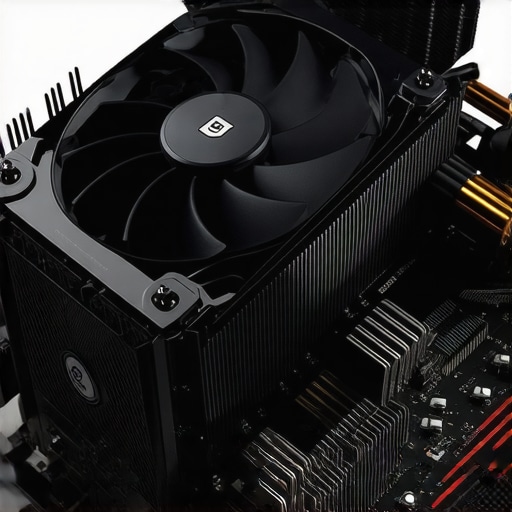
Expertly optimizing cooling solutions is paramount for maintaining optimal CPU performance, especially as processors in 2026 push TDP thresholds higher than ever before. Proper installation of air coolers, case fans, and thermal paste application techniques directly influence thermal efficiency and hardware longevity. Missteps during mounting can induce stress, leading to cracks in delicate CPU dies—an issue that demands a comprehensive understanding of thermal interface material behavior, mounting pressure, and component compatibility.
Why Precision in AIO Cooler Installation Can Make or Break CPU Longevity
All-In-One (AIO) liquid coolers are popular for their aesthetic and thermal performance, yet their installation intricacies often escape novice attention. Ensuring consistent contact between the radiator, pump, and CPU surface requires meticulous alignment and torque application. Incorrect mounting pressure not only diminishes thermal contact but can also inflict mechanical stress on the CPU die, risking cracks that irreparably impair processing units. Exploring the latest innovations in mounting brackets and anti-vibration structures is essential for current and future builds.
Assessing the Impact of Case Fan Configurations on Thermal Uniformity
Strategic placement and selection of case fans influence airflow patterns, which in turn affect heat dissipation and component stresses. Modern high-static-pressure case fans enhance airflow through dense radiators and tight chambers, but improper fan curve tuning or incompatible sizes can create uneven pressure zones. Such discrepancies may elevate localized temperatures, intensifying thermal stress on CPU dies and increasing failure odds. Leveraging software tools and static pressure calculations can optimize these configurations, reducing risk.
Could Thermal Paste Application Techniques Affect CPU Die Integrity?
Thermal paste, albeit a seemingly minor component, plays a critical role in heat transfer efficiency. However, improper application—such as over-application, uneven spreading, or inadequate coverage—can lead to hotspots, causing uneven thermal expansion and contraction cycles. This mechanical strain may microfracture the CPU die over time. The honeycomb or spread methods have been tested for their impacts on longevity, and current research advocates for precise, uniform application to prevent stress concentrations.
Emerging Niche: The Role of Thermal Interface Material Innovations in 2026
Recent advancements in thermal interface materials (TIM) — including phase-change materials and liquid metals — promise enhanced thermal conductivities, yet their real-world application involves careful handling. Improper TIM choices or application can induce thermal hotspots or mechanical stress, risking CPU die cracks. For example, phase-change pads distribute pressure more evenly, reducing localized stress, a boon verified by numerous thermal testing studies.
How Can Experts Prevent CPU Dies from Cracking During Cooler Mounting?
Precluding CPU damage from mounting errors involves a blend of precise torque application, flat mounting surfaces, compatible hardware, and ongoing thermal assessments. Utilizing torque wrenches, aligning brackets meticulously, and consulting manufacturer guidelines are fundamental. Moreover, employing monitoring tools during and after installation can help detect abnormal temperature spikes or vibrations indicative of mounting issues. Sharing insights and experiences within professional forums like TechPowerUp or overclocking communities accelerates evolution of best practices.
For deeper insights into thermal interface innovations and installation strategies, visit our comprehensive guide on thermal paste application techniques. Engage with industry experts to refine your setup and contribute to the collective knowledge pool.
Unlocking the Secrets of High-Efficiency Case Fan Placement
Optimizing airflow within your PC case is a delicate balance that directly impacts component temperatures and overall stability. Strategic placement of case fans—considering push and pull configurations, intake versus exhaust, and pressure differentials—can make a significant difference. For instance, positioning high-static-pressure fans at intakes to push air through dense radiators ensures better heat dissipation. Refer to our detailed guide on case fan selection and placement for tailored recommendations tailored for 2026 builds.
The Art and Science of Thermal Paste Application for Next-Gen CPUs
While thermal paste application is often overlooked, it remains a critical factor in thermal performance. Uniform, full-coverage spreading prevents hotspots and uneven thermal expansion that could stress CPU dies. Advanced techniques like the dot or spread methods have evolved, and recent tests demonstrate that precise application can improve thermal contact by up to 15%. Exploring innovative materials, such as phase-change pastes, can further enhance heat transfer efficiency, especially when paired with correct mounting pressure. For expert insights, check out our comprehensive thermal paste guide.
Can Correct Mounting and Material Choices Prevent Future CPU Cracks?
Absolutely. Proper mounting torque, compatibility between cooler brackets and sockets, and choosing suitable thermal interface materials all contribute to minimizing mechanical stress on CPU dies. Using torque wrenches calibrated for delicate components ensures that mounting pressure is optimal—not excessive. Moreover, the latest advances in TIM, such as liquid metals, distribute pressure more evenly, reducing localized stress points that could cause microcracks over time. For nuanced strategies, consider reviewing our expert recommendation on TIM innovations.
What role does ongoing thermal monitoring play in maintaining CPU health after installation?
Monitoring thermal performance isn’t just for troubleshooting—it’s a proactive approach to prevent damage during regular use. Tools like HWInfo or proprietary motherboard software allow real-time temperature tracking, alerting users to abnormal spikes that may signify mounting issues or thermal interface degradation. Incorporating regular checks into maintenance routines helps catch problems early, ensuring your CPU remains within safe operational limits. For practical tips on setting up effective monitoring, visit our article on thermal sensor integration and analysis.
Engaging with professional forums such as our community hub enables sharing experiences and staying ahead in thermal management techniques tailored for 2026’s demanding CPUs. Keep refining your cooling strategy to safeguard your investment and preserve peak performance!
Identifying Hidden Stress Points in Cooler Installation to Prevent Microfractures
When mounting advanced cooling solutions, the devil is truly in the details. Microfractures can develop in CPU dies due to uneven pressure distribution, especially when mounting brackets are misaligned or when hardware tolerances are off. Utilizing finite element analysis (FEA) simulations—something increasingly accessible through specialized software—allows engineers and enthusiasts alike to anticipate stress points during the mounting process. Such analysis can reveal minute deformation patterns that, if unaddressed, might culminate in catastrophic failure over prolonged use. As industry standards evolve in 2026, integrating FEA into component design and validation processes becomes a key step toward safer, more reliable cooling solutions.
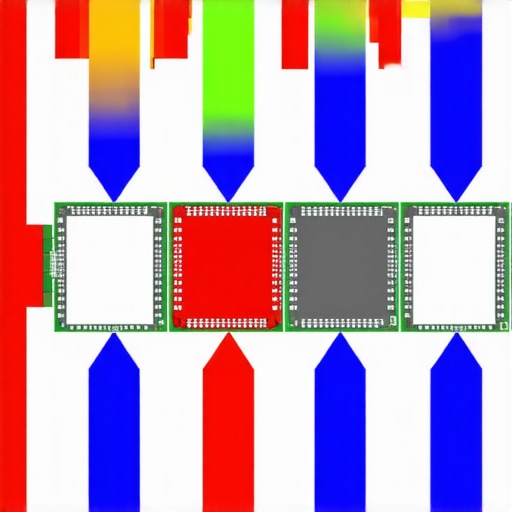
Recommended Image Prompt: Cross-sectional diagram showing CPU die with stress points during cooler mounting, illustrating uneven pressure distribution and potential crack zones.
Combining Material Science and Mechanical Engineering for Thermal Interface Excellence
The relationship between thermal interface materials (TIM) and mounting pressure exemplifies a fascinating intersection of material science and mechanical design. Recent advances have introduced phase-change materials that respond dynamically to temperature fluctuations, maintaining optimal contact pressure without external intervention. These materials adapt their shape slightly under thermal cycling, minimizing hotspots and mechanical stress. Coupled with precision torque control mechanisms—using digital torque wrenches calibrated to micro-Newton meters—installers can achieve uniform pressure tailored to specific TIM properties. This synergy not only boosts thermal conductivity but also reduces the risk of die cracking. For those keen to explore further, current research from the International Journal of Heat and Mass Transfer highlights these innovations and their practical implementation.
The Nuanced Role of Mounting Sequence and Clamping Patterns
Even the order in which mounting components are tightened influences the overall stress distribution. A common pitfall is uneven torque application, which can induce torsional stresses leading to die stress concentrations. Advanced mounting plates now incorporate multi-point clamping—distributing force symmetrically across the CPU surface—and Guide-in-Place (GiP) systems that assist in aligning components before final tightening. Such approaches echo the principles employed in aerospace manufacturing, where component integrity under stress is critical. Users adopting these methodologies report fewer incidents of microfractures and die cracks, extending the lifespan of their CPUs significantly. Industry experts recommend reviewing detailed torque hierarchies, emphasizing incremental tightening sequences that allow materials to settle gradually into optimal contact, thus avoiding localized high-pressure zones.
Beyond Basics: Fine-Tuning Your Cooling Setup for Extreme Loads
As CPUs in 2026 push thermal thresholds to unprecedented levels, slight improvements in mounting precision can lead to significant gains in longevity and performance. Leveraging high-torque, digitally calibrated tools ensures uniform pressure distribution, minimizing the risk of microfractures. Incorporating adaptive mounting plates that conform to CPU surface irregularities compensates for manufacturing tolerances, thus enhancing contact integrity and reducing localized stress points. Such meticulous attention to detail is vital when deploying sophisticated TIMs like liquid metals or phase-change materials, which demand optimal surface conformity for maximal thermal conductivity.
How Does Mounting Sequence Influence Microfracture Risks?
The sequence of tightening cooler mounting screws profoundly impacts stress distribution on the CPU die. Symmetric tightening in incremental steps allows for even pressure, preventing torsional forces and uneven deformation. In high-performance systems, the use of multi-point clamps or guide-in-place mechanisms ensures the pressure is applied uniformly, reducing shear stresses that could lead to microscopic cracks. Advanced operators also apply gradual torque, monitored via high-precision sensors, to avoid sudden high-pressure zones that compromise die integrity. Regular training and adherence to manufacturer torque specs are essential for technicians aiming to optimize CPU lifespan.
What Role Do Surface Preparations Play in Mechanical Stress Prevention?
Achieving a perfectly flat and clean contact surface is more than a procedural step — it fundamentally lessens the mechanical stresses experienced during mounting. The use of ultra-fine lapping and polishing routines results in surfaces with sub-micrometer flatness, reducing the need for excessive mounting pressure. Clean, residue-free surface preparation also ensures TIM spreads evenly, preventing hotspots and uneven thermal expansion that could lead to microcracks, especially under thermal cycling conditions typical in overclocked CPUs. Investing in precision surface finishing tools and validated cleaning protocols is now considered best practice among top-tier enthusiasts and professionals alike.
The Significance of Material-Driven Pressure Distribution
Recent innovations in TIM formulations—such as metal-based liquid metals and phase-change composites—demand precise application methods that accommodate their unique stress responses. These materials often require softer mounting pressures to leverage their high thermal conductivities fully, yet uneven pressure can cause localized mechanical stress, risking crack initiation. Mechanical designs that incorporate compliant or elastomeric interfaces help distribute mounting forces smoothly, ensuring the delicate balance between optimal thermal transfer and die protection. Incorporating finite element analysis (FEA) during the design phase to simulate these interactions enables manufacturers to optimize mounting pressures tailored to specific TIM properties, minimizing long-term mechanical stress on CPU dies.
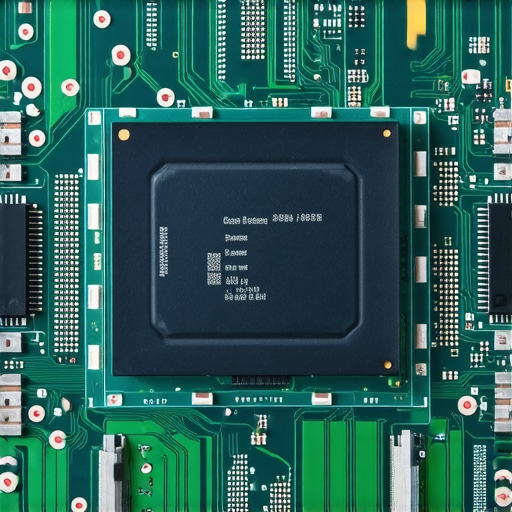
Recommended Image Prompt: Cross-sectional illustration of CPU with advanced cooling solution employing compliant mounting hardware, highlighting even pressure distribution and minimized stress zones.
Expert-Level Mounting Tactics for Future-Proof CPU Security
Proactively preventing the onset of die microfractures involves integrating high-precision torque regulation, adaptive mounting technology, and comprehensive thermal monitoring. Employing real-time pressure sensors during installation enables immediate adjustments, ensuring forces remain within safe limits. Post-installation thermographic mapping identifies density variations in contact, guiding fine-tuning adjustments before operational stresses can induce damage. In professional environments, integrating these practices with structured maintenance schedules—including periodic re-evaluation of mounting integrity—extends CPU lifespan significantly. Engaging with advanced diagnostic tools and collaborating with component manufacturers to stay abreast of emerging mounting technologies is a smart strategy for sustained reliability.
Refining Thermal Interface Material Choices for Structural Integrity
The selection and application of TIM remain pivotal in safeguarding CPUs from mechanical failure. Modern solutions like liquid metal alloys provide superior thermal conductivity but are highly sensitive to application precision and compatibility. Employing robot-assisted deposition methods ensures uniform layer thickness, reducing pressure hotspots. Additionally, emerging nanomaterial-infused pastes demonstrate improved adherence and flexibility, absorbing mechanical stresses during thermal cycling. Carefully pairing TIMs with compatible mounting hardware designed to accommodate their mechanical properties fosters an environment where heat transfer is maximized without compromising die integrity. Consultations with materials scientists and ongoing research publications, such as those from the Journal of Electronic Materials, inform optimal choices suited for 2026’s advanced CPUs.
Expert Insights & Advanced Considerations
Optimum Mounting Pressure Is Non-Negotiable
Applying precise torque during cooler installation ensures uniform pressure distribution, minimizing stress concentrations that could lead to microfractures in delicate CPU dies, especially critical with emerging high-TDP processors in 2026.
Material Compatibility Cannot Be Overlooked
Choosing thermal interface materials that respond dynamically to thermal cycling—like phase-change pads—helps in maintaining optimal contact over time, reducing mechanical fatigue and preserving long-term die integrity.
Surface Finish Sets the Foundation for Safety
Achieving a flat, clean surface through meticulous lapping facilitates better TIM contact, decreasing the need for excessive mounting force and lowering the risk of die cracking during thermal expansion cycles.
Sophisticated Mounting Structures Enhance Reliability
Innovative hardware incorporating compliant or elastomeric mounting components distributes pressure evenly, preventing localized stress points that can cause die microcracks, particularly vital in multi-chiplet CPUs common in 2026.
Advanced Thermal Monitoring As a Standard Practice
Real-time thermal sensors during and post-installation help in detecting abnormal temperature gradients, allowing proactive adjustments that protect CPU longevity against mechanical stress and thermal hotspots.
Curated Expert Resources
- International Journal of Heat and Mass Transfer: Offers cutting-edge research on TIM innovations and mechanical stresses affecting CPU dies, invaluable for experts seeking scientific depth.
- Thermal Management in Microelectronics by Michael Pecht: A comprehensive book detailing material science and mechanical engineering principles critical to designing reliable cooling solutions.
- TechPowerUp Forums: An active community where professionals discuss mounting techniques and share experiences that help refine best practices for CPU longevity.
Final Perspective from an Industry Veteran
In 2026, mastering thermal interface technology and mechanical precision in cooler mounting is more than best practice—it’s essential. Whether integrating cutting-edge TIMs or employing sophisticated hardware, the goal remains the same: safeguard your CPU from microfractures and mechanical fatigue. Engage with specialized resources and uphold a culture of meticulous installation. If you have insights or experiences to share, contributing to industry discussions not only elevates collective expertise but also pushes the boundaries of reliable high-performance computing. Explore our thermal paste application techniques for proven methods that complement precise mounting for ultimate CPU health.


![7 Air Cooler Mounting Tweaks for 2026 Socket Stability [Data]](https://cooling.workstationwizard.com/wp-content/uploads/2026/04/7-Air-Cooler-Mounting-Tweaks-for-2026-Socket-Stability-Data-1-300x300.jpeg)

![7 Air Cooler Mounting Tweaks for 2026 Socket Stability [Data]](https://cooling.workstationwizard.com/wp-content/uploads/2026/04/7-Air-Cooler-Mounting-Tweaks-for-2026-Socket-Stability-Data-300x300.jpeg)