
Unlocking the Science of Cooler Performance: Why Fan Curves and Thermal Paste Are Critical for Expert PC Cooling
In the realm of high-performance computing, where thermal management is paramount, understanding the intricate dynamics of fan curves and thermal paste application elevates your cooling setup from basic to professional-grade. As a seasoned enthusiast or system builder, you recognize that optimal airflow regulation and thermally conductive interfaces are not mere tweaks but foundational principles that influence system stability, longevity, and overclocking potential.
Deciphering Fan Curves: The Expert’s Guide to Precision Cooling Control
How Can Dynamic Fan Curves Be Fine-Tuned for Peak Performance Under Variable Loads?
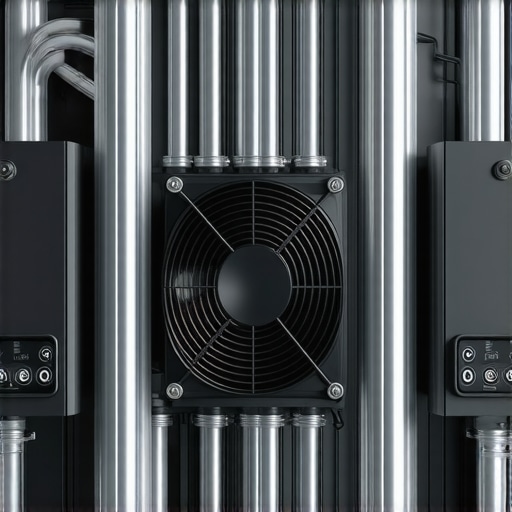
Fan curves are more than simple speed-to-temperature mappings; they are sophisticated control strategies that adapt to workload fluctuations. Advanced users leverage custom fan profiles within BIOS or dedicated software, adjusting the curve to prioritize silence during idle or low load conditions while ramping aggressively during gaming or rendering tasks. This nuanced approach minimizes noise pollution without compromising thermal safety. Integrating AI-based fan control algorithms, as discussed in recent white papers, can further refine this dynamic balancing, ensuring the cooling system responds intelligently to real-time thermal demands.
Expert Insights into Thermal Paste Application: Beyond the Basics
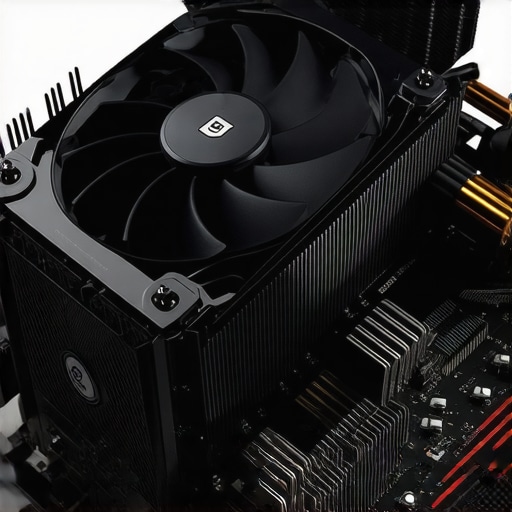
Thermal paste remains a pivotal element in heat transfer efficiency between CPU/GPU and the cooling block. The debate over application methods—spread versus dot—has evolved, with recent studies indicating that a thin, uniform layer minimizes thermal resistance. High-performance thermal compounds, such as those detailed in the Ultimate Guide to Thermal Paste, are engineered for nanometer-scale heat transfer. Proper application, combined with meticulous cleaning of surfaces and appropriate pressure during mounting, ensures maximal thermal conductivity, directly impacting thermal throttling thresholds.
What Are the Most Overlooked Factors That Impact Fan Curve and Thermal Paste Effectiveness?
Ambient airflow, case airflow design, and even the orientation of cooling components significantly influence the efficacy of fan curves and thermal paste. Systemic airflow optimization—guided by comprehensive case ventilation analysis—can prevent hotspots and reduce reliance on aggressive fan speeds or excessive thermal paste layers. These subtle yet impactful factors are often neglected by novices but are well-understood by experts aiming for top-tier cooling performance.
For those seeking to deepen their mastery, exploring case fan configurations and their interaction with liquid cooling radiators can offer insights into holistic thermal management strategies. To explore more on this, visit our comprehensive guide on PC cooling systems.
Unlocking the Next Level of PC Cooling: Advanced Fan Curve Tuning and Thermal Paste Precision
As seasoned enthusiasts push their systems to new performance heights, understanding the nuanced interplay between fan curves and thermal paste becomes even more critical. Beyond basic configurations, expert-level tuning involves integrating software automation, real-time monitoring, and surface preparation techniques to achieve optimal thermal management. These strategies not only improve cooling efficiency but also extend component lifespan and facilitate stable overclocking.
Can Adaptive Fan Curves Be Programmed to Anticipate Thermal Fluctuations?
Yes, modern BIOS settings and specialized software such as comprehensive fan curve management tools allow for the creation of adaptive profiles that respond proactively to thermal changes. Using algorithms that incorporate predictive analytics, these profiles adjust fan speeds not just based on current temperatures but also anticipate upcoming workloads, smoothing out thermal peaks and valleys. Implementing such intelligent control systems can significantly reduce noise levels during light tasks while maintaining aggressive cooling during intensive loads, effectively balancing acoustics and thermal safety.
Furthermore, integrating hardware monitoring solutions with machine learning models facilitates a proactive cooling environment. This is especially relevant for overclockers and professionals working with high-performance applications, where stability margins are tight. For practical implementation, consider exploring tools documented in recent tech reviews and expert forums, which provide step-by-step guidance on customizing fan curves for dynamic responsiveness.
How Does Surface Preparation and Thermal Paste Application Impact Long-term Cooling Stability?
Proper surface preparation and precise thermal paste application are often underestimated in their importance. Achieving a perfectly flat and clean surface ensures maximum contact area and minimizes microscopic air gaps that impair heat transfer. Experts recommend using a lint-free cloth and isopropyl alcohol to thoroughly clean both the CPU/GPU and heatsink surfaces before applying thermal paste, as detailed in the ultimate guide to thermal paste application.
When applying thermal paste, a thin, even layer—preferably using a spatula or the dot method—ensures consistent coverage without excess that can hinder heat dissipation. High-quality compounds with nanometer-scale particle sizes, such as those recommended in authoritative reviews, can significantly improve thermal conductivity. Over time, thermal paste can degrade or dry out, so periodic reapplication following the same meticulous protocol maintains long-term stability and prevents thermal throttling issues.
It is also crucial to consider the thermal interface material’s compatibility with your cooling setup—be it air or liquid cooling—and to ensure mounting pressure is uniform. For deeper insights on case airflow and component orientation, visit our comprehensive case airflow guide.
What are the emerging technologies and techniques that could redefine thermal management in the next decade?
Emerging innovations such as phase change materials, liquid metal thermal compounds, and active cooling systems employing thermoelectric modules promise to revolutionize thermal management. Researchers are also exploring the integration of AI-driven control systems that dynamically optimize cooling parameters in real-time, adapting to workload and environmental changes more efficiently than ever before. For enthusiasts and professionals eager to stay at the forefront, engaging with recent scientific publications and industry white papers is invaluable. To start, check out the latest developments in thermal regulation technologies on trusted platforms like our detailed updates on cooling innovations.
If you’re seeking personalized advice or advanced troubleshooting, don’t hesitate to reach out to our experts. Sharing your experiences or asking questions can also help the community grow and refine best practices for top-tier PC cooling.
Innovative Approaches to Fan Curve Customization: Harnessing Predictive Analytics for Thermal Stability
Achieving optimal fan control extends beyond static profiles; it involves leveraging cutting-edge predictive analytics that anticipate system thermal behavior. Advanced users integrate machine learning algorithms within BIOS or dedicated software platforms, allowing for real-time adjustments that preempt thermal spikes. These intelligent systems analyze historical thermal data and workload patterns, adjusting fan speeds proactively to maintain a steady thermal envelope while minimizing acoustic disruptions. This approach exemplifies the next frontier of precision cooling, where automation and data-driven insights converge to deliver seamless thermal management.
Surface Preparation Techniques: Elevating Thermal Paste Performance to New Heights
In the pursuit of peak thermal conductivity, surface preparation takes center stage. Experts recommend employing ultra-fine abrasive pads to achieve micro-level flatness on CPU and GPU surfaces, complemented by meticulous cleaning with isopropyl alcohol (preferably 99%) to eradicate residual contaminants. Such rigorous preparation ensures maximal contact area, reducing microscopic air gaps that impair heat transfer. When applying thermal paste, the dot method combined with gentle mounting pressure ensures an even spread without excess, facilitating nanometer-scale heat conduction, as highlighted in recent authoritative studies (see detailed guide).
Deciphering Complex Interactions: How Case Design and Component Orientation Influence Cooling Efficacy
While fan curves and thermal paste are critical, the overall case architecture and component orientation profoundly impact thermal dynamics. High-performance cases feature strategically placed vents and optimized airflow paths, reducing hotspots and thermal bottlenecks. Component orientation, such as vertical GPU mounting or angled heatsinks, can improve airflow efficiency and heat dissipation. External factors like ambient temperature and airflow obstructions also warrant consideration; for instance, placing intake fans near cool external air sources can substantially lower interior temperatures. Integrating case airflow analysis with thermal management strategies forms a holistic approach for expert-level cooling. For more insights, explore our comprehensive case airflow guide.
Emerging Technologies: Pioneering the Future of Thermal Management in High-Performance PCs
Looking ahead, novel materials such as phase change compounds and liquid metal thermal interfaces promise revolutionary improvements in heat transfer efficiency. Additionally, active cooling solutions incorporating thermoelectric modules enable temperature differential management, pushing thermal boundaries further. Researchers are also exploring the integration of AI-driven control systems that adapt dynamically to environmental conditions, workload fluctuations, and component aging, ensuring sustained thermal performance. Staying informed on these breakthroughs involves engaging with scientific publications and industry white papers; platforms like our updates on cooling innovations provide valuable insights for enthusiasts and professionals alike.
What Are the Best Practices for Long-Term Maintenance and Upkeep of Thermal Interface Materials?
Long-term stability of thermal management depends heavily on routine maintenance of thermal interfaces. Experts recommend periodic cleaning of heatsinks and CPU/GPU surfaces with lint-free cloths and isopropyl alcohol, followed by reapplication of high-quality thermal compounds. Using thermal pastes with nanometer-scale particles not only enhances initial transfer but also mitigates degradation over time. Ensuring proper mounting pressure and verifying contact integrity after hardware adjustments extend the lifespan of thermal interfaces. For detailed protocols, consult specialized resources such as thermal paste reapplication techniques.
In the relentless pursuit of superior cooling, combining meticulous surface preparation, advanced fan curve management, and embracing emerging technologies forms the cornerstone of expert-level thermal strategy. As you refine these techniques, remember that continuous learning and adaptation are key to maintaining cutting-edge performance.
Harnessing Predictive Analytics to Revolutionize Fan Curve Customization
In the realm of high-end PC cooling, traditional fan curve adjustments are giving way to intelligent, predictive models that preempt thermal fluctuations. By integrating machine learning algorithms within BIOS or dedicated software, enthusiasts can develop adaptive profiles that analyze real-time data, historical workload patterns, and environmental variables. This proactive approach not only optimizes noise levels but also maintains optimal thermal conditions, crucial for overclocking and longevity. Experts are increasingly turning to AI-driven control systems, which leverage deep learning to refine cooling responses dynamically, ensuring systems stay within safe thermal margins without unnecessary noise pollution.
Innovative Surface Preparation Techniques for Superior Thermal Conductivity
Achieving peak thermal performance extends beyond thermal paste selection; meticulous surface preparation is essential. Advanced practitioners employ ultra-fine abrasive pads or micro-finish polishing to ensure an impeccably flat contact surface on CPUs and GPUs. Following this, thorough cleaning with high-purity isopropyl alcohol removes residues that could impair heat transfer. The application of nanometer-scale thermal compounds, applied via the dot or spread method, maximizes interface contact. Regular maintenance, including surface re-polishing and reapplication of high-quality thermal paste, sustains long-term thermal stability, particularly in overclocked systems where heat dissipation demands are elevated.
How Do Case Architecture and Component Orientation Affect Thermal Dynamics?
Beyond internal cooling components, the overall case design and component positioning significantly influence thermal efficiency. High-performance cases feature strategically placed vents, optimized airflow channels, and modular layouts to reduce hotspots. Vertical GPU mounting, angled heatsinks, and orientation of intake and exhaust fans can enhance airflow paths, minimizing turbulence and improving heat dissipation. External factors, such as ambient temperature and airflow obstructions, also play a role. Conducting a comprehensive case airflow analysis and adjusting component placement accordingly can markedly improve thermal performance, reducing reliance on extreme fan speeds or thermal paste layers.
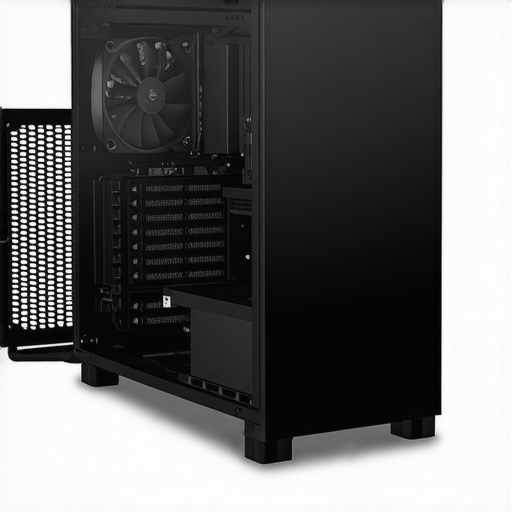
Optimized case airflow pathways with strategic vent placement and component orientation enhance thermal management efficiency, reducing hotspots and improving overall system stability.
Emerging Materials and Technologies Shaping Future Thermal Management
The landscape of thermal management is on the cusp of transformation, driven by innovations such as phase change materials, liquid metal thermal interfaces, and thermoelectric cooling modules. These materials offer unprecedented heat transfer capabilities, enabling more efficient cooling solutions. Concurrently, AI-based control systems are evolving, capable of analyzing environmental and workload data to dynamically adjust cooling parameters in real time. Staying abreast of these developments through scientific journals and industry white papers—such as those published by the IEEE or ASME—provides invaluable insights into forthcoming breakthroughs. Adopting these technologies can significantly elevate thermal performance and system stability for demanding applications.
What Are the Long-Term Benefits of Regular Thermal Interface Material Maintenance?
Consistent maintenance of thermal interface materials (TIM) ensures sustained heat transfer efficiency. Experts recommend periodic cleaning of heatsinks and contact surfaces with lint-free cloths and high-purity alcohol, followed by reapplication of premium thermal compounds. Using nanometer-particle-based pastes enhances initial thermal conductivity and mitigates degradation over time. Proper mounting pressure and surface flatness are critical to prevent thermal resistance buildup. Regular reapplication extends component lifespan, prevents thermal throttling, and maintains system performance, especially in overclocked or heavily loaded configurations. For detailed protocols, consult authoritative resources like the thermal paste maintenance guide.
Embracing continuous innovation and meticulous upkeep of cooling interfaces will ensure your system remains at the forefront of thermal performance, supporting demanding workloads and overclocking endeavors. Engage with community forums and expert tutorials to refine your techniques further and stay ahead in the evolving landscape of PC cooling technology.
Expert Insights & Advanced Considerations
Innovative Fan Curve Tuning Techniques
Advanced users leverage software automation and machine learning algorithms to develop adaptive fan profiles that respond proactively to system thermal fluctuations, minimizing noise while maintaining optimal cooling performance.
Surface Preparation for Long-Term Thermal Stability
Meticulous surface finishing using micro-finish polishing and thorough cleaning with high-purity isopropyl alcohol ensures maximum contact and reduces microscopic gaps, significantly enhancing thermal paste effectiveness over time.
Impact of Case Design and Component Orientation
Strategic placement of vents, angled heatsinks, and vertical GPU mounting optimize airflow paths, reduce hotspots, and improve overall thermal management, especially in high-performance configurations.
Emerging Materials and Technologies
Innovations such as phase change materials, liquid metal interfaces, and AI-driven cooling controls are poised to revolutionize thermal management, offering unprecedented heat transfer capabilities and system stability.
Curated Expert Resources
- Cooling Workstation Wizard Forums: A hub for professional discussions on thermal optimization techniques and emerging technologies.
- IEEE Transactions on Components and Packaging Technologies: Peer-reviewed papers on cutting-edge materials and cooling innovations.
- Thermal Management White Papers by Industry Leaders: In-depth technical documents detailing latest advancements and practical applications.
- Specialized Tutorials on Surface Finishing and Thermal Paste Application: Expert-led guides that delve into preparation and application best practices.
Final Expert Perspective
Mastering thermal management in high-performance PC systems involves a nuanced understanding of fan curve tuning, surface preparation, and emerging materials. By integrating these advanced strategies and leveraging authoritative resources, enthusiasts can push their systems to new heights of stability, efficiency, and longevity. For personalized insights or to share your expertise, don’t hesitate to reach out to our team. Continuous learning and application of expert knowledge remain the keys to achieving excellence in PC cooling engineering.



![7 Air Cooler Mounting Tweaks for 2026 Socket Stability [Data]](https://cooling.workstationwizard.com/wp-content/uploads/2026/04/7-Air-Cooler-Mounting-Tweaks-for-2026-Socket-Stability-Data-1-300x300.jpeg)
![7 Air Cooler Mounting Tweaks for 2026 Socket Stability [Data]](https://cooling.workstationwizard.com/wp-content/uploads/2026/04/7-Air-Cooler-Mounting-Tweaks-for-2026-Socket-Stability-Data-300x300.jpeg)