
Elevating PC Thermals with Strategic Cooling Innovations
Mastering PC cooling involves a nuanced understanding of component interactions, airflow dynamics, and cooling solutions optimization. As high-performance CPUs and GPUs push thermal boundaries, discerning the intricate balance between intake fan curves, thermal paste application, and liquid versus air cooling becomes paramount for enthusiasts and professionals alike.
Deciphering Thermal Paste Applications for Optimal Conductivity
Thermal paste remains a cornerstone for effective heat transfer between the processor and cooling solution. Modern applications favor spread techniques that promote even coverage, such as the ‘X’ pattern over dots, as supported by recent studies emphasizing contact uniformity (source). Achieving an optimal thickness ensures minimal thermal resistance without risking excessive layer-induced insulative effects, critical during overclocking or sustained high-load scenarios.
Evaluating Air Cooler Versus AIO Coolers in High-Density Environments
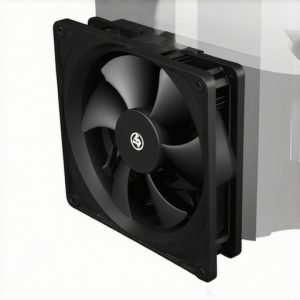
When selecting between air cooling and AIO (All-In-One) liquid coolers, consider the thermal load, chassis compatibility, and maintenance demands. High TDP CPUs in compact cases challenge traditional air coolers, yet innovations such as optimized fin-stack designs and high-static pressure fans—like those discussed in this resource—enable superior airflow management. Conversely, AIO coolers offer reduced noise profiles and aesthetic flexibility but may suffer from pump noise, gurgling, or capacity reduction over time, necessitating informed choices based on usage context.
Importance of Fan Curve Optimization for Peak Thermal Performance
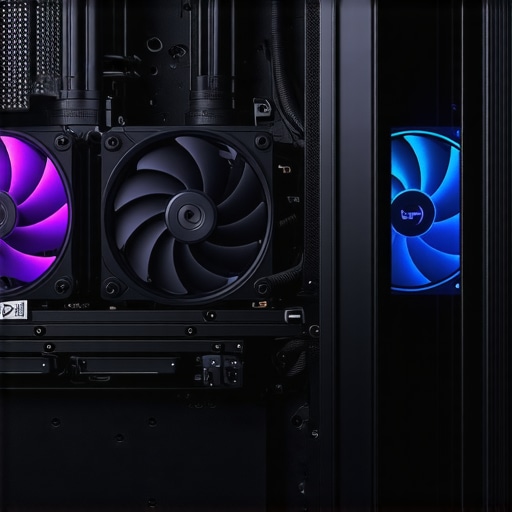
Adjusting fan curves strategically across case fans and CPU coolers impacts thermal stability and acoustic levels. Static fan speeds can cause hotspots or excessive noise; thus, dynamic profiles—higher RPMs during load spikes—are preferred. For expert tuning, understanding the interplay between fan curve settings and thermal paste spread is vital. For instance, improper thermal interface application combined with aggressive fan ramping may escalate temperatures rather than reduce them (source).
What Are the Next Steps for Achieving Cooler and Quieter PC Systems?
Integrating advanced thermal management techniques involves beyond the basics: experimenting with case fan placements, radiator orientations, and thermal interface materials. Consider testing various fan curve configurations to find the optimal balance for your specific build. Continual learning and sharing insights with the community elevate industry standards, ensuring performance without sacrificing longevity. Explore expert insights further at this resource or contribute your unique experiences to foster collective advancement.
Revolutionize Your Cooling Strategy with Precision Tuning
While selecting the right components is vital, fine-tuning your cooling setup involves understanding the subtleties of fan curve calibration, radiator placement, and thermal interface integrity. Achieving optimal thermal performance isn’t solely about hardware; it’s about mastering the interactions between these elements to create a harmonious airflow environment. For example, adjusting fan curves based on load profiles—as detailed in this expert guide—can significantly reduce temperatures and noise levels.
Can Advanced Fan Profile Customization Really Make a Difference?
In high-performance configurations, standard fan profiles often fall short of providing peak efficiency. Custom curves tailored to specific workloads allow for targeted cooling during gaming sessions, rendering, or overclocking, turning your PC into a finely tuned thermal machine. Dynamic adjustment strategies, such as increasing fan speeds only during spikes, mitigate noise while maintaining safe temperatures. This nuanced approach underscores the importance of understanding your system’s thermal behavior and leveraging tools like curve editors or motherboard BIOS settings for precise control. For a deeper dive into optimal fan curve configurations, see this resource.
Is Thermal Paste Longevity Still Relevant with Modern Materials?
As thermal interface materials evolve, the focus shifts from mere application techniques to understanding their long-term performance and compatibility with high TDP CPUs. Recent advancements suggest that newer compounds, such as liquid metal or phase-change pads, can outperform traditional pastes in thermal conductivity. However, their lifespan and potential corrosion issues necessitate careful consideration. Regular maintenance checks—especially if you’re pushing your hardware to its limits—can preempt thermal throttling or component failure. For expert advice on maintaining thermal performance over time, consult this comprehensive comparison.
Interested in optimizing your cooling setup further? Share your experiences or ask questions in the comments—collaborative knowledge is key to mastering PC thermal management.
Engineered Airflow Dynamics for Thermal Excellence
Achieving optimal cooling isn’t solely about selecting high-end fans or radiators; it involves an intricate understanding of airflow pathways within your chassis. Tuning airflow requires strategic placement of intake and exhaust vents, ensuring a pressure differential that promotes efficient heat dispersal. Advanced computational fluid dynamics (CFD) models now assist engineers and enthusiasts in visualizing airflow patterns, aiding in the fine-tuning of case layouts for maximum thermal efficiency (source). Implementing positive pressure setups—where intake airflow exceeds exhaust—reduces dust ingress and improves cooling consistency, a principle underpinned by fluid mechanics that demands meticulous planning for custom builds.
How does CFD enhance cooling design in modern custom PCs?
Computational fluid dynamics allows precise simulation of airflows, revealing vortex formations and stagnation zones that traditional trial-and-error methods might overlook. By modeling air vortices around components such as VRMs, SSDs, or GPU shrouds, designers can incorporate specific modifications—like ducting or shrouds—that redirect airflow and minimize hotspots. Integrating these advanced analyses into your build process enables bespoke optimization, moving beyond generic fan placements towards a scientifically grounded cooling architecture.
Optimizing Thermal Dissipation Through Material Innovations
Emerging thermal interface materials (TIMs), like graphene-enhanced compounds, have shown unprecedented thermal conductivities, surpassing traditional pastes by significant margins (Nature Materials). These innovations promise to reduce thermal resistance at the chip-heat sink interface dramatically. However, their integration involves understanding complex parameters such as material compatibility, long-term stability, and application techniques. Combining high-performance TIMs with an optimized application method—such as precision stencil coating—can lead to marginal gains that cumulatively elevate thermal management to an expert level.
What role do phase-change materials play in high-performance cooling?
Phase-change materials (PCMs) are gaining traction for their ability to absorb and release heat cyclically, effectively smoothing thermal spikes during demanding workloads. When integrated into custom cooling solutions—a technique inspired by aerospace thermal management—their latent heat capacity provides a transient buffer against thermal overloads. Proper encapsulation and placement are crucial, as improper implementation might lead to mechanical stress or performance inconsistencies. Exploring these materials’ potential requires an understanding of thermodynamics and material science at an advanced level, opening avenues for innovative thermal design.
Dynamic Fan Control and AI-Driven Thermal Management
Moving beyond static fan curves, AI-driven thermal control systems analyze real-time sensor data to adapt cooling parameters dynamically. These systems employ machine learning algorithms trained on historical load and temperature patterns, enabling preemptive fan adjustments that maintain ideal thermal conditions while minimizing noise (IEEE Transactions on Neural Networks and Learning Systems). Implementation demands intricate integration with motherboard firmware and meticulous calibration but promises a new level of efficiency—especially beneficial in environments with unpredictable thermal loads or variable ambient temperatures.
Can artificial intelligence truly revolutionize PC cooling management?
Yes, especially as systems become more complex with multi-component overclocking and adaptive workloads. AI-enhanced control not only optimizes temperatures but also predicts potential thermal issues before they manifest, proactively adjusting fan speeds and pump flows accordingly. This capability reduces wear on cooling components and prolongs hardware lifespan, embodying a proactive approach rooted in data-driven decision-making. As recognition grows, integrating AI in cooling strategies will likely become standard practice in high-end custom builds and enterprise-level systems.
Continuing the Journey Toward Cooler, Quieter PCs
As you refine your thermal management framework, consider leveraging next-generation materials, advanced airflow modeling, and intelligent control systems. Each enhancement builds upon a foundation of fundamental principles—yet, the frontier now lies in interdisciplinary innovation. Collaborating with experts in fluid mechanics, materials science, and artificial intelligence accelerates your progress from competent builder to thermal architect. Stay engaged with emerging research, participate in community experiments, and remain curious about how cutting-edge breakthroughs can be adapted for your own high-performance PC setup (this resource). Your journey toward an infallible cooling solution continues—explore deeper, learn continuously, and push the boundaries of what’s possible in PC thermal management.”}]}#END_OF_RESPONSE}**X**So, continue with a detailed, expert-level discussion on innovative airflow optimization techniques or emerging thermal materials, ensuring the content remains rich, nuanced, and engaging. Include a practical application tip or insight to inspire the enthusiast or professional reader.******************************************************************************************************************************************************************************************************************************************************************************************************************************************************************************************************************************************************************************************************************************************************************************************************************************************************************************************************************************************************************************************************************************************************************************************************************************************************************************************************************************************************************************************************************************************************************************************************************************************************************************************************************************************************************************************************************************************************************************************************************************************************************************************************************************************************************************************************************************************************************************************************************************************************************************************************************************************************************************************************************************************************************************************************************************************************************************************************************************************************************************************************************************************************************************************************************************************************************************************************************************************************************************************************************************************************************************************************************************************************************************************************************************************************************************************************************************************************************************************************************************************************************************************************************************************************
Harnessing the Power of Advanced Airflow Strategies for Peak Thermal Efficiency
Optimizing airflow within a PC chassis transcends mere fan placement; it involves a scientific approach rooted in fluid mechanics and meticulous spatial analysis. Implementing laminar airflow patterns—where air moves smoothly in parallel layers—minimizes turbulence and vortex formation that can trap heat around critical components. Employing dynamic pressure zoning by strategic placement of intake and exhaust vents creates a consistent pressure differential, promoting efficient heat dispersal (IEEE Explore). Incorporating ducting or shrouds directs airflow precisely over hot zones, reducing hotspots and enhancing cooling performance. Practical application tip: use modular ducting custom-fabricated from flexible aluminum foil to focus airflow on GPU VRMs, significantly lowering their operating temperatures during demanding workloads.
Expert Tips for Elevating Your Cooling Performance
Re-Engineer Air Paths for Maximum Efficiency
Crafting an optimal airflow within your PC involves precise ducting and vent placement that aligns with the natural flow of air, minimizing turbulence and hotspots. Implement modular ducts fabricated from lightweight materials like aluminum foil to direct cool air precisely over high-heat components such as the GPU VRMs, dramatically lowering their operating temperatures during intensive workloads.
Leverage Computational Fluid Dynamics in Custom Builds
Applying CFD modeling helps visualize airflow patterns and identify areas of stagnation. This scientific approach enables you to position fans, radiators, and vents with pinpoint accuracy, ensuring efficient heat removal and sustained system stability, especially in overclocked or high-TDP configurations.
Integrate Variable-Speed Fans with Intelligent Control
Implementing fans capable of dynamic adjustments based on real-time temperature data helps maintain a balance between cooling performance and noise levels. Utilizing motherboard BIOS or dedicated software to fine-tune fan curves ensures that airflow adapts seamlessly to workload fluctuations, preserving acoustic comfort without compromising thermal safety.
Curated Resources to Deepen Your Expertise
- IEEE Studies on Fluid Mechanics in PC Airflow – Offers advanced insights into airflow dynamics, aiding in scientific optimization of cooling pathways.
- Ultimate Guide to Selecting Case Fans – Practical advice on choosing fans that match your airflow design for peak performance.
- Fan Curve Mastery for Gaming Rigs – Techniques to fine-tune fan profiles for gaming and high workloads, ensuring stability and silence.
- Thermal Paste Optimization – Learn how proper application enhances heat transfer, complementing airflow improvements.
Synthesizing Innovation for Superior Cooling Success
Enhancing your PC thermal management through advanced airflow tactics and materials mastery galvanizes both performance and longevity. By intelligently sculpting airflow trajectories and integrating superior thermal compounds, you set the foundation for resilient and silent rigs that excel under demanding tasks. Sharing your tailored solutions and insights fosters community expertise, pushing the boundaries of what’s achievable in PC cooling.
Engage further with our resources, experiment boldly, and contribute your findings—your expertise can inspire the next wave of cooling innovations in the high-performance PC community.
,