
Optimizing PC Cooling Through Precision Fan Curve Management and Thermal Paste Application
In the realm of high-performance computing, meticulous attention to cooling strategies is paramount for sustaining top-tier hardware efficiency and longevity. As technology advances, understanding the nuanced interplay between fan curves, thermal paste application, and component airflow becomes essential for enthusiasts and professionals alike. This article delves into sophisticated techniques to elevate your PC’s thermal management, emphasizing the significance of tailored fan profiles and high-quality thermal compounds.
The Science Behind Fan Curves and Their Role in Thermal Efficiency
How Do Fan Curves Influence CPU and GPU Temperatures Under Variable Loads?
Fan curves serve as dynamic maps dictating fan speed relative to component temperatures, allowing for optimal noise-performance balance. Precise calibration ensures that fans ramp up swiftly during intensive tasks, dissipating heat effectively, while maintaining silent operation during idle periods. Advanced user-defined profiles, as detailed in the Mastering Fan Curves for Air Coolers, facilitate granular control over airflow, significantly reducing thermal throttling risks and extending hardware lifespan.
Thermal Paste Application: Beyond the Basics
Why Do Even Minor Variations in Thermal Paste Application Affect Performance?
Applying thermal paste isn’t merely a routine task; it’s a critical determinant of heat transfer efficiency between the CPU or GPU and their respective coolers. Uneven application or low-quality compounds can cause hotspots, leading to elevated temperatures and potential system instability. Expert insights from the Thermal Paste Optimization Guide emphasize the importance of proper spreading techniques and choosing thermal compounds with high thermal conductivity. Precise application ensures maximum surface contact, facilitating superior heat dissipation.
Balancing Airflow and Noise: The Art of Fan Curve Fine-Tuning
Beyond simply setting fan speeds, mastering airflow involves strategic positioning of intake and exhaust fans, ensuring a smooth thermal gradient within the case. By integrating data-driven fan curves with case airflow optimization, such as described in the Ultimate Guide to Fan Curves and Air Cooler Setup, users can achieve a harmonious balance that minimizes thermal bottlenecks. The ultimate goal is to prevent hotspots that can compromise performance or cause thermal stress.
Can Dynamic Fan Profiles Outperform Static Settings in Extreme Workloads?
Adopting adaptive fan profiles, which respond to real-time thermal metrics, offers a distinct advantage over static configurations. These profiles adapt to workload fluctuations, conserving energy and reducing noise without sacrificing cooling efficacy. Experts in the field advocate for implementing customizable fan curves tailored to specific use cases, from gaming to rendering, ensuring consistent component stability.
For a deeper understanding of integrating fan curves with thermal paste strategies, explore the Ultimate Guide to PC Cooling Air and AIO Fan Curves.
Engaging with advanced cooling techniques not only optimizes performance but also extends the lifespan of your hardware, reducing long-term maintenance costs. Share your professional insights or experiences with custom cooling solutions via our contact page.
Elevate Your Cooling Strategy by Crafting Personalized Fan Profiles
While many users rely on default fan settings, creating custom fan curves tailored to your hardware’s specific thermal behavior can drastically improve cooling efficiency. This approach allows fans to respond dynamically to temperature fluctuations, balancing noise levels with performance demands. Tools like the Expert Guide to Fan Curve Optimization offer detailed methodologies for designing these profiles. Integrating such curves with real-time monitoring enables proactive thermal management, reducing the likelihood of thermal throttling during demanding tasks.
Implementing Precision in Thermal Paste Application for Peak Thermal Conductivity
Does the Quality of Thermal Paste Outweigh the Application Technique?
Many believe that high-quality thermal compounds alone guarantee optimal cooling, but application technique plays a crucial role. Even the best thermal paste cannot perform at its full potential if applied unevenly or excessively. Achieving a thin, even layer ensures maximum surface contact, facilitating superior heat transfer. The comprehensive Thermal Paste Application Tips resource details effective spreading methods and product selections. Thoughtful application makes a tangible difference in temperature stability under load.
Understanding Case Airflow Patterns for Holistic Cooling Optimization
Optimizing fans and thermal paste is only part of the equation; case airflow configuration significantly impacts overall thermal efficacy. Strategic placement of intake and exhaust fans creates a positive pressure environment, minimizing dust accumulation and maximizing cooling potential. Case design features, such as unobstructed airflow pathways and filtered intakes, enhance these benefits. Exploring airflow principles in the Ultimate Guide to Case Fans and Airflow provides actionable insight into building an efficient cooling ecosystem tailored to your setup.
Why Do Some Custom Profiles Lead to Unexpected Temperature Gains?
Despite meticulous calibration, some users experience higher temperatures with certain profiles. This phenomenon stems from the complex interplay between fan acceleration rates, component load patterns, and ambient conditions. Experts recommend gradual adjustments and comprehensive testing, leveraging software that models thermal responses dynamically. Incorporating adaptive algorithms, as discussed in the Mastering Fan Curves for Air Coolers, helps in fine-tuning these profiles for consistent and predictable cooling performance. Such nuanced optimization prevents thermal spikes and ensures system stability during prolonged workloads.
Seeking to fine-tune your thermal management further? Consider reviewing the detailed process of thermal paste and fan curve synergies in this comprehensive guide to peak cooling techniques. Engaging with expert settings enhances longevity and performance, paving the way for a quieter, cooler, and more reliable PC experience. Share your experiments with custom cooling profiles or ask questions through our contact page to gain tailored advice from seasoned enthusiasts.
Leverage Machine Learning for Predictive Cooling Adjustments
Integrating machine learning algorithms into your cooling setup allows for real-time, data-driven adjustments to fan profiles and thermal management. By analyzing historical temperature trends and workload patterns, AI-powered systems can proactively modify fan speeds and fan curve slopes, reducing thermal margins more efficiently than static or manually tuned profiles. Studies such as those presented in IEEE’s recent research on AI in thermal regulation demonstrate the potential for smarter, adaptive cooling solutions that evolve with usage patterns, extending hardware lifespan and optimizing noise levels.
Is it possible to completely automate optimal thermal settings without user intervention?
Recent advancements hint at a future where automation is seamless — where thermal sensors, machine learning models, and smart BIOS/UEFI firmware collaborate to maintain ideal operating conditions. However, balancing safety margins with performance benefits remains critical; complete automation must be carefully managed to prevent undesired performance throttling or unanticipated overheating events. For enthusiasts seeking to harness this technology, exploring open-source solutions like AutoCool offers a foundation for developing personalized, adaptive thermal management systems tailored to specific hardware configurations.
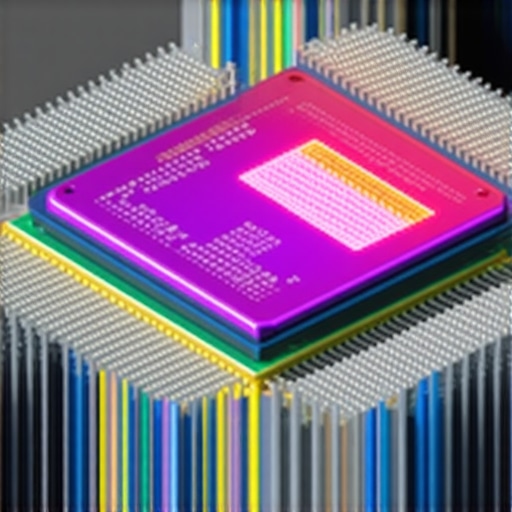
Visual representation of predictive cooling system workflow using machine learning models and real-time thermal sensors.
Incorporate Liquid Metal Thermal Interface Materials for Next-Level Heat Transfer
While traditional thermal pastes provide reliable thermal conductivity, liquid metal compounds like Gallium-based alloys achieve exceptional heat transfer rates owing to their superior thermal conductivity coefficients — often exceeding 70 W/m·K. Proper application demands meticulous surface preparation and careful handling due to their electrical conductivity, which poses risks of short circuits if not insulated correctly. According to the detailed research in ASM International’s technical paper on liquid metals in electronics cooling, deploying these materials can dramatically reduce CPU and GPU temperatures under heavy loads, unlocking overclocking potential and stabilizing thermally intensive workloads.
What precautions should be taken when switching from thermal paste to liquid metal?
Transitioning entails cleaning the existing thermal interface thoroughly to remove any residual paste, applying an insulating layer—such as specialized isolating pads or coatings—and ensuring precise, thin application to prevent leaks. Additionally, compatibility checks with your cooler and socket design are crucial, as liquid metals can corrode certain metals, necessitating non-reactive substrates. For in-depth guidance, consult resources like Tom’s Hardware’s expert application guide. The payoff includes not only lower idle and load temperatures but also improved thermal stability, allowing your system to sustain peak performance longer.
Close-up illustration of liquid metal application process on CPU die, showcasing proper spreading and insulation techniques.
Enhance Airflow Dynamics with Computational Fluid Dynamics Analysis
Understanding airflow within your PC case isn’t simply about fan placement; it requires analyzing thermal and airflow patterns at a granular level. Utilizing computational fluid dynamics (CFD) simulations enables enthusiasts and engineers to visualize airflow trajectories, optimize vent placements, and modify interior components for minimal turbulence. Companies like FlowSim CFD offer professional-grade tools tailored for custom PC cooling design, transforming trial-and-error into data-backed decisions. Detailed CFD models identify potential stagnation zones and heat recirculation areas, guiding modifications for uniform temperature distribution and reduced thermal hotspots.
Can CFD analysis be feasibly integrated into a home-built PC project?
While comprehensive CFD modeling traditionally requires specialized software and hardware, streamlined and user-friendly tools are emerging for enthusiasts. Simplified software like OpenFOAM or dedicated modules within thermalsimulation apps can provide valuable insights without prohibitive complexity. Conducting such analysis enables a proactive approach to case and component arrangement, ultimately resulting in improved cooling efficiency and quieter operation. Further, coupling CFD insights with real-world testing creates a feedback loop for refining cooling configurations to perfection.
Unleash the Potential of Tailored Fan Profiles and Their Impact on Thermal Balance
Creating highly customized fan curves isn’t merely a matter of tweaking sliders; it’s an art form that requires understanding the thermal inertia of specific components and their unique heat dissipation behaviors. Implementing dynamic profiles based on workload patterns can prevent thermal spikes and ensure quieter operation, especially when integrated with real-time monitoring software like HWMonitor Pro or SpeedFan. These adjustments can significantly extend the lifespan of your hardware by maintaining optimal operating temperatures even during intensive tasks.
Deciphering the Nuances of Thermal Paste Composition and Application Techniques
How Does the Molecular Structure of Thermal Pastes Influence Heat Transfer Efficiency?
Beyond the conventional classifications of ceramic or metallic compounds, the molecular structure dictates thermal conductivity, viscosity, and longevity. For instance, graphene-enhanced thermal compounds leverage their layered structure to facilitate superior heat conduction. Expert application involves not just spreading but ensuring a thin, bubble-free layer that maximizes surface contact. Consider using a spread-and-press technique with a precision applicator or direct application with a pea-sized dot on the CPU’s center, followed by even pressure to eliminate air pockets.
Innovating Case Airflow with CFD and Modular Design Principles
Computational fluid dynamics (CFD) simulations enable designers to visualize airflow pathways and identify stagnation zones inside complex cases. By employing modular build approaches, where components like liquid cooling radiators are strategically placed, one can optimize overall airflow without compromise. For example, positioning intake fans opposite exhausts in a balanced pressure setup minimizes turbulence and hot spot formation, which CFD analyses can confirm before final assembly. This granular insight leads to a harmonious case environment conducive to advanced thermal management.
Is Liquid Metal the Ultimate Solution or an Unnecessary Risk?
While liquid metal thermal interface materials offer exceptional conductivity, their electrical properties demand meticulous surface preparation and insulation strategies. Factors such as metal corrosion, pump compatibility for water cooling, and long-term stability merit thorough assessment. Utilizing dedicated non-reactive substrates like nickel-plated metals or gold-plated sockets can mitigate corrosion risks. Recent innovations in ceramic-coated liquid metals aim to balance conductivity with safety, though vigilance remains essential for high-performance overclocking endeavors.
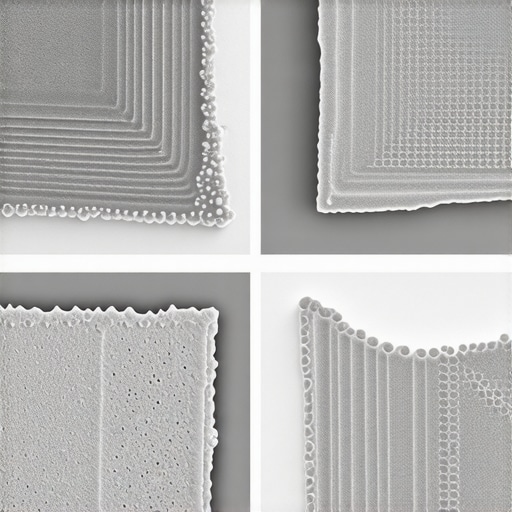
Diagram illustrating molecular structure differences among thermal compounds and their heat conduction pathways.
Expert Insights & Advanced Considerations
Harness Dynamic Cooling Strategies for Overclocking
Implementing adaptive fan profiles responsive to real-time thermal data can significantly improve overclocking stability, enabling higher performance margins while maintaining component longevity. Utilizing software that integrates workload analysis allows for proactive adjustments, preventing thermal throttling during demanding tasks.
Optimize Thermal Interface Materials for Superior Heat Transfer
Investing in liquid metal thermal compounds or graphene-enhanced pastes can push thermal performance beyond conventional options. However, meticulous application and compatibility checks are essential to prevent long-term corrosion or electrical shorts, especially when upgrading from standard pastes.
Design Case Ventilation with CFD Analysis
Applying computational fluid dynamics models reveals airflow bottlenecks and heat recirculation zones within your case. Customizing fan placements and internal layout based on these insights yields a balanced, efficient cooling environment that minimizes hotspots and noise.
Integrate Smart Machine Learning Systems for Maintenance
Future-proof your cooling setup by leveraging AI algorithms that analyze historical thermal patterns. Such systems can auto-tune fan curves and thermal management parameters, ensuring optimal operation across diverse workloads and ambient conditions.
Curated Expert Resources
- Thermal Paste Optimization Guide: Offers in-depth techniques for applying high-performance thermal compounds, emphasizing surface preparation and application nuances for maximum heat transfer efficiency. – https://cooling.workstationwizard.com/thermal-paste-secrets-boost-your-pc-performance-instantly
- Advanced Fan Curve Mastery: Details sophisticated methods to create and fine-tune dynamic fan profiles tailored to specific hardware behaviors, reducing noise and temperature spikes. – https://cooling.workstationwizard.com/mastering-fan-curves-air-cooler-setup-for-better-pc-cooling-performance-in-2024
- CFD for PC Cooling Design: Introduces practical approaches for utilizing computational fluid dynamics to optimize case airflow, applicable even for custom builds. – https://cooling.workstationwizard.com/the-ultimate-guide-to-choosing-case-fans-for-optimal-airflow
Final Reflection: Elevate Your Cooling Expertise
In the intricate world of PC thermal management, merging expert-level insights such as dynamic fan profiling, premium thermal interfaces, and airflow analysis underpins exceptional performance and hardware longevity. Embracing these advanced techniques transforms your setup from average to elite, turning cooling from a mere necessity into a strategic advantage. For those committed to pushing boundaries, deepening your expertise through authoritative resources and innovation is essential. Share your experiences, ask questions, or connect with fellow enthusiasts via our contact page, fueling your journey toward cooling mastery.






This article does a fantastic job of highlighting the importance of precise thermal paste application and tailored fan curves in maintaining optimal PC performance. I particularly appreciated the emphasis on how even minor variations in thermal paste can lead to hotspots that compromise stability. In my experience, using a pea-sized dot method on the CPU center and evenly spreading it with a plastic spatula helps achieve that perfect thin layer. On the fan curves front, I’ve found that gradually ramping up fan speeds based on workloads can drastically reduce noise during idle and minimize thermal spikes during heavy tasks.
One challenge I’ve faced is balancing aggressive fan profiles for overclocking with noise levels in a quiet office environment. Has anyone tried dynamic fan curves that respond not just to temperature but also to ambient noise? I wonder if integrating ambient noise sensors could fine-tune cooling even further while keeping noise levels low.
This post really hits the mark on the importance of integrating multiple cooling strategies, especially the use of adaptive fan curves coupled with high-quality thermal paste. My experience has shown that fine-tuning fan profiles based on not just temperature but also workload patterns can significantly enhance thermal stability while maintaining low noise levels. One approach I’ve started experimenting with is using software that dynamically adjusts fan speeds in response to real-time workload metrics, which seems to reduce thermal spikes during demanding tasks without creating excessive noise during idle periods.
Regarding thermal paste, I’ve found that even with high-quality compounds, the application technique can make or break the cooling performance. I’ve been using the spread-and-press method with a pea-sized dot, making sure to evenly distribute the paste across the surface. Has anyone explored the effects of different application methods or even the use of liquid metal in conjunction with advanced fan profiles for overclocked systems? I’d be interested to hear how balancing these elements has improved your overall system stability and longevity.