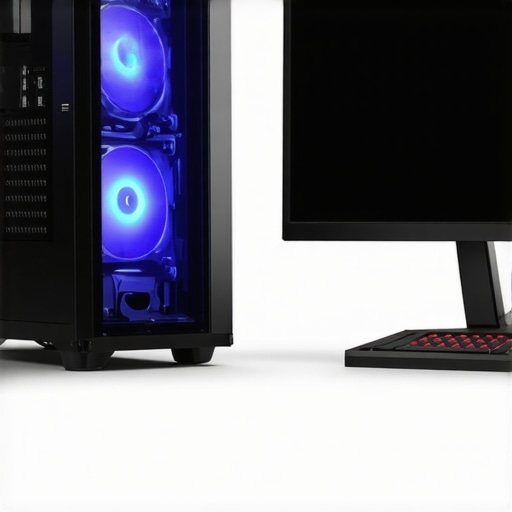

The Art of Precision Cooling: Elevating Your PC Through Fan Curves and Air Cooler Optimization
Effective thermal management is the cornerstone of high-performance computing, especially as modern components push the limits of speed and power. Mastering fan curves and air cooler setup not only enhances system stability but also prolongs hardware lifespan. With a sophisticated understanding of these elements, enthusiasts and professionals can tailor cooling solutions with surgical accuracy, ensuring your PC remains whisper-quiet yet cool under pressure.
Why Fan Curves Define the Boundary Between Noise and Thermal Efficiency
Fan curves are more than mere settings; they are dynamic maps that dictate how airflow responds to temperature fluctuations. By fine-tuning these curves, users can strike an optimal balance between noise levels and cooling efficacy. For instance, aggressive fan curves may keep temperatures low but at the expense of increased noise — a trade-off that can be mitigated through nuanced adjustment, especially for overclocked systems or high-load scenarios. Advanced tools like fan curve software empower users to implement precise, custom profiles, elevating their thermal management beyond default BIOS configurations.
How Air Cooler Setup Can Make or Break Thermal Performance
While fan curves are critical, the physical setup of air coolers is equally vital. Proper contact between the heatsink and CPU, optimal thermal paste application, and strategic case airflow design all influence cooling performance. High-end air coolers like the Noctua NH-D15 or be quiet! Dark Rock Pro 4 exemplify how meticulous installation techniques directly correlate with thermal efficiency. Additionally, understanding the airflow direction and optimizing case fan placement enhances the cooler’s ability to expel hot air and draw in cool air, creating a well-balanced thermal environment.
What Are the Hidden Complexities of Fan Curve Optimization?
Fan curve optimization involves understanding the nonlinear relationship between temperature and fan speed. Subtle adjustments can have outsized effects on both thermal performance and acoustic comfort. For example, setting the fan to ramp up gradually at specific temperature thresholds prevents abrupt noise spikes while maintaining safe component temperatures. Moreover, integrating thermal sensors and monitoring software allows for real-time adaptive adjustments, leading to smarter, more responsive cooling systems.
How can enthusiasts leverage thermal paste and fan curves together for maximum efficiency?
Combining high-quality thermal paste with tailored fan curves creates a synergistic cooling environment. Proper thermal paste application reduces thermal resistance, ensuring heat transfers efficiently from the CPU to the heatsink. Subsequently, optimized fan curves facilitate effective dissipation of that heat. For detailed guidance on thermal paste application, see this expert tutorial.
To deepen your mastery of PC cooling strategies, explore expert resources and share insights with the community of enthusiasts. Your contributions help refine best practices and push the boundaries of thermal management technology.
Interested in the latest innovations? Check out top AIO liquid coolers for 2025 and elevate your cooling game further.
Uncovering the Impact of Ambient Conditions on Fan Curves
Ambient temperature and humidity are often overlooked but play a significant role in thermal management. High ambient temperatures can diminish the effectiveness of even the most optimized fan curves and air cooler setups. To counteract this, advanced enthusiasts incorporate environmental sensors and adaptive fan profiles that respond dynamically to changing room conditions. This approach ensures consistent cooling performance and noise levels, especially in hot climates or poorly ventilated spaces. For a deep dive into how ambient factors influence cooling efficiency, consult latest air cooler innovations.
Maximizing Cooler Efficiency Through Strategic Case Airflow Design
Effective airflow management in your case is the backbone of thermal performance. Beyond just installing high-quality coolers, the direction of airflow—front-to-back, bottom-to-top—dictates how well heat is expelled from the system. Properly positioned case fans create a pressure differential that facilitates the movement of cool air into the case and hot air out. For optimal results, aligning case fan curves with the airflow pattern can significantly reduce hot spots and improve overall cooling. Discover comprehensive tips on achieving perfect airflow with this complete guide to case fans.
What are the next frontiers in fan curve customization for ultra-quiet, high-performance PCs?
Emerging technologies like AI-driven thermal management and machine learning algorithms are beginning to revolutionize how we approach fan curve customization. These systems analyze real-time data from multiple sensors, adjusting fan speeds more intelligently than traditional static profiles. This not only enhances thermal performance but also minimizes noise by preventing unnecessary fan ramp-ups. As AI integration becomes more mainstream, understanding how to leverage these tools will be crucial for enthusiasts striving for silent yet powerful systems. For more insights into cutting-edge cooling innovations, explore top AIO liquid coolers for 2025.
If you’re eager to elevate your thermal management skills, sharing your experiments and results can spark valuable community discussions. And for those looking to refine their setup further, consider consulting this expert guide to fan curves and thermal paste for comprehensive optimization techniques.
Refining Fan Curves to Achieve Near-Silent Operation Under Load
One of the most elusive goals for high-performance PC builders is achieving effective cooling without intrusive noise. Fine-tuning fan curves with nuanced adjustments can make a substantial difference. Instead of aggressive ramp-ups at modest temperatures, consider implementing a gentle slope that gradually increases fan speed. This approach minimizes sudden noise spikes, creating a more harmonious acoustic environment. Moreover, leveraging software that supports adaptive or multi-point fan curves allows for more granular control, aligning fan behavior precisely with component thermal demands. Tools like this expert software enable users to craft custom profiles that optimize both silence and cooling efficiency, especially critical for overclocked systems or noise-sensitive setups.
Harnessing AI and Machine Learning to Revolutionize Cooling Dynamics
The future of PC thermal management lies in intelligent automation. AI-driven systems analyze real-time sensor data, including CPU/GPU temperatures, ambient conditions, and workload patterns, to dynamically adjust fan curves with unprecedented precision. This adaptive approach prevents unnecessary fan activity during low loads, reducing noise, while ramping up cooling swiftly when needed. Manufacturers like Corsair and ASUS are pioneering such solutions, integrating machine learning algorithms into their cooling hardware. For enthusiasts eager to stay ahead, exploring latest AI cooling innovations provides insight into how these technologies can be customized for bespoke systems.

Illustration of AI-driven dynamic fan curve adjustment based on real-time thermal data, showcasing futuristic cooling management.
The Nuanced Relationship Between Fan Speed, Airflow, and Thermal Resistance
Understanding the complex interplay between fan speed, airflow dynamics, and thermal resistance is crucial for elite cooling optimization. Increasing fan RPM improves airflow, but beyond a certain point, the gains diminish due to turbulence and pressure drop across heatsinks. Engineers and seasoned builders often employ Computational Fluid Dynamics (CFD) simulations to visualize airflow patterns within cases, identifying potential hot spots and airflow bottlenecks. By strategically positioning case fans and adjusting their curves, one can create a balanced pressure environment that maximizes heat extraction while minimizing noise. For a detailed examination of airflow optimization techniques, consult this comprehensive CFD guide.
What role do ambient environmental factors play in advanced fan curve strategies?
Ambient temperature and humidity significantly influence cooling performance, especially in high-demand scenarios. Elevated ambient temperatures reduce the temperature differential that drives heat dissipation, necessitating adaptive fan curves that respond to environmental changes. Some high-end motherboards and cooling software now incorporate environmental sensors, adjusting fan profiles in real-time to maintain optimal thermal conditions. This proactive approach is particularly valuable in hot climates or enclosed spaces where airflow may be restricted. For a deep dive into environmental impacts on PC cooling, explore this expert analysis.
Implementing a Holistic Cooling Strategy for Overclocked and High-Performance Systems
Optimizing fan curves is just one facet of a comprehensive thermal management approach. Pairing refined fan profiles with high-quality thermal paste, meticulously installed heatsinks, and optimized case airflow creates a synergistic effect that maximizes cooling efficiency. For example, high thermal conductivity pastes like Thermal Grizzly Kryonaut significantly lower thermal resistance, allowing fans to operate at lower speeds without sacrificing performance. Additionally, case modifications such as adding intake filters, ducting, or custom shrouds can channel airflow more effectively, reducing hot spots and ensuring uniform temperature distribution. For insights into integrating these elements, see this expert guide.
If you’re committed to pushing your cooling solutions to the next level, sharing your experiments and learning from community feedback can accelerate innovation. Engage with fellow enthusiasts through forums and dedicated online groups, exchanging tips on custom fan curve profiles, ambient management, and hardware modifications. Remember: mastery in thermal management is an ongoing journey, driven by curiosity and a relentless pursuit of excellence.
Revolutionize Your Cooling Setup with Smart Fan Profiles
Custom fan curves can dramatically enhance your system’s efficiency and acoustic profile. Moving beyond basic BIOS settings, harness software like advanced fan curve tools that enable multi-point adjustments and real-time responsiveness. This approach allows for seamless balancing of thermal loads and noise levels, especially critical in overclocked or high-burst workloads, where thermal spikes are unpredictable.
Refining Air Cooler Installation for Peak Performance
Achieving optimal contact pressure between the heatsink and CPU is paramount. Techniques such as applying a precise amount of thermal paste—like Thermal Grizzly Kryonaut—ensures minimal thermal resistance. Furthermore, aligning the cooler’s airflow direction with case airflow and positioning case fans to promote a balanced pressure environment significantly reduces hot spots. For meticulous installation tutorials, consult this expert guide.
How Does Ambient Environment Shape Cooling Effectiveness?
Ambient temperature and humidity profoundly influence the thermal dynamics within your system. Elevated room temperatures narrow the temperature differential essential for effective heat dissipation. Incorporating environmental sensors and adaptive fan profiles that respond to ambient fluctuations can mitigate these effects, maintaining consistent performance. This strategy is especially beneficial in hot climates or confined spaces where airflow is restricted, as detailed in latest innovations in environmental-aware cooling.
What Innovations Are Shaping the Future of Fan Customization?
Emerging AI and machine learning algorithms are revolutionizing fan management. These systems analyze multi-sensor data—such as CPU load, temperature gradients, and ambient conditions—to dynamically adjust fan speeds more precisely than static profiles. This not only optimizes thermal performance but also minimizes noise, creating near-silent operation even under intense loads. Pioneering brands like ASUS and Corsair are integrating these technologies into their flagship cooling solutions. For a glimpse into future-ready cooling systems, explore top AI-powered cooling innovations for 2025.
< >
>
Illustration of AI-driven dynamic fan adjustment based on real-time thermal data, demonstrating futuristic cooling management.
Strategic Case Airflow as a Cooling Force Multiplier
Optimizing case airflow patterns—such as front-to-back and bottom-to-top—ensures hot air is efficiently expelled while cool intake air reaches critical components. Implementing positive or negative pressure configurations, based on case design, can significantly influence thermal performance. Use CFD simulations and airflow visualization tools to identify potential hot spots and airflow bottlenecks, refining fan placement and curves accordingly. For detailed airflow optimization strategies, see comprehensive CFD airflow guide.
Can adaptive fan management truly outperform static profiles in fluctuating environments?
Absolutely. Adaptive systems utilizing real-time data enable fans to respond dynamically to workload and environmental changes, maintaining optimal thermal conditions while reducing noise. This approach surpasses traditional static profiles, especially in variable ambient conditions, by preventing unnecessary fan speed increases and ensuring consistent cooling performance. For insights into deploying such intelligent solutions, explore latest AI-driven cooling systems.
Silence and Power: Achieving Equilibrium in Fan Tuning
Balancing noise and thermals requires subtle adjustments to fan curves—favoring gentle ramp-ups and multi-stage profiles. Software supporting multi-point curves and thermal hysteresis can prevent abrupt fan speed changes, creating a more peaceful computing environment. Advanced enthusiasts leverage tools like professional fan tuning software to craft near-silent profiles during low loads, ramping up only when necessary. This meticulous tuning is essential for noise-sensitive applications or streaming environments.
The Next Leap in Cooling: Integrating Hardware and Software Innovations
Looking forward, integrated solutions combining high-performance heatsinks, intelligent fan management, and environmental sensors will redefine PC cooling. Modular cooling components with built-in adaptive controls and AI integration promise to simplify complex tuning processes, making high-end thermal management accessible even to enthusiasts without extensive engineering backgrounds. For a detailed forecast of upcoming cooling technologies, see forward-looking cooling innovations.
Revolutionize Your Cooling Approach with Cutting-Edge Techniques
Advanced cooling in high-performance PCs is no longer just about installing the biggest heatsinks or fastest fans. It requires a nuanced understanding of airflow dynamics, thermal management, and innovative technologies like AI-driven adaptive fan profiles. As a seasoned expert, I recommend integrating environmental sensors with intelligent control systems to dynamically optimize cooling efficiency and noise levels, especially in fluctuating ambient conditions. This approach ensures your system performs at peak levels without unnecessary acoustic disturbances, elevating your PC’s reliability and longevity.
Top Resources to Deepen Your Cooling Expertise
- Thermal Paste Optimization Guides – Dive into detailed tutorials at this link for expert thermal paste application techniques that lower thermal resistance and boost cooling performance.
- Case Fan Selection and Setup – The comprehensive Ultimate Guide to Case Fans offers insights into designing an airflow pattern that minimizes hot spots and maximizes heat extraction.
- AI and Machine Learning in Cooling – Explore latest AI innovations that enable real-time, adaptive control of fan speeds, transforming traditional cooling systems into intelligent, self-optimizing units.
Expert Reflection on the Future of PC Cooling
In my seasoned view, the future of PC thermal management hinges on integrating real-time environmental feedback with adaptive control systems. Mastering fan curves and air cooler setups with this mindset not only pushes the boundaries of performance but also achieves near-silent operation. For those committed to excellence, engaging with these advanced strategies and resources will be crucial. I invite you to share your experiences and insights, fostering a community where innovation drives continual improvement. Elevate your expertise today by exploring these resources and contributing your unique perspective to the ongoing evolution of PC cooling technology.


![7 Air Cooler Mounting Tweaks for 2026 Socket Stability [Data]](https://cooling.workstationwizard.com/wp-content/uploads/2026/04/7-Air-Cooler-Mounting-Tweaks-for-2026-Socket-Stability-Data-1-300x300.jpeg)
![7 Air Cooler Mounting Tweaks for 2026 Socket Stability [Data]](https://cooling.workstationwizard.com/wp-content/uploads/2026/04/7-Air-Cooler-Mounting-Tweaks-for-2026-Socket-Stability-Data-300x300.jpeg)

This post really hits on the importance of fine-tuning fan curves alongside proper air cooler installation. From my experience, ensuring the heatsink has even contact with the CPU and applying a high-quality thermal paste like Thermal Grizzly Kryonaut can significantly lower temps and give more headroom for fan adjustments. I’ve found that when both these elements are optimized, fan curves can be much gentler, reducing noise without sacrificing thermals. The mention of environmental sensors is also interesting—down here in the south, ambient room temp can fluctuate quite a bit, so adaptive fan profiles are a game-changer for maintaining a quiet and cool system. Has anyone experimented with integrating external environmental sensors to automatically adjust fan curves? I’m curious about the practical setups and software recommendations for this kind of environment-responsive cooling system.
This article really highlights how crucial fine-tuning fan curves and proper air cooler installation are for maintaining optimal thermal performance. I completely agree that high-quality thermal paste and meticulous contact are the foundation of effective cooling. In my personal experience, pairing that with a carefully designed case airflow pattern makes a significant difference. I’ve experimented with different fan placements and curve profiles, especially in systems overclocked for gaming, and the results are impressive in reducing both noise and temperatures.
Regarding environmental sensors, I’ve recently set up external sensors to monitor ambient temperature and humidity, which automatically adjust my fan curves in real-time. It’s fascinating how this technology can create a more stable and quieter system, especially during hot summer days or in rooms with poor ventilation. Does anyone have recommendations for reliable external environmental sensors and compatible software? I believe integrating these sensors could be a game-changer for enthusiasts aiming for the perfect balance of silence and performance.
This guide really emphasizes how critical the physical setup of air coolers and the fine-tuning of fan curves are for optimal thermal performance. I recently upgraded my cooling system by carefully applying thermal paste, specifically Thermal Grizzly Kryonaut, and aligning my heatsink precisely, which noticeably improved my idle and load temperatures. It’s fascinating how such meticulous installation can allow for gentler, quieter fan profiles, minimizing noise without compromising performance. One challenge I’ve encountered, though, is managing ambient room temperature fluctuations. I’ve been researching environmental sensors that could dynamically adjust fan behavior based on room conditions. Has anyone here integrated external ambient sensors for real-time fan curve adjustments? Which hardware or software has worked well in fluctuating environments? I’m curious if incorporating such sensors could push thermal management further, especially in less controlled spaces. It seems like a promising way to ensure your PC stays cool and quiet, no matter the external conditions.
I really appreciate how this post emphasizes the importance of a holistic approach to cooling—combining precise fan curve adjustments with excellent air cooler installation and environmental awareness. From my own experience, the gains from careful thermal paste application and optimizing case airflow are often underestimated. For folks working in warmer climates or with fluctuating room temps, incorporating external ambient sensors has proven effective; I’ve used sensors like the AM2302 with software like SpeedFan to dynamically tweak fan profiles in real time, preventing thermal throttling and noise spikes. However, I wonder how many enthusiasts here are leveraging AI-driven fan management systems currently? Do you find that these intelligent tools outperform manual tuning, especially in variable environments? It seems to me that as machine learning algorithms improve, we’ll see more systems automatically adapting for near-silent, high-performance operation. What’s your take on balancing manual control versus smart automation in your cooling setup? I’d love to hear your insights or suggestions for integrating ambient sensors with existing fan curve software.