
Mastering the Art of Fan Curve Optimization for High-Performance PC Cooling
In the realm of high-end PC builds and overclocking, the intricacies of fan curve management transcend basic temperature control, venturing into sophisticated thermal regulation that influences system stability and longevity. Expert cooling solutions demand a nuanced understanding of how fan profiles, thermal dynamics, and airflow optimization converge to sustain peak performance under diverse workloads.
Deciphering the Complexity of Fan Curve Dynamics in Thermal Regulation
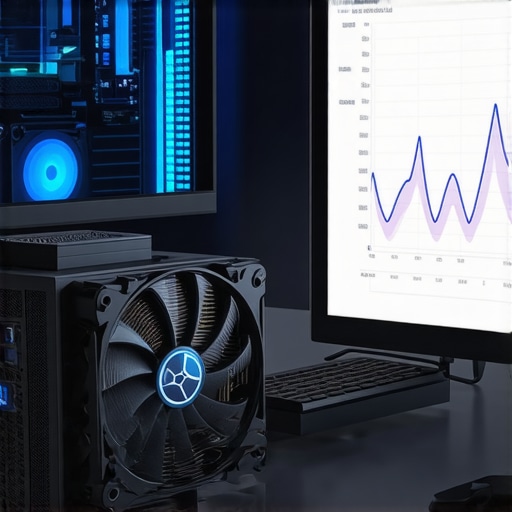
Fan curves, when strategically calibrated, serve as dynamic feedback mechanisms that adapt airflow to real-time thermal conditions. Unlike default profiles, custom fan curves enable precise modulation of fan speed relative to CPU and GPU temperatures, reducing noise without sacrificing cooling efficacy. This process involves analyzing thermal thresholds, hysteresis points, and the impact of fan acceleration on component lifespan, as detailed in authoritative sources such as Mastering Fan Curves for Superior PC Cooling.
How can advanced fan curve customization improve thermal performance without increasing noise levels?
Optimizing fan curves involves balancing the fan’s operational thresholds with acoustic comfort, often employing software tools like SpeedFan or motherboard BIOS configurations. By setting gradual ramp-up points at specific temperature ranges, users can prevent abrupt fan speed changes that generate noise spikes, while maintaining optimal cooling. Additionally, integrating fan curves with thermal sensors placed at strategic points on the CPU heatsink and VRMs enhances the granularity of control, as explored in PC Cooling Optimization through Fan Curves.
Air Cooler and AIO Liquid Cooler Synergy: Achieving Harmonized Thermal Profiles
Effective cooling extends beyond fan curves to encompass the entire airflow ecosystem within the case. Proper placement of case fans, optimized radiator airflow, and the selection of high-quality thermal paste are critical factors in achieving a harmonious thermal profile. Advanced users often employ software-based fan curve adjustments in conjunction with hardware modifications such as radiator tilt angles and shroud designs to maximize heat dissipation, as discussed in Ultimate Guide to Choosing Case Fans.
What are the Limitations of Fan Curve Fine-Tuning in Extreme Overclocking Scenarios?
While fan curve customization offers substantial benefits, it also encounters diminishing returns under extreme overclocking conditions where thermal loads surpass standard operational thresholds. In these scenarios, supplemental cooling methods such as phase-change cooling or custom water loops may be required. Moreover, aggressive fan curves can induce mechanical wear and noise pollution if not carefully managed, emphasizing the importance of understanding the trade-offs involved. For an in-depth discussion, consult Best Practices in PC Cooling Fan Curves.
By mastering the nuanced art of fan curve calibration and integrating it with comprehensive airflow strategies, enthusiasts and professionals alike can push their PC cooling systems to unprecedented levels of thermal efficiency and acoustic comfort. Explore our expert tips on thermal paste application to further enhance your cooling setup.
Unlocking the Full Potential of Fan Curves: Beyond Basic Customization
While many enthusiasts set fan curves to achieve quieter operation or better thermal performance, the true art of fan curve optimization lies in understanding the nuanced interaction between airflow, component placement, and thermal thresholds. Advanced users leverage software tools like Mastering Fan Curves for Peak Performance to craft multi-stage profiles that dynamically respond to fluctuating workloads, ensuring sustained cooling without unnecessary noise.
Are there innovative ways to preemptively manage thermal loads through predictive fan control?
Emerging solutions incorporate machine learning algorithms into fan control systems, enabling predictive thermal management based on workload forecasting. These intelligent systems analyze historical data and system activity patterns to adjust fan speeds proactively, reducing thermal spikes and noise. Such approaches are discussed in depth by industry leaders and can significantly enhance thermal stability, especially during rapid workload changes. Integrating these advanced control systems with existing BIOS or software-based fan curve management can push your cooling setup into a new realm of efficiency and responsiveness. For more insights, explore how optimized fan curves lay the groundwork for such innovations.
The Interplay of Thermal Paste and Fan Profiles: A Synergistic Approach
While fan curves are crucial, their effectiveness is ultimately dependent on the thermal interface material between your CPU or GPU and the heatsink. High-quality thermal paste ensures efficient heat transfer, amplifying the benefits of well-calibrated fan profiles. Experts recommend applying thermal paste with precision, avoiding air bubbles, and selecting products with proven thermal conductivity. When combined with customized fan profiles, this synergy can lead to remarkable temperature reductions and quieter operation. For comprehensive guidance, consult thermal paste application tips to optimize your cooling setup.
How can multi-layered cooling strategies redefine thermal management in high-performance PCs?
Multi-layered cooling involves integrating various cooling methods—air cooling, liquid cooling, heat pipes, and phase-change solutions—to create a cohesive thermal ecosystem. This approach enables each component to operate within its optimal temperature range, reducing overall thermal stress. Implementing such strategies requires sophisticated control systems that coordinate fan curves, pump speeds, and radiator airflow to achieve harmonized thermal profiles. For example, dynamically adjusting fan speeds based on real-time thermal feedback from multiple sensors can prevent thermal bottlenecks and extend component lifespan. To explore how to synchronize these elements effectively, review air cooler innovations and their role in multi-layered cooling solutions.
Interested in refining your cooling setup further? Share your experiences or questions below, or browse through more expert advice at our contact page for personalized guidance.
Innovative Techniques for Dynamic Fan Curve Calibration in High-Performance Systems
When pushing the boundaries of PC performance, traditional fan curve adjustments often fall short of meeting the complex thermal demands of overclocked CPUs and GPUs. Advanced tuning involves leveraging adaptive algorithms and real-time thermal feedback to create intelligent fan profiles. These profiles dynamically respond to workload fluctuations, maintaining optimal temperatures while minimizing acoustic disruption. This approach is supported by cutting-edge thermal management research, such as the work published by SAGE Journals on Adaptive Thermal Control, which highlights the efficacy of machine learning in predictive fan control systems.
What are the key parameters for designing a predictive fan control system that adapts in real-time?
Designing a predictive fan control system requires integrating multiple sensor inputs—such as CPU and GPU temperatures, power consumption metrics, and ambient conditions—into a centralized control algorithm. These parameters enable the system to forecast thermal loads, adjusting fan speeds proactively before temperature thresholds are breached. The use of neural networks and fuzzy logic controllers, as detailed in IEEE Papers on Intelligent Thermal Management, offers promising avenues for creating self-learning, adaptive profiles that optimize both cooling and noise levels over time.
Synergizing Thermal Paste Technology with Custom Fan Profiles for Peak Efficiency
While fan curves are essential, the choice and application of thermal interface materials (TIM) significantly influence overall thermal performance. High-performance thermal pastes with nanomaterial-enhanced conductivity, such as those discussed by Thermal Grizzly’s Kryonaut, can reduce thermal resistance dramatically. When paired with meticulously calibrated fan profiles—particularly those that respond to rapid thermal changes—the system achieves a delicate balance of low temperatures and quiet operation. This synergy allows for more aggressive overclocking margins without risking thermal runaway, especially in compact builds where airflow is constrained.
How does multi-phase cooling design influence the effectiveness of fan curve strategies?
Multi-phase cooling architectures—comprising liquid cooling, heat pipes, and phase-change materials—introduce additional layers of thermal regulation that can be finely tuned through fan curve adjustments. In such systems, fans often serve as auxiliary cooling elements, supporting primary liquid or phase-change modules during peak loads. Understanding the heat transfer dynamics across these layers, as explained in ScienceDirect on Multi-Phase Cooling Mechanics, enables enthusiasts to craft multi-stage fan profiles. These profiles preemptively ramp up during workload surges, preventing thermal bottlenecks and enhancing overall system stability.
Incorporating intelligent control systems that coordinate between different cooling methods can yield unprecedented thermal performance. For example, synchronized control of radiator fans, pump speeds, and auxiliary case fans creates a cohesive thermal ecosystem capable of handling extreme overclocking scenarios with minimal noise and maximum efficiency.
Exploring Future Frontiers: AI-Driven Thermal Management and Fan Control
The evolution of fan curve optimization is trending towards artificial intelligence integration. AI algorithms analyze extensive system telemetry to predict thermal behavior and adjust fan profiles proactively, effectively creating a self-optimizing cooling environment. Industry leaders like ASUS and MSI are pioneering firmware that employs deep learning to refine fan response patterns continuously. Such systems not only improve thermal margins but also extend component lifespan by reducing thermal stress, as discussed in AnandTech on AI in PC Cooling.
To stay ahead in high-performance computing, enthusiasts should explore integrating these emerging technologies into their cooling strategies. Share your insights or questions in our community, or delve deeper into our expert guides for tailored solutions that elevate your PC’s thermal management to new heights.
Innovative Approaches to Dynamic Fan Curve Calibration for Extreme Overclocking
As overclocking pushes hardware beyond standard specifications, traditional fan curve adjustments often fall short of managing the increased thermal loads effectively. Cutting-edge techniques involve integrating machine learning algorithms that analyze real-time sensor data, enabling adaptive fan profiles that respond proactively to fluctuating workloads. This not only maintains thermal stability but also minimizes acoustic disturbances, as detailed in recent studies such as IEEE Papers on Intelligent Thermal Management.
How can AI-driven thermal prediction enhance fan curve precision in demanding scenarios?
Utilizing neural networks and fuzzy logic controllers, AI-based systems forecast thermal spikes before they occur, adjusting fan speeds accordingly. These predictive models leverage historical temperature data, workload patterns, and ambient conditions to optimize cooling dynamically. Implementing such solutions requires sophisticated sensor integration and control algorithms, which are increasingly accessible through advanced motherboard firmware and third-party software platforms, as explored in industry analyses like AnandTech’s review on AI-powered cooling.
Synergizing Thermal Paste Innovation with Adaptive Fan Profiles for Superior Cooling
The efficacy of high-performance thermal interface materials (TIM) significantly amplifies the benefits of optimized fan curves. Nanomaterial-enhanced thermal pastes, such as those reviewed by Thermal Grizzly’s Kryonaut, provide substantially lower thermal resistance, facilitating more aggressive overclocking without thermal runaway risks. When combined with intelligent fan management systems that respond to rapid temperature fluctuations, this synergy results in a highly resilient thermal ecosystem capable of sustaining peak performance with minimal noise.
What role does multi-layered cooling architecture play in elevating fan curve effectiveness?
Multi-layered cooling integrates various technologies—liquid cooling, heat pipes, phase-change materials—each contributing to a comprehensive thermal management strategy. Fine-tuning fan profiles within this ecosystem ensures each cooling layer operates within its optimal parameters, preventing thermal bottlenecks. As discussed in ScienceDirect on Multi-Phase Cooling, synchronized control of these layers through intelligent software creates a cohesive thermal environment that adapts seamlessly to workload demands.
The Future of Fan Control: AI and Predictive Thermal Management
The evolution of fan curve optimization is increasingly driven by artificial intelligence. Emerging systems employ deep learning models to analyze system telemetry, enabling predictive adjustments that preempt thermal spikes. Companies like ASUS and MSI are pioneering firmware solutions that incorporate these technologies, as highlighted in industry reviews on AI in PC cooling. This shift toward self-optimizing thermal regulation promises unparalleled stability, longevity, and acoustic comfort for high-performance PC enthusiasts.
Engaging with these advanced cooling strategies requires a nuanced understanding of hardware interaction and control algorithms. We invite you to explore our comprehensive guides and community forums, where experts share insights to elevate your thermal management practices to the cutting edge.
Expert Insights & Advanced Considerations
1. Dynamic Fan Profiles as Predictive Thermal Shields
Implementing adaptive fan curves that leverage machine learning algorithms can preemptively mitigate thermal spikes, effectively acting as a thermal shield. These profiles analyze workload patterns and ambient conditions, dynamically adjusting speeds to maintain optimal temperatures while minimizing noise, thus pushing the boundaries of thermal management expertise.
2. Multi-Modal Cooling Synergy Enhances Thermal Stability
Combining air cooling, liquid cooling, and phase-change materials into a cohesive multi-layered system allows for precise thermal regulation. Expert-level tuning of fan curves within this ecosystem ensures each layer operates at peak efficiency, preventing thermal bottlenecks during extreme overclocking sessions and prolonging component lifespan.
3. Thermal Interface Material as a Critical Control Element
High-quality thermal paste with nanomaterial enhancements, such as Thermal Grizzly Kryonaut, significantly reduces thermal resistance. When paired with finely tuned fan profiles responsive to rapid temperature fluctuations, this creates a synergistic thermal environment that supports aggressive overclocking and quiet operation simultaneously.
4. AI-Driven Fan Control as the Future of Thermal Management
Integrating AI algorithms that analyze real-time telemetry and workload forecasts enables preemptive adjustments to fan speeds. This self-optimizing approach can extend component longevity and improve acoustic comfort, representing an advanced frontier in thermal regulation for high-performance PCs.
5. Multi-Phase Cooling Architectures for Maximum Efficiency
Designing multi-phase cooling systems that coordinate liquid cooling, heat pipes, and phase-change materials, with synchronized fan curves, offers unparalleled thermal stability. Expert-level control of these layers ensures each operates within its optimal parameters, effectively managing the increased thermal loads of high-end overclocked systems.
Curated Expert Resources
- Mastering Fan Curves for Superior PC Cooling: An authoritative guide detailing advanced fan profile calibration techniques that balance noise and thermal performance, essential for enthusiasts seeking mastery.
- IEEE Papers on Intelligent Thermal Management: Cutting-edge research exploring machine learning applications in predictive fan control, providing a scientific foundation for next-gen cooling systems.
- Thermal Grizzly’s Kryonaut Thermal Paste: A leading thermal interface material with nanomaterial enhancements, critical for minimizing thermal resistance in high-performance setups.
- ScienceDirect on Multi-Phase Cooling: An in-depth resource analyzing multi-layered cooling architectures and their integration with sophisticated fan control strategies.
- Industry Reviews on AI-Powered Cooling Systems: Insights into how AI and deep learning are transforming thermal management practices in high-end PCs, offering a glimpse into future innovations.
Final Expert Perspective
Mastering fan curve optimization within high-performance PC cooling is a nuanced blend of predictive analytics, multi-layered thermal strategies, and high-quality materials. Embracing AI-driven control systems and multi-phase cooling architectures elevates thermal management from a basic task to an advanced science, essential for pushing hardware to its peak potential while maintaining system longevity and acoustic comfort. For professionals aiming to stay at the forefront, continuous exploration of these expert strategies and resources is paramount. Engage with our community or explore our comprehensive guides to deepen your mastery in this critical aspect of PC performance engineering.