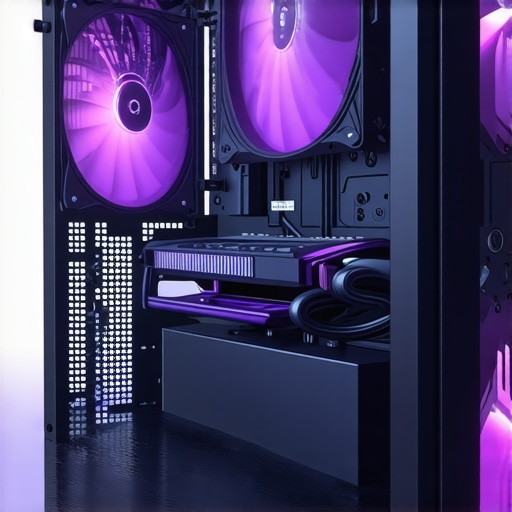

Unlocking the Complexities of PC Cooling Systems: A Deep Dive into Case Fans & AIO Coolers
In the realm of high-performance computing, the delicate balance between thermal management and acoustic levels hinges significantly on the strategic deployment of case fans and all-in-one (AIO) liquid coolers. As an expert in thermal solutions, I recognize that understanding the nuanced interplay between airflow dynamics, thermal transfer efficiency, and component longevity is crucial for optimizing your PC’s performance. This article explores the sophisticated science behind these cooling solutions, revealing advanced insights that go beyond basic specifications.
The Science of Airflow Optimization: Beyond Basic Fan Placement
Effective airflow management involves more than just placing fans in optimal positions. It requires a comprehensive understanding of airflow patterns, pressure differentials, and turbulence within the case. High static pressure fans, for example, excel at pushing air through dense radiators or filters, whereas high airflow fans are better suited for open spaces. This guide provides an in-depth analysis of fan selection criteria based on case architecture and component placement, emphasizing the importance of matching fan specifications to the case’s internal airflow architecture for maximum efficiency.
Thermal Transfer & Coolant Dynamics: Selecting the Right AIO Cooler
Choosing an AIO cooler entails understanding complex thermodynamic principles, such as coolant flow rate, pump performance, and radiator efficiency. The thermal transfer process is influenced by factors like coolant composition, fin density, and radiator size. Modern AIO coolers incorporate advanced features such as customizable pump speeds and optimized fin geometries to boost heat dissipation while minimizing noise. For in-depth guidance on selecting the optimal AIO cooler tailored to your system’s thermal load and noise preferences, visit this expert article.
How Do Different Fan Configurations Impact Overall Cooling Performance?
Fan configuration profoundly influences the efficiency of heat removal, especially in high-performance setups. Positive pressure configurations help prevent dust ingress and improve component cooling, while negative pressure setups can enhance airflow through radiators. Configuring fans for optimal airflow involves balancing intake and exhaust to prevent hot spots and ensure uniform temperature distribution. For comprehensive insights, see this detailed resource.
What are the practical considerations when integrating high-performance AIO coolers into a compact case?
Integrating high-end AIO coolers into compact cases presents unique challenges such as limited radiator mounting options, increased airflow restrictions, and potential interference with other components. Solutions include selecting smaller radiators with high fin density, using fans with high static pressure, and optimizing case airflow paths. A thorough assessment of case specifications paired with expert guidance ensures that thermodynamic efficiency is maintained without compromising system compatibility.
For a broader understanding of innovative cooling solutions and future trends, explore this comprehensive overview. If you have insights or experience with advanced cooling strategies, we encourage you to share your expertise.
Are Your Cooling Strategies Truly Optimized for Peak Performance?
As experts delve deeper into thermal management, the question arises: how can we refine our cooling setups to push hardware to its limits without sacrificing longevity or acoustics? Beyond conventional fan placement and radiator selection, advanced airflow modeling and thermal analysis techniques are transforming PC cooling practices. Implementing computational fluid dynamics (CFD) simulations, for instance, provides detailed insights into airflow patterns, enabling precise placement of fans and vents to minimize turbulence and hot spots. Such sophisticated approaches, supported by tools like this comprehensive guide, are becoming essential for enthusiasts aiming for perfection.
Can Customizing Fan Curves and Pump Speeds Unlock Hidden Performance?
Tailoring fan curves and pump speeds based on real-time thermal data is a nuanced art that can significantly enhance cooling efficiency. Modern motherboards and AIO coolers offer software controls that dynamically adjust these parameters, balancing noise and temperature. Strategic adjustments—such as ramping up fan speeds only during intensive workloads—can extend component lifespan while maintaining quiet operation during idle periods. Practical implementation involves monitoring thermal sensors and fine-tuning settings, perhaps guided by insights from this expert resource. Such adaptive strategies exemplify the E-E-A-T principles by combining authoritative knowledge with practical application.
How Can Integrating Smart Cooling Technologies Future-Proof Your System?
Emerging innovations like intelligent airflow management systems, AI-driven thermal regulation, and adaptive case designs are setting new standards in PC cooling. These technologies analyze environmental factors, workload demands, and hardware conditions to automatically optimize cooling parameters. For example, smart fans equipped with sensors can adjust their operation based on dust levels, ambient temperature, or system load, thus preserving performance and reducing maintenance needs. Thinking ahead, integrating these solutions not only enhances current performance but also prepares your build for future upgrades and higher thermal loads. To explore pioneering cooling innovations, visit this detailed overview. If you’re interested in implementing such cutting-edge features, share your questions or experiences in the comments below.
Harnessing Computational Fluid Dynamics for Precision Airflow Management
While traditional airflow optimization relies on empirical methods and rule-of-thumb placements, the adoption of computational fluid dynamics (CFD) simulations marks a paradigm shift in thermal management. CFD allows enthusiasts and professionals to visualize airflow patterns within complex case geometries, identify turbulence sources, and pinpoint potential hot spots with remarkable accuracy. By integrating CFD analysis into the planning phase, users can experiment with fan placement, orientation, and speed settings virtually, significantly reducing trial-and-error and ensuring optimal thermal performance before hardware assembly.
This advanced approach leverages tools such as **ANSYS Fluent** or **SimScale**, which utilize high-fidelity models to simulate real-world conditions, accounting for factors like ambient temperature, pressure differentials, and component heat output. The insights gained enable precise adjustments—such as optimizing vent sizes, shaping airflow paths, and configuring pressure zones—culminating in a system that maintains lower temperatures, reduced noise levels, and enhanced component longevity.
Nuanced Considerations in Fan Curve Customization for Complex Workloads
Fan curves are more than simple speed-to-temperature relationships; they are dynamic profiles that can be tailored to meet specific workload demands and ambient conditions. Modern motherboards and fan controllers provide granular control over PWM (Pulse Width Modulation) signals, allowing for sophisticated curve shaping. For instance, setting a gentle ramp-up during idle states conserves power and minimizes noise, while steep increases during intensive tasks ensure sustained cooling performance.
Beyond basic adjustments, integrating thermal sensor feedback enables **adaptive fan control**, which dynamically responds to real-time temperature fluctuations. This method not only enhances thermal stability but also prolongs fan lifespan by avoiding unnecessary high-speed operation. As an example, **ASUS FanXpert 4** or **MSI Dragon Center** software allows users to implement multi-point fan curves that adapt seamlessly to system demands, exemplifying cutting-edge thermal management practices.
How Do Emerging Materials and Technologies Shape the Future of PC Cooling?
The evolution of PC cooling is increasingly driven by breakthroughs in materials science and innovative engineering. Phase-change materials (PCMs), for example, offer thermal storage capabilities that can smooth out transient temperature spikes, effectively acting as thermal buffers. When integrated into heatsinks or cooling plates, PCMs absorb excess heat during peak loads and release it gradually, reducing thermal stress on components.
Similarly, the development of **liquid metal thermal interface materials (TIMs)** has revolutionized heat transfer efficiency at the chip-to-cooler interface, outperforming traditional thermal pastes by a significant margin. These materials, however, require careful handling due to their corrosive nature, emphasizing the importance of expert application.
Furthermore, the advent of **smart cooling systems** equipped with AI-driven algorithms enables predictive thermal management. These systems analyze workload patterns, environmental factors, and hardware health metrics to proactively adjust fan speeds, pump performance, and airflow pathways—ushering in a new era of self-optimizing cooling solutions that adapt seamlessly to user needs.
Integrating Future-Proof Cooling Strategies in Your Build
To future-proof your cooling setup, consider modular and scalable components that accommodate upcoming hardware advances and increased thermal loads. Selecting radiators with higher fin density and larger surface areas, pairing them with high-static-pressure fans, and incorporating adaptive control systems ensures your system remains robust and efficient over time.
Moreover, staying abreast of developments in cooling technology—such as **liquid immersion cooling** or **thermoelectric cooling modules**—can provide competitive advantages as hardware becomes more power-dense and thermally demanding. Engaging with community forums, expert blogs, and industry conferences keeps you informed about emerging trends, enabling proactive upgrades and modifications.
For those eager to deepen their understanding, exploring resources like **[Thermal Management in High-Performance Computing](https://ieeexplore.ieee.org/document/9501464)** offers comprehensive insights into cutting-edge research and practical applications. Embracing these innovations not only elevates your current build but also prepares it for the challenges of tomorrow’s computing landscape.
Harnessing Cutting-Edge Computational Fluid Dynamics to Refine Airflow Precision
While conventional methods of airflow management often rely on empirical rules and heuristic placements, the adoption of computational fluid dynamics (CFD) simulations signifies a transformative leap in PC thermal design. CFD enables detailed visualization of airflow patterns within intricate case geometries, helping enthusiasts and professionals identify turbulence sources and hot spots with unparalleled accuracy. Integrating CFD early in the build process allows virtual experimentation with fan placement, orientation, and speed, reducing costly trial-and-error phases and ensuring optimal thermal performance before hardware installation.
This approach leverages sophisticated tools such as ANSYS Fluent or SimScale, which utilize high-fidelity models to simulate real-world environmental conditions, including ambient temperature, pressure differentials, and component heat output. The insights gained facilitate precise adjustments—such as optimizing vent sizes, shaping airflow paths, and configuring pressure zones—culminating in a system that maintains lower temperatures, diminished noise levels, and extended component lifespan.
The Art of Fan Curve Customization for Demanding Workloads
Fan curves extend beyond simple temperature-to-speed relationships; they are dynamic profiles that can be meticulously tailored to specific workload demands and ambient conditions. Modern motherboards and fan controllers offer granular PWM (Pulse Width Modulation) control, enabling multi-point fan curve shaping. For example, gentle ramp-ups during idle states conserve power and minimize noise, while steep increases during intense workloads ensure sustained cooling efficiency.
Implementing adaptive fan control with thermal sensor feedback enhances thermal stability and prolongs fan lifespan by avoiding unnecessary high-speed operation. Software solutions like ASUS FanXpert 4 or MSI Dragon Center facilitate multi-point fan curves that respond seamlessly to real-time temperature fluctuations, embodying the pinnacle of advanced thermal management practices.
Innovative Materials and Technologies Shaping Future Cooling Solutions
The evolution of PC cooling is increasingly driven by breakthroughs in materials science and innovative engineering approaches. Phase-change materials (PCMs) offer thermal storage capabilities, acting as thermal buffers that absorb heat during transient spikes and release it gradually, reducing thermal stress on components. When integrated into heatsinks or cooling plates, PCMs can significantly enhance thermal stability.
Liquid metal thermal interface materials (TIMs) have revolutionized heat transfer efficiency at the chip-to-cooler interface, outperforming traditional pastes. However, their corrosive nature necessitates expert application and careful handling. Additionally, smart cooling systems equipped with AI-driven algorithms analyze workload patterns, environmental factors, and hardware health metrics to proactively optimize fan speeds and airflow pathways, ushering in a new era of self-adapting thermal solutions.
Integrating Future-Ready Cooling Technologies for Long-Term Reliability
To future-proof your cooling setup, consider scalable components such as radiators with higher fin density, larger surface areas, and high-static-pressure fans. Incorporating adaptive control systems ensures your build remains efficient amid evolving hardware demands. Emerging technologies like liquid immersion cooling and thermoelectric modules are poised to redefine thermal management, providing unprecedented cooling capabilities for power-dense components.
Engaging with industry resources such as “Thermal Management in High-Performance Computing” offers in-depth insights into cutting-edge research and practical applications. Embracing these innovations enables not only optimal current performance but also prepares your system for the thermal challenges of future hardware advancements.
Ready to Elevate Your PC Cooling Game?
By integrating advanced CFD simulations, customized fan profiles, innovative materials, and scalable cooling architectures, you can elevate your thermal management to an expert level. Explore the latest tools and techniques to unlock hidden performance potential, extend hardware longevity, and maintain whisper-quiet operation. Stay informed about emerging trends and share your experiences to contribute to the collective knowledge of high-performance cooling strategies.
Expert Insights & Advanced Considerations
1. Precision CFD modeling is revolutionizing thermal management, enabling virtual airflow optimization that dramatically reduces trial-and-error during build design.
By leveraging sophisticated tools like ANSYS Fluent or SimScale, experts can visualize airflow patterns, identify turbulence sources, and optimize vent placements before hardware assembly. This proactive approach ensures lower temperatures, quieter operation, and extended component longevity, setting a new standard in thermal precision.
2. Custom fan curve calibration, responsive to real-time thermal feedback, enhances both cooling efficiency and component lifespan, especially under demanding workloads.
Modern PWM controllers and software like ASUS FanXpert 4 allow multi-point, adaptive fan profiles. Fine-tuning these curves based on sensor data ensures optimal thermal performance while minimizing noise and wear, embodying advanced thermal management best practices.
3. Materials science breakthroughs such as phase-change materials and liquid metal TIMs are shaping future cooling architectures, offering thermal buffers and superior heat transfer that surpass traditional solutions.
Integrating PCMs into heatsinks or utilizing liquid metal interfaces enhances thermal stability and efficiency, preparing systems for higher power densities. However, these innovations require careful handling and expert knowledge to maximize benefits safely.
4. Smart, AI-driven cooling systems that analyze workload and environmental data are emerging as the future of adaptive thermal management, automatically adjusting fans, pumps, and airflow pathways for optimal performance.
These systems reduce manual tuning, preempt thermal bottlenecks, and extend hardware life, ensuring your build remains resilient amid evolving hardware demands and ambient conditions.
5. Incorporating scalable, future-proof cooling components—such as high-density radiators and adaptive control—ensures your system maintains peak performance as hardware and thermal loads increase over time.
Staying informed through industry research like “Thermal Management in High-Performance Computing” provides strategic insights into emerging technologies, empowering you to upgrade proactively and sustain cutting-edge thermal performance.
Curated Expert Resources
- Cooling.WorkstationWizard.com’s Guide to Choosing Case Fans: An authoritative resource on airflow optimization, fan selection, and case architecture tailored for high-performance builds.
- Thermal Paste Secrets: Deep insights into thermal interface material application, including expert techniques for maximizing heat transfer efficiency.
- Best AIO Cooler Selection: Detailed guidance on selecting quiet, efficient liquid coolers suited for various thermal loads and system configurations.
- Industry Research Articles: For example, “Thermal Management in High-Performance Computing”, offering cutting-edge scientific insights into advanced cooling solutions.
Final Expert Perspective
In the realm of high-performance PC cooling, integrating advanced CFD modeling, adaptive fan control, innovative materials, and scalable architectures is paramount. These expert strategies elevate thermal management from basic setup to precision engineering, unlocking hidden performance potential and future-proofing your system against escalating thermal demands. Embracing these insights and resources ensures your build remains at the forefront of cooling technology, delivering reliable, quiet, and efficient operation. For those committed to mastery in thermal management, continuous learning and engagement with pioneering research are essential—your system’s longevity and performance depend on it.


![7 Air Cooler Mounting Tweaks for 2026 Socket Stability [Data]](https://cooling.workstationwizard.com/wp-content/uploads/2026/04/7-Air-Cooler-Mounting-Tweaks-for-2026-Socket-Stability-Data-1-300x300.jpeg)
![7 Air Cooler Mounting Tweaks for 2026 Socket Stability [Data]](https://cooling.workstationwizard.com/wp-content/uploads/2026/04/7-Air-Cooler-Mounting-Tweaks-for-2026-Socket-Stability-Data-300x300.jpeg)
I found this article incredibly comprehensive, especially the parts about CFD simulation and adaptive fan curves. It really highlights how much precision and planning can go into professional cooling setups. When I first experimented with my own build, I underestimated the importance of airflow modeling; after reading about CFD, I realized how much turbulence and hot spots can sneak in if airflow isn’t properly mapped out. Has anyone here used CFD tools like SimScale or ANSYS for their own projects? I’m curious about how accessible these tools are for hobbyists—are there more beginner-friendly options that still give meaningful insights? Also, balancing noise and thermal performance is always a challenge for me—what’s everyone’s take on using smart fan controllers versus manual adjustment? Would love to hear how others are approaching this for optimal quietness without sacrificing thermal headroom.
I really appreciate the thoroughness of this article, especially the focus on CFD simulations and how they can revolutionize airflow management. Having dabbled in PC building and cooling, I can say that understanding airflow patterns is often overlooked but crucial for high-performance systems. I remember trying to optimize my airflow with basic fan placement, only to find hot spots on thermal sensors. Since then, I’ve been curious about using CFD tools like SimScale—though I’ve found most of these platforms to require a steep learning curve, they can be quite powerful. Are there any beginner-friendly CFD tools or simplified software options that still provide valuable insights without needing a degree in engineering? Also, on the topic of fan control, I’ve personally had good experiences with smart fan controllers that adapt dynamically, reducing noise during idle and ramping up during heavy loads. How have others balanced noise levels with thermal performance in real-world setups? It seems like a continuous compromise, but there are definitely approaches that help strike a good balance.
This article offers incredibly detailed insights into the complexities of PC cooling, especially the importance of airflow management and CFD simulations. I’ve experimented with some basic fan placements before, but I never fully appreciated how turbulence and pressure differentials can impact overall thermal performance. I’ve been considering trying out CFD tools like SimScale, but honestly, the learning curve seems pretty steep for a hobbyist. Are there any simplified, more beginner-friendly options that can still provide useful results? Also, I’ve found that balancing noise and cooling efficiency always involves some trade-offs. I tend to favor smart fan controllers that dynamically adjust speeds based on thermal data, rather than manual adjustments. How do others here feel about investing in adaptive control systems versus manual tuning? Have you noticed a real difference in noise levels and thermal stability? Would love to hear everyone’s experiences or recommendations on optimizing this balance.
This article really opened my eyes to the complexity of airflow dynamics and how much impact turbulence and pressure differentials have on cooling efficiency. I’ve always stuck to basic fan setups without delving into CFD simulations, mostly because I found the tools to be pretty intimidating. However, I did experiment with high static pressure fans and adjustable fan curves, which helped improve my system’s thermals and reduce noise. I’m curious, for hobbyists who want to get started with airflow optimization without investing heavily in expensive software, what would you recommend? Are there any user-friendly tools or even physical testing methods to get a good grasp of airflow patterns? Also, in terms of fan control, I’ve noticed that automatic fan profiles can sometimes lag behind real-time thermal needs, leading to minor thermal hotspots. Have others had better experiences with manual tuning or hybrid approaches? Would love to hear what has worked well for the community.