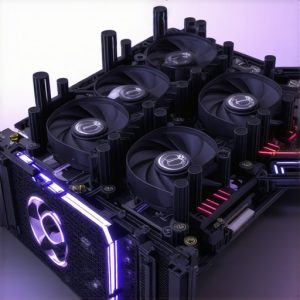

Revolutionizing Your PC Cooling Approach with Expert Insights
In the realm of high-performance computing, effective thermal management is paramount. As an industry expert, I recognize that optimizing fan curves, choosing the right cooling solutions, and understanding the nuanced interplay between airflow and component temperature can dramatically enhance system stability and longevity. This article delves into advanced strategies for mastering PC cooling, from fine-tuning fan curves to selecting the best air and AIO coolers, ensuring your build operates at peak efficiency under demanding workloads.
Unveiling the Critical Role of Fan Curves in Thermal Regulation
Fan curves are not mere adjustments; they are sophisticated tools that directly influence your system’s thermal profile. By customizing fan curves based on CPU and GPU load profiles, enthusiasts can strike a balance between noise levels and cooling performance. This nuanced control allows for dynamic airflow management, which is especially critical during overclocking or sustained high-load scenarios. For example, ramping fans gradually during temperature spikes ensures quieter operation while maintaining safe thermal thresholds.
What are the most effective methods for calibrating fan curves to prevent thermal throttling without excessive noise?
Advanced calibration involves using software that allows precise control over fan speeds at various temperature points, often integrated within motherboard BIOS or dedicated utilities like MSI Afterburner. It’s advisable to set the fan to increase gradually from idle to load, avoiding abrupt speed changes that cause noise spikes. Consulting detailed guides, such as this comprehensive resource, can provide step-by-step instructions for effective curve tuning.
Choosing Between Air and Liquid Cooling for Superior Performance
Deciding on the optimal cooling solution hinges on the specific requirements of your build and the thermal demands of your components. Air coolers are renowned for their simplicity, durability, and cost-effectiveness, making them suitable for most users. Conversely, All-in-One (AIO) liquid coolers offer superior heat dissipation capabilities, particularly for overclocked CPUs or compact cases where airflow is constrained. The choice should also consider factors such as noise levels, maintenance, and aesthetic preferences.
How do fan curves influence the efficiency of AIO versus traditional air cooling solutions?
Fan curve configuration is vital for maximizing the potential of both cooling types. Properly tuned curves ensure that AIO radiators or air coolers operate at optimal fan speeds, balancing thermal performance with acoustic comfort. For instance, setting a slightly aggressive fan curve on an AIO can prevent heat buildup during gaming sessions, while a more conservative curve on an air cooler can maintain quiet operation during idle states. Refer to this expert guide for in-depth strategies on fan curve management for different cooling setups.
Maximizing Cooling Efficiency Through Thermal Paste and Case Airflow Optimization
Beyond fan curves, the application of high-quality thermal paste and optimized case airflow are critical for superior thermal performance. Proper thermal paste application ensures efficient heat transfer from the CPU to the heatsink, while strategic case fan placement enhances overall airflow, reducing hot spots. Combining these practices with tailored fan curves creates a holistic cooling ecosystem that maintains lower temperatures and extends component lifespan.
Are there innovative case fan configurations that can synergize with fan curves for enhanced cooling?
Yes, multi-zone fan setups that direct airflow strategically across key components—such as the VRMs, RAM, and CPU—can significantly improve thermal management. Using software to synchronize fan speeds across zones ensures consistent airflow patterns, minimizing thermal gradients. For insights into best practices, visit this detailed guide.
For those seeking to elevate their PC cooling expertise, exploring in-depth resources and engaging with professional communities can provide invaluable insights. Whether adjusting fan curves or selecting cooling hardware, continuous learning and experimentation are key to mastering thermal management in high-performance systems. If you wish to share your experiences or seek personalized advice, contact us through our contact page.
Refining Fan Curve Strategies for Cooler, Quieter Systems
Advanced fan curve tuning is a nuanced skill that can significantly impact your PC’s thermal efficiency and noise levels. By analyzing how your system responds under different workloads, you can craft custom curves that dynamically adapt to temperature fluctuations, ensuring components stay within safe limits without unnecessary noise. Techniques such as setting multiple control points at critical temperature thresholds can prevent abrupt fan speed changes that cause acoustic disturbances. For detailed methodologies, visit this expert guide, which offers step-by-step instructions for fine-tuning your fan profiles.
Could implementing AI-driven fan control systems revolutionize thermal management?
Emerging AI algorithms are poised to transform how we manage PC cooling by predicting thermal loads and adjusting fan speeds proactively. These intelligent systems analyze real-time data, learn from usage patterns, and optimize fan curves more precisely than manual tuning. Integrating such solutions can lead to quieter operation during idle periods while ramping up cooling capacity during demanding tasks. As industry experts suggest, adopting AI-based thermal management tools not only enhances performance but also extends component lifespan by reducing thermal stress. For a glimpse into cutting-edge solutions, explore this comprehensive resource.
How to leverage thermal paste and airflow design for maximum cooling synergy
Effective thermal paste application and strategic case airflow are foundational to achieving peak thermal performance. Applying thermal paste correctly—using an appropriate amount and ensuring even spread—minimizes thermal resistance between the CPU and its heatsink. Simultaneously, optimizing case airflow involves configuring intake and exhaust fans to create a positive pressure environment, reducing dust buildup and hot spots. When combined with precisely calibrated fan curves, these practices create a synergistic cooling ecosystem that maintains lower temperatures and boosts overall stability. For expert tips on thermal paste application, see this detailed guide.
What innovative airflow configurations can push thermal management to the next level?
Innovative airflow setups, such as push-pull configurations on radiators or multi-zone fan control, allow for highly tailored thermal management. These configurations enable targeted cooling for high-heat components like VRMs, memory modules, and the CPU socket. Synchronizing fan speeds across zones ensures consistent airflow, reducing temperature gradients and hot spots. For advanced case airflow strategies, check out this expert resource. Such setups, combined with intelligent fan curve management, can dramatically improve system thermals, especially during overclocking or sustained workloads.
Harnessing the Power of Custom Fan Curves for Optimal Thermal Dynamics
Refining your fan curve strategy isn’t just about lowering temperatures; it’s about orchestrating a symphony of airflow that adapts seamlessly to your workload. Advanced enthusiasts leverage software like SpeedFan or motherboard BIOS settings to create multi-point curves, ensuring fans respond proportionally to temperature fluctuations. This dynamic approach minimizes noise during idle while ramping up cooling during intensive tasks, maintaining a delicate balance. For precise calibration, consider tools like HWInfo or Argus Monitor, which provide granular control and real-time feedback, enabling you to tailor your system’s thermal response with expert finesse.
Integrating AI-Enhanced Cooling Solutions for Next-Level Efficiency
Emerging AI-driven thermal management platforms are rapidly transforming PC cooling paradigms. These intelligent systems analyze vast arrays of sensor data—spanning CPU, GPU, ambient temperature, and usage patterns—to predict thermal loads before they materialize. By proactively adjusting fan speeds and pump speeds in AIOs, AI solutions can optimize cooling while significantly reducing noise. Companies like ASUS with their AI Cooling algorithms demonstrate that adaptive control not only prolongs component lifespan but also delivers a quieter, more stable operation. Exploring these technologies invites enthusiasts to future-proof their builds, ensuring adaptive performance amidst evolving workloads.
What is the relationship between thermal paste application and airflow design in maximizing cooling?
Effective thermal management hinges on both the microscopic interface between CPU and heatsink and the macroscopic airflow within your case. Proper thermal paste application—using a pea-sized dot or a spread method—reduces microscopic gaps that impede heat transfer. Meanwhile, case airflow strategies, such as positive pressure setups with strategically placed intake fans, prevent dust ingress and hot air recirculation. When these elements synergize, heat is efficiently transferred from the CPU to the heatsink and then expelled from the case, maintaining lower overall system temperatures. For comprehensive installation techniques, consult detailed guides like the one from Tom’s Hardware, which emphasizes precision in thermal interface material application and airflow planning.
How can multi-zone airflow configurations enhance cooling for high-performance systems?
Multi-zone airflow involves segmenting your case into distinct regions—such as CPU, GPU, VRMs, and memory—each with targeted fan control. By assigning dedicated fans or zones to critical components, you create a directed airflow path that minimizes thermal hotspots. Software solutions like Corsair iCUE or MSI Afterburner facilitate synchronized fan adjustments across zones, ensuring consistent cooling. This nuanced approach not only stabilizes temperatures but also allows for quieter operation, as fans operate only as hard as necessary. Implementing such configurations requires meticulous planning and case compatibility considerations but yields significant thermal benefits, especially in overclocked or multi-GPU setups.
Advanced Case Design Strategies for Superior Airflow Management
Innovative case architectures are pushing the boundaries of thermal efficiency. Features like modular panels, integrated dust filters, and optimized vent placements enable precise control over airflow paths. For instance, cases with front-to-back airflow channels and vertically mounted radiators facilitate unobstructed air movement, reducing turbulence and hot spots. Additionally, incorporating removable filters and sound-dampening materials can improve both thermal performance and acoustic comfort. When combined with high-quality fans and calibrated fan curves, these design choices create a robust thermal ecosystem capable of handling demanding workloads with ease. For insights into cutting-edge case designs, visit this authoritative article.
Exploring the Future of PC Cooling with Smart Materials and Adaptive Technologies
The horizon of thermal management is expanding with innovations in smart materials—phase-change materials (PCMs) and thermoelectric coolers (TECs)—which can actively adapt to temperature changes. PCMs absorb excess heat during peak loads, releasing it gradually, thus smoothing thermal spikes. Meanwhile, TECs can provide localized cooling by creating a temperature differential, effectively functioning as miniature heat pumps. Integrating these technologies with existing fan and pump systems could revolutionize how we maintain optimal temperatures, especially in compact builds where space and airflow are limited. According to recent studies published in the Journal of Electronic Materials, these materials hold promise for reducing reliance on noisy fans and mechanical cooling, paving the way for quieter, more efficient PCs. For those eager to explore these cutting-edge developments, engagement with research papers and industry trials is highly recommended to stay abreast of upcoming breakthroughs.
Mastering the Art of Dynamic Fan Management for Precise Thermal Control
Refining your fan management system involves leveraging adaptive algorithms that respond to real-time thermal data, ensuring optimal airflow without unnecessary noise. Modern motherboards and dedicated software can implement multi-point fan curves, enabling nuanced responses to temperature fluctuations across different system components. For example, setting higher fan speeds only when CPU or GPU temperatures surpass specific thresholds prevents overcooling during idle periods, conserving energy and reducing wear on cooling fans. Consulting technical documentation such as this authoritative source can elevate your tuning expertise.
Integrating Thermoelectric Coolers to Push Thermal Boundaries
Thermoelectric coolers (TECs) are emerging as a transformative component in high-end thermal management. These devices utilize the Peltier effect to create localized cooling, effectively reducing component temperatures far beyond traditional solutions. When combined with sophisticated fan and pump controls, TECs can dynamically respond to workload peaks, maintaining stability while minimizing noise. While integration complexity and power requirements are considerations, recent advances in TEC module efficiency and control circuitry—detailed in the Journal of Electronic Materials—are making these systems increasingly viable for enthusiasts seeking ultimate thermal performance.
What are the latest innovations in smart cooling materials that could redefine thermal management?
Research into phase-change materials (PCMs) and thermally conductive composites is progressing rapidly. PCMs can absorb excess heat during peak loads, releasing it gradually to prevent thermal spikes, while novel composites incorporate graphene or boron nitride to dramatically enhance heat dissipation. These smart materials promise quieter, more efficient systems that adapt to workload demands without the need for active cooling components. Industry leaders and academia are collaborating on scalable implementations, with promising developments highlighted in recent patent filings and peer-reviewed studies. To stay at the forefront, consider following publications from the Nature Materials journal.
Designing Custom Case Airflow for Unmatched Thermal Uniformity
Achieving maximum thermal uniformity requires meticulous case airflow orchestration, often through multi-zone configurations. By segmenting airflow paths—such as dedicated intake for GPUs and separate exhausts for CPU radiators—you can significantly reduce hot spots and thermal gradients. Incorporating PWM-controlled fans with synchronized profiles ensures consistent airflow, adapting dynamically to system demands. Implementing such setups involves advanced case modding, including ducting and strategic fan placement, which can be optimized using computational fluid dynamics (CFD) simulations. For detailed case airflow strategies, consult this comprehensive guide.
Unleash the Potential of Your Cooling Setup
Mastering PC cooling requires a blend of precise control, innovative hardware, and expert insights. Fine-tuning fan curves can dramatically improve thermal performance while maintaining acoustic comfort, especially during overclocking or intensive workloads. Embracing advanced calibration techniques and AI-driven control systems can push your cooling efficiency to new heights, ensuring system stability and longevity.
Leverage Intelligent Fan Management
Integrate AI algorithms that analyze real-time temperature data to proactively adjust fan speeds. This approach minimizes noise and prevents thermal throttling, delivering a seamless balance between silence and performance. Explore tools like HWInfo or proprietary motherboard software for granular control and feedback.
Optimize Thermal Interface and Airflow
Apply high-quality thermal paste with precision, ensuring maximal heat transfer from CPU and GPU. Complement this with strategic case airflow, including multi-zone fan configurations that target critical components such as VRMs, RAM, and storage drives. Combining these practices creates a comprehensive thermal ecosystem that sustains lower temperatures and enhances component lifespan.
Embrace Innovative Cooling Technologies
Stay ahead by exploring smart materials like phase-change substances or thermoelectric coolers (TECs). These advanced solutions offer active temperature regulation, reducing reliance on noisy fans and mechanical systems. While integration may be complex, ongoing research suggests promising avenues for quieter and more efficient cooling in future builds.
Curated Resources for Advanced PC Cooling
- Tom’s Hardware Cooling Guide – Offers in-depth tutorials on thermal paste application, fan curve customization, and airflow design for enthusiasts seeking expert-level optimization.
- Journal of Electronic Materials – Provides cutting-edge research on smart materials and thermoelectric devices that are shaping the future of thermal management.
- Motherboard Manufacturer Documentation – Contains detailed firmware and software controls for advanced fan management and AI integration, essential for achieving peak performance.
Final Reflection from an Industry Expert
Effective PC cooling hinges on a sophisticated understanding of thermal dynamics, hardware capabilities, and innovative control strategies. By integrating expert-approved techniques like meticulous thermal paste application, dynamic fan curves, and emerging AI technologies, you set the stage for a system that runs cooler, quieter, and more reliably. Embrace continuous learning—engage with industry resources, participate in enthusiast communities, and experiment with new solutions. Your pursuit of cooling excellence not only enhances performance but also extends the lifespan of your components, securing your investment in high-performance computing. For personalized guidance or to share your success stories, don’t hesitate to reach out.

![Stop 2026 CPU Throttling: The Offset Bracket Fix [Proven]](https://cooling.workstationwizard.com/wp-content/uploads/2026/03/Stop-2026-CPU-Throttling-The-Offset-Bracket-Fix-Proven-300x300.jpeg)