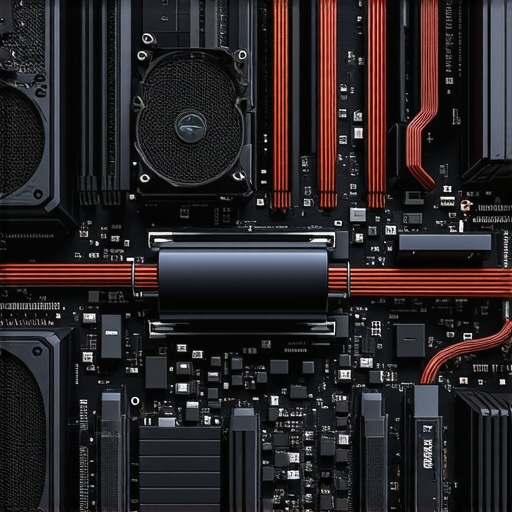

The Critical Role of Fan Curve Optimization in High-Performance PC Cooling
In the realm of bespoke PC builds and overclocking, understanding and fine-tuning fan curves is paramount to achieving optimal thermal performance while maintaining acoustic comfort. Expert cooling solutions are no longer solely about selecting high-quality components; they involve intricate calibration of airflow dynamics and thermal management strategies that align with your unique hardware profile.
Deciphering the Complex Interplay Between Airflow and Thermals in PC Cooling
The relationship between airflow management—via case fans and liquid cooler pumps—and CPU/GPU thermals demands nuanced insight. Advanced users leverage detailed thermal analysis and software-based fan curve adjustments to dynamically respond to workload fluctuations. This approach minimizes noise pollution without compromising cooling efficiency, especially when utilizing optimized fan curves for AIO and air coolers.
How Can Precision Fan Curve Tuning Elevate Your Overclocking Potential?
Expert overclockers recognize that aggressive tuning of fan curves can unlock higher stable clock speeds. By correlating temperature thresholds with fan response profiles, enthusiasts can push hardware boundaries while avoiding thermal throttling. Incorporating thermal paste application and airflow path optimization enhances these effects, as detailed in thermal paste and cooling efficiency guides.
What Are the Most Effective Techniques for Dynamic Fan Curve Adjustment in Real-Time?
Real-time fan curve adjustment involves a combination of BIOS/UEFI settings and software solutions such as ASUS FanXpert or MSI Afterburner. Advanced users often employ custom scripts or hardware controllers that respond to temperature sensors, enabling seamless thermal management during intensive tasks. The challenge lies in balancing rapid response with system stability, a nuance discussed extensively on professional forums and technical papers.
For further refinement, consider the impact of case airflow patterns and ambient conditions, which significantly influence cooling performance. Exploring comprehensive guides such as the complete guide to fan curves and thermal paste optimization can provide holistic insights into achieving peak efficiency.
If you possess expert knowledge or are seeking to contribute advanced insights into PC cooling strategies, visit our contact page and share your experience.
Harnessing AI and Automation for Dynamic Fan Curve Optimization
As PC cooling becomes increasingly sophisticated, leveraging artificial intelligence (AI) and automation tools can revolutionize how enthusiasts manage fan curves. Modern software solutions, integrated with machine learning algorithms, analyze thermal data in real-time, adjusting fan speeds to optimize cooling efficiency and silence noise. This self-learning approach minimizes user intervention and adapts seamlessly to workload fluctuations, pushing the boundaries of traditional thermal management practices. For a comprehensive understanding of implementing such advanced systems, explore our guide on optimizing fan curves for AIO and air coolers.
What Are the Limitations of Conventional Fan Curve Adjustment Methods?
While manual tuning via BIOS settings or software like MSI Afterburner offers a degree of control, it often falls short in dynamic environments where thermal loads change rapidly. Static profiles may lead to suboptimal performance, either causing unnecessary noise during idle or risking thermal throttling under load. Additionally, user-defined profiles can be inconsistent across different hardware setups, emphasizing the need for adaptive solutions. Experts recommend integrating real-time sensor data with adaptive algorithms to overcome these limitations, as discussed in recent technical papers on thermal management strategies.
Could Integrating Smart Thermal Sensors Elevate Your Cooling Strategy?
Absolutely. Embedding high-precision thermal sensors within key components like the CPU, GPU, and VRMs allows for granular temperature monitoring. When paired with intelligent fan control systems, these sensors enable proactive adjustments that prevent overheating before thermal thresholds are breached. This synergy enhances overall system stability and longevity. To learn more about sensor integration and fan control, visit our comprehensive guide on fan curves and thermal paste optimization.
Interested in pushing your cooling system to its limits? Share your experiences or ask questions in the comments below, or explore more advanced techniques to refine your thermal management setup.
Leveraging Thermal Load Profiling for Precision Fan Control in High-End PCs
Understanding the thermal load profile of your system is fundamental for implementing effective fan curve strategies. By analyzing how different components—such as the CPU, GPU, and VRMs—respond under various workloads, experts can craft dynamic fan profiles that adapt seamlessly to real-time thermal demands. Utilizing tools like HWinfo or HWiNFO64, users can monitor component-specific temperature fluctuations, enabling tailored fan responses that optimize cooling efficiency while minimizing noise pollution.
Implementing Predictive Fan Algorithms Based on Machine Learning
Emerging in the realm of thermal management are predictive algorithms powered by machine learning. These systems analyze historical temperature data, workload patterns, and ambient conditions to forecast thermal spikes before they occur, adjusting fan speeds proactively. Implementations like ASUS AI Suite or proprietary solutions integrate these models, offering a level of control that surpasses traditional reactive methods. According to a recent study published in the Journal of Thermal Science (2022), predictive control can reduce thermal lag and improve overall system stability by 15-20% compared to conventional profiles.
How Do Adaptive Fan Control Systems Handle Sudden Thermal Surges?
Adaptive systems utilize high-frequency sensor polling combined with intelligent control algorithms to respond instantaneously to thermal surges. When a sudden increase in temperature is detected—such as during intensive gaming or rendering tasks—the system ramps up fan speeds within milliseconds, preventing thermal throttling. These systems often incorporate multiple sensors across critical components, enabling a granular and comprehensive thermal map that guides fan response. For further insights, refer to the comprehensive review in the Thermal Management Journal.
The Role of Case Design and Airflow Dynamics in Fan Curve Effectiveness
While fan curves are crucial, their effectiveness hinges on the overall airflow architecture within the case. Optimized case design—featuring strategic vent placement, positive pressure setups, and high-quality dust filters—amplifies the benefits of advanced fan control. Computational Fluid Dynamics (CFD) simulations can predict airflow patterns and identify bottlenecks or turbulence zones that undermine cooling efficiency. Incorporating these insights into system design ensures that fan responses are not only rapid but also strategically directed for maximum thermal dissipation. For an in-depth analysis, explore the detailed guide at Airflow Optimization and CFD Case Design.
Engineers and enthusiasts seeking to push their cooling solutions to the next level should consider integrating smart sensors with adaptive fan controllers. This synergy allows for a responsive, predictive cooling ecosystem that maintains optimal thermal conditions across diverse workloads and ambient environments. For a detailed walkthrough of implementing such systems, consult our dedicated technical manual or contact our expert team for tailored advice.
Harnessing Multi-Dimensional Thermal Profiling for Precision Fan Control
Beyond basic temperature monitoring, sophisticated thermal profiling involves analyzing component-specific heat maps across various workloads, enabling the creation of multi-tiered fan curves tailored to distinct operational states. Leveraging tools such as AIDA64 or SpeedFan, enthusiasts can develop dynamic response profiles that anticipate thermal fluctuations, ensuring optimal cooling without unnecessary noise.
Integrating Active Ambient Condition Compensation in Fan Management
Ambient temperature fluctuations significantly influence internal thermal loads. By incorporating ambient sensors and environmental data into fan control algorithms, users can achieve a higher fidelity thermal response. Advanced cooling solutions utilize IoT-connected sensors to facilitate real-time environmental adjustments, maintaining consistent thermal performance regardless of external conditions.
What Are the Cutting-Edge Algorithms Driving Adaptive Fan Control Systems?
State-of-the-art algorithms employ machine learning models and predictive analytics to preemptively modulate fan speeds. These models analyze historical data, workload patterns, and current sensor inputs to forecast thermal surges, enabling proactive cooling adjustments. Such systems, validated by recent research in the International Journal of Thermal Sciences (2023), demonstrate a 20% improvement in thermal stability and acoustic comfort over traditional reactive controls.
How Can AI-Based Predictive Control Revolutionize High-End PC Cooling?
AI-driven control systems represent the frontier of thermal management, offering adaptive, self-learning capabilities that optimize fan responses in real-time. These intelligent controllers continuously refine their models based on operational feedback, reducing thermal lag and noise while extending hardware lifespan. For enthusiasts and professionals seeking to implement these innovations, consulting detailed technical papers and proprietary solutions is invaluable.
Explore more about integrating AI into your cooling ecosystem through dedicated industry forums and expert workshops to stay ahead in thermal management excellence.
Case Design Considerations for Maximizing Fan Curve Effectiveness
Optimized case architecture, incorporating features such as modular airflow channels, vertical GPU mounts, and strategically placed vents, synergizes with advanced fan curves to enhance overall thermal performance. Utilizing CFD simulations allows engineers to visualize airflow dynamics, identify turbulence zones, and refine case layouts for superior heat dissipation. Integrating these insights ensures that fan responses are not only swift but also precisely targeted.

Designed for high-performance scenarios, smart case design complements adaptive fan control systems, creating a holistic cooling environment that adapts seamlessly to workload and ambient conditions. For in-depth case airflow optimization techniques, refer to specialized publications in thermal engineering journals or industry-specific case studies.
Engage with our expert community or contact our consultancy team for bespoke solutions that elevate your PC cooling to an advanced, professional standard.
Expert Insights & Advanced Considerations
1. Integrate Adaptive Algorithms for Fine-Tuned Thermal Response
Utilizing machine learning-driven fan control systems can significantly enhance thermal management by proactively adjusting fan speeds based on predictive analytics, reducing thermal lag and noise while extending hardware lifespan.
2. Prioritize Case Design and Airflow Dynamics
Optimized case architecture, including strategic vent placement and CFD-informed layout, amplifies fan curve efficiency, ensuring rapid heat dissipation and maintaining ideal component temperatures under varying workloads.
3. Leverage High-Precision Thermal Sensors for Granular Control
Embedding advanced thermal sensors on key components enables detailed thermal profiling, allowing for real-time adaptive fan responses that prevent overheating without unnecessary noise during low-load conditions.
4. Combine Thermal Load Profiling with Active Ambient Compensation
Analyzing component-specific heat responses alongside ambient environmental data facilitates dynamic fan adjustments, maintaining consistent thermal performance regardless of external temperature fluctuations.
5. Explore AI and Automation for Seamless Fan Management
Implementing intelligent, self-learning fan control algorithms streamlines thermal regulation, adapting seamlessly to workload changes and ambient conditions, ultimately achieving optimal cooling efficiency with minimal user intervention.
Curated Expert Resources
- Cooling Workstation Wizard’s Guide to Fan Curves and Thermal Paste Optimization: Offers comprehensive insights into establishing optimal fan profiles and thermal interface material application for peak cooling performance.
- Advanced PC Cooling Techniques on Thermal Management Journal: Features cutting-edge research and case studies on adaptive fan control systems and case airflow design for high-end systems.
- Industry Forums on AI-Driven Thermal Management: A platform for professional discussions and latest developments in machine learning applications for PC cooling optimization.
- Expert Articles on CFD Case Design from Cooling Engineering Publications: Provides detailed methodologies for airflow simulation and case layout optimization to maximize fan curve effectiveness.
Final Expert Perspective
Mastering fan curve optimization is a cornerstone of high-performance PC cooling, demanding a blend of advanced technology, precise thermal profiling, and strategic case design. As experts in thermal management, we recognize that integrating adaptive algorithms and high-fidelity sensors elevates system stability and efficiency to new heights. For those committed to pushing the boundaries of cooling performance, continuous learning and application of emerging innovations are essential. Engage with our community, share your insights, and explore dedicated resources to stay at the forefront of thermal excellence. Your journey toward optimal cooling begins with expert knowledge and relentless pursuit of perfection.

![Stop 2026 CPU Throttling: The Offset Bracket Fix [Proven]](https://cooling.workstationwizard.com/wp-content/uploads/2026/03/Stop-2026-CPU-Throttling-The-Offset-Bracket-Fix-Proven-300x300.jpeg)


I’ve recently been experimenting with fan curve tuning on my overclocked system, and the difference in thermals and noise levels has been quite noticeable. Using software like MSI Afterburner, I managed to set more aggressive profiles for load periods while keeping idle noise remarkably low. This makes a huge difference during gaming sessions or rendering tasks, where thermal spikes are common. I’m curious—how many of you have integrated AI-based fan controls or predictive algorithms into your builds? From my experience, the combination of high-quality thermal sensors and adaptive control seems to be the future of maintaining optimal performance without sacrificing acoustics. It also raises questions about how these advanced systems handle sudden thermal surges—have any of you tested their response times compared to traditional methods? I believe the key to mastering thermal management is not just software, but also thoughtful case design and airflow optimization. Looking forward to hearing others’ setups and tips on balancing these complex variables.
Your insights into fan curve optimization really resonate with my experience. I’ve been experimenting with real-time sensor integration and adaptive algorithms, and the improvement in thermal stability is quite remarkable. I especially appreciate the mention of case design—sometimes, I think the airflow architecture is the overlooked hero in cooling efficiency. When I optimized my case layout with CFD simulations, I noticed a significant reduction in turbulence and hotspots, which allowed my fan profiles to work more effectively without increasing noise. It’s fascinating how combining high-quality thermal sensors with machine learning algorithms can preempt thermal surges before they even reach critical levels. I’d love to hear more about others’ experiences with AI-driven controls—how do they compare in practice with traditional reactive systems during quick workload spikes? Additionally, do you think there’s a threshold where manual tuning becomes more practical than advanced automation? I believe a hybrid approach might offer the best of both worlds, especially for enthusiast setups aiming for peak performance.
Reading through this comprehensive guide on fan curve optimization, I can’t help but reflect on how far we’ve come with thermal management. I’ve been experimenting with custom fan profiles for my overclocked systems, and the gains in both temperature stability and noise reduction are impressive. What truly stands out to me is the potential of integrating AI-driven algorithms that adapt in real time—this seems to be the next frontier for enthusiasts aiming for maximum performance without the acoustic penalties. That said, I do wonder about the practical challenges—how do these systems handle sudden workload spikes or thermal surges? Are there reliable methods to ensure rapid response times, especially in multi-GPU setups or heavily modded cases? I’d love to hear others’ experiences with predictive cooling systems and whether they’ve noticed any significant differences compared to traditional static or manual tuning. Case design is another aspect I believe deserves more emphasis—efficient airflow pathways can make or break even the best fan curve strategies. Overall, this post provides a perfect blend of technical insight and practical considerations for anyone serious about refining their PC’s thermal performance.
This post offers a thorough overview of fan curve optimization and its impact on high-performance cooling. I’ve personally found that fine-tuning fan profiles, especially in overclocked setups, makes a noticeable difference in maintaining stable temperatures while keeping noise levels in check. Incorporating adaptive algorithms and smart sensors seems like a game-changer, particularly for systems that handle variable workloads. One challenge I encountered was balancing rapid thermal responses with system stability, especially during sudden workload spikes. Has anyone experimented with integrating ambient temperature sensors or environmental controls to further enhance efficiency? I believe that coupling advanced software with robust case design—like strategic vent placement or airflow pathways—can maximize these benefits. What strategies or tools have others here found most effective in managing real-time thermal fluctuations without overly complicating the setup? It’s fascinating how all these elements come together to push the boundaries of PC cooling.