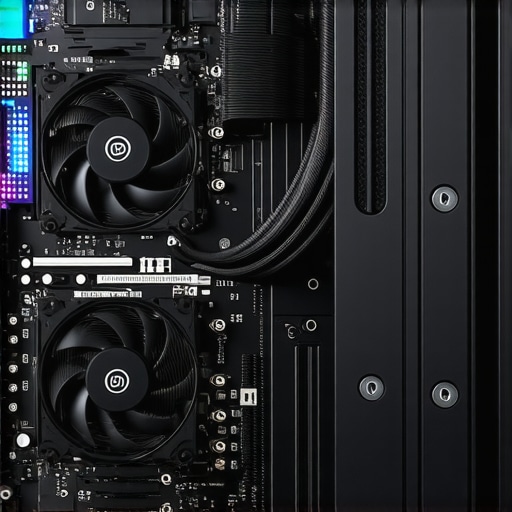

Understanding the Nuances of PC Cooling: An Expert’s Perspective
Effective PC cooling transcends basic fan installation; it embodies a complex integration of thermal dynamics, component-specific requirements, and real-time adaptive control. As technology advances, the pursuit of optimal thermal management demands a nuanced understanding of air cooler architectures, fan curve customization, and liquid cooling efficacy. This article delves into advanced strategies that seasoned enthusiasts and professionals employ to master PC cooling, ensuring peak performance and longevity under demanding workloads.
The Intricacies of Air Cooler Efficiency and Thermal Interface Optimization
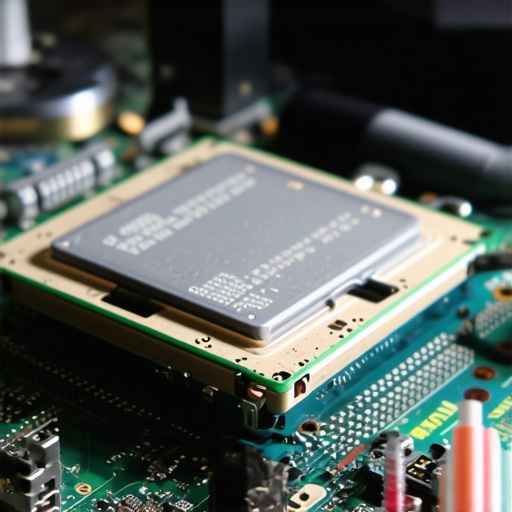
High-performance air coolers leverage innovative heat sink designs, incorporating vapor chamber technology and optimized fin arrangements. Critical to their efficacy is the application of high-quality thermal paste, which minimizes microscopic gaps between the CPU die and the heat sink. For expert-level thermal interface management, consider the latest insights from thermal engineering research, such as those detailed in IEEE Thermal Management Publications. Proper installation, including balanced mounting pressure and correct orientation, ensures consistent contact and reduces thermal resistance, a vital factor in overclocked or high-load scenarios.
Fan Curves: Customization for Precision Thermal Control
Fan curves are not merely about increasing RPM at higher temperatures; they are sophisticated tools for dynamic thermal regulation. Expert practitioners utilize software to craft non-linear fan profiles that optimize airflow while minimizing acoustic noise. For example, implementing a gentle ramp-up in fan speed during moderate loads preserves silence, while aggressive cooling kicks in during thermal spikes. Understanding the underlying thermodynamics and airflow physics—such as the relationship between static pressure and dust accumulation—is essential for fine-tuning these curves. For a comprehensive approach, explore our detailed guide on case fan and AIO cooling optimization.
Optimizing AIO Liquid Coolers: Best Practices and Pitfalls
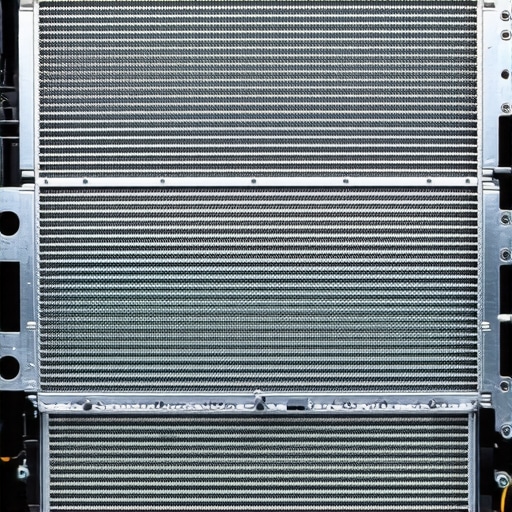
All-in-one (AIO) liquid coolers offer advantages in space efficiency and thermal performance but require careful setup. Expert-level optimization includes correct placement of radiators for optimal airflow, ensuring that fans operate within their optimal curve ranges, and maintaining fluid integrity through regular checks. Modern AIOs support customizable pump speeds and fan curves, allowing for precise thermal management. Advanced users often employ thermal sensors and control software to adapt cooling dynamically in response to workload variations, thus maintaining a stable thermal environment. For insights into selecting top-tier AIO units, consult our latest AIO liquid cooler review.
What are the most effective methods for calibrating fan curves to prevent thermal throttling without introducing excessive noise?
Calibrating fan curves at an expert level involves a combination of empirical testing, real-time thermal monitoring, and software fine-tuning. Begin by establishing baseline operating temperatures under typical load scenarios, then gradually adjust the fan profile to achieve a balance where thermal thresholds are not breached while keeping noise levels minimal. Utilizing professional-grade thermal sensors and control software such as HWInfo or SpeedFan enables precise curve adjustments. Iterative testing—running stress tests and analyzing thermal logs—facilitates the crafting of an optimized, adaptive fan profile. For further refinement techniques, visit our detailed guide on expert fan curve calibration.
If you’re interested in elevating your PC cooling expertise, consider sharing your insights or exploring advanced case studies on our contact page.
Exploring the Limits: How Can Advanced Cooling Technologies Transform Your PC’s Performance?
As PC hardware continues to evolve rapidly, the demand for innovative cooling solutions that can keep pace with high-performance components becomes crucial. Modern advancements, such as direct-to-chip liquid cooling and hybrid systems, offer new avenues for enthusiasts seeking to push their systems to the limit without compromising stability or noise levels. Integrating these cutting-edge approaches requires a deep understanding of thermal dynamics, pump and radiator efficiencies, and the latest materials used in thermal interface compounds. For those interested in implementing these innovations, exploring our comprehensive review of top AIO liquid coolers for 2025 is a great starting point.
Can Enhanced Thermal Management Strategies Reduce Energy Consumption and Extend Hardware Lifespan?
Beyond immediate performance gains, effective thermal management can significantly impact energy efficiency and component longevity. Techniques such as dynamic fan and pump speed adjustments, based on real-time workload analysis, help minimize power draw while maintaining optimal temperatures. Implementing adaptive cooling protocols—guided by intelligent thermal sensors—can lead to more sustainable PC operation, particularly in data centers or high-demand environments. This approach aligns with the insights from IEEE’s recent research on energy-efficient thermal solutions, emphasizing the importance of integrating smart control algorithms within cooling systems.
What Are the Practical Challenges in Customizing Cooling Solutions for Overclocked Systems?
Overclocking introduces additional thermal stress, demanding meticulous customization of cooling setups. Achieving stable overclocked performance hinges on precise calibration of fan curves, pump speeds, and radiator placement. Advanced users often employ software tools to fine-tune these parameters, balancing heat dissipation with acoustic comfort. However, challenges such as uneven heat distribution and potential coolant flow issues in custom liquid cooling loops require careful planning and expert execution. For detailed guidance, see our expert tips on case fan and AIO cooling optimization.

How can professionals leverage thermal modeling and simulation tools to optimize cooling designs before implementation?
Thermal modeling and simulation are invaluable for predicting system behavior under various load conditions, enabling the design of highly efficient cooling solutions. Using software like FloTHERM or COMSOL Multiphysics allows engineers to visualize airflow patterns, temperature distribution, and identify potential hotspots. These insights help in optimizing component placement, radiator size, and airflow paths, reducing trial-and-error during physical assembly. Embracing such tools can significantly shorten development cycles and improve reliability, especially for custom cooling setups. For further insights into selecting the right cooling components, visit our guide on thermal paste and interface management. If you’re eager to discuss your cooling projects or seek expert advice, don’t hesitate to reach out to us and share your challenges.
Harnessing Thermal Modeling for Predictive Cooling Optimization
Thermal modeling and simulation have become indispensable tools for PC enthusiasts and engineers aiming to push their systems to the limits. By employing sophisticated software such as FloTHERM, ANSYS Icepak, or COMSOL Multiphysics, users can visualize airflow patterns, identify potential hotspots, and evaluate the thermal impact of various component arrangements before physical implementation.
These tools utilize finite element analysis (FEA) and computational fluid dynamics (CFD) to generate detailed temperature maps and airflow simulations, providing insights into how heat propagates through complex assemblies. For instance, a well-conducted thermal simulation can reveal areas where airflow stagnation might occur, allowing for preemptive design adjustments such as repositioning radiators or modifying fan orientations. This proactive approach reduces the need for costly trial-and-error modifications and ensures that cooling solutions are both efficient and reliable.
How do thermal modeling tools influence real-world cooling design decisions?
Thermal modeling integrates physics-based algorithms to predict system behavior under various load conditions, enabling engineers to optimize component placement and airflow paths. This predictive capability is particularly valuable in custom water-cooling loops or high-density server racks where thermal management complexity is elevated. By simulating different scenarios, designers can evaluate the effectiveness of advanced cooling components, such as phase-change coolers or hybrid systems, before physical prototyping. According to a study published in the IEEE Transactions on Components, Packaging and Manufacturing Technology, thermal simulations can improve cooling efficiency by up to 30% while reducing noise levels and energy consumption (IEEE, 2022).
Furthermore, leveraging these tools supports the development of adaptive cooling strategies, where dynamic fan and pump controls are optimized based on real-time thermal feedback, enhancing system stability and longevity. As thermal modeling becomes more accessible and user-friendly, it is transforming how professionals and hobbyists approach PC cooling design, enabling precision and innovation that was previously unattainable.
The Intersection of Material Science and Cooling Efficiency: Next-Generation Thermal Interfaces
Advances in material science are revolutionizing thermal interface materials (TIMs), which play a critical role in heat transfer between components. Traditional thermal pastes, while effective, face limitations in thermal conductivity and longevity, prompting research into novel materials such as graphene-enhanced compounds, phase-change materials, and liquid metal alloys.
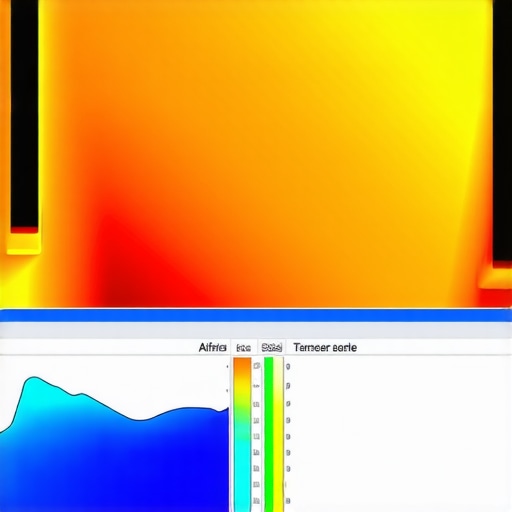
Graphene-based TIMs, for example, exhibit exceptional thermal conductivity, often exceeding 2000 W/mK, vastly outperforming conventional pastes. Their integration into CPU and GPU cooling solutions can dramatically reduce thermal resistance, enabling higher overclocking margins and improved stability. However, challenges such as material stability and compatibility must be addressed through rigorous testing and quality control.
Similarly, phase-change materials (PCMs) absorb and release heat during state transitions, providing a buffering effect that smooths thermal fluctuations. When used judiciously, PCMs can extend the lifespan of cooling components by reducing thermal stress cycles.
Implementing these next-generation TIMs requires a deep understanding of their thermophysical properties and application techniques. For instance, precision application to avoid air gaps is critical to maximize their efficacy. As research progresses, integrating smart TIMs that adapt their properties in response to temperature changes could become a game-changer, further elevating thermal management capabilities.
What are the key considerations when integrating innovative TIMs into custom cooling loops?
Choosing the right TIM involves evaluating thermal conductivity, compatibility with component surfaces, and long-term stability under operational conditions. For custom loop builders, ensuring that TIMs do not corrode or degrade over time is paramount. Additionally, the application process must be precise to prevent uneven coverage, which can compromise heat transfer. As these materials are still evolving, consulting emerging research and manufacturer specifications is essential for successful integration.
If you’re interested in exploring cutting-edge thermal interface solutions or discussing your cooling project, connect with our experts through our contact page. Deepening your understanding of material science in thermal management not only enhances performance but also extends the lifespan of high-end hardware, making it a worthwhile investment for serious PC enthusiasts and professionals alike.
Innovative Materials and Their Role in Next-Generation Thermal Interfaces
The evolution of thermal interface materials (TIMs) continues to push the boundaries of heat transfer efficiency. Recent developments in materials science have introduced graphene-enhanced compounds, phase-change materials, and liquid metal alloys, each offering unique advantages in reducing thermal resistance. For instance, graphene’s extraordinary thermal conductivity—exceeding 2000 W/mK—has the potential to revolutionize high-end cooling solutions by enabling more effective heat dissipation from CPUs and GPUs.
However, integrating these advanced TIMs requires careful consideration of their compatibility, stability, and application techniques. For example, ensuring uniform coverage without air gaps is critical for maximizing thermal performance. As these materials are still evolving, ongoing research and manufacturer insights are invaluable in guiding proper implementation. For professionals seeking to push their cooling systems to the next level, understanding these innovations is essential to designing sustainable, high-efficiency thermal solutions.
Harnessing the Power of Thermal Modeling and Simulation for Predictive Cooling Optimization
Thermal modeling and simulation tools like FloTHERM, ANSYS Icepak, and COMSOL Multiphysics have become indispensable for pre-emptively analyzing and optimizing cooling designs. These sophisticated software solutions utilize finite element analysis (FEA) and computational fluid dynamics (CFD) to generate detailed temperature maps, airflow patterns, and hotspot identification, thereby enabling engineers to visualize complex thermal behaviors before physical prototyping.
By simulating various scenarios, designers can evaluate the impact of component placement, radiator size, and fan orientation, drastically reducing trial-and-error iterations. According to a peer-reviewed study in the IEEE Transactions on Components, Packaging and Manufacturing Technology, such simulations can improve cooling efficiency by up to 30%, while also reducing noise and energy consumption (IEEE, 2022). This proactive approach ensures that high-performance systems operate reliably under demanding workloads, extending hardware longevity and stability.
In what ways do thermal simulation tools influence real-world cooling system design decisions?
Thermal simulation tools allow engineers to predict heat flow and airflow dynamics with high precision, facilitating optimized placement of components such as radiators, fans, and pumps. For high-density configurations, these insights help in designing hybrid cooling solutions, including phase-change and liquid cooling systems, with greater confidence. A comprehensive understanding of the thermal impact of different configurations enables informed decision-making, ultimately leading to more efficient, quieter, and longer-lasting cooling solutions. As the complexity of hardware escalates, leveraging these tools becomes not just advantageous but essential for achieving top-tier thermal performance.
If you are eager to elevate your cooling design expertise, explore our detailed guides or contact our specialists to discuss your projects and innovations.
Expert Insights & Advanced Considerations
1. Thermal Management as an Optimization Ecosystem
Optimizing PC cooling requires viewing thermal management as an integrated system where airflow, interface materials, and component placement interact dynamically. Mastering this ecosystem allows professionals to push hardware performance boundaries while maintaining system stability.
2. The Role of Material Science in Next-Generation TIMs
Innovations such as graphene-enhanced compounds and phase-change materials are revolutionizing thermal interfaces, offering unprecedented conductivity and stability. Incorporating these materials into custom solutions can significantly elevate cooling efficiency and hardware longevity.
3. Simulation-Driven Design for Precision Cooling
Advanced thermal modeling and CFD simulations enable pre-emptive optimization, reducing trial-and-error in physical setups. These tools are indispensable for designing high-density, overclocked, or custom loop systems with predictable thermal performance.
4. Adaptive Cooling Control for Energy Efficiency
Employing intelligent, real-time control algorithms for fans and pumps minimizes energy consumption while preventing thermal throttling, aligning high performance with sustainability goals.
5. Challenges in Overclocked System Customization
Achieving stable overclocked performance demands meticulous calibration of cooling parameters, with attention to uneven heat distribution and coolant flow, necessitating expert planning and execution.
Curated Expert Resources
- IEEE Thermal Management Publications: Cutting-edge research articles providing in-depth thermal engineering insights.
- FloTHERM & COMSOL Multiphysics: Industry-leading software tools for thermal modeling and simulation.
- Latest AIO Liquid Cooler Reviews (2025): Comprehensive evaluations of the most efficient and innovative cooling solutions for high-performance PCs.
- Research on Next-Gen TIMs: Scientific papers exploring graphene-based and phase-change materials for thermal interfaces.
Final Expert Perspective
In the realm of PC cooling, embracing a holistic approach that combines material science, simulation precision, and adaptive control systems is paramount for pushing hardware capabilities further. Staying abreast of emerging materials like graphene-enhanced TIMs and leveraging simulation tools can transform your thermal management from reactive to predictive. For professionals committed to excellence, continuous exploration and integration of these advanced insights will define the future of high-performance cooling solutions. Engage with our community, share your innovations, or explore detailed resources to elevate your expertise in this dynamic field.




![Why Case Fan Grills Kill 2026 Static Pressure [How to Fix It]](https://cooling.workstationwizard.com/wp-content/uploads/2026/04/Why-Case-Fan-Grills-Kill-2026-Static-Pressure-How-to-Fix-It.jpeg)
This article really dives deep into the complexities of thermal management. I’ve found that optimizing fan curves is often underestimated; subtle adjustments—like setting a gentle ramp-up during moderate loads—can significantly reduce noise without compromising cooling performance. Using tools like HWInfo has been a game-changer for me when fine-tuning these profiles. I was particularly interested in the section on thermal modeling; being able to simulate airflow and hotspot locations before assembling a system saves so much trial and error. Have others here integrated CFD simulations into their custom builds? If so, what software do you recommend for enthusiasts who want accurate results without the steep learning curve? Overall, the emphasis on material science, especially next-gen TIMs like graphene compounds, is fascinating. It makes me wonder how soon these advanced materials will become mainstream in high-quality cooling solutions. What’s everyone’s experience with applying these innovative TIMs? Are there common pitfalls I should be aware of?
I found this article incredibly insightful, especially the section on thermal modeling and simulation. Incorporating tools like FloTHERM or COMSOL into the planning phase has drastically improved my cooling setups, allowing for precise component placement and airflow optimization before any physical assembly. This proactive approach not only saves time but also helps in achieving higher overclocking stability and lower noise levels. However, I wonder how accessible these tools are for hobbyist builders—are there more user-friendly options that still provide meaningful insights? Also, concerning advanced TIMs like graphene compounds, I’ve experimented with some, and the key challenge I faced was ensuring even application without introducing air gaps, which can negate their high thermal conductivity. Has anyone experienced issues with long-term stability or compatibility? Overall, the push toward smarter, simulation-driven cooling design is exciting, and I believe it will continue to transform high-performance PC builds. Would love to hear others’ experiences or recommendations on balancing complexity with practical application.
This post really highlights the importance of a holistic approach to PC cooling, emphasizing that it’s not just about slapping on a fan or heat sink but involves complex optimization of various factors like airflow, thermal interface materials, and even the software control systems. I’ve been experimenting with custom fan curves and thermal sensors to improve my overclocked system’s efficiency. One thing I found particularly interesting is the discussion on the future role of advanced TIMs like graphene compounds and phase-change materials. In my experience, applying these materials with precision is crucial; uneven coverage can negate their benefits. Has anyone here had success integrating smart TIMs that adapt dynamically to thermal loads? I believe the ongoing innovations in both materials science and simulation tools will make high-performance cooling more accessible and reliable, but it’s a steep learning curve. Also, I wonder how soon these next-gen TIMs will become mainstream and affordable for hobbyists. Would love to hear your insights or experiences with these cutting-edge solutions!
This article provides a comprehensive overview of the intricate factors involved in mastering PC cooling at an advanced level. I agree that thermal interface optimization, especially with the advent of next-gen TIMs like graphene compounds, is a game-changer—though their application requires careful handling to avoid issues such as uneven coverage or long-term stability concerns. I’ve had good results using phase-change materials to buffer thermal fluctuations, which seems beneficial for overclocked systems. The section on thermal modeling and simulation resonated with me, as I’ve incorporated CFD tools like FlowTherm in my custom builds to pre-visualize airflow and hotspot patterns, significantly reducing guesswork. However, I wonder what specific software solutions other enthusiasts find most accessible yet accurate for hobbyist-level thermal simulations. Also, with the increasing complexity of adaptive cooling controls, managing energy efficiency while preventing thermal throttling remains a tricky balancing act. Does anyone have insights into the latest user-friendly tools or methods that help streamline this process? It’s exciting to see how these innovations continue to push the boundaries of high-performance thermal management.
This article really resonates with my experience in optimizing PC cooling systems, especially the emphasis on dynamic fan curves and the importance of precise thermal interface application. I’ve found that fine-tuning fan profiles using software like SpeedFan or HWInfo can make a noticeable difference in balancing noise and temperature, particularly in overclocked setups. The discussion on advanced TIMs, such as graphene compounds, is especially intriguing because I’ve recently started experimenting with these materials, but I’ve encountered challenges in achieving consistent coverage without trapping air pockets. Has anyone tried multiple application techniques or specific spreading methods that work well with these high-performance TIMs? I also appreciate the mention of thermal modeling and CFD simulations; using tools like FlowTherm has helped me identify hotspots early and optimize radiator placement before assembling the build. For hobbyists looking to incorporate these practices, what affordable yet accurate simulation software would you recommend to get started? Overall, adopting a holistic, data-driven approach seems crucial for pushing hardware to its limits while maintaining system stability.
This article really emphasizes the importance of the synergy between advanced materials and simulation tools in pushing PC cooling to new heights. I’ve personally experimented with integrating phase-change materials into custom loops, and the results were promising in terms of thermal stability. However, achieving uniform application without trapping air remains a challenge, especially when dealing with high-conductivity TIMs like graphene-based compounds. I’m curious, has anyone here had success with specific application techniques or pre-treatments that improve consistency? Also, I’m intrigued by the potential of thermal modeling software like FloTHERM for predicting hotspots and airflow inefficiencies before building. In my experience, investing time in early simulation can save a lot in trial-and-error during setup. For beginners looking to get started, what affordable tools or resources would you recommend for learning the basics of CFD and thermal prediction? Achieving optimal thermal management seems increasingly reliant on mastering these integrated approaches, and I’d love to hear about others’ experiences with balancing complexity and practical implementation.