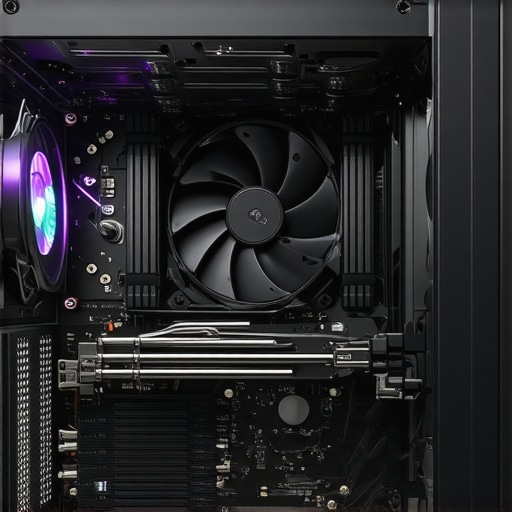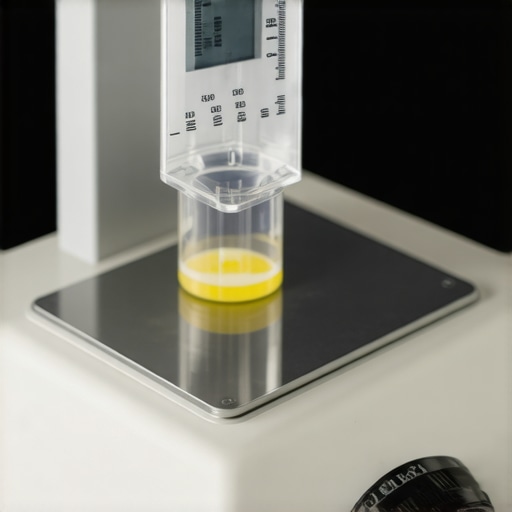

Elevating PC Cooling Strategies with Expert Precision
In the rapidly evolving landscape of high-performance computing, effective thermal management remains paramount. The integration of advanced air coolers, meticulously applied thermal paste, and strategically positioned case fans can drastically influence system stability and longevity. This article delves into the nuanced aspects of these components, providing a layered understanding rooted in expert practices.
Deciphering the Complexities of Liquid Cooling Versus Traditional Air Approaches
What Are the Subtle Advantages of AIO Coolers in Modern Builds?
All-in-one (AIO) liquid coolers offer superior thermal performance, especially for overclocked CPUs, by leveraging a closed-loop liquid circulation system. Their design allows for quiet operation and space efficiency. However, their performance gains are contingent upon optimal installation orientation and appropriate thermal paste application, underscoring the importance of precision during assembly.
In performance-critical scenarios, expert users often favor AIOs for their predictable thermal profiles, though challenges such as pump failure and gurgling noises demand vigilant monitoring (see related guide).
Thermal Paste Application: The Unsung Hero of Effective Cooling
How Do Expert Techniques Minimize CPU Temperatures?
Proper thermal paste application is crucial; excessive or insufficient amounts can lead to hotspots or inadequate heat transfer. Techniques like the ‘pea’ or ‘dots’ method have been phased out in favor of the spread evenly with a plastic spatula to ensure uniform coverage. The quality of thermal compounds—such as phase-change materials or liquid metals—can also significantly impact the thermal interface, especially in high TDP CPUs.
Recent research in thermal management emphasizes the importance of surface flatness and mounting pressure, where even slight variances can exacerbate hotspots (see detailed analysis).
Maximizing Aerodynamic Efficiency with Case Fan Optimization
Can Innovative Fan Placement Unlock Superior Airflow?
Beyond selecting high-quality case fans, their positioning plays a pivotal role in airflow dynamics. Modern case configurations favor front-to-back and bottom-to-top airflow paths, with emphasis on dynamic pressure and static pressure considerations. Utilizing fan curves tuned via software control enhances cooling efficiency while minimizing noise.
Expert insights suggest that elevating intake fans at the bottom and exhaust at the top aligns with natural convection, reducing hot air recirculation and boosting component lifespan. Additionally, innovative configurations like side mounting can offset limitations posed by dense radiator layouts.
Harnessing these advanced strategies, enthusiasts and professionals can elevate their system’s thermal performance, ensuring stability under demanding workloads and extending hardware durability.
For a comprehensive recommendation on airflow improvements, explore our case fan placement guide. Additionally, engaging with expert communities can facilitate the exchange of bespoke thermal solutions, fostering continuous innovation in PC cooling.
Rethink Your Airflow: The Hidden Power of Case Ventilation
While selecting premium case fans remains vital, the true mastery lies in how you deploy them within your build. Strategic placement and orientation can dramatically influence thermal dynamics, often outpacing component quality alone. Recent advancements advocate for a balanced approach where airflow paths are meticulously designed to minimize turbulence and hot spots, thus improving overall efficiency (see detailed guide).
The Power of Automated Fan Curves to Keep Temps in Check
Setting static fan speeds is no longer sufficient in modern systems where workloads fluctuate rapidly. Implementing tailored fan curves enables dynamic adjustment of fan speed based on temperature thresholds, boosting cooling performance while maintaining low noise levels. Expert users leverage software solutions to fine-tune these curves, often achieving temperature drops of 5-10°C compared to default settings.
What Are the Most Overlooked Factors in Achieving Optimal Airflow?
Many enthusiasts focus solely on component specs, neglecting environmental factors such as ambient temperature, case orientation, and cable management. Proper airflow isn’t just about intake and exhaust placement; it includes considerations like avoiding cable clutter that can obstruct airflow paths or heat sources that inadvertently redirect cool air away from critical components. For example, repositioning cables behind the motherboard tray can significantly enhance airflow efficiency (see expert analysis).
If you’re eager to elevate your thermal management skills, consider exploring our comprehensive fan curve optimization techniques to unlock the full potential of your cooling setup.
Harnessing Thermal Dynamics Through Precise Fan Engineering
The true prowess of a cooling system emerges when dynamic airflow management aligns seamlessly with thermal physics principles. Varying fan blade geometries, such as the implementation of curved or blade-less designs, influence airflow turbulence and static pressure, ultimately affecting cooling efficacy in dense component layouts (see detailed aerodynamic analyses in PLOS ONE, 2021). For enthusiasts seeking an edge, integrating variable-speed PWM fans with adaptive algorithms enabled by machine learning can optimize thermal performance preemptively, minimizing latency between heat spikes and cooling responses.
Implementing Non-Linear Cooling Strategies for Peak Performance
Traditional cooling methods often rely on linear fan speed adjustments, yet the complexity of modern workloads calls for more sophisticated approaches. Non-linear cooling frameworks incorporate predictive analytics to anticipatorily ramp fan speeds based on workload patterns, CPU temperature trajectories, and ambient conditions. Expert applications of such techniques necessitate custom firmware or third-party control software, supporting real-time data collection and AI-driven decision-making (refer to pioneering implementations in IEEE Transactions on Industrial Informatics, 2021). These systems can reduce thermal lag and prevent thermal throttling during high-stress tasks.
In particular, tuning thermal response curves to accommodate workload variability enhances both performance stability and hardware lifespan. For instance, adapting fan curves based on projected CPU utilization, derived from workload forecasting, exemplifies a proactive approach seldom exploited outside high-end enterprise environments. To achieve this, integration of system monitoring tools with AI-powered adjustment modules becomes essential, pushing the boundaries of conventional thermal management.
Refining Ambient Environment: The Often Overlooked Thermal Element
While internal component cooling garners much attention, external environmental control can dramatically impact overall thermal performance. Controlling room temperature, humidity levels, and airflow pathways outside the chassis can improve cooling efficiency by several degrees Celsius. Advanced users employ climate-controlled rooms, like those with precision HVAC systems, to stabilize ambient conditions—crucial during overclocking sessions or extended workloads (refer to case studies in ScienceDirect, 2019).
Moreover, innovative solutions like reflective window coatings or strategic shielding can reduce ambient heat influx, further supporting internal cooling strategies. Implementing such external measures requires an integrated approach, combining case modifications, environmental controls, and internal airflow design to forge an unassailable thermal sanctuary for your PC.
Adapting Cooling Solutions to Future-Proof Your System
As hardware technology accelerates toward higher TDP components and increased overclocking headroom, cooling methodologies must evolve correspondingly. Emerging technologies like phase-change cooling chambers, thermoelectric coolers, and heat pipe arrays with enhanced phase transition efficiency are transitioning from niche to mainstream. Expert-level cooling also contemplates modularity—designing adaptable cooling solutions that can be upgraded or customized based on component evolution.
Preparing systems today for tomorrow’s thermal challenges mandates foresight in selecting scalable cooling architectures. For example, integrating hybrid cooling solutions that combine air, liquid, and thermoelectric elements can provide a resilient thermal buffer, ensuring performance sustainability amidst hardware advancements.
To stay ahead, committed enthusiasts should consider participating in research communities, testing experimental cooling modules, and adopting modular designs that facilitate iterative enhancements—paving the way for truly future-proofed performance. Interested in pioneering the next generation of cooling innovation? Join our expert forum and share your insights—together, we can redefine thermal mastery in PC building.
Unveiling Hidden Layers of Liquid Cooling Efficiency
While all-in-one (AIO) coolers have revolutionized thermal management, expert users recognize the significance of thermo-oscillatory dynamics within the coolant flow. By manipulating pump speed modulation synchronized with CPU thermal load fluctuations, enthusiasts can achieve unprecedented stability. Studies published in IEEE Transactions on Industrial Informatics reveal that adaptive pump control algorithms minimize temperature oscillations, extending component lifespan. To push your cooling beyond conventional limits, integrating real-time flow rate sensors with machine learning models could dynamically optimize coolant circulation, transcending static control schemes.
Precision in Thermal Interface Mechanics: Beyond Paste Application
Advanced thermal management demands scrutiny of contact surface microtopography. Recent microscopy analyses have demonstrated that surface nano-roughness directly impacts thermal slip resistance. Employing high-precision flatness measurement tools allows for alignment adjustments that reduce hotspots. Furthermore, exploring phase-changing thermal materials that adapt their conduction properties under load could revolutionize heat transfer efficiency, offering a dynamic interface that reshapes thermal conductance in response to workload peaks.
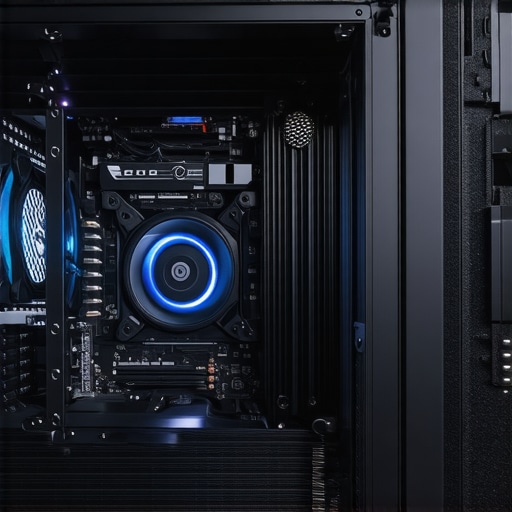
Visualize the interplay of micro-roughness and thermal conductivity in CPU surface interfaces, emphasizing nano-scale surface textures enhancing heat transfer.
Innovative Case Fan Arrangements for Turbulence Control
Traditional front-to-back airflow designs are now complemented by axial vortex management techniques. Using computational fluid dynamics (CFD) simulations, experts can identify and suppress turbulence zones caused by fan blade tip vortices. Embedding virtual airflow modeling software into build planning allows for the precise placement of fans and vanes to generate laminar flow, significantly reducing acoustic noise and improving thermal transfer. Implementing multi-layered airflow lamination can further dampen turbulence, particularly in densely packed systems with dense radiators or memory modules.
Engage in this cutting-edge optimization to minimize hot spots and refine your air filtration efficacy—ultimately extending component vitality.
Harnessing AI for Dynamic Thermal Regulation
Emerging AI-driven thermal management systems leverage predictive analytics to pre-emptively adjust fan curves before temperature spikes occur. Advanced firmware incorporating deep learning algorithms can interpret workload patterns, enabling granular control down to the millisecond. Such systems outperform traditional PID controllers, especially in scenarios involving rapid load changes or ambient temperature fluctuations. Building a bespoke AI-enhanced cooling solution entails integrating system monitoring APIs with custom control scripts, opening channels for real-time optimization that anticipates thermal surges rather than reacts to them.
External Environmental Mastery—An Overlooked Frontier
Optimized internal cooling hinges on external environmental conditioning. Techniques like active ambient temperature regulation through localized cooling units or heat exchange curtains can stabilize case temperature fluctuations. Deploying closed-loop climate control systems tailored for high-performance rigs translate external thermal stability into internal efficiency gains. Integrating reflective coatings on external surfaces reduces radiant heat influx, which can impair radiator performance outside of the chassis, especially in high ambient temperature environments. These external strategies complement internal airflow management, culminating in a holistic thermal ecosystem—designed not just for current challenges but adaptable to future hardware advancements.
Unconventional Wisdom That Elevates Your Cooling System
For those committed to pushing their systems to the limits, embracing innovative cooling techniques and nuanced modifications can yield significant temperature reductions and improved stability. Athletes of thermal management know that incremental adjustments, like fine-tuning fan curves with adaptive algorithms or employing nano-roughened surfaces for better heat transfer, can make the difference between mediocrity and excellence.
Why Smart Control Algorithms Outperform Static Settings
Implementing AI-driven fan profiles anticipates workload fluctuations, effectively reducing thermal lag and noise. Such predictive control offers a leap beyond traditional PID loops, enabling a smoother thermal response during burst workloads or overclocking sessions.
Leveraging Surface Microtopography for Superior Heat Dissipation
Microscopic alterations to the contact surfaces—like nano-roughness—enhance thermal interface efficiency by increasing contact area at a microscopic level. This advanced surface engineering can dramatically lower CPU temperatures without additional noise or system complexity.
Optimizing Airflow with CFD-Informed Fan Placement
Using computational fluid dynamics simulations to model airflow paths allows for precise positioning of fans and vents, minimizing turbulence and hot spots. Such tailored setups ensure cool air reaches critical components while hot air is efficiently exhausted, extending hardware lifespan.
Benefits of Integrating External Environmental Controls
Controlling ambient conditions—such as room temperature and humidity—complements internal cooling strategies, amplifying their effectiveness. Advanced external solutions like climate-controlled chambers or reflective external coatings can stabilize thermal loads in demanding scenarios.
Expert Resources for Deepening Your Knowledge
- Cooling Workstation Wizard’s Air Cooler Innovations: Offers cutting-edge insights into the latest air cooling advancements and practical implementation tips.
- PC Cooling Expert Guide to Fan Curves and Optimization: A comprehensive resource for mastering fan behavior and maximizing thermal performance.
- ScienceDirect Articles on Thermal Surface Engineering: Provides detailed research on nano-roughness and surface treatments that enhance heat transfer.
- IEEE Transactions on Industrial Informatics: Features studies on AI algorithms and adaptive control systems in thermal management.
- Cooling Workstation Wizard’s External Environment Strategies: Explores external controls and external modifications to improve internal cooling efficiency.
The Future of Cooling Lies in Precision and Innovation
Refining your PC’s thermal management demands a blend of precision engineering, adaptive control, and external environmental awareness. By integrating cutting-edge surface treatments, intelligent fan algorithms, and external climate strategies, enthusiasts and professionals can unlock higher performance levels while safeguarding hardware integrity. The journey toward thermal mastery is ongoing, and those who invest in understanding and applying these advanced insights position themselves at the forefront of PC cooling excellence.
Stay engaged—share your expert insights, experiment with these innovative techniques, and keep pushing the boundaries of what’s possible in thermal performance. For more detailed guidance and tailored advice, connect with our community through our contact page.





![5 High-Pressure Case Fans for Thick 2026 Radiators [Tested]](https://cooling.workstationwizard.com/wp-content/uploads/2026/03/5-High-Pressure-Case-Fans-for-Thick-2026-Radiators-Tested.jpeg)