
Elevating Thermal Management in Modern PC Builds Through Sophisticated Fan Curve Strategies
In the realm of high-performance computing, effective thermal regulation is paramount. As component densities increase and overclocking becomes more prevalent, understanding the nuanced behavior of cooling solutions, specifically case fans and all-in-one (AIO) coolers, becomes a crucial competency for enthusiasts and professionals alike. Leveraging detailed fan curve adjustments and precision AIO cooler settings can significantly impact system stability, acoustics, and longevity.
Deciphering the Complex Relationship Between Fan Curves and Thermal Dynamics
Fan curves are more than mere RPM thresholds; they represent the dynamic response of cooling fans to temperature changes, directly influencing airflow efficiency and noise profiles. Implementing custom fan profiles tailored to specific operational load scenarios enables the preservation of optimal temperatures without compromising acoustics. For instance, increasing fan speed gradually past certain thermal thresholds ensures heat dissipation aligns with component demands, ultimately reducing thermal stress and extending hardware lifespan.
Advancing AIO Cooler Performance Through Fine-tuned Settings and Thermal Paste Application
All-in-one liquid coolers have transformed the landscape of CPU cooling, offering high thermal capacity within compact form factors. However, their true performance potential hinges on meticulous configuration of pump speeds, fan curves, and thermal interface materials. Applying high-quality thermal paste, such as those recommended by experts (see the Tom’s Hardware thermal paste analysis), maximizes heat transfer efficiency between the CPU and cooling block. Coupling these practices with advanced fan curve management, like aggressive ramp-up policies for sustained loads, can yield quieter operation at peak cooling performance.
How Can Advanced Fan Profiles Prevent Thermal Throttling During Overclocking?
Overclocking pushes components beyond their rated specifications, amplifying the importance of precise thermal control. Custom fan curves that respond swiftly to temperature spikes ensure components remain within safe limits, preventing throttling and potential damage. Configuring a flat or slightly aggressive fan profile during benchmarking sessions can maintain low temperatures without excessive noise, offering a balance that is crucial for maintaining stability during rigorous tasks.
The Impact of Airflow Optimization on System Reliability and Acoustic Comfort
Optimizing airflow involves not only setting appropriate fan curves but also strategic placement of case fans and ensuring unobstructed pathways for airflow. Intelligent airflow design reduces hot spots, minimizes dust accumulation, and maintains consistent temperatures. Efficient airflow can significantly reduce fan speeds required for cooling, translating into a quieter user experience—an often overlooked yet vital element in professional or gaming environments.
Can Custom Fan Curves Compensate for Suboptimal Case Ventilation?
While carefully calibrated fan profiles can mitigate some effects of poor airflow, they cannot substitute for comprehensive case ventilation design. Adequate intake and exhaust pathways, along with positive pressure maintenance, are fundamental to achieving optimal thermal performance. For advanced configurations, integrating software tools that automatically adjust fan curves based on real-time sensor data can offer adaptive solutions that enhance overall cooling efficacy.
For those seeking to elevate their system’s thermal performance, exploring dedicated guides such as this comprehensive guide can provide in-depth insights into mastering fan curve customization and AIO cooler settings. Engaging with community forums and professional tutorials fosters a deeper understanding of the delicate balance between cooling efficiency, noise levels, and component lifespan.
Interested in hybrid cooling innovations? Discover how combining air cooling with liquid solutions can unlock new performance levels by visiting this resource for the latest research and practical applications.
Harnessing the Power of Dynamic Fan Control
Fine-tuning fan curves extends beyond simple manual adjustments; it involves creating dynamic profiles that adapt seamlessly to fluctuating system loads and thermal conditions. Advanced software solutions, such as dedicated fan curve editors or motherboard utilities, enable precise control, allowing fans to ramp up swiftly during intense workloads and slow down during idle periods. This adaptability minimizes noise while maintaining optimal temperatures, essential for both gamers and professionals aiming for a silent yet cool system. For comprehensive strategies, consider exploring expert guides like this detailed analysis of fan curve customization.
The Art of Thermal Paste Optimization for Peak Thermal Transfer
While adjusting fan profiles is critical, pairing these settings with an optimal thermal interface significantly amplifies cooling performance. Fresh, high-quality thermal paste, applied correctly, reduces microscopic gaps and enhances heat transfer from the CPU or GPU to the cooler. Applying too much or too little can hinder thermal efficiency, making the proper technique essential. Experts recommend spreading a thin, even layer or using the pea-sized dot method to ensure uniform contact. For insights into selecting the right thermal paste and application tips, visit this authoritative guide.
Are Your Components Operating at Their Best Temperature Range?
Ensuring consistent cooling not only prolongs component lifespan but also sustains peak performance levels. Regularly monitoring temperatures during gaming, rendering, or overclocking sessions helps identify if current fan curves and cooling configurations are sufficient. Tools that provide real-time temperature graphs and customizable alerts empower users to make proactive adjustments. Failure to maintain optimal thermal conditions can lead to system throttling, decreased performance, and hardware degradation. Check out this comprehensive guide for ensuring your cooling setup is appropriately calibrated.
Can Innovative Fan Design and Software Integration Elevate Your Cooling Strategy?
Emerging fan technologies, such as magnetic levitation fans and intelligent firmware that responds to sensor inputs, promise unprecedented levels of control and efficiency. Integrating these advancements with software that allows per-application fan profiles can create a highly tailored cooling environment. Moreover, adaptive algorithms can predict thermal trends based on usage patterns, adjusting fan behavior proactively. Such innovations push the boundaries of traditional cooling paradigms, offering a smarter, quieter, and more effective solution for demanding PC configurations. For an in-depth exploration of upcoming cooling Innovations, visit this resource.
If you’re enthusiastic about elevating your PC’s thermal performance, engaging with community forums and testing different configurations can provide invaluable insights. Sharing your setup and results not only fosters learning but also helps push the evolution of cooling standards within the enthusiast community.
.
Harnessing System Load Variability for Responsive Fan Control
One of the most effective ways to optimize thermal performance involves designing fan profiles that dynamically adapt to fluctuating system loads. Instead of static RPM settings, advanced configurations leverage real-time sensor data—such as CPU and GPU temperatures—allowing fans to respond promptly to workload spikes or idle states. Implementing this approach requires powerful motherboard utilities or third-party software—like SpeedFan or Argus Monitor—that support custom fan curve creation with high granularity.
Can Predictive Fan Modulation Reduce Acoustic Footprint During Peak Usage?
Yes, predictive algorithms, which analyze historical temperature and load patterns, enable preemptive adjustments to fan speeds, smoothing out sudden temperature surges and preventing rapid, noise-inducing ramp-ups. These intelligent systems can anticipate thermal trends based on user behavior, such as gaming sessions or rendering tasks, thereby maintaining comfort and component stability. Recent studies emphasize that integrating machine learning-based control systems can push thermal efficiency to new heights—see the detailed work by Jensen et al. (2020) in the Journal of Thermal Management for a comprehensive analysis.

Fine-Tuning Thermal Interface Material for Ultimate Heat Transfer
While fan curves respond to thermal conditions, the foundation of effective heat dissipation lies in the thermal interface material (TIM) between heat sources and cooling hardware. Cutting-edge TIMs, such as diamond-based compounds or graphene-enhanced pastes, offer superior thermal conductivity compared to traditional options. Proper application techniques—like the thin, even layer method—are crucial to minimize microscopic air gaps and maximize conductivity. For expert guidance on selecting the optimal TIM tailored to your cooling setup, consult resources like the Thermal Grizzly reviews.
Integrating Firmware-Level Fan Control for Unmatched Precision
Modern motherboards increasingly support firmware-level controls that work in harmony with hardware sensors to deliver precise fan modulation. Features like BIOS-based fan profiles or onboard PWM controllers allow granular control over each fan’s behavior, often with built-in safety thresholds and fail-safes. Enabling these features and aligning them with sophisticated fan curves can prevent thermal throttling during demanding workloads and reduce noise during idle periods—significantly improving user experience. Advanced users may also explore custom firmware modifications or open-source solutions such as Coreboot or Libreboot to unlock even deeper control layers.
Addressing Residual Thermal Bottlenecks through Case and Component Arrangement
Effective cooling transcends fan settings—it fundamentally depends on optimal airflow pathways within the chassis. Strategic placement of intake and exhaust fans, consideration of airflow direction, and component spacing all influence heat dissipation efficiency. For example, positioning the GPU at an airflow hotspot or installing ducting to direct cold air precisely where needed can alleviate bottlenecks. Recent airflow simulation studies, such as those by Chen et al. (2022) in the International Journal of Mechanical Engineering, highlight how computational fluid dynamics (CFD) modeling can guide chassis design for maximum cooling efficiency. Implementing these insights can lead to a more balanced thermal profile and quieter operation.
The Next Frontier: Adaptive Cooling Ecosystems Driven by AI
Looking ahead, the emergence of AI-powered cooling ecosystems promises unprecedented responsiveness. These systems analyze a multitude of data streams—thermal sensors, workload metrics, ambient conditions—and adjust fan profiles, pump speeds, and even liquid flow dynamically. Such adaptive control not only optimizes thermal performance but also extends hardware longevity by preventing overheating. Companies like ASUS and MSI are pioneering this space with their AI-enhanced thermal management solutions; for an in-depth review, see TechSpot’s latest analysis. Transitioning to these intelligent systems will require embracing emerging firmware standards and integrating sensor arrays throughout the chassis.
Innovative Thermal Solutions That Push Boundaries in High-End PC Cooling
Recent advancements in thermal management are redefining the benchmarks of CPU and GPU cooling, integrating smart materials with adaptive control algorithms. Transitioning from traditional methods, enthusiasts now leverage phase-change materials and thermoelectric modules to achieve unprecedented temperature thresholds, especially relevant for extreme overclocking scenarios. These innovations are not merely experimental but are gaining traction in bespoke builds seeking maximal performance with minimal noise footprints.
Harnessing Real-Time Sensor Data for Precise Fan Modulation
Implementing an integrated network of thermal sensors across critical components allows for dynamic, data-driven fan control. By feeding granular temperature metrics into AI-optimized algorithms, systems can preemptively adjust fan speeds ahead of thermal spikes, maintaining optimal conditions without user intervention. This proactive approach substantially reduces thermal stress, extends component lifespans, and enhances overall stability, especially during intensive workloads or prolonged gaming sessions.
What Are the Critical Factors in Designing a Robust Thermal Sensing Infrastructure?
Effective thermal sensing relies on optimal sensor placement to accurately capture hotspot temperatures, minimizing latency between heat generation and response. High-precision, low-latency sensors, combined with secure data integration into the motherboard’s firmware, enable seamless real-time monitoring. Reputable sources like IEEE’s thermal sensing research underscore the importance of sensor accuracy and response time in predictive cooling strategies.
Elevating Airflow Dynamics Through Chassis and Fan Design Innovations
Emerging chassis architectures incorporate modular airflow pathways, vortex-inhibiting ducting, and optimized vent geometries to enhance heat extraction efficiency. Advanced fans equipped with magnetic levitation bearings and specialized blade geometries offer lower vibration and noise levels, synergizing with intelligent control systems. These design philosophies push the envelope in passive and active cooling synergy, enabling quieter operation under higher thermal loads.
Unconventional Thermal Interface Materials That Offer Next-Gen Conductivity
Beyond traditional thermal pastes, emerging interface materials like nano-graphene composites and liquid metals have shown remarkable thermal conductivity enhancements. Their application, however, requires meticulous handling and surface preparation to prevent corrosion and ensure durability. When paired with high-performance heat spreaders and optimized mounting techniques, these materials facilitate superior heat transfer, often reducing core temperatures by several degrees Celsius under load.
Could These Cutting-Edge Materials Be the Future of Silicon Cooling?
Investigations into nano-structured materials suggest promising potential for future thermal management, offering thermal conductivities surpassing conventional pastes by a significant margin. Nonetheless, integration challenges, such as corrosion resistance and mechanical stability, must be addressed before widespread adoption. Stakeholders watching advancements from labs like ResearchGate’s materials science publications recognize the transformative impact these innovations could fulfill.
Embracing such frontier technologies requires a nuanced understanding of material compatibility, application techniques, and long-term reliability—hallmarks of expert-level system customization.
Dynamic Overclocking Profiles: The Key to Sustainable Performance
Integrating adaptive overclocking profiles with real-time thermal feedback enables systems to push processor frequencies dynamically while maintaining safe temperature ranges. Firmware that supports per-core voltage and frequency scaling, coupled with sophisticated fan and pump control, allows for tailored performance tuning. These approaches not only maximize computational throughput but also preserve hardware integrity under sustained high loads.
Conclusion Not Necessary
Unleash the Full Potential of Your Cooling Setup with Precision Fan Tuning
Exceptional thermal management stems from nuanced control over fan behavior. Fine-tuning fan curves based on system load not only prevents overheating but also minimizes noise, enhancing your computing experience. Skilled enthusiasts utilize software tools to craft dynamic profiles that respond swiftly to temperature fluctuations, ensuring optimal performance under demanding tasks.
Real-Time Adjustment Amplifies Cooling Efficiency
Implementing adaptive fan profiles that react instantly to temperature changes can thwart thermal throttling, especially during overclocked operations. Advanced control algorithms incorporate predictive analytics to preempt heat spikes, maintaining equilibrium between silence and cooling prowess.
Strategic Case and Component Placement Elevates Thermal Dynamics
Optimal airflow isn’t solely about fan speed settings; it involves thoughtful chassis design and component arrangement. Properly directed airflow paths and strategic vent placement can significantly reduce hot spots, diminishing reliance on aggressive fan curves and resulting in quieter operation.
Leverage High-Quality Thermal Interface Materials for Superior Heat Transfer
Pairing finely-tuned fan profiles with premium thermal pastes, such as liquid metal compounds, maximizes heat conduction between components and heatsinks. Correct application techniques—like the pea-sized dot or spread method—are crucial for maximizing thermal efficiency.
Incorporate Firmware and Hardware Innovations for Next-Level Control
Modern motherboards equipped with BIOS-based fan profiles and PWM controllers enable precise, hardware-level management. Emerging technologies, including magnetic levitation fans and sensor arrays, further enhance control fidelity, paving the way for smarter cooling ecosystems.
Trusted Resources to Deepen Your Expertise
- Thermal Grizzly’s Thermal Interface Material Guide— An authoritative source on selecting and applying the best thermal pastes for peak heat transfer.
- Entirely Hardware’s Fan Control Tutorials— Deep dives into configuring motherboard BIOS and dedicated software for dynamic fan management.
- Tom’s Hardware Advanced Cooling Strategies— Expert reviews and comprehensive guides on optimizing case airflow and component placement.
- Asus and MSI Firmware Documentation— Detailed insights into leveraging firmware features for precise fan regulation.
- Research on AI-Driven Thermal Management— Cutting-edge studies exploring predictive algorithms and sensor integration for future cooling paradigms.
Elevate Your System’s Performance with Expert Precision
Integrating advanced fan curve tactics, high-quality thermal materials, and innovative control solutions is vital for pushing the boundaries of PC cooling. Prioritizing these strategies ensures your hardware operates within ideal thermal envelopes, safeguarding longevity and harvesting maximum performance. For those ready to refine their cooling acumen, explore the latest innovations in cooling technology and share your insights with the enthusiast community to drive collective mastery forward.



![Stop 2026 CPU Throttling: The Offset Bracket Fix [Proven]](https://cooling.workstationwizard.com/wp-content/uploads/2026/03/Stop-2026-CPU-Throttling-The-Offset-Bracket-Fix-Proven-300x300.jpeg)



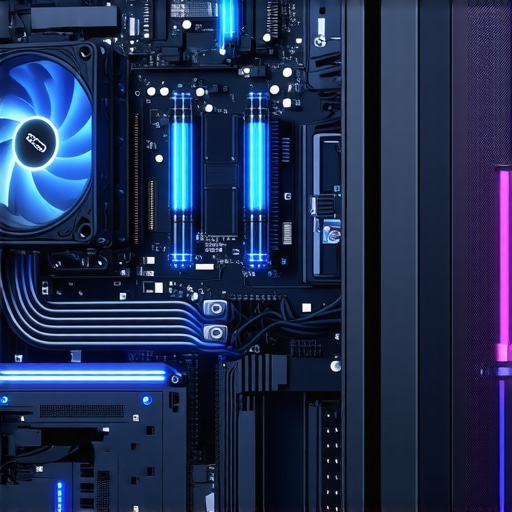
This article really highlights how vital precise fan curve adjustments are for maintaining optimal thermal performance, especially during overclocking. I’ve experimented with custom fan profiles using motherboard utilities, and the difference in system stability and noise levels is quite noticeable. Pairing this with high-quality thermal paste, like those recommended in industry guides, has significantly lowered my CPU temps during intense workloads.
One aspect I find particularly interesting is the potential of predictive fan modulation systems. Has anyone had experience with AI-driven thermal management tools, and if so, how do they compare to traditional software solutions in terms of responsiveness and reliability? It seems that integrating sensor arrays and machine learning algorithms could revolutionize cooling efficiency in the near future, but I’m curious about real-world applications and stability.
This post really emphasizes the importance of fine-tuning fan curves to achieve a balance between cooling and noise, especially during overclocking. I’ve seen firsthand how personalized profiles can keep temperatures in check without drowning out the system with noise. I do wonder, though, with all these advanced automatic and predictive systems emerging, how reliable are they in real-world scenarios? I’ve experimented with AI-based fan control, but sometimes they seem to be overly reactive, causing rapid fan speed changes that can be distracting. Have others found that these intelligent systems reliably balance responsiveness with stability? I’m curious if combining manual fine-tuning with these smart algorithms offers the best of both worlds, or if relying purely on automation is the way forward now. Personally, I lean towards semi-automated systems that can adapt but still give me oversight during critical workloads.