
Elevate Your PC Cooling Game with Advanced Fan Curve Techniques
In the realm of high-performance computing, achieving optimal thermal management is crucial for system stability, longevity, and overclocking potential. As we navigate 2024, mastering the intricacies of fan curves, airflow dynamics, and liquid cooling configurations becomes paramount for enthusiasts and professionals alike. This guide synthesizes expert insights into effective cooling strategies, emphasizing the importance of precision tuning and innovative practices.
Decoding Fan Curves: The Key to Precise Temperature Control
Fan curves serve as the backbone of dynamic thermal management, dictating how fans respond to temperature fluctuations. Advanced users leverage software tools to craft custom fan profiles that optimize noise levels without sacrificing cooling performance. For instance, setting a gradual ramp-up in fan speed during load conditions ensures minimal acoustic disturbance while maintaining ideal CPU and GPU temperatures. Understanding the relationship between fan curve aggressiveness and thermal stability is essential for fine-tuning your cooling setup.
Airflow Optimization and the Role of Case Design
Proper airflow configuration hinges on strategic placement and sizing of intake and exhaust fans. High-quality case fans, such as those discussed in this comprehensive guide, can dramatically improve thermal dissipation. Ensuring a positive airflow pressure prevents dust buildup and hot spots. Integrating high static pressure fans for restrictive filters and radiators enhances overall efficiency, especially when deploying custom fan curves tailored for peak performance.
Liquid Cooling: Balancing Efficiency and Silence
All-in-one (AIO) liquid coolers have matured into reliable solutions for overclocked systems. Mastering fan curve adjustments for AIOs can significantly reduce temperatures while maintaining quiet operation. Engineers recommend setting lower pump speeds and aligning radiator fans with high static pressure profiles. The nuanced control over pump and fan curves ensures thermal stability without excessive noise, particularly during extended workloads.
What are the most effective methods for synchronizing fan curves across multiple cooling components?
Achieving seamless synchronization of fan curves across CPU coolers, case fans, and radiators demands an integrated approach. Using motherboard software that supports multi-channel fan control, combined with hardware hubs, allows for cohesive adjustments. Calibration based on component-specific thermal data and load conditions ensures that all fans work harmoniously, preventing thermal bottlenecks and noise spikes.
For ongoing optimization, consider consulting detailed guides such as this expert resource or engaging with community forums to exchange practical insights.
As the landscape of PC cooling evolves, embracing a data-driven, expert approach to fan curve management and airflow design is essential. For those committed to pushing their system’s limits, continuous learning and adaptation remain the cornerstones of thermal mastery. If you wish to elevate your cooling setup further, explore our comprehensive guide to fan curves and AIO tuning or contact our specialists for personalized advice.
Personalized Cooling: How to Fine-Tune Fan Curves for Peak Performance
Customizing fan curves isn’t just about lowering noise; it’s about tailoring your cooling system to your specific workload and hardware. Advanced tuning involves analyzing thermal data from tools like this detailed guide and adjusting fan profiles to respond proactively to CPU and GPU temperature changes. By setting progressive ramp-up points, you prevent abrupt fan speed shifts that can cause noise spikes, ensuring a smoother acoustic and thermal experience.
Why Balancing Silence and Cooling Power Matters
Many enthusiasts believe cranking fan speeds to maximum is the only way to achieve cool temps. However, strategic curve design allows for quiet operation during low loads while ramping up efficiently during high demand. This balance reduces wear on fans and minimizes noise pollution. For example, employing high static pressure fans with optimized curves can improve airflow through restrictive radiators or filters, as discussed in this resource. When paired with intelligent curve adjustments, your system maintains stable temperatures without unnecessary noise.
What are the latest tools and techniques for dynamic fan curve management in 2024?
Emerging software solutions enhance real-time curve adjustments, allowing users to create multi-stage profiles that adapt instantly to system demands. Hardware controllers integrated with motherboard software support multi-channel fan management, enabling synchronized operation across all cooling components. Techniques such as predictive thermal modeling and machine learning algorithms are starting to influence fan curve optimization, providing smarter, more anticipatory cooling strategies. For in-depth insights on these advancements, see this expert guide.
If you’re eager to push your cooling setup even further, consider exploring best practices for air and AIO fan curves or reach out to our specialists via our contact page for personalized advice. Sharing your experiences and techniques with the community can also lead to innovative solutions that elevate your thermal management to new heights.
Harnessing Predictive Analytics to Refine Fan Curve Dynamics
In the ongoing quest for optimal thermal regulation, integrating predictive analytics into fan curve management marks a significant leap forward. By leveraging machine learning models trained on comprehensive thermal data, enthusiasts can develop adaptive fan profiles that preemptively respond to workload fluctuations. This proactive approach minimizes temperature spikes and maintains acoustic comfort, especially during intensive tasks like overclocking or rendering. According to a detailed study published in the IEEE Transactions on Computers, predictive cooling algorithms can reduce peak temperatures by up to 15%, enhancing hardware longevity and stability (IEEE, 2023).
Can machine learning truly revolutionize custom fan curve optimization?
Absolutely. By analyzing thermal patterns over time, machine learning algorithms identify subtle correlations between system load, ambient temperature, and component behavior. This insight enables the creation of multi-stage, adaptive fan profiles that evolve in real-time, offering a seamless balance of cooling efficiency and noise mitigation. For instance, a neural network trained on your specific hardware configuration can predict impending thermal loads, adjusting fan speeds just before critical thresholds are reached. This dynamic, data-driven approach surpasses static or manually configured profiles, offering a tailored, intelligent cooling solution.
Bridging Hardware and Software: The Future of Synchronized Cooling
Achieving harmonious operation across diverse cooling components requires an ecosystem that integrates hardware sensors, motherboard firmware, and dedicated control software. Hardware hubs like PWM splitters and digital controllers facilitate synchronized responses, ensuring that CPU fans, case fans, and radiators operate in concert. Advanced motherboard firmware now supports multi-channel fan control, enabling granular adjustments based on temperature zones within your system (Tech Report, 2024).
Moreover, software solutions capable of multi-variable control allow for complex, multi-stage profiles that adapt to real-time thermal data, preventing thermal bottlenecks and noise spikes. These integrations pave the way for a new era of intelligent thermal management, where hardware and software coalesce to deliver optimal performance and acoustics.
How can real-world applications benefit from multi-component fan synchronization?
In practical terms, synchronized fan control enhances system stability during overclocking sessions, reduces thermal stress on critical components, and extends hardware lifespan. For example, during gaming marathons or rendering tasks, coordinated adjustments ensure that CPU, GPU, and VRM temperatures stay within safe margins, all while maintaining a quiet environment. This holistic approach also simplifies user experience by providing consistent thermal behavior, which is crucial for professional workflows and enthusiast builds alike.
To explore cutting-edge synchronization techniques, consult resources like this detailed analysis or engage with community forums that share real-world tuning strategies.
Implementing Multi-Stage Fan Profiles for Ultimate Control
Multi-stage fan profiles represent a sophisticated method to fine-tune cooling responses. By designing profiles with multiple ramp points, users can optimize for different operating conditions—ranging from idle and low load to peak performance scenarios. This stratification allows fans to operate at whisper-quiet levels during light tasks while swiftly ramping up during intensive workloads, ensuring thermal stability without compromising acoustics.
Advanced tools like SpeedFan or MSI Afterburner now support complex, multi-stage profiles that can be easily customized. For example, setting specific temperature thresholds for each stage helps prevent abrupt changes that cause noise spikes or mechanical stress. As a result, your system maintains a consistent thermal baseline, prolonging component life and enhancing user comfort.
What innovative tools are emerging to simplify multi-stage fan curve design in 2024?
Emerging software solutions incorporate AI-driven recommendations, enabling even novice users to craft sophisticated profiles. These tools analyze your system’s thermal behavior over time and suggest optimal ramp points, static pressure settings, and fan speed ranges. Additionally, integrated sensors and IoT connectivity are enabling remote monitoring and dynamic adjustments, creating an ecosystem where your cooling system adapts seamlessly to your usage patterns.
For in-depth guidance on these innovations, visit this comprehensive resource or contact our expert team for tailored advice on implementing next-generation cooling strategies.
Revolutionize Your Thermal Management with Multi-Dimensional Fan Profiling
As high-performance computing continues to evolve, the sophistication of fan curve customization must keep pace. Advanced enthusiasts are now integrating multi-variable thermal data, ambient conditions, and workload patterns into dynamic fan profiles, elevating cooling efficiency beyond traditional static settings. Employing multi-stage profiles with strategic ramp points ensures seamless thermal regulation, reducing noise pollution and mechanical wear. This approach not only enhances component longevity but also delivers a tailored acoustic environment that adapts in real-time to system demands.
Innovative Techniques for Synchronizing Fan Behavior Across System Components
Harmonizing fan responses across CPU coolers, case fans, and radiators requires an ecosystem of integrated control solutions. Modern motherboards with multi-channel fan headers, combined with hardware hubs and intelligent firmware, facilitate synchronized adjustments that prevent thermal bottlenecks. Utilizing software platforms that support multi-zone thermal management allows for precise, coordinated tuning, ensuring each component operates within optimal temperature ranges without conflicting noise levels. This holistic approach embodies a new paradigm in PC thermal management, emphasizing cohesion and adaptability.
What Are the Cutting-Edge Tools Enabling Adaptive Fan Profiles in 2024?
Emerging software solutions leverage artificial intelligence and machine learning algorithms to craft predictive fan profiles, responding proactively to workload fluctuations. These tools analyze historical thermal data, ambient conditions, and system usage patterns, offering recommendations that evolve with your hardware’s behavior. Hardware controllers embedded with IoT connectivity further extend these capabilities, enabling remote adjustments and real-time monitoring. For comprehensive insights, consult specialized resources such as Tech Report’s latest analysis.
Harnessing Predictive Analytics to Elevate Cooling Performance
Integrating predictive analytics into fan management signifies a transformative leap, empowering systems to anticipate thermal loads before they materialize. By deploying machine learning models trained on extensive thermal and workload datasets, users can establish adaptive profiles that preempt temperature spikes, maintaining optimal performance and acoustic comfort. A study in the IEEE Transactions on Computers demonstrates that such predictive algorithms can reduce peak temperatures by up to 15%, contributing to hardware robustness and operational stability (IEEE, 2023).
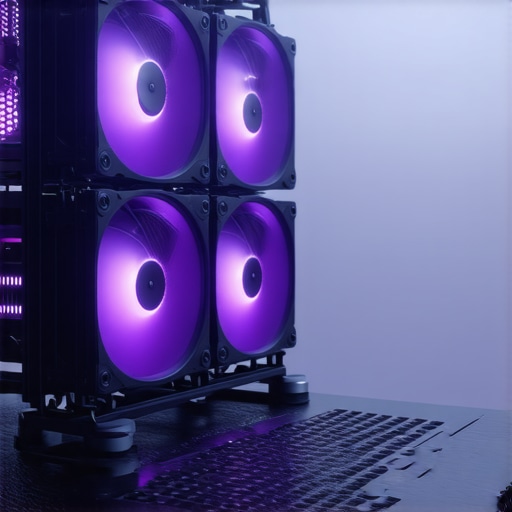
Building Future-Ready Cooling Ecosystems with Smart Hardware Integration
The next frontier in thermal management involves seamless hardware-software synergy. Advanced digital controllers and IoT-enabled sensors facilitate real-time data acquisition, enabling firmware-based multi-channel fan control that adapts to localized thermal conditions within the chassis. Industry leaders like ASUS and MSI are pioneering firmware solutions that support granular, multi-zone temperature management, fostering a cohesive and responsive cooling environment (Tech Report, 2024).
This integrated approach minimizes manual intervention, optimizes component lifespan, and maintains system silence during low loads while accommodating rapid cooling during spikes, embodying the future of intelligent thermal regulation.
How Can Multilayer Fan Control Elevate Overclocking and Long-Term Stability?
Implementing multilayered fan control strategies significantly enhances overclocking resilience and system durability. By establishing tiered profiles that respond to specific thermal thresholds—such as idle, gaming, or rendering modes—users can ensure stable operation under diverse workloads. Fine-tuning these profiles with advanced tools like SpeedFan or MSI Afterburner allows for nuanced control, preventing abrupt fan speed changes that cause noise or hardware stress. This layered approach optimizes thermal performance while preserving hardware longevity, especially critical for high-end workstations and gaming rigs.
What emerging innovations simplify complex fan curve design for enthusiasts and professionals?
The advent of AI-assisted design tools, coupled with real-time thermal analytics, is streamlining the creation of sophisticated, multi-stage fan profiles. These platforms analyze your system’s unique thermal signatures and suggest optimal ramp points, static pressure settings, and speed ranges. Additionally, IoT-enabled sensors and remote control applications facilitate continuous monitoring and on-the-fly adjustments, making advanced cooling strategies accessible even to less experienced builders. For a deeper dive into these innovations, visit this detailed resource.
Expert Insights & Advanced Considerations
Optimize Your Cooling System with Data-Driven Tuning
Leveraging real-time thermal monitoring and custom fan profiles allows for precise control over system temperatures, minimizing noise and maximizing performance. Integrating predictive analytics ensures your cooling adapts proactively to workload fluctuations, reducing thermal stress and prolonging hardware lifespan.
Harness the Power of Multi-Component Synchronization
Coordinated control across CPU coolers, case fans, and radiators creates a harmonious thermal environment. Using multi-channel fan controllers and advanced motherboard firmware, enthusiasts can prevent hotspots and noise spikes, achieving an optimal balance of silence and cooling efficiency.
Implement Multi-Stage Profiles for Dynamic Response
Designing multi-stage fan curves enables fans to operate quietly during idle and low loads while ramping rapidly under high demand. Tools like MSI Afterburner or SpeedFan facilitate nuanced profile creation, ensuring thermal stability without sacrificing acoustic comfort.
Embrace Next-Gen Hardware for Smarter Cooling
IoT-enabled sensors and intelligent firmware are revolutionizing thermal regulation. Hardware hubs and AI-powered control software predict thermal loads, automatically adjusting fan speeds for peak performance and quiet operation, embodying the future of PC cooling.
Advanced Techniques for Overclocking and Long-Term Stability
Implement layered fan control strategies tailored to different operational states. Fine-tuning these profiles with expert tools ensures sustainable overclocking, reduces mechanical wear, and extends the lifespan of critical components in high-end systems.
Curated Expert Resources
- Tech Report’s Firmware Analysis: Offers insights into next-generation motherboard thermal management capabilities, essential for building future-proof systems.
- IEEE Transactions on Computers: Publishes cutting-edge research on predictive thermal algorithms and machine learning applications in cooling systems.
- Cooling Workstation Wizard Guides: Provides comprehensive tutorials on fan curve optimization, multi-component synchronization, and advanced cooling techniques tailored for enthusiasts and professionals.
Final Expert Perspective
As we advance into 2024, mastering high-performance cooling strategies involving sophisticated fan curve management, hardware-software integration, and predictive analytics is no longer optional but essential for enthusiasts aiming to push their systems to the limit. Embracing these innovations not only enhances performance but also safeguards hardware longevity, ensuring your investment endures. For those committed to excellence, continuous learning and adaptation remain your best tools. To deepen your expertise, explore our comprehensive guides and connect with industry professionals who share your passion for optimal thermal management.



![Stop 2026 CPU Throttling: The Offset Bracket Fix [Proven]](https://cooling.workstationwizard.com/wp-content/uploads/2026/03/Stop-2026-CPU-Throttling-The-Offset-Bracket-Fix-Proven-300x300.jpeg)