
Unveiling the Complexity of PC Cooling: An Expert’s Perspective on Fan Curves and Thermal Management
In the realm of high-performance computing, effective thermal management is not just a matter of component selection but a sophisticated orchestration of cooling dynamics. Understanding how air coolers, AIO (All-in-One) liquid coolers, and fan curves interact is essential for optimizing system stability, acoustics, and longevity. This article delves into the nuanced mechanisms behind fan curve optimization and their role in elevating PC cooling to an art form.
The Science Behind Fan Curves: Navigating Nonlinear Thermal Responses
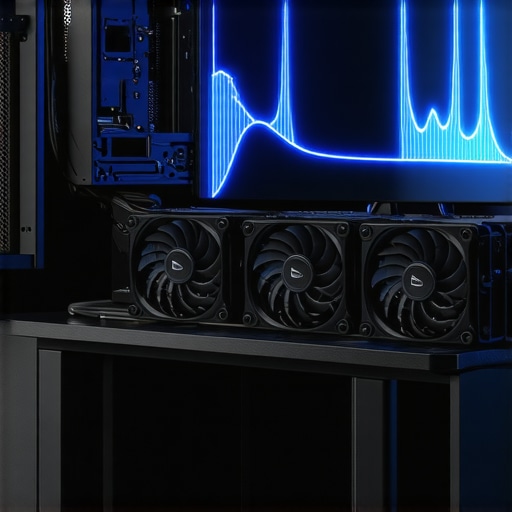
Fan curves represent the relationship between fan speed and airflow, intricately tailored to match CPU load and temperature profiles. Expert cooling setups leverage dynamic fan curves to respond to thermal fluctuations intelligently, preventing thermal throttling while minimizing noise. These curves are often plotted with precise control points, allowing for granular adjustments that reflect the complex heat dissipation characteristics of modern CPUs and GPUs.
How Do Fan Curves Impact Overall Thermal Efficiency and Acoustic Performance?
Adjusting fan curves influences not only temperature regulation but also acoustic comfort. A well-designed fan profile ramps up gradually, avoiding sudden noise spikes during transient workloads. Conversely, aggressive curves prioritize cooling at the expense of noise, which might be acceptable in overclocking scenarios. The key lies in balancing these competing priorities through expert tuning, often aided by software tools that provide real-time feedback and predictive algorithms.
Air Cooler and AIO Synergies: Advanced Strategies for Thermal Optimization
Elite PC builders consider the synergy between air coolers, AIO liquid coolers, and case airflow. The choice of cooler influences the fan curve design—air coolers often benefit from static or gently ramping profiles, whereas AIOs require adaptable curves to manage pump and radiator fan interactions. Expert guides, such as this comprehensive resource, emphasize the importance of integrating fan curves with thermal paste application and case airflow for maximal efficiency.
What Are the Nuances in Fine-Tuning Fan Curves for Peak Performance?
Fine-tuning involves understanding the thermal inertia of components and the ambient environment. Advanced users often employ curve editors within motherboard BIOS or dedicated software to create custom profiles, considering variables like fan hysteresis, temperature thresholds, and load-based adjustments. The goal is to achieve a near-identical temperature response under varying workloads, thus ensuring consistent performance and minimal thermal lag.
For example, during sustained gaming or rendering sessions, a nuanced fan curve can keep CPU temperatures within optimal ranges without excessive noise. This requires a deep understanding of component thermodynamics and real-world testing to refine curves iteratively.
How Do Open-Source Tools and Proprietary Software Differ in Fan Curve Customization?
Open-source solutions like SpeedFan or HWMonitor offer granular control but often lack the seamless integration and safety features of proprietary utilities provided by motherboard manufacturers such as ASUS or MSI. Experts recommend combining both approaches, leveraging open tools for initial testing and proprietary software for final tuning, ensuring system stability and longevity.
To deepen your expertise, consult authoritative sources like Tom’s Hardware, which provides insights into fan performance metrics and cooling strategies validated through rigorous testing.
Interested in elevating your cooling setup? Explore related advanced topics such as top AIO liquid coolers for 2025 or contribute your expert insights to our community discussions.
Unlocking the Potential of Fan Curves: Precision in Thermal Management
In the pursuit of peak performance and silent operation, the art of fine-tuning fan curves extends far beyond simple adjustments. Expert users leverage sophisticated software tools and deep thermodynamic insights to craft dynamic profiles that adapt seamlessly to fluctuating workloads. This meticulous approach ensures the CPU and GPU remain within optimal temperature ranges, thus prolonging hardware lifespan and enhancing stability.
What Are the Hidden Factors Affecting Fan Curve Effectiveness?
Many enthusiasts overlook variables such as ambient temperature variations, case airflow design, and component placement, all of which influence the efficacy of fan curves. For instance, a fan profile calibrated in a cool environment may underperform in warmer conditions, necessitating adaptive or multi-stage curves. Moreover, the thermal inertia of components causes a delay between workload spikes and temperature responses, requiring predictive tuning of fan behavior. To gain a comprehensive understanding, consult authoritative resources like Tom’s Hardware, which rigorously tests fan performance under diverse scenarios.
How Can Advanced Thermal Modeling Improve Fan Curve Precision?
Employing advanced thermal modeling techniques allows for simulation of heat dissipation patterns, enabling pre-emptive adjustment of fan profiles. By integrating real-time sensor data with predictive algorithms, users can create adaptive curves that optimize cooling efficiency while minimizing noise. This approach is particularly valuable for overclockers and workstation users who demand consistent thermal performance across variable workloads.
Interested in elevating your cooling strategy? Explore more about optimizing fan curves and thermal paste application for maximum cooling efficiency, or join our community discussions to share your custom profiles and insights.
Advanced Fan Curve Tuning: Unlocking Precision in Thermal Regulation
For seasoned PC builders and overclockers, the journey toward optimal thermal management involves a nuanced understanding of fan curve customization. Moving beyond basic presets, expert users employ data-driven strategies, integrating real-time sensor feedback with sophisticated software to craft dynamic, multi-stage fan profiles that adapt seamlessly to workload fluctuations. This approach minimizes thermal lag, reduces noise, and prolongs hardware lifespan.
One pivotal technique is the implementation of predictive algorithms that analyze historical temperature trends, enabling preemptive fan adjustments before thermal thresholds are breached. This foresight reduces abrupt temperature spikes and maintains a stable operating environment, crucial for overclocked systems or high-performance workstations. Additionally, layering multiple fan curves based on different temperature zones allows for granular control, ensuring each component receives tailored cooling tailored to its specific thermal profile.
What Are the Key Considerations When Developing Multi-Stage Fan Curves for Complex Workloads?
Designing multi-stage fan curves demands a comprehensive understanding of component thermodynamics, ambient conditions, and case airflow dynamics. Key considerations include setting appropriate hysteresis thresholds to prevent oscillations, calibrating temperature triggers to match real-world thermal inertia, and ensuring smooth transition points to avoid sudden noise spikes. Experts often utilize thermal modeling software, such as ThermalSim Pro, to simulate heat dissipation patterns and refine their profiles iteratively.
Furthermore, integrating external environmental sensors can enhance adaptive control, allowing the fan system to respond to ambient temperature shifts proactively. Such advanced setups are particularly beneficial in environments with fluctuating temperatures or in cases where noise minimization is critical, such as recording studios or silent workspaces.
The Role of Machine Learning in Next-Generation Fan Curve Optimization
Emerging technologies are ushering in a new era of thermal management through machine learning (ML). By analyzing vast datasets of temperature fluctuations, workload patterns, and fan performance metrics, ML algorithms can generate highly personalized fan curves that evolve over time. This adaptive learning process ensures that cooling strategies are not static but continuously optimized for maximum efficiency and minimal acoustic footprint.
According to a recent study by IEEE Transactions on Consumer Electronics, integrating ML with thermal sensors significantly enhances the accuracy of predictive cooling control. Such systems can preemptively adjust fan speeds during intensive tasks, maintaining ideal thermal conditions with minimal user intervention.
To stay at the forefront of this innovation, enthusiasts are encouraged to explore open-source ML frameworks like TensorFlow or PyTorch, and collaborate with community-driven projects dedicated to intelligent thermal management solutions. Engaging with these cutting-edge tools can elevate your cooling setup from conventional to revolutionary.
Enhancing Fan Curve Effectiveness Through System-Level Integration
Achieving peak performance in fan curve optimization involves a holistic approach, integrating hardware, software, and environmental factors. For instance, pairing high-quality case fans with optimized airflow pathways ensures that the tailored fan profiles translate into tangible thermal improvements. Similarly, BIOS-level controls and third-party utilities should be synchronized to prevent conflicting commands, ensuring a cohesive cooling strategy.
Moreover, regular system audits—including dust management, thermal paste reapplication, and component placement optimizations—complement fan curve tuning, creating a resilient thermal ecosystem. In high-demand scenarios such as 3D rendering or scientific simulations, these cumulative measures can be the difference between thermal stability and thermal throttling, safeguarding system integrity under load.
If you’re eager to deepen your expertise, consider exploring authoritative resources like AnandTech’s thermal management guides, which provide in-depth analyses and benchmark data on advanced cooling strategies. Engaging with expert communities through forums and workshops can also accelerate your mastery of precision fan curve tuning.
Harnessing Thermodynamic Variability: The Next Frontier in Fan Curve Precision
While traditional fan curve adjustments focus on static thresholds, cutting-edge thermal management integrates real-time environmental and hardware feedback mechanisms. Leveraging high-fidelity sensors and adaptive algorithms, experts now craft dynamic profiles that respond instantaneously to subtle shifts in ambient temperature, airflow resistance, and component load. This sophisticated approach minimizes thermal lag and noise, elevating cooling efficiency to unprecedented levels.
What Are the Cutting-Edge Techniques for Multi-Variable Fan Curve Calibration?
Advanced calibration techniques involve multi-dimensional parameter mapping, where temperature, voltage, and workload metrics are simultaneously analyzed. Utilizing machine learning models trained on extensive operational data, thermal profiles evolve autonomously, optimizing fan speeds with high granularity. These methods require expertise in thermal dynamics, data science, and system integration, often validated via specialized simulation software such as ThermalSim Pro.
How Can Thermal Modeling and Predictive Analytics Revolutionize Fan Control?
Incorporating thermal modeling and predictive analytics enables preemptive cooling adjustments, preventing temperature spikes before they occur. By simulating heat dissipation patterns and analyzing workload trends, users can develop fan profiles that adapt proactively, thereby reducing thermal inertia effects. This approach is particularly beneficial for overclockers and high-density workstation environments, where thermal stability directly correlates with performance and hardware longevity. For authoritative insights, consult IEEE Transactions on Consumer Electronics for research on intelligent thermal control systems.
Integrating AI-Driven Fan Control: A Paradigm Shift in Thermal Management
The advent of artificial intelligence in PC cooling introduces autonomous fan management systems capable of learning and adapting over time. These systems analyze historical temperature data, workload patterns, and acoustic preferences to generate highly personalized fan curves. By utilizing frameworks like TensorFlow or PyTorch, developers can create models that continuously optimize cooling strategies, balancing performance, noise, and hardware health with minimal user intervention.
Engaging with AI-driven solutions demands a comprehensive understanding of data acquisition, model training, and system integration. For enthusiasts eager to pioneer this domain, exploring open-source projects and collaborating within community forums can accelerate mastery and innovation.
Multifaceted System-Level Optimization: Beyond Fan Curves
Achieving optimal thermal performance necessitates a holistic approach that encompasses case airflow design, component placement, and thermal interface material quality. Techniques such as airflow simulations using tools like AnandTech’s cooling benchmarks provide valuable insights into airflow dynamics and hot spot mitigation. Integrating these insights with finely tuned fan curves creates a synergistic effect, ensuring each component operates within its ideal thermal window.
Furthermore, regular maintenance routines—dust removal, thermal paste reapplication, and case cleaning—complement the technical tuning, maintaining the efficacy of advanced cooling strategies. For those wishing to push boundaries further, engaging with expert communities and scholarly publications will keep you abreast of emerging innovations in thermal management.
Expert Insights & Advanced Considerations
1. Dynamic Fan Curves Minimize Thermal Lag
Implementing adaptive fan curves that respond in real-time to workload fluctuations effectively reduces thermal lag and ensures components operate within optimal temperature ranges, prolonging hardware lifespan and maintaining system stability.
2. Multi-Variable Calibration Enhances Cooling Precision
Utilizing multi-dimensional parameter mapping—combining temperature, voltage, and workload data—enables the creation of finely tuned fan profiles. This advanced calibration approach delivers superior thermal management, especially in overclocked or high-performance systems.
3. Thermal Modeling and Predictive Analytics Drive Pre-Emptive Cooling
Employing thermal simulation software and predictive analytics allows for pre-emptive adjustment of fan speeds based on anticipated heat dissipation patterns, thereby preventing thermal spikes before they occur and optimizing acoustic comfort.
4. AI and Machine Learning Transform Fan Control
Integrating AI-driven algorithms that learn from system behavior and environmental factors results in highly personalized and evolving fan curves, balancing performance, noise, and hardware health dynamically for peak efficiency.
5. System-Level Integration Is Critical
Holistic thermal management requires seamless coordination between case airflow design, component placement, thermal interface materials, BIOS controls, and regular maintenance routines, forming a resilient ecosystem that sustains optimal cooling performance.
Curated Expert Resources
- ThermalSim Pro: Advanced thermal modeling software enabling simulation of heat dissipation and fan curve refinement for expert-level customization.
- IEEE Transactions on Consumer Electronics: Cutting-edge research articles on intelligent thermal control systems and machine learning applications in PC cooling.
- Tom’s Hardware: In-depth reviews and testing data on fan performance metrics, thermal management strategies, and component benchmarks.
- Cooling Workstation Wizard Guides: Comprehensive tutorials and expert articles on optimizing fan curves, thermal paste application, and system-level cooling strategies.
- Community Forums and Open-Source Projects: Platforms for sharing custom profiles, innovative solutions, and collaborative development of AI-driven thermal management tools.
Final Expert Perspective
Mastering fan curves and thermal optimization is no longer just about simple adjustments but embracing a holistic, data-driven approach that integrates advanced modeling, predictive analytics, and machine learning. By leveraging these cutting-edge techniques, you can elevate your PC’s cooling performance to a new standard of efficiency and silence. Dive deeper into these strategies, contribute your insights, and stay ahead in the evolving landscape of thermal management—your system’s longevity and performance depend on it.


![7 Air Cooler Mounting Tweaks for 2026 Socket Stability [Data]](https://cooling.workstationwizard.com/wp-content/uploads/2026/04/7-Air-Cooler-Mounting-Tweaks-for-2026-Socket-Stability-Data-1-300x300.jpeg)
![7 Air Cooler Mounting Tweaks for 2026 Socket Stability [Data]](https://cooling.workstationwizard.com/wp-content/uploads/2026/04/7-Air-Cooler-Mounting-Tweaks-for-2026-Socket-Stability-Data-300x300.jpeg)

![Why Carbon Fiber Pads Beat Paste for 2026 CPU Hotspots [Tested]](https://cooling.workstationwizard.com/wp-content/uploads/2026/04/Why-Carbon-Fiber-Pads-Beat-Paste-for-2026-CPU-Hotspots-Tested-1.jpeg)
This article offers a really comprehensive overview of fan curve optimization and the importance of a holistic approach to thermal management. I believe that understanding the intricacies of fan curves, especially in high-performance or overclocked systems, can make a significant difference in maintaining system stability while reducing noise levels. I’ve recently experimented with custom fan profiles using BIOS tools combined with open-source software like SpeedFan, and the results have been impressive in balancing cooling efficiency and acoustics.
One thing I’d be curious about is how emerging AI-driven fan control solutions are performing in real-world scenarios—are they genuinely superior to traditional methods? Also, do you think integrating multiple sensors for ambient temperature and component load could further enhance the precision of these adaptive curves? I’ve noticed that even slight environmental changes can affect cooling performance, so more adaptive systems sound promising. It would be great to hear from others who have tinkered with these advanced approaches and their experiences.
This article really highlights the importance of holistic thermal management beyond just selecting high-end components. I’ve found that even with meticulously crafted fan curves, the overall system airflow plays a pivotal role in maintaining optimal temperatures. In my experience, optimizing case ventilation and considering the arrangement of intake and exhaust fans can dramatically influence how effective those finely tuned fan profiles are, especially during intense workloads. What’s your take on integrating dynamic case airflow management with advanced fan curves—do you think this could push thermal efficiency even further? Also, I’ve been experimenting with multi-sensor feedback for adaptive fan control, and it seems to help stabilize temperatures in fluctuating environments. However, it’s often challenging to balance the system’s responsiveness without introducing excessive noise. Are there particular tools or settings that you’ve found effective in achieving this harmony? I’d love to hear from others who are exploring multi-layered thermal solutions, as this seems to be the next frontier in maintaining high performance with minimal noise.
Reading through this detailed overview really struck a chord with me. I’ve spent quite some time tinkering with fan curves, especially in overclocked rigs where thermal management becomes all the more critical. One challenge I faced was balancing the responsiveness of fan curves with system noise—finding that sweet spot often took a combination of trial and error. I’ve seen promising results using combined thermal modeling and external sensors to refine these profiles further, especially in fluctuating room temps. It makes me wonder, how close are we to integrating more intelligent, AI-based systems that not only react to real-time data but also predict thermal trends? Has anyone tried a hybrid approach—using traditional software alongside machine learning models? I’d love to hear any shared experiences or recommendations on tools that facilitate this kind of advanced tuning. It seems like the next big step is creating adaptive cooling solutions that are both quiet and highly efficient in dynamic environments.
This post dives deep into the critical aspects of fan curve fine-tuning and the interplay between hardware and software in thermal management. I’ve personally been exploring how to implement multi-stage fan curves that adapt to workload changes dynamically, and it’s fascinating how much control you can gain over system temperatures and noise levels. One thing I’ve realized is that ambient temperature and case airflow can significantly influence these profiles. I’ve started using external sensors combined with thermal modeling software to predict thermal trends before they happen, which seems promising. Has anyone experimented with integrating AI or machine learning in their fan control setups? I’m curious how effective these solutions are in handling complex, real-world thermal fluctuations, especially in overclocked setups. Additionally, what are your favorite tools for achieving a balance between responsiveness and noise reduction? It’s inspiring to see how advanced our thermal management techniques have become, moving beyond simple fan speed curves.
This article really emphasizes the importance of fine-tuning fan curves with a nuanced approach, especially considering the thermal inertia and environment variables that can impact performance. I’ve been experimenting with multi-stage fan profiles using BIOS and some open-source tools, and I’ve noticed that small adjustments in the temperature thresholds can make a big difference in both noise levels and thermal stability. One challenge I’ve encountered is ensuring these curves adapt quickly enough without causing oscillations or noise spikes, particularly in fluctuating ambient conditions. Has anyone here integrated external sensors or environmental controls to improve the responsiveness and stability of their fan profiles? I’d be interested to hear about the tools or techniques that have worked well for balancing rapid response with quiet operation. It seems that combining intelligent software with hardware sensors is the future of precise thermal management, especially for overclocked or high-performance setups.
This article offers an impressive deep dive into fan curve optimization, and I agree that understanding the nonlinear thermal responses of modern systems is crucial for effective cooling. From my own experience, integrating external temperature sensors—especially those placed near hotspots—can significantly improve the responsiveness of fan profiles. I’ve found that the more real-time data you feed into your control system, the better you can balance noise levels with thermal performance. One challenge I still face is calibrating these sensors accurately and ensuring that the software responds smoothly without causing fluctuations or noise spikes. Have others here experimented with multi-sensor setups or predictive algorithms to enhance fan curve precision? I’d love to hear which tools or methodologies you’ve found most effective for achieving a seamless balance—especially under overclocked or demanding workloads. It’s fascinating how integrating AI and advanced thermal modeling can push the boundaries of what we can do in thermal regulation, making future systems both quieter and more efficient.