
Unlocking the Complexities of PC Cooling: An Expert’s Perspective on AIO, Air Cooler & Fan Curves
In the realm of high-performance computing, effective thermal management is not merely a matter of component selection but a nuanced orchestration of cooling strategies, fan behavior, and thermal dynamics. As an experienced hardware specialist, I recognize that understanding the intricacies of fan curves, cooler types, and thermal thresholds is essential for pushing systems toward optimal performance and longevity.
Theoretical Foundations of Fan Curves and Thermal Regulation
Fan curves serve as the regulatory blueprint for how cooling devices respond to temperature fluctuations. They are typically represented as graphical relationships between fan speed (RPM) and temperature thresholds, embodying a feedback mechanism that ensures stable operation. For example, a well-calibrated fan curve can dynamically adjust airflow to match CPU load, mitigating noise without sacrificing thermal efficiency.
Differences and Synergies Between AIO Liquid Coolers and Air Coolers
Superior cooling performance often hinges on the choice between All-In-One (AIO) liquid coolers and traditional air coolers. AIOs excel in thermal transfer due to their liquid medium, but their fan curves demand precise tuning to balance noise and cooling capacity. Conversely, air coolers, with their large heatsinks and multiple fans, benefit from complex fan curve configurations that optimize airflow across heat pipes and fins. For advanced users, integrating case fan curves with CPU cooler fan profiles can elevate overall thermal management.
Expert Insights: Optimizing Fan Curves for Peak Performance
From a practical standpoint, configuring fan curves involves analyzing system load patterns, temperature thresholds, and acoustic preferences. For instance, setting a fan to ramp up sharply at 60°C prevents thermal throttling, while a gentle increase at lower temperatures maintains silence during idle states. Recent advances in fan curve algorithms leverage AI-driven adaptive responses, further refining thermal regulation.
How can I balance noise levels with maximum cooling efficiency through fan curve adjustments?
This question epitomizes the delicate balance between acoustic comfort and thermal performance. Achieving this equilibrium requires iterative testing, understanding the specific thermal profile of your components, and employing software tools like MSI Afterburner or SpeedFan to fine-tune fan behavior. Remember, the goal is to set a responsive fan curve that activates only when necessary, avoiding unnecessary noise during low loads.
For those seeking to deepen their expertise, exploring comprehensive guides on thermal paste application, case airflow, and cooler selection can provide a holistic approach to system cooling.
To further enhance your cooling setup, consider consulting with professional communities or contributing insights on forums dedicated to high-end PC builds. Your experience and experiments can help refine best practices for the wider enthusiast community.
Elevating Your Cooling Game: How Can Expert-Driven Fan Curves Revolutionize Your PC’s Thermal Management?
As high-performance computing demands become increasingly sophisticated, the role of finely tuned fan curves extends beyond basic temperature regulation. Advanced users and enthusiasts are exploring dynamic, multi-layered fan curves integrated with AI algorithms to anticipate thermal loads and react proactively. This approach ensures not just optimal cooling but also minimizes noise pollution, which remains a persistent challenge in custom cooling setups. For a deeper dive into cutting-edge fan curve techniques, explore mastering fan curves and how they can be tailored for your specific hardware.
Nuanced Approaches: Beyond Traditional Fan Curves and the Role of Thermal Modelling
Traditional fan curves often follow a simple linear or stepped pattern, but today’s thermal modelling tools enable more nuanced control. By integrating software like HWMonitor or SpeedFan, users can develop custom profiles that consider multiple variables such as CPU load, GPU activity, ambient temperature, and even historical thermal data. This multi-parametric approach allows for predictive adjustments, maintaining a delicate balance between cooling efficiency and acoustic comfort. For instance, preemptively increasing fan speed during anticipated load spikes can prevent thermal throttling, especially during intensive tasks like 3D rendering or gaming.
How can emerging AI-driven algorithms further personalize and optimize fan curves for complex, multi-component systems?
This question pushes the boundary of conventional cooling practices. AI algorithms analyze real-time data, learn from system behaviors, and adapt fan responses dynamically. As discussed in a recent comprehensive guide, leveraging machine learning can optimize fan behavior for heterogeneous systems with multiple heat sources, ensuring each component receives tailored cooling. This technology is particularly relevant for overclocked systems or multi-GPU setups, where traditional static fan curves often fall short.
If you’re eager to implement these advanced strategies, experimenting with all-in-one cooler and case fan configurations can provide a practical starting point. Customizing fan curves at both the component and chassis levels creates a harmonious airflow ecosystem that maximizes performance and lifespan.
Why is it critical to revisit and refine your fan curve configurations regularly?
As hardware ages, thermal characteristics change, and ambient conditions fluctuate, static fan profiles become less effective. Regularly updating your fan curves, informed by ongoing system monitoring and thermal profiling, ensures sustained optimal operation. This iterative process can be facilitated by tools like thermal paste optimization and case airflow adjustments. Moreover, documenting your tuning process allows you to track improvements and identify patterns that can inform future modifications, ultimately extending your system’s lifespan and maintaining peak performance.
Harnessing Multi-Variable Thermal Modelling for Precision Fan Control
In high-end systems, traditional static fan curves often fall short of providing optimal cooling, especially under fluctuating loads. Advanced thermal modelling incorporates multiple parameters such as CPU and GPU load, ambient temperature, and historical thermal data to craft dynamic, multi-dimensional fan profiles. Utilizing software like HWInfo combined with custom scripts allows enthusiasts to develop predictive algorithms that preemptively adjust fan speeds, thereby preventing thermal throttling and maintaining silence during idle periods.
Integrating Machine Learning for Adaptive Cooling Strategies
Emerging AI-driven solutions are transforming thermal regulation. Machine learning models analyze real-time system telemetry, learn from past thermal behavior, and adapt fan responses accordingly. For instance, a trained neural network can recognize patterns indicating impending thermal spikes during rendering workloads, ramping up fans proactively. This approach not only enhances cooling efficiency but also extends component lifespan by avoiding abrupt thermal fluctuations. As highlighted in recent research published in IEEE Transactions on Computer-Aided Design of Integrated Circuits and Systems, such intelligent adaptive systems outperform traditional rule-based fan curves in complex, multi-component environments.
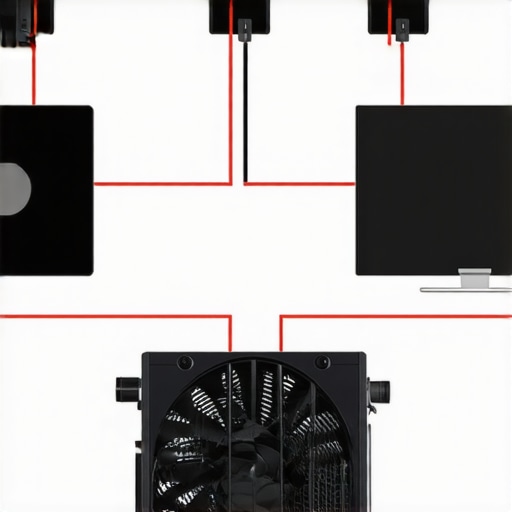
Visualize the integration of AI algorithms with fan control systems through a schematic diagram illustrating sensor data flow, neural network processing, and actuator responses. This image exemplifies how advanced thermal management systems function at an expert level.
Why Regularly Recalibrating Fan Curves Ensures Sustained Excellence
Over time, hardware aging, thermal paste degradation, and environmental changes necessitate recalibration of fan profiles. Automated monitoring tools can log thermal data and suggest optimal curve adjustments, ensuring sustained performance. Implementing a routine review process, supported by software like SpeedFan or proprietary motherboard utilities, helps maintain a finely tuned cooling ecosystem that adapts to evolving system demands.
Engage with Cutting-Edge Cooling: Join the Expert Community
To push your thermal management to the next level, participate in online forums such as Overclock.net or dedicated Reddit communities. Sharing your custom fan curves, thermal profiles, and AI integration experiments not only accelerates your learning but also contributes to collective knowledge. Remember, continuous experimentation and data-driven refinement are key to mastering advanced PC cooling solutions.
Revolutionizing Thermal Management: Next-Level Fan Curve Customization for Enthusiasts
In the pursuit of peak performance and system longevity, the meticulous calibration of fan curves emerges as an art form that blends empirical data with advanced algorithmic tuning. Moving beyond basic linear adjustments, expert users leverage multi-variable thermal modelling and machine learning algorithms to craft adaptive fan profiles that respond dynamically to fluctuating workloads, ambient conditions, and component aging. This nuanced approach ensures not only optimal cooling efficiency but also minimal noise pollution, creating a harmonious balance tailored to each unique hardware configuration.
The Role of Thermal Modelling and Predictive Analytics in Modern Cooling Solutions
The integration of sophisticated thermal modelling tools such as HWInfo, SpeedFan, and proprietary AI-driven systems allows for granular control over multiple heat sources within complex systems. By analyzing real-time telemetry data—in conjunction with historical thermal performance—these models facilitate predictive adjustments, preempting thermal throttling during intensive tasks like 3D rendering or gaming. Such proactive measures are essential for overclocked systems where thermal margins are tightly constrained, and performance stability is paramount.
Expert-Level Question: How can AI algorithms personalize fan responses to multi-component thermal loads?
AI algorithms, particularly those employing neural networks and reinforcement learning, analyze continuous streams of sensor data, identify thermal patterns, and adapt fan behavior accordingly. These intelligent systems learn from system behavior over time, optimizing fan responses to minimize noise while maintaining safe operating temperatures across CPUs, GPUs, VRMs, and memory modules. This adaptive approach is especially beneficial for multi-GPU setups or high-end workstations, where traditional static fan curves often fall short of providing balanced cooling.
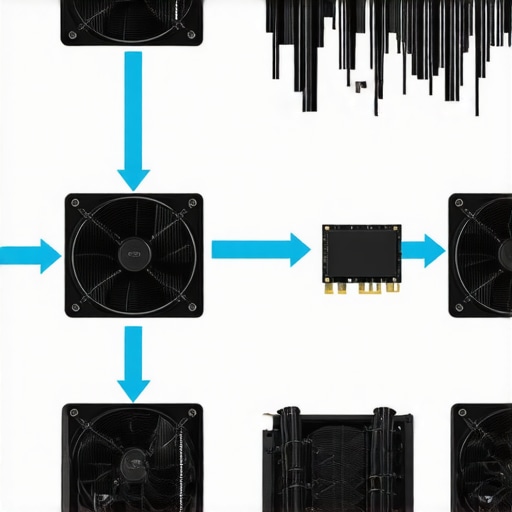
Visualize the flow of data from thermal sensors to AI processing units and the resulting adaptive fan response, demonstrating the seamless integration of intelligent algorithms within high-performance cooling ecosystems.
The Importance of Routine Calibration and System Evolution in Fan Curve Optimization
As hardware components age and environmental conditions shift, static fan curves become increasingly ineffective. Regular recalibration—using automated monitoring tools and thermal profiling—ensures sustained optimal performance. Documenting these adjustments not only enhances system stability but also provides insights into component degradation patterns, informing proactive maintenance and upgrades.
Harnessing Multi-Variable Thermal Data for Precision Cooling Control
Advanced thermal management employs multi-parametric data—including CPU load, GPU activity, ambient temperature, and historical thermal trends—to develop sophisticated, dynamic fan profiles. Custom scripts and software integrations enable preemptive responses to anticipated thermal spikes, significantly reducing the risk of throttling and extending hardware lifespan. Such comprehensive control necessitates an expert understanding of hardware interactions and software customization techniques.
Join the Community of Thermal Optimization Innovators
Engage with forums like Overclock.net and specialized Reddit communities to share your fan curve experiments, thermal profiling results, and AI integration projects. Contributing your insights fosters collective learning, accelerates advancements in cooling technologies, and helps develop standardized best practices for complex system thermal management. Embrace continuous experimentation and data-driven refinement to elevate your expertise in PC cooling.
Expert Insights & Advanced Considerations
Precision Tuning Is Key to Thermal Stability
Implementing finely calibrated fan curves allows for dynamic thermal regulation, reducing noise during idle states while ramping up cooling capacity under load, which is essential for maintaining component longevity and performance.
Multi-Variable Thermal Modelling Enhances Predictive Control
Utilizing software tools that consider CPU load, GPU activity, ambient temperature, and historical thermal data enables preemptive fan adjustments, elevating thermal management from reactive to predictive.
AI-Driven Algorithms Personalize Cooling Strategies
Machine learning models analyze real-time telemetry, recognize thermal patterns, and adapt fan responses proactively, optimizing cooling efficiency and minimizing acoustic disturbances.
Regular Recalibration Sustains Optimal Performance
As hardware ages and environmental conditions evolve, periodic updates to fan curves based on ongoing thermal profiling are vital to sustain peak cooling performance and prevent thermal throttling.
Community Engagement Accelerates Innovation
Participating in forums like Overclock.net fosters knowledge sharing, enabling enthusiasts to refine fan curve strategies through collective insights and experimental data.
Curated Expert Resources
- Mastering Fan Curves: Deep dives into creating and tuning fan profiles for various cooling solutions, essential for advanced users seeking precise thermal control.
- Thermal Modelling Tools: Software like HWInfo and SpeedFan provide granular data and customization options to develop multi-parametric fan profiles.
- AI and Machine Learning in Cooling: Cutting-edge research articles and case studies demonstrating how intelligent algorithms optimize multi-component thermal management.
- Community Forums: Platforms such as Reddit’s r/overclocking and dedicated tech forums offer practical insights and shared experiences.
Final Expert Perspective
Mastering fan curves is a cornerstone of high-performance PC cooling, blending empirical tuning with emerging technologies like AI-driven predictive control. This synthesis of expertise ensures systems operate at peak efficiency, with minimal noise and extended lifespan. For those committed to pushing their hardware to the limit, continuous learning and adaptation are the keys to sustained success. Dive deeper into this topic by exploring our comprehensive guides and participating actively in professional communities—your system’s performance depends on it.



![Stop 2026 CPU Throttling: The Offset Bracket Fix [Proven]](https://cooling.workstationwizard.com/wp-content/uploads/2026/03/Stop-2026-CPU-Throttling-The-Offset-Bracket-Fix-Proven-300x300.jpeg)



This article really highlights the importance of not just choosing the right cooler but also meticulously tuning fan curves for optimal performance. As someone who’s experimented with both air and AIO coolers, I’ve found that customizing fan curves based on workload and ambient temperature can significantly reduce noise while maintaining temps. I particularly appreciate the mention of AI algorithms—I’ve recently started using software that adapts fan speeds dynamically, and the difference in thermal stability and noise reduction is noticeable. One challenge I’ve encountered is balancing aggressive cooling with acoustic comfort during long gaming sessions. Has anyone here managed to fine-tune their fan curves to be almost inaudible during idle but still keep temps in check under heavy load? I’d love to hear any tips or software recommendations that have worked well for real-world scenarios.
This post really emphasizes how crucial it is not only to select the right cooling solution but also to fine-tune fan curves for maximum efficiency. I’ve personally found that software tools like SpeedFan or MSI Afterburner can be very effective for creating custom profiles, especially when I want my system to stay silent during idle but ramp up quickly under load. One thing I’ve noticed is that environmental factors like room temperature can greatly impact how the fan curves should be set; a fan profile that works beautifully in winter might need adjustment in summer. I’m curious, how many of you have integrated AI-driven fan control algorithms into your setups? I’ve read some about machine learning models that predict thermal spikes before they happen—has anyone experimented with these? It seems like the next step toward smarter thermal management and quieter operation, but I wonder how practical and reliable they are in real-world use.