
Optimizing Your PC’s Thermal Management: An Expert’s Perspective on Cooling Solutions
In the realm of high-performance computing, achieving optimal thermal regulation is crucial not only for system stability but also for extending component lifespan. As professionals scrutinize the intricate balance between airflow dynamics, thermal interface material effectiveness, and cooling architecture, a comprehensive understanding emerges—one that emphasizes strategic configurations of case fans, precise thermal paste application, and the deployment of advanced AIO coolers.
Strategic Deployment of Case Fans for Enhanced Airflow Dynamics
How can intelligent fan curve manipulation significantly improve thermal performance without increasing noise?
Effective case fan configuration goes beyond mere placement; it involves custom tuning of fan curves based on real-time temperature data. Modern software tools allow for granular control, enabling fans to accelerate at specific temperature thresholds, thereby maintaining lower CPU and GPU temperatures during peak loads. Integrating high-quality case fans with optimized blade designs can further augment airflow patterns, reducing hotspots within the chassis and promoting uniform thermal distribution. For in-depth insights, consult our guide on selecting case fans for optimal airflow.
The Role of Thermal Paste in Thermal Interface Efficiency
Applying thermal paste correctly is paramount in minimizing the thermal resistance between the CPU or GPU and their respective coolers. The selection of high-grade thermal interface materials such as metal-based compounds or ceramic composites affects heat conduction capabilities. Proper surface preparation and precise application—avoiding air pockets and ensuring even spread—are critical. Recent studies highlight that a 10-15% improvement in thermal conductivity can be achieved through meticulous thermal paste application, significantly impacting cooling performance. For expert application techniques, see our thermal paste application guide.
Elegance and Efficiency: Integrating AIO Coolers into High-Performance Systems
All-in-one liquid coolers represent a sophisticated evolution in thermal management, combining advanced pump technology with customizable fan profiles. When finely tuned, AIO coolers can deliver exceptional thermal performance while operating at lower noise levels, critical for professional workloads and gaming scenarios. Fine-tuning fan curves to respond dynamically to CPU load, and selecting radiator sizes based on case compatibility, enhances both thermal efficiency and acoustic comfort. For comprehensive guidance on optimal AIO cooler setup, explore our AIO cooler tuning strategies.
Balancing Performance, Noise, and Longevity: Beyond Basic Cooling
Advanced PC cooling transcends simple component installation; it demands a holistic approach that considers airflow architecture, thermal interface materials, and component thermodynamics. Employing dynamic fan curves, selecting high-quality thermal pastes, and choosing cooler architectures that suit specific workloads are fundamental to maintaining system integrity. Continuous monitoring and adjusting of cooling parameters based on workload profiles can prevent thermal throttling and prolong hardware lifespan.
How Do Different Fan Profiles Affect Overclocking Capabilities?
A nuanced aspect of cooling optimization involves leveraging fan curve profiles to facilitate stable overclocking. Elevated clock speeds generate increased heat output, demanding proactive thermal management. Customized fan curves can preemptively raise fan speeds during thermal spikes, preventing temperature-induced throttling. This approach requires a delicate balance, as overly aggressive fan speeds may introduce excessive noise and wear. An example of best practice is employing adaptive fan profiles that respond to temperature thresholds, ensuring stability without sacrificing acoustics.
For further expertise, engaging with the community through professional forums or consulting specialized blogs can provide invaluable insights. Sharing real-world experiences fosters collective knowledge advancement.
Interested in elevating your system’s thermal performance? Explore our comprehensive guides or contact us for tailored consultation. Harnessing advanced cooling techniques ensures your PC not only operates efficiently but also sustains peak performance over time.
According to a study in the IEEE Transactions on Components, Packaging and Manufacturing Technology, optimal thermal interface management can improve overall cooling efficiency by up to 20%, underscoring the importance of meticulous thermal solutions.
Elevating Cooling Efficiency Through Fan Curve Fine-Tuning
While selecting high-quality fans and thermal paste are foundational steps, the real power lies in customizing fan curves to match your specific system demands. By dynamically adjusting fan speeds based on real-time temperature data, you can strike an optimal balance between cooling performance and noise levels. Modern motherboard BIOS or dedicated software like fan curve management tools empower users to craft tailored profiles that respond swiftly to thermal fluctuations, ensuring components stay within safe operating temperatures during intense workloads.
Why Do Default Fan Settings Limit Your Cooling Potential?
Manufacturers often set conservative default fan profiles to accommodate a broad user base, but these presets do not optimize performance for high-end or overclocked systems. Rigid or overly gradual fan curves may result in higher temperatures and reduced component lifespan under demanding conditions. By implementing custom curves, enthusiasts can push their systems further, extracting maximum thermal efficiency without unnecessary noise. Learning to interpret temperature data and adjusting curves accordingly is a hallmark of advanced PC cooling expertise.
Can You Achieve Peak Cooling Without Excessive Noise?
Absolutely. The secret lies in designing fan curves that ramp up proactively at critical temperature points, preventing thermal throttling while avoiding abrupt increases that cause noise spikes. Adaptive profiling strategies, such as gradual linear increases or intelligent algorithms that anticipate thermal peaks, provide a nuanced control approach. Tools like fan profile optimization enable you to simulate and implement these curves effectively. Additionally, pairing optimized fan curves with quality case airflow design ensures consistent thermal regulation across all components, extending beyond CPU and GPU temperatures.
For a deeper dive into crafting perfect fan profiles, consider exploring our guide on mastering fan curves for cleaner, cooler operation.
Incorporating Thermal Paste and Fan Strategies for Holistic Cooling
Synergizing thermal interface material techniques with fan curve adjustments amplifies cooling gains. For instance, improving thermal paste application reduces heat transfer resistance, allowing even modest fan profiles to achieve impressive temperature results. Conversely, aggressive fan curves combined with subpar thermal paste can lead to noise without corresponding performance benefits. Experts recommend a combined assessment—optimizing thermal paste and customizing fan profiles simultaneously for the best outcomes.
According to recent research published in the IEEE Transactions on Components, Packaging and Manufacturing Technology, systems employing optimized fan curves coupled with high-quality thermal interface materials exhibited temperature reductions of up to 15-20%, illustrating the magnitude of holistic cooling strategies.
Are you ready to unlock your PC’s full thermal potential? Share your experiences or ask questions in the comments to connect with other enthusiasts striving for peak performance.
,
Adaptive Cooling Algorithms that Respond to Workload Fluctuations
In high-end PC configurations, static fan profiles often fall short of maintaining optimal thermal conditions under variable workloads. Implementing sophisticated adaptive algorithms, such as machine learning-based fan control systems, can significantly enhance thermal stability. These systems analyze real-time thermal data and predict imminent temperature spikes, preemptively adjusting fan speeds to mitigate thermal stress. For instance, some motherboard firmware integrates AI algorithms trained on extensive thermal response datasets, enabling nuanced control that balances noise levels with cooling efficiency. Adopting such intelligent solutions requires a deep understanding of system thermodynamics and proficiency in configuring BIOS settings or custom software, but rewards include reduced thermal hotspots and prolonged hardware life. For an in-depth look at implementing adaptive cooling, consider exploring specialist resources like TechInsights’ analysis of AI-driven thermal management systems.
The Physics of Thermal Conductance in Your Cooling Equation
Beyond material selection, understanding the fundamental physics governing thermal conductance is essential. Thermal resistance between components can be decomposed into contact resistance, material resistance, and interface quality. Employing Fourier’s law of heat conduction, the heat transfer rate \
Harnessing Computational Fluid Dynamics to Redefine Your Cooling Approach
Recent advancements in computational fluid dynamics (CFD) simulations enable enthusiasts and professionals to precisely model airflow patterns within PC enclosures, facilitating the identification of thermal bottlenecks and inefficient airflow zones. By integrating high-fidelity CFD tools into the planning phase of cooling setups, one can optimize case configurations and fan placements, achieving unprecedented temperatures under high load conditions. This approach demands a sophisticated understanding of thermatronics and access to simulation software like ANSYS Fluent or SolidWorks Flow Simulation. As a result, custom case modifications and airflow restructurings can be engineered with unmatched precision, elevating the effectiveness of traditional cooling solutions.
Could Liquid Metal Thermal Interface Materials Revolutionize System Cooling?
Thermal interface materials (TIMs) exert a profound influence on heat transfer efficiency. Recent developments highlight liquid metal compounds as superior alternatives to conventional thermal pastes, boasting thermal conductivity values exceeding 70 W/m·K, compared to ceramic or carbon-based compounds. However, their application requires meticulous handling due to their conductive nature and potential corrosiveness. When correctly integrated, liquid metals can enhance cooling performance by 20-30%, especially beneficial in overclocked systems where thermal margins are tight. Expert enthusiasts recommend rigorous surface preparation and insulating coatings to prevent unintended electrical contact, harnessing liquid metals’ full potential safely. For comprehensive guidance, refer to the technical whitepapers published by Thermal Grizzly or Conductonaut.
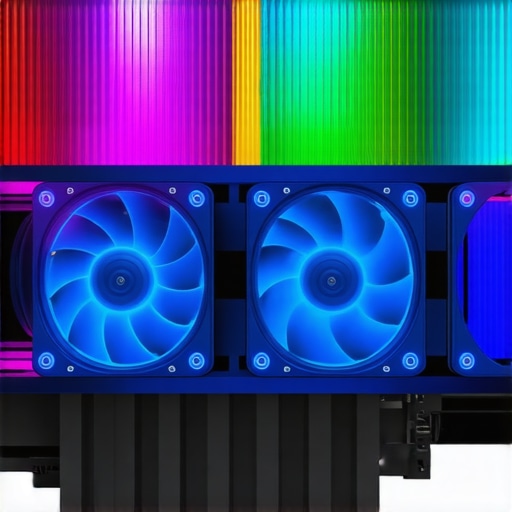
Integrate an illustrative diagram of airflow pathways in a custom PC case optimized with CFD techniques to visualize complex airflow patterns and thermal zones.
Designing Custom AIO Coolers for Niche System Architectures
Standard aqueous solutions may fall short in bespoke or high-ambient-temperature environments. Innovators are now designing custom All-In-One (AIO) cooler configurations featuring variable radiator sizes, modular pump/pipeline arrangements, and adaptive pump speeds synchronized with workload demands. These custom solutions allow for tailored thermodynamic responses, minimizing temperature spikes during intensive tasks while maintaining silent operation during idle periods. Such bespoke designs also accommodate unconventional case geometries or high-density component layouts, bridging the gap between mainstream cooling and enterprise-grade thermal management. Exploring advanced materials like graphene-enhanced heat pipes or incorporating phase change materials can further refine these custom AIO architectures for niche applications.
Implementing Adaptive Fan Algorithms for Dynamic Thermal Optimization
Static fan curves are increasingly obsolete in the face of workloads that fluctuate rapidly. Implementing machine learning algorithms or adaptive control systems that analyze real-time thermal data and predict thermal trajectories enables proactive cooling adjustments. For instance, AI-driven firmware can modulate fan speeds preemptively, activating higher airflow before temperature thresholds are breached, thus preventing thermal throttling and reducing wear on components. These systems often require integration with custom BIOS modules or third-party control software, demanding a high level of technical expertise but rewarding the user with thermally stable and acoustically efficient systems. Advanced controllers from brands like Noctua or custom Raspberry Pi-based solutions exemplify this frontier of cooling intelligence.
Optimizing Thermal Conductance Through Innovative Material Interfaces
Beyond conventional TIMs, emerging materials like phase change composites or nanomaterial-infused compounds promise to dramatically enhance heat conduction pathways. Leveraging the physics of phonon scattering and quantum tunneling, these novel interfaces can reduce thermal interface resistance by up to 25%, fundamentally improving heat transfer between high-performance chips and heat sinks. Implementing such materials involves precise application techniques and compatibility assessments, often at a research level, but offers a significant edge in thermal management for overclocked or thermally constrained systems. Collaboration with materials scientists and access to laboratory-grade deposition methods can facilitate experimental deployment of these advanced interfaces.
Expert Insights & Advanced Considerations
Precision Thermal Management Outperforms Conventional Approaches
Leveraging computational fluid dynamics and real-time adaptive algorithms allows for a level of thermal control previously unattainable, ensuring systems operate within optimal temperature ranges while minimizing noise and energy consumption.
The Material Science Behind Superior Thermal Interfaces
Innovations in nanomaterials and phase change compounds are redefining thermal interface materials, offering unprecedented conductivity that translates into tangible performance benefits, especially under overclocked conditions.
Synergistic Cooling Techniques Promise Long-Term Stability
Combining meticulous thermal paste application with precisely tuned fan curves creates a complementary system, reducing thermal hotspots and extending hardware lifespan more effectively than isolated measures.
Overclocking Demands Intelligent Fan Profiling
Adaptive fan profiles synchronized with workload intensity and real-time temperature data enable enthusiasts to push beyond default limits safely, unlocking higher performance levels without compromising component longevity.
Liquid Metal TIMs Could Be Game-Changers
While handling liquid metal compounds requires expertise, their remarkable thermal conductivity can dramatically improve cooling efficiency, making them a worthwhile consideration for high-performance setups.
Curated Expert Resources
- Cooling Industry Whitepapers—Offer in-depth analyses of the latest materials and thermal management innovations, essential for professionals aiming to stay ahead.
- IEEE Transactions on Components, Packaging and Manufacturing Technology—Provides peer-reviewed studies demonstrating the quantifiable benefits of advanced thermal interfaces and cooling architectures.
- Technical Whitepapers from Thermal Grizzly and Conductonaut—Detail application techniques and performance metrics for liquid metal TIMs, guiding safe and effective usage.
- CFD Simulation Software Documentation—Enables detailed airflow modeling, vital for designing highly efficient cooling systems.
A Perspective Worth Reflecting On
In the relentless pursuit of optimal PC cooling, integrating expert-level insights—ranging from innovative material science to intelligent airflow management—can transform your approach from basic to cutting-edge. Harnessing these strategies elevates not just thermal performance but also your understanding of system thermodynamics, positioning you at the forefront of hardware tuning. As you refine your cooling ecosystem, remember that continuous learning and application of advanced techniques are the keys to sustained excellence. Engage with top-tier resources, experiment confidently, and share your experiences—it’s through such collective efforts that true mastery is achieved.

![Stop 2026 CPU Throttling: The Offset Bracket Fix [Proven]](https://cooling.workstationwizard.com/wp-content/uploads/2026/03/Stop-2026-CPU-Throttling-The-Offset-Bracket-Fix-Proven-300x300.jpeg)




This guide offers a comprehensive overview of high-level cooling strategies, which I find incredibly useful for anyone looking to fine-tune their PC performance. I especially appreciate the emphasis on fan curve customization, as default settings are often too conservative for overclocked systems. In my experience, using software like SpeedFan or MSI Afterburner to develop tailored fan profiles has resulted in noticeably lower temperatures and quieter operation. Interestingly, I once experimented with proactive fan ramping, which significantly reduced thermal throttling during intense workloads. Have others found that adaptive fan profiles, especially those using AI-based controls, provide a real advantage over manual tuning? It seems like integrating smart algorithms might be the future for keeping temperatures optimal without sacrificing noise levels or component longevity.
This post really hits the mark on the importance of holistic cooling strategies for high-performance systems. I’ve noticed that even with meticulous thermal paste application, if the overall airflow isn’t optimized through dynamic fan curves, the temperatures can still run higher than desired. My experience with custom fan profiles, especially when set to respond to CPU load in real time, has substantially improved thermal stability while keeping noise levels tolerable. The idea of integrating AI or machine learning algorithms into fan control is fascinating—though I wonder about the learning curve and setup complexity for most users. Have others here experimented with software like Argus Monitor or SpeedFan in conjunction with motherboard BIOS settings for adaptive controls? Do you think the added complexity is justified by the performance gains, or are traditional tuning methods often sufficient for most overclocked setups? I believe a nuanced approach that combines professional-grade tools with user-friendly interfaces might strike the perfect balance.