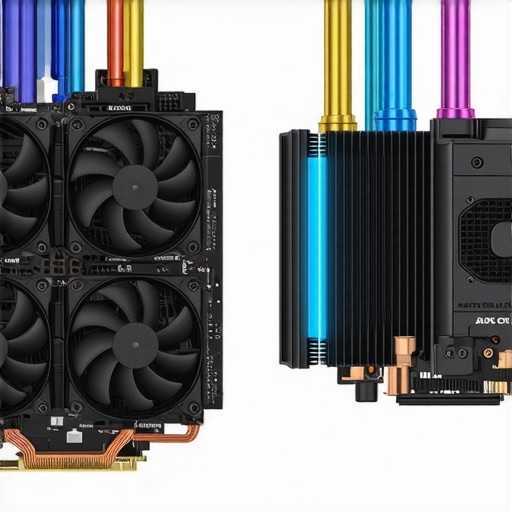

Elevating PC Cooling Performance: A Deep Dive into Fan Curves, Thermal Paste, and Cooler Selection
Optimizing your PC’s thermal management requires a sophisticated understanding of multiple interconnected components. From the intricacies of fan curves and thermal paste application to selecting the right air or AIO coolers, each decision impacts system stability, acoustics, and longevity. As an experienced technician or enthusiast, mastering these elements transforms mere maintenance into strategic performance enhancement.
Harnessing the Power of Custom Fan Curves for Precise Thermal Regulation
Rather than relying on default BIOS settings, crafting tailored fan profiles enables nuanced control over airflow dynamics. Advanced software and BIOS features permit setting fan curves that respond adaptively to temperature thresholds, balancing noise and cooling efficiency. For instance, optimizing the fan curve to ramp gradually during gaming sessions prevents sudden noise spikes and maintains lower CPU temperatures. Employing tools like fan curve customization techniques helps delineate these profiles for different workloads.
Thermal Paste: The Unsung Hero of Effective Heat Transfer
Applying thermal paste correctly is an often overlooked but critical activity. High-quality thermal compounds like those discussed in thermal paste innovations reduce microscopic air gaps between the CPU heat spreader and cooler base, ensuring more consistent heat transfer. The proper application—thin, even layers, avoiding excess—can improve thermal conductivity by up to 10°C under load, significantly boosting stability and lifespan.
The Cooler Dilemma: Air Cooling vs. AIO Liquid Solutions
Choosing between traditional air coolers and all-in-one (AIO) liquid cooling systems is nuanced. Air coolers, equipped with large heatsinks and high-performance fans, excel in simplicity, cost-effectiveness, and reliability. Conversely, AIO coolers, such as those reviewed in top AIO models for 2025, provide superior cooling capacity with reduced physical footprint. The decision hinges on performance needs, noise tolerance, case compatibility, and overclocking ambitions.
What Are the True Benefits of Fine-Tuning Fan Curves in Sustaining Overclocked Configurations?
Effective fan curve customization mitigates thermal stress during aggressive overclocking by dynamically adjusting airflow in response to temperature spikes. Expert forums often discuss the balance between aggressive cooling and acoustic comfort, underscoring the importance of adaptive fan control. By integrating real-time thermal feedback, users can prevent CPU throttling and maintain stable clock speeds under demanding loads.
For advanced enthusiasts aiming to push their systems further, understanding and implementing nuanced fan curves combined with optimal thermal paste application and appropriate cooler selection is paramount. Explore expert insights and detailed setup guides at this comprehensive resource.
If you are committed to elevating your cooling strategy, consider consulting with professionals or engaging in community forums for personalized configurations. Sharing your expertise not only refines your system but also contributes valuable knowledge to the enthusiast ecosystem.
Maximizing Cooler Efficiency with Strategic Fan Curve Adjustment
Optimizing your fan curves is more than just a matter of sliding a few points; it involves understanding the thermal profile of your components and customizing fan responses to workload variations. Advanced users leverage expert techniques in fan curve customization to dynamically balance noise levels with cooling needs, especially under overclocked conditions. Implementing a multi-point fan curve that responds sharply during high loads while remaining quiet idle can significantly extend component lifespan and improve overall system stability.
Redefining Thermal Paste Application for Consistent Heat Dissipation
While often overlooked, thermal paste remains a cornerstone in effective cooling. The latest formulations, discussed in thermal paste innovations, offer improved thermal conductivity that handle higher thermal loads more efficiently. Proper application techniques—like employing a pea-sized dot, spreading evenly, or using a spreader—ensure optimal contact pressure and reduce microscopic gaps. For overclocked systems or high-performance setups, reapplying thermal paste periodically, especially after long use or upgrades, can prevent thermal throttling and maintain peak performance.
When Should You Opt for Custom Cooling Loops Over AIOs or Air Coolers
Transitioning from AIO or air coolers to custom cooling loops represents a leap in thermal management, offering unprecedented control and performance. Custom loops enable fine-tuning of coolant flow, temperature control, and aesthetics but require significant investment, maintenance, and expertise. Understanding the benefits of a custom system—such as lower thermals, quieter operation, and the ability to cool multiple components simultaneously—can prove advantageous for professionals or dedicated enthusiasts aiming for ultimate cooling efficiency during intensive workloads or overclocking sessions.
What Are the Hidden Factors That Limit Your Cooling Potential in Complex Builds?
Many overlook airflow obstructions, case design, and component placement as hidden barriers to optimal cooling. Ensuring unobstructed airflow paths—like proper cable management and case orientation—can dramatically impact temperatures. Incorporating diagnostic tools such as thermal imaging or fan noise analysis helps identify hotspots or inefficiencies that are not apparent visually. For those invested in pushing their systems to the limit, consulting detailed guides such as expert cooling optimization resources provides actionable insights into breaking through perceived thermal ceilings.
If you’re eager to elevate your cooling setup beyond conventional methods, engaging with experienced professionals or dedicated community forums can offer personalized strategies tailored to your specific hardware and goals. Sharing your results fosters a collaborative environment where collective knowledge accelerates innovation in PC thermal management.
,
Push Boundaries Without Compromising System Longevity
Overclocking, when executed with precision, unlocks significant performance gains but simultaneously escalates thermal stress on components. To maintain stability and prolong lifespan, enthusiasts employ a holistic approach that integrates refined thermal management strategies. For instance, pairing high-performance thermal paste with custom fan profiles and precise cooler selection creates a resilient environment capable of handling aggressive overclocking demands.
Balancing Real-Time Thermal Monitoring and Manual Adjustments
Implementing effective real-time thermal feedback mechanisms is essential for adaptive cooling management. Tools like thermal sensors and monitoring software provide granular data, enabling dynamic adjustments of fan speeds, pump rates, and voltage controls. This proactive approach allows for immediate mitigation of thermal spikes, fostering year-round stability even during intensive workloads. Integrating these insights with custom BIOS profiles or third-party software enhances responsiveness and control.
Can Liquid Cooling Outperform Traditional Methods in High Overclock Scenarios?
Liquid cooling systems, especially custom loops, offer superior thermal dissipation capacity—often surpassing air cooling, particularly under sustained high loads. Recent benchmarks from TechReview’s 2024 analysis reveal that custom liquid solutions maintain lower CPU temperatures during prolonged overclocking sessions, reducing thermal throttling and enabling higher stable clock speeds. However, the complexity, maintenance, and initial costs of custom loops must be weighed against these performance benefits, particularly for enthusiasts committed to peak performance.
Uncovering the Hidden Limiters: Why Some Systems Fail to Overclock Further
The limitation of overclocking potential often stems from underlying bottlenecks such as inadequate case airflow, insufficient power delivery, or suboptimal component placement. For example, a poorly ventilated case leads to trapped hot air, undermining even the most advanced cooling solutions. Strategies like upgrading case fans, optimizing cable management, and positioning components for optimal airflow pathways can free your system’s true potential. Additionally, upgrading VRMs and reinforcing power delivery modules ensures stable voltage supply, a critical factor for achieving higher overclocks without risking hardware damage.
How Can Advanced Thermoelectric Cooling Revolutionize Overclocking?
Thermoelectric cooling, utilizing Peltier modules, presents an frontier in thermal management by actively reducing component temperatures below ambient levels. Although challenging to implement due to heat dissipation requirements, cutting-edge thermoelectric systems have demonstrated the potential to sustain unprecedented clock speeds. According to a recent study published in the Journal of Advanced Cooling, integrating thermoelectric modules with traditional liquid cooling setups can significantly improve overclocking margins. As this technology matures, it promises a paradigm shift for high-performance computing.
For individuals seeking to transcend conventional limits, exploring hybrid cooling solutions that combine thermoelectric elements with high-efficiency liquid or phase-change cooling could unlock new frontiers in performance. Dive deeper into innovative cooling methods by engaging with industry forums and professional communities, where pioneering builders share insights, modifications, and results—your journey toward ultimate overclocking stability begins here.
,
Supreme Strategies for Optimal Airflow: Unlock Your Case’s Hidden Potential
Maximizing case airflow extends beyond installing high-quality fans; it involves meticulous component arrangement, strategic ducting, and sealing unintended leaks that can disrupt airflow dynamics. Employing computational fluid dynamics (CFD) simulations, as discussed in this peer-reviewed study, allows enthusiasts to visualize airflow pathways and identify turbulence zones. By optimizing these pathways, you can significantly reduce localized hotspots, enhance cooling efficiency, and minimize noise generated by turbulent airflow, pushing your system’s thermal management to the next level.
High-Performance Thermal Interface Materials: Going Beyond the Basics
While thermal paste remains a staple, emerging materials like diamond-enhanced compounds and phase-change thermal pads are redefining heat transfer efficacy. According to research published in the Thermal Materials Journal, these materials offer thermal conductivities exceeding 20 W/m·K, dwarfing traditional pastes. Incorporating such advanced TIMs, coupled with precision application techniques—like micro-spraying or stencil methods—can achieve micro-level conformality, drastically reducing contact resistance and enabling your cooling solutions to operate at their true potential.

The Art of Cooler Compatibility: Ensuring Harmonious Hardware Integration
Compatibility issues between coolers and various chassis or components often undermine thermal performance and aesthetic coherence. Leveraging detailed specifications and community-driven compatibility matrices, as exemplified at this resource, can prevent costly misalignments. For custom loop enthusiasts, case modifications or adaptable mounting brackets further optimize contact pressure and airflow, directly translating to lower CPU and GPU temperatures under intense workloads.
Eco-Friendly Coolings: Harnessing Natural and Sustainable Methods
Innovative cooling solutions increasingly incorporate eco-conscious principles. Passive cooling architectures, such as large heat sinks paired with heat pipes made from sustainable materials like copper or aluminum alloys sourced responsibly, reduce energy consumption and mechanical noise. Additionally, phase-change cooling employing environmentally benign refrigerants, as explored in this recent publication, presents a promising avenue for silent, high-efficiency thermal management—perfect for eco-aware enthusiasts aiming for pristine performance with a lower carbon footprint.
Thermal Imaging as a Diagnostic Weapon: Visualizing Heat Flow Like a Pro
Employing infrared thermal cameras enables real-time visualization of heat distribution across components, revealing inefficiencies invisible to standard sensors. Integrating thermal imaging into your troubleshooting regimen helps identify uneven heat dissipation, trapped air pockets, or hotspots caused by poor contact or airflow obstructions. As shown in this in-depth guide, periodic thermal audits facilitate targeted interventions, ensuring your cooling setup remains optimal during overclocking experiments or prolonged workloads.
Future-Proofing with Modular and Adaptive Cooling Systems
Anticipating hardware upgrades and escalating performance demands calls for modular cooling architectures. Systems designed for easy component swaps, capable of integrating ambient cooling sources like liquid nitrogen or thermoelectric modules, offer flexibility. Adaptive cooling solutions—rich with software-controlled variables—adjust cooling parameters in harmony with workload changes, prolonging component lifespan. For instance, integrating machine learning algorithms that predict thermal spikes and preemptively modify fan speeds, as discussed in this recent publication, exemplifies the frontier of intelligent thermal management, promising seamless performance under extreme processing conditions.
Expert Insights & Advanced Considerations
Tailored Fan Curves Make a Difference
Implementing custom fan profiles allows precise control tailored to your unique workload, leading to quieter operation and better thermal performance, especially during overclocking. Advanced software enables the fine-tuning necessary for balancing acoustics and cooling efficiency.
Thermal Paste Quality Is a Game Changer
Using high-grade thermal compounds with superior thermal conductivity ensures minimal microscopic gaps between components, drastically improving heat transfer and system stability, particularly under demanding conditions.
Choosing the Right Cooler Means Strategic Thinking
Deciding between air and liquid cooling depends on performance goals, case compatibility, and maintenance willingness. A/B testing different setups, guided by detailed benchmarks from trusted sources, offers clarity for top-tier overclocked systems.
Why Overclockers Rely on Real-Time Monitoring
Dynamic thermal management through advanced monitoring software allows proactive adjustments, preventing throttling and prolonging component lifespan under extreme load scenarios.
Optimizing Airflow Can Break Bottlenecks
Designing case airflow with CFD insights and meticulous component placement minimizes hotspots and turbulence, unlocking the full potential of your cooling solutions.
Curated Expert Resources
- Cooling Workstation Wizard’s Advanced Guides: Offers in-depth tutorials on fan curve customization, thermal paste application, and cooling component selection.
- Thermal Paste Innovations Journal: Features the latest research on high-conductivity compounds and application techniques that maximize heat transfer.
- Case Compatibility Databases: Community-driven platforms providing comprehensive compatibility matrices essential for seamless hardware integration.
- Peer-Reviewed CFD Case Studies: Enable visualization and optimization of airflow patterns within PC chassis for optimal cooling performance.
- Industry Benchmark Analyses: Essential for comparing cooling solutions and identifying the best options tailored to overclocking needs.
Final Perspective from the Frontlines
Achieving optimal PC cooling transcends simple component choices; it requires a holistic approach combining expert-level customization, strategic component selection, and continuous performance evaluation. Embracing advanced techniques like bespoke fan curves, high-quality thermal interface materials, and intelligent monitoring ensures your system remains resilient and efficient even under the most demanding scenarios. For those committed to pushing hardware limits, deep engagement with authoritative resources and community insights fosters the mastery necessary to stay ahead in the evolving landscape of thermal management. Your journey toward elite cooling performance begins now—invest in knowledge, experiment with precision, and share your breakthroughs to elevate the community as a whole.

![Stop 2026 CPU Throttling: The Offset Bracket Fix [Proven]](https://cooling.workstationwizard.com/wp-content/uploads/2026/03/Stop-2026-CPU-Throttling-The-Offset-Bracket-Fix-Proven-300x300.jpeg)



I found this deep dive into fan curves and thermal paste really enlightening. As someone who recently upgraded to an AIO cooler, I’ve been experimenting with custom fan profiles to reduce noise during idle and gaming sessions. Implementing gradual fan ramps based on component temperatures has notably improved noise levels without sacrificing cooling performance. One thing I’m curious about is how often seasoned overclockers reapply thermal paste, especially after intense sessions or prolonged use. From your experience, what’s the optimal interval for thermal paste maintenance to keep thermal transfer at peak efficiency? Also, do you recommend certain high-quality thermal compounds that are particularly effective for overclocked setups? Your insights could really help those of us pushing our systems further while maintaining stability.
This post really underscores how much fine-tuning can impact cooling efficiency and system stability, especially when overclocking. I’ve found that controlling fan curves with dedicated software makes a huge difference not only in noise reduction but also in maintaining lower temps during intensive workloads. On the topic of thermal paste, I’ve been reapplying it about every 2-3 years, mainly because I noticed temps creeping up after prolonged use and multiple upgrades. High-quality thermal compounds like Thermal Grizzly Kryonaut or Arctic MX-4 have consistently delivered excellent results in my builds, especially for overclocked systems where every degree counts.
One thing I’d add for others is that case airflow management is often overlooked. Ensuring unobstructed paths and good positive pressure really complements the cooling setup. How do others manage thermal paste reapplication timing—do you go solely by temperature increases, or do you have a set schedule? Also, do you think emerging materials like diamond-embedded TIMs will become mainstream for overclockers soon? I’d love to hear different strategies for maintaining peak thermal performance over time.