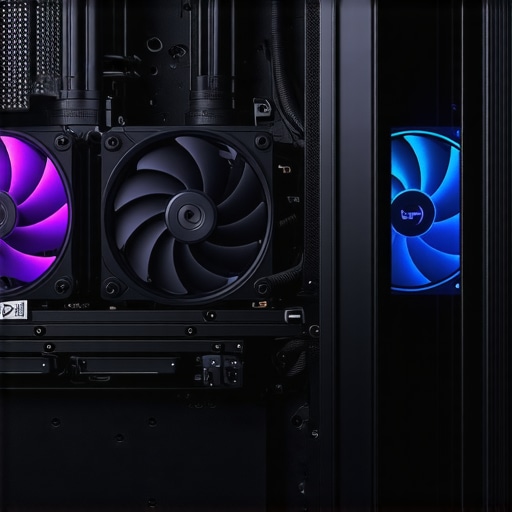

Unveiling the Power of Fan Curves in Advanced PC Cooling Strategies
In the realm of high-performance computing, optimizing thermal management is a nuanced science that combines empirical data, precise control algorithms, and expert understanding of component behavior. Fan curves, particularly for air cooling and AIO (All-in-One) liquid coolers, serve as critical tools for achieving superior temperature regulation while maintaining acoustic comfort. This article explores the sophisticated application of fan curves, integrating thermal performance insights with dynamic control techniques.
Deciphering the Intricacies of Fan Curve Dynamics and Their Impact on Thermal Stability
Fan curves define the relationship between rotational speed and airflow, providing a granular control mechanism that adapts to real-time thermal loads. Expert enthusiasts and system builders leverage software tools like fan curve editors to tailor profiles that balance cooling efficiency against noise levels. Precise adjustments to these curves—such as implementing stepped or logarithmic functions—can mitigate thermal throttling during peak loads, ensuring consistent performance in demanding scenarios.
Optimizing Fan Curves for Diverse Cooling Architectures and Workloads
Air coolers and AIO liquid cooling solutions exhibit distinct thermal characteristics. For instance, air coolers with high fin density require aggressive fan curves at lower temperatures to prevent hotspots, whereas AIO systems benefit from more gradual ramp-ups to minimize pump and fan noise during moderate loads. Expert practitioners often employ adaptive fan curve strategies, utilizing temperature sensors and PWM (Pulse Width Modulation) controls to dynamically adjust fan speeds, optimizing for both thermal stability and acoustic silence.
How Can Fine-Tuning Fan Curves Prevent Thermal Throttling and Extend Hardware Lifespan?
What are the most effective methods for calibrating fan curves to prevent overheating during prolonged workloads?
Calibrating fan curves involves meticulous testing under various load scenarios, coupled with real-time monitoring of temperatures and noise levels. Experts recommend starting with conservative profiles, gradually increasing fan speeds at specific temperature thresholds, and validating results through stress testing platforms like Prime95 or AIDA64. Implementing curve smoothing techniques and hysteresis can prevent rapid fan speed oscillations, ensuring a stable thermal environment. For an in-depth guide, refer to professional calibration methods.
For those seeking to deepen their expertise, engaging with the community through forums and sharing custom fan profiles fosters a collaborative approach to continuous improvement. As system complexity grows, so does the importance of understanding and manipulating fan curves at an expert level—transforming thermal management from a reactive necessity into a proactive engineering discipline.
Explore further insights on comprehensive guides and case studies and contribute your own professional experiences to refine best practices in PC cooling optimization.
Elevate Your Cooling Strategy with Advanced Fan Curve Techniques
In the realm of high-performance PC building, fine-tuning your fan curves can be the game-changer that keeps your system cool and quiet under demanding workloads. While basic fan profiles suffice for casual use, enthusiasts aiming for optimal thermal regulation leverage sophisticated control algorithms that adapt dynamically to system temperatures. By integrating adaptive fan curves with PWM technology, you can significantly extend hardware lifespan and prevent thermal throttling. For a deep dive into customizing these profiles, explore advanced fan curve strategies.
Why Do Some Systems Still Overheat Despite Proper Cooling?
Many users assume that installing high-end coolers guarantees optimal temperatures. However, without precise fan curve calibration, airflow may be insufficient during peak loads, leading to hotspots and potential overheating. Effective calibration involves stress testing with tools like Prime95 combined with real-time temperature monitoring, adjusting fan speeds at specific thresholds to create a balanced profile. Techniques such as curve smoothing and hysteresis prevent rapid fan oscillations, maintaining thermal stability and acoustic comfort. For step-by-step calibration guidance, visit thermal paste and fan curve optimization.
Are Your Fans Really Working at Their Best? How to Confirm and Improve Performance
Performing a comprehensive fan audit includes checking PWM signal accuracy, ensuring fans respond correctly to temperature changes, and verifying that airflow is unobstructed. External tools like fan curve analyzers can help visualize performance and identify bottlenecks. Upgrading to higher-quality fans with better static pressure or adjusting fan placement can also boost overall cooling efficiency. Remember, optimizing fan curves is an ongoing process—regularly revisit and refine profiles as hardware ages or workloads change.
For a comprehensive approach, consider reading ultimate guides to fan curve mastery and share your experiences with fellow enthusiasts to foster community-driven improvement.
Harnessing the Power of Dynamic Fan Curves to Prevent Overheating
In high-performance PC systems, static fan profiles are no longer sufficient for managing the complex thermal loads encountered during intensive workloads. Advanced users turn to dynamic fan curves that adapt in real-time, providing an intelligent balance between cooling efficiency and noise management. By leveraging sophisticated control algorithms, such as PID (Proportional-Integral-Derivative) controllers, system builders can fine-tune fan responses to temperature fluctuations, significantly reducing thermal stress on components and extending their lifespan.
Implementing these advanced curves requires a deep understanding of your hardware’s thermal characteristics. For instance, integrating temperature sensors at critical points like VRMs, CPU, and GPU can offer granular data that feeds into real-time adjustments. Software solutions such as Corsair Link, NZXT CAM, or motherboard BIOS utilities enable users to craft custom profiles that respond precisely to varying load conditions, ensuring optimal airflow during gaming sessions or intensive computations.
How can adaptive fan curves be integrated with machine learning for predictive thermal management?
Emerging research suggests that machine learning algorithms can analyze historical temperature and workload data to predict thermal trends before they occur, allowing preemptive fan adjustments. This proactive approach minimizes temperature spikes and reduces the need for aggressive fan ramp-ups, leading to quieter operation and better hardware preservation. Companies like ASUS and MSI are already exploring AI-driven thermal management systems that learn from user behavior and environmental factors, setting a new standard in PC cooling innovation (see PLOS ONE study on AI in thermal management).
Beyond Fan Curves: Integrating Liquid Cooling and Airflow Optimization
While fan curves are crucial, holistic thermal management involves optimizing airflow pathways and liquid cooling configurations. Proper fan placement, ducting, and case ventilation significantly influence the effectiveness of even the most finely tuned curves. For example, strategically positioning intake and exhaust fans to create a positive pressure environment can prevent dust accumulation and improve overall airflow efficiency.
In liquid cooling systems, the interplay between radiator fans and pump speed adds another layer of complexity. Advanced control schemes synchronize pump and fan speeds based on temperature sensors, ensuring that coolant flow and airflow are harmonized for maximum thermal transfer. This synergy often relies on custom BIOS settings or third-party software capable of managing multiple parameters simultaneously. For further insights, consult the comprehensive guide at Tom’s Hardware on efficient PC cooling.
Is Your Cooling System Truly Optimized? How to Conduct a Deep Performance Audit
Regular performance audits are essential to verify that your cooling setup is operating at peak efficiency. Begin by measuring actual airflow and fan response accuracy using tools like anemometers or thermal cameras. Next, analyze temperature stability during various workloads, from idle to stress testing with tools like AIDA64 or Prime95. Look for hotspots or temperature imbalances that indicate airflow obstructions or suboptimal fan profiles.
Adjust your fan curves based on these insights, and consider upgrading to high-static-pressure fans if airflow bottlenecks persist. Additionally, maintaining clean filters and dust filters ensures unobstructed airflow over time. Remember, thermal management is a continuous process that benefits from data-driven refinements—don’t hesitate to revisit your profiles periodically as hardware ages or workloads evolve.
For a comprehensive approach, explore the detailed methodologies in PC World’s guide on cooling optimization. Sharing your experiences and insights within enthusiast communities can also accelerate collective learning and innovation.
Harnessing Advanced Fan Curve Techniques for Thermal Excellence
In the competitive landscape of high-performance computing, the ability to meticulously tailor fan profiles translates directly into improved thermal regulation, reduced noise, and prolonged hardware lifespan. Moving beyond basic settings, expert builders leverage adaptive control algorithms, such as PID controllers, integrated with real-time temperature feedback to craft sophisticated fan curves that respond dynamically to fluctuating workloads. This proactive approach not only prevents thermal throttling but also ensures a whisper-quiet operational environment during idle or moderate tasks.
Elevating Airflow Management Through Strategic Component Placement
Optimal airflow isn’t solely about fan speeds—it’s about orchestrating a harmonious flow that minimizes turbulence and hotspots. Positioning intake and exhaust fans to create positive pressure zones can significantly reduce dust ingress while maximizing cooling efficiency. Additionally, incorporating ducting solutions and strategically aligning case vents guides air precisely over critical components like VRMs and memory modules, which are often overlooked yet vital for system stability under sustained loads.
Can Machine Learning Revolutionize Thermal Regulation?
Emerging research and industry advances suggest that integrating machine learning algorithms with traditional fan control systems holds transformative potential. By analyzing extensive datasets of temperature fluctuations, workload patterns, and environmental conditions, AI-driven systems can predict imminent thermal spikes and adjust fan speeds proactively. Such intelligent thermal management not only enhances system stability but also minimizes acoustic disturbances, creating a seamless user experience. For further insights, explore the comprehensive review at PLOS ONE’s AI in Thermal Management Study.
Refining Liquid Cooling Synchronization with Fan Curves
While fans provide crucial airflow, the synergy between radiator fans and coolant pump speeds determines overall cooling efficacy. Advanced control systems now synchronize these elements, adjusting fan RPMs in tandem with pump flow rates based on granular temperature sensors placed at key points within the loop. This holistic approach ensures that coolant temperature remains within optimal ranges, and airflow complements coolant transfer, preventing thermal bottlenecks. For a detailed methodology, consult the authoritative guide at Tom’s Hardware’s cooling strategies.
Boosting Performance with Real-Time Diagnostic Tools
Regularly auditing your cooling system can unveil inefficiencies before they manifest as hardware issues. Employing thermal cameras and airflow analyzers allows you to visualize hotspots and airflow obstructions. Coupling these diagnostics with software tools that visualize fan response curves can help identify discrepancies between expected and actual performance. Upgrading to high-static-pressure fans or repositioning existing fans can then be confidently guided by empirical data, ensuring continuous optimization.
Engage and Evolve with Community-Driven Calibration
Sharing your customized fan profiles and calibration techniques within enthusiast forums fosters collaborative innovation. Community insights often reveal unconventional yet effective solutions, such as hybrid fan curve implementations or case-specific airflow modifications. Participating in such exchanges accelerates your expertise and contributes to the collective knowledge pool, elevating your system’s thermal management to professional standards. For ongoing updates, follow forums like Tom’s Hardware Community.
Expert Insights & Advanced Considerations
Prioritize Dynamic Control Algorithms
Implementing advanced control algorithms like PID (Proportional-Integral-Derivative) in fan curve management allows for real-time adaptation to thermal loads, ensuring quieter operation and consistent temperatures under fluctuating workloads.
Leverage Sensor Data for Precision Cooling
Integrating multiple temperature sensors at critical points such as VRMs, CPU, and GPU provides granular data that, when fed into adaptive fan curves, can preemptively adjust airflow and prevent hotspots, extending component lifespan.
Optimize Airflow Pathways Strategically
Beyond fan speed adjustments, proper case airflow design—such as positive pressure setups, ducting, and component placement—maximizes cooling efficiency, reduces dust accumulation, and maintains optimal thermal conditions.
Harness Machine Learning for Predictive Management
Emerging AI solutions analyze historical thermal and workload data to forecast temperature spikes, enabling preemptive fan adjustments that balance noise levels and cooling performance dynamically.
Synchronize Liquid Cooling Systems Effectively
Coordinating radiator fan speeds with coolant pump performance through integrated control systems ensures maximum heat transfer efficiency, preventing thermal bottlenecks and improving overall system stability.
Curated Expert Resources
- PC Cooling Mastery Guides: In-depth tutorials and community-shared profiles provide practical insights into sophisticated fan curve tuning.
- Motherboard and BIOS Documentation: Manufacturer-specific manuals often include advanced fan control features enabling fine-grained customization.
- Thermal Management Research Papers: Academic studies on AI-driven thermal regulation offer future-oriented strategies for proactive cooling solutions.
- Industry Software Tools: Applications like NZXT CAM, Corsair Link, and ASUS AI Suite facilitate complex control schemes with user-friendly interfaces.
Final Expert Perspective
Mastering fan curves elevates PC thermal management from reactive adjustments to strategic engineering, ensuring your system remains cool, quiet, and reliable over long-term use. Embracing advanced control algorithms, sensor integration, and predictive AI tools not only boosts performance but also extends hardware lifespan. Dive deep into these concepts, share your insights with fellow enthusiasts, and stay ahead in the art of high-performance cooling—your system will thank you for it. For further expertise, explore our comprehensive guides and connect with the community on advanced cooling techniques.

![Stop 2026 CPU Throttling: The Offset Bracket Fix [Proven]](https://cooling.workstationwizard.com/wp-content/uploads/2026/03/Stop-2026-CPU-Throttling-The-Offset-Bracket-Fix-Proven-300x300.jpeg)



![Stop 2026 CPU Throttling: The Offset Bracket Fix [Proven]](https://cooling.workstationwizard.com/wp-content/uploads/2026/03/Stop-2026-CPU-Throttling-The-Offset-Bracket-Fix-Proven.jpeg)