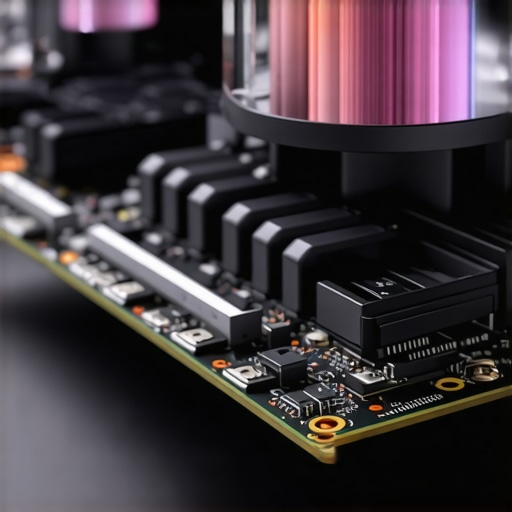

Elevating PC Performance Through Sophisticated Cooling Strategies
In the ever-evolving landscape of high-performance computing, effective thermal management remains paramount. Beyond basic setups, enthusiasts and professionals alike seek to optimize cooling efficiency through nuanced control of fan curves, precise thermal paste application, and strategic selection of cooling components such as all-in-one (AIO) coolers and case fans. This article delves into expert-level insights, revealing how mastering these elements can significantly enhance your PC’s stability and longevity.
Deciphering Fan Curves for Optimal Thermal Dynamics
Why do fan curve profiles influence your CPU and GPU thermals more than you think?
Fan curves define the relationship between temperature and fan speed, providing a dynamic approach to heat dissipation. Advanced users leverage software tools to craft custom fan profiles, aligning airflow with real-time thermal demands. Properly optimized curves can reduce noise pollution while maintaining ideal operating temperatures, especially under sustained loads such as gaming or rendering tasks. For comprehensive guidance, refer to Mastering Fan Curves for Peak Efficiency.
Experimenting with aggressive curves at high loads ensures cooling resilience, whereas gentle ramps at idle preserve acoustic comfort. Achieving this balance requires understanding the thermal inertia of your components and the airflow characteristics within your case.
Precision in Thermal Paste Application: Beyond the Basics
What are the subtle yet critical factors that determine thermal paste effectiveness in high-end builds?
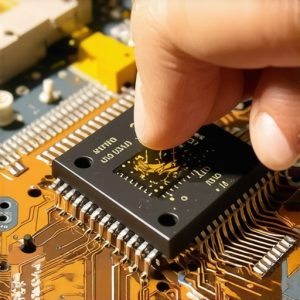
Thermal paste acts as the microscopic interface between your CPU or GPU and the cooler baseplate, facilitating heat transfer. The quality, quantity, and application technique of thermal paste can significantly influence thermal performance. Experts recommend applying a thin, even layer—often a rice-sized dot or a spread method—to minimize air gaps. Additionally, choosing premium thermal interface materials with high thermal conductivity (such as metallic or ceramic compounds) ensures superior heat transfer. For in-depth tips, consult Thermal Paste Secrets for Better Performance.
It’s vital to reapply thermal paste when upgrading cooling components or noticing temperature spikes, ensuring sustained thermal efficiency over the lifespan of your PC.
Synergizing Cooling Components for Peak Performance
How can the integration of case fans, AIO coolers, and thermal paste elevate your system’s thermals?
Strategic alignment of case fans, AIO coolers, and thermal interface materials creates a cohesive thermal ecosystem. High-quality case fans with optimized fan curves promote effective airflow, reducing hot spots and facilitating the dissipation of heat away from critical components. When paired with an efficient AIO cooler—selected based on your case’s compatibility and noise-performance balance—this synergy translates into lower CPU temperatures and improved overclocking margins. Remember, the thermal paste application acts as the foundation for efficient heat transfer, amplifying the cooling potential of your hardware.
For insights into selecting the best case fans, visit Ultimate Guide to Choosing Case Fans.
What Are the Emerging Trends in PC Cooling Technology?
Recent innovations include liquid metal thermal pastes, smart fan controllers with AI-driven profiles, and hybrid cooling solutions that combine air and liquid cooling for maximum thermal management. These advancements aim to push thermal boundaries further, enabling overclockers and professionals to operate systems at higher workloads with enhanced stability.
Engaging with community forums and dedicated hardware discussions can expose you to cutting-edge techniques and custom configurations. For example, forums such as Expert Guides on Fan Curve Optimization provide valuable insights from seasoned enthusiasts.
If you aspire to elevate your cooling mastery, consider exploring comprehensive resources or contributing your expertise to the community. Together, we can redefine what is possible in PC thermal management.
For further exploration of high-end cooling solutions, visit Top AIO Liquid Coolers for 2025.
Fine-Tuning Fan Curves for Silence and Power
While many users set fan curves once and forget, true experts know that dynamic adjustments based on workload patterns can yield remarkable thermal and acoustic benefits. For instance, ramping up fan speeds quickly during sudden CPU spikes prevents thermal throttling, while gentle ramps at idle minimize noise. Leveraging software such as Mastering Fan Curves for Peak Performance allows precise control, enabling you to craft profiles tailored to your specific hardware and use case.
The Art of Thermal Paste Application in High-End Builds
Beyond the basic application, expert-level thermal paste techniques involve micro-surface preparation and material selection to maximize heat transfer. For example, some enthusiasts prefer to spread a thin, uniform layer with a plastic card, avoiding excess paste that can impede thermal conductivity. Choosing cutting-edge compounds such as liquid metal or ceramic-based pastes—highlighted in Thermal Paste Secrets for Better Performance—can significantly lower CPU temperatures, especially when paired with optimal application methods.
Reapplying thermal paste during upgrades or temperature spikes ensures sustained thermal efficiency, preventing thermal bottlenecks in demanding workloads.
Integrating Cooling Components for Seamless Thermal Management
Expert-level cooling optimization hinges on the harmonious integration of case fans, AIO coolers, and thermal interface materials. A well-designed airflow path, with strategically placed intake and exhaust fans, minimizes hot air pockets and promotes uniform cooling. When combined with a high-quality AIO cooler—chosen based on your case’s compatibility and noise profile—the system can maintain lower temperatures under overclocked scenarios. The application of thermal paste acts as the foundation, facilitating heat transfer from the CPU to the cooler baseplate, thus amplifying overall cooling efficiency. For insights on selecting case fans that complement your setup, visit Ultimate Guide to Choosing Case Fans.
What Innovations Are Reshaping PC Cooling Strategies?
The landscape of PC cooling continuously evolves with breakthroughs like smart fan controllers equipped with AI algorithms that adapt profiles in real time, or hybrid cooling solutions that blend liquid and air cooling for maximum thermal performance. Experts also explore emerging materials, such as graphene-enhanced thermal interfaces, which promise superior heat dissipation. Engaging with communities like Expert Guides on Fan Curve Optimization provides valuable insights into leveraging these innovations for your own build. Staying informed about these trends empowers enthusiasts to push their systems further and achieve unparalleled stability and overclocking margins.
To deepen your mastery, explore resources like Top AIO Liquid Coolers for 2025 and discover how the latest cooling tech can elevate your system’s potential.
Harnessing the Power of Custom Fan Profiles for Silent Overclocking
Creating bespoke fan curve profiles is more than just a tweak—it’s an art that balances thermal efficiency with acoustic comfort. By meticulously calibrating fan speeds to respond to specific thermal thresholds, enthusiasts can prevent thermal throttling during demanding workloads while maintaining near-silent operation during idle periods. Advanced software such as MSI Dragon Center or ASUS Armoury Crate allows detailed customization, enabling users to craft dynamic profiles that adapt seamlessly to their system’s behavior.
Imagine setting a rapid fan increase during CPU spikes while maintaining a gentle ramp at lower temperatures. This nuanced control minimizes noise pollution and prolongs fan lifespan, ensuring your cooling system remains effective over time. For in-depth strategies, refer to Mastering Fan Curves for Peak Efficiency.
Refining Thermal Paste Application to Maximize Heat Transfer
Beyond the basic application, expert-level thermal paste techniques involve micro-surface preparation and strategic material choices. For instance, preparing the CPU IHS (Integrated Heat Spreader) with a fine abrasive pad can remove microscopic surface imperfections, enabling a more uniform thermal interface. When applying thermal paste, some prefer the spread method—using a plastic card to achieve an ultra-thin, even layer—while others opt for the dot method, placing a small rice-sized amount directly at the center.
Choosing high-thermal-conductivity compounds like liquid metal alloys or advanced ceramic composites can drastically reduce CPU temperatures. However, these materials require careful handling due to their electrical conductivity and potential corrosion risks. Reapplying thermal paste during upgrades or after noticing temperature spikes is a crucial maintenance step that sustains optimal thermal performance, especially in high overclocking scenarios. For detailed guidance, check Thermal Paste Secrets for Better Performance.
Integrating Cooling Components for Cohesive Thermal Ecosystems
Achieving maximum cooling efficiency demands a holistic approach—integrating case fans, AIO coolers, and thermal interface materials into a unified thermal ecosystem. Strategic airflow design, with balanced intake and exhaust fans, minimizes hot spots and facilitates heat removal from critical components. When paired with an appropriately rated AIO cooler—selected based on case compatibility and desired noise levels—this synergy ensures lower CPU and GPU temperatures even under overclocked conditions.
Optimizing thermal paste application at this stage ensures the heat transfer pathway remains unobstructed, amplifying the cooling system’s overall effectiveness. The placement of case fans should consider airflow dynamics, creating a laminar flow that directs heat away from vital components efficiently. For expert tips, visit Ultimate Guide to Choosing Case Fans.
Future Trends That Will Redefine PC Cooling
Emerging innovations promise to revolutionize thermal management. Liquid metal thermal pastes, with their superior thermal conductivities, are becoming mainstream, albeit with added maintenance considerations. Smart fan controllers featuring AI-driven algorithms dynamically adjust fan speeds based on real-time thermal data, optimizing both cooling and noise levels. Hybrid cooling solutions that combine air and liquid cooling are increasingly popular among overclockers seeking maximum stability.
Furthermore, cutting-edge materials such as graphene-enhanced thermal interfaces and phase-change cooling technologies are on the horizon, pushing the boundaries of heat dissipation. Engaging with expert communities like Expert Guides on Fan Curve Optimization provides invaluable insights into leveraging these advancements for your custom build.
If you’re eager to stay ahead in thermal management, consider exploring the latest products and techniques in dedicated hardware forums and review sites. Continuous learning and experimentation are the keys to mastering high-performance cooling systems.
Harnessing Liquid Metal for Superior Thermal Transfer
One of the most groundbreaking advancements in cooling technology involves the adoption of liquid metal thermal pastes. Unlike traditional ceramic or polymer compounds, liquid metal alloys such as Gallium-based solutions offer unparalleled thermal conductivity—often exceeding 70 W/m·K. However, their application demands meticulous surface preparation, including micro-sanding of the CPU IHS to eliminate imperfections, and precise application to avoid electrical conductivity issues. When correctly implemented, liquid metal can reduce CPU temperatures by several degrees Celsius, enabling higher overclocking margins and improved stability. For comprehensive insights, consult Ars Technica’s analysis of liquid metal innovations.
Implementing AI-Driven Fan Profiles to Optimize Silence and Efficiency
Emerging AI technologies are revolutionizing fan control, allowing real-time adaptation to workload fluctuations. Smart fan controllers equipped with machine learning algorithms analyze thermal data, adjusting fan speeds dynamically to strike a balance between cooling and acoustic comfort. This approach minimizes unnecessary noise during idle or light tasks while ramping up cooling during heavy loads, such as rendering or gaming. Advanced software solutions like ASUS Armoury Crate and MSI Dragon Center now incorporate predictive analytics, enabling enthusiasts to craft highly responsive thermal management profiles. This level of control not only enhances user experience but also extends fan lifespan by reducing wear from abrupt speed changes. To explore these cutting-edge tools, visit TechRadar’s guide on best fan controllers.
How can AI-driven fan control systems be customized for unique hardware setups?
By integrating sensor data from CPU and GPU thermal sensors, these systems can tailor fan responses based on specific component behaviors, ambient conditions, and workload patterns, thus delivering an optimized thermal environment. This customization requires a nuanced understanding of your hardware’s thermal profile and the capabilities of your fan controller software.
Exploring Phase-Change Cooling for Extreme Overclocking
For enthusiasts pushing performance boundaries, phase-change cooling systems emulate refrigeration cycles, liquefying refrigerants to absorb and dissipate immense amounts of heat. These setups often involve complex compressor units, evaporators, and condensers, creating a closed-loop system capable of maintaining CPU temperatures well below ambient levels—even in sub-zero conditions. While primarily used in extreme overclocking competitions, advancements in miniaturization and energy efficiency are making phase-change cooling more accessible for high-end desktop applications. According to Overclocking.com’s comprehensive review, integration of phase-change solutions can unlock unprecedented stability at extreme clockspeeds. Caution is advised, as these systems require expert handling due to their complexity and maintenance needs.
Enhancing Thermal Management with Custom-Engineered Case Designs
In pursuit of optimal airflow, custom case modifications—such as integrated ducting, venting, and tailored airflow pathways—can dramatically influence thermal performance. Advanced builders utilize computational fluid dynamics (CFD) simulations to model airflow patterns within custom enclosures, identifying potential hot spots and turbulence sources. Incorporating strategically placed intake and exhaust fans, along with optimized radiator placements, ensures a laminar airflow that effectively removes heat from critical components. Materials like thermally conductive coatings on case surfaces further facilitate heat dispersion. For detailed case design strategies, see Builds.gg’s CFD case design resources.
The Future of Cooling—Materials and Smart Integration
Research into nanomaterials such as graphene-enhanced thermal interfaces promises to revolutionize heat dissipation, offering ultra-high thermal conductivities combined with flexibility and durability. Simultaneously, integration of IoT sensors and AI-driven control systems will enable real-time monitoring and adaptive cooling adjustments across entire systems. These innovations aim to provide seamless, efficient thermal management that scales with hardware advancements. To stay ahead, actively participate in specialized forums like HardForum’s cooling discussion board, where industry experts and enthusiasts exchange cutting-edge techniques and breakthroughs.
Refined Thermal Paste Application for Critical Overclocking
Applying thermal paste at an expert level involves micro-surface preparation, such as micro-sanding or polishing, to ensure maximum contact between the CPU IHS and the cooler base. The choice of application method—spread versus dot—depends on the thermal interface compound used and user preference, but the goal remains a thin, even layer free of air gaps. High-performance compounds like liquid metal alloys demand meticulous handling to prevent electrical shorts, especially when paired with high-overclocking voltages. Routine reapplication during system upgrades or temperature anomalies preserves optimal thermal conductivity, ensuring sustained performance in demanding scenarios. For nuanced application techniques, consult ThermalManagement’s expert guide.
Integrative Cooling Ecosystems for Unmatched Stability
Achieving synergy among case fans, AIO coolers, and thermal interface materials requires a holistic approach. Proper airflow design, featuring balanced intake and exhaust, minimizes turbulence and hot spots. When combined with a high-quality radiator positioned for optimal airflow and thermal paste applied with precision, these components work together to maintain lower temperatures and higher stability margins. Moreover, incorporating temperature sensors and adaptive fan control software enables real-time response to thermal fluctuations, ensuring consistency even during overclocking or intensive workloads. For expert insights into designing such ecosystems, visit PCBuilding’s thermal ecosystem resources.
Uncover Hidden Opportunities to Optimize Cooling Efficiency
Top-tier PC cooling demands attention to details others overlook. Fine-tuning fan curves for specific workloads can dramatically improve thermal performance and acoustic comfort. Precise thermal paste application using micro-sanding techniques and selecting high-conductivity compounds unlocks additional cooling potential. Integrating case fans, AIO coolers, and thermal interface materials into a cohesive system ensures maximum thermal transfer and stability. Staying updated on innovations like liquid metal pastes, AI-driven fan profiles, and hybrid cooling solutions positions enthusiasts ahead of the curve. Embracing these strategies transforms standard setups into professional-grade thermal ecosystems, enabling higher overclocking margins and prolonged hardware lifespan.
Curated Resources to Deepen Your Thermal Mastery
- Cooling.workstationwizard.com — The definitive hub for advanced cooling techniques, including fan curve optimization and thermal paste application mastery.
- Overclocking.com — Expert reviews and guides on cutting-edge cooling materials like graphene-enhanced interfaces and phase-change systems.
- Builds.gg — Visual tutorials and CFD simulations that help design custom airflow pathways and case modifications for superior thermal management.
- TechRadar’s Cooling Tech Reports — Insights into AI-driven fan controllers and hybrid cooling solutions shaping the future of thermal management.
The Final Word from a Cooling Authority
In the realm of PC cooling, mastery stems from a relentless pursuit of precision and innovation. Expert-level strategies like micro-surface preparation, dynamic fan profiling, and seamless component integration elevate performance beyond conventional limits. As emerging materials and smart systems redefine thermal boundaries, staying informed and proactive is essential for serious enthusiasts and professionals alike. Dive into these high-level insights and resources, and contribute your expertise to the community. Remember, transforming your cooling system isn’t just about hardware; it’s about cultivating an environment where performance and stability flourish. For those ready to push their systems further, the journey begins with continual learning and meticulous execution.




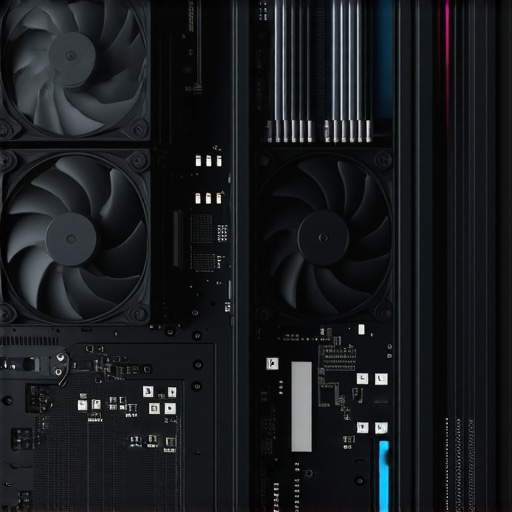
![3 Case Fan Spots That Short-Circuit 2026 PC Airflow [Tested]](https://cooling.workstationwizard.com/wp-content/uploads/2026/03/3-Case-Fan-Spots-That-Short-Circuit-2026-PC-Airflow-Tested.jpeg)
This article offers a comprehensive look at high-level cooling strategies that go beyond standard setups. I particularly appreciate the emphasis on micro-surface preparation and thermal paste application techniques. In my own experience, micro-sanding the CPU IHS has drastically improved thermal transfer, especially with liquid metal pastes. It’s remarkable how such detailed steps can unlock higher overclocking margins while maintaining system stability. The part about AI-driven fan profiles is intriguing; I’ve recently experimented with fan curve software and noticed a significant reduction in noise during idle and low loads, without sacrificing cooling performance during gaming sessions. I wonder how these AI profiles could be further optimized for unique hardware configurations or ambient conditions. Has anyone tried custom machine learning models for fan control? It’d be fascinating to see where these intelligent systems are headed in the near future.
This article really hits home on the importance of precision and nuanced control in high-performance cooling setups. I’ve always believed that even small tweaks, like micro-surface preparation before applying thermal paste, can make a noticeable difference in temperatures, especially when pushing hardware to its limits. Recently, I started experimenting with liquid metal pastes and micro-sanding the CPU IHS, and the improvement in thermal response was impressive. It’s amazing how much potential there still is in refining these technical details, which often get overlooked by casual builders.
Regarding fan profiles, I’ve been exploring AI-driven solutions that adapt in real-time, not just to workloads but also to ambient temperature fluctuations. In mixed environments with varying room temps, dynamic adjustment of fan speeds really helps maintain stability while keeping noise at bay. I’d love to hear if anyone has experience customizing or training machine learning models for fan control—are there any user-friendly tools or software that facilitate this? Overall, mastering these advanced strategies clearly opens up exciting possibilities for enthusiasts aiming to squeeze every ounce of performance and silence from their systems.
This article truly highlights the depth of tuning possible in high-end PC cooling. I’ve found that micro-surface prepping the CPU IHS before applying liquid metal has made a tangible difference in my temperature stability during overclocking. It’s a labor-intensive process but well worth the effort when you’re pushing hardware limits. Also, I’ve been experimenting with AI-based fan control software which uses machine learning to adapt to workload and ambient temperature. The results have been impressive—very quiet during idle and heavier loads when needed. My question is, has anyone tried integrating custom ML models specifically for fan control? I’m curious about the potential for even more tailored cooling solutions, especially for unique case setups or extreme overclocking scenarios. I’d love to hear about your experiences or recommendations on tools that facilitate such customization. Overall, meticulous attention to component synergy and advanced control is what separates a good cooling system from a truly professional setup.
This was a really insightful read that covers many advanced techniques I’ve been exploring myself. Micro-surface preparation of the CPU IHS, especially with micro-sanding techniques, has genuinely improved my thermal responses, particularly in overclocked systems. Using liquid metal compounds paired with careful surface finishing seems to unlock quite a bit of extra headroom. Regarding fan control, I’ve been experimenting with AI-driven profiles that adapt not only to workload but also to ambient temperature fluctuations. I think the next step might be custom machine learning models that can learn your specific system’s thermal behaviors over time, giving even more precise control. Has anyone here tried training such models, or do you think the current software solutions are sufficient for most enthusiasts? I’d love to hear any tips or experiences on fine-tuning these AI profiles for optimal silence and cooling efficiency.
Reading this article really makes me rethink how much room there is for optimization beyond just basic cooling setups. I haven’t yet tried micro-surface prep myself, but from what I’ve seen, it could be a game changer for maintaining lower temps, especially when overclocking or working with liquid metal pastes. The part about AI-driven fan profiles is particularly appealing—I’ve been using fan curve software, but the idea of an AI that adapts in real-time to both workload and ambient room conditions sounds like the future of effortless thermal management. Have any of you experimented with customizing machine learning models for fan control? I wonder if open-source solutions are becoming more accessible for enthusiasts who want to go the extra mile. It seems like combining precision hardware techniques with smart control software could push performance and silence to new levels. Would love to hear your experiences or suggestions for starting out with custom AI profiles.
This comprehensive article really underscores how deep the rabbit hole of PC cooling optimization can go. I’ve been experimenting with micro-surface finishing techniques and high-conductivity thermal pastes, and the difference in thermals is noticeable, especially when overclocking. The part about AI-driven fan profiles is fascinating; I’ve used software like MSI Dragon Center to create custom profiles, but integrating machine learning seems like the next level. Has anyone tried building personalized models to predict thermal loads based on workload and ambient conditions? It seems like a complex but rewarding challenge. I wonder how accessible these AI tools are for average enthusiasts and how much they can truly improve system stability and noise levels. Overall, mastering the balance between hardware modifications and smart control systems is where high-end cooling truly shines.