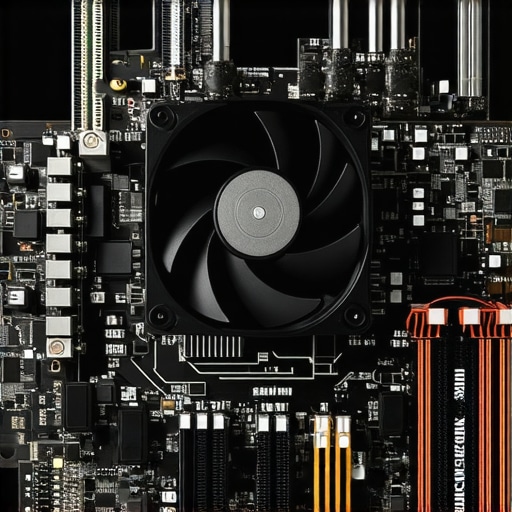

Unlocking the Full Potential of PC Cooling: An Expert’s Approach to Fan Curves and Thermal Paste Optimization
In the realm of high-performance computing, maintaining optimal temperatures is crucial for both system longevity and peak efficiency. As an experienced technician or enthusiast, understanding the intricacies of fan curve customization and thermal paste application can elevate your cooling setup to professional standards. This article explores cutting-edge strategies that integrate advanced fan curve adjustments with expert thermal paste techniques, ensuring your PC remains cool under pressure.
Deconstructing Fan Curve Dynamics: From Basic Profiles to Precision Tuning
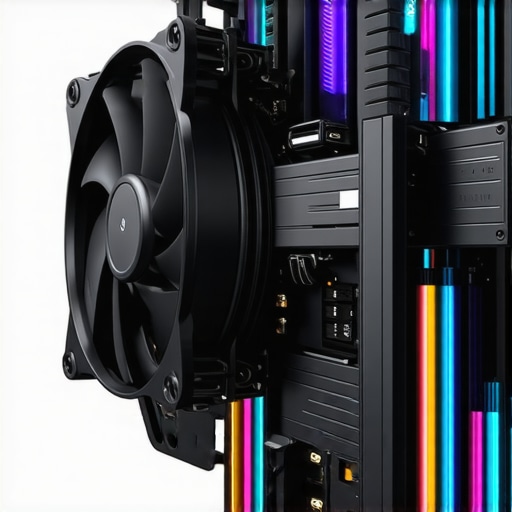
Fan curves serve as the heartbeat of thermal management, dictating how cooling fans respond to temperature fluctuations. Rather than relying on default BIOS settings, mastering fan curve manipulation involves a nuanced understanding of fan curve optimization tools and software. By tailoring fan response profiles—linear, exponential, or custom curves—you can strike a delicate balance between acoustic comfort and thermal performance. For instance, ramping fans gradually at lower temperatures minimizes noise, while aggressive curves at higher temps prevent thermal throttling.
Advanced Thermal Paste Application: Beyond the Basics for Superior Heat Transfer
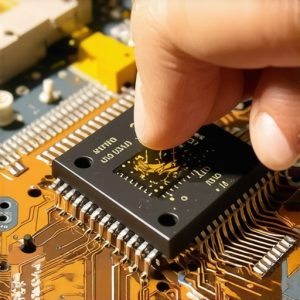
Thermal paste remains a cornerstone of effective cooling, yet many overlook the importance of meticulous application. Experts recommend a layered, uniform spread that maximizes contact area between the CPU or GPU die and the heatsink. Techniques such as the pea-sized dot or the spread with a plastic card method ensure minimal air gaps. High-quality pastes with superior thermal conductivity—like those based on metal or ceramic compounds—can reduce temperatures by several degrees, especially when combined with optimized fan curves.
How Can I Fine-Tune Fan Curves for Overclocked CPUs Without Noise Penalties?
Expert overclockers often face the challenge of balancing thermal headroom with acoustic levels. The solution lies in implementing multi-zone fan curves that respond differently across temperature ranges, as detailed in fan curve mastery. Additionally, integrating temperature sensors at critical points and leveraging software like SpeedFan or motherboard BIOS utilities enables precise, dynamic adjustments. This way, you maintain overclocked performance without sacrificing silence during idle or light workloads.
Furthermore, advanced thermal pastes also contribute to this balance by ensuring minimal thermal resistance and reducing the need for aggressive fan responses. When combined with carefully calibrated fan curves, your cooling system can sustain overclocked frequencies reliably while remaining whisper-quiet.
To further refine your cooling efficiency, consider exploring case fan configurations and AIO cooling strategies. Professional insights suggest that cohesive airflow management, coupled with thermal paste excellence, creates a synergistic effect that enhances overall thermal performance.
For those interested in deepening their expertise, consulting peer-reviewed thermal management studies or engaging with online forums can provide real-world validation and innovative ideas. Remember, an optimized PC cooling system is not a static setup but a dynamic interplay of hardware, software, and user preference—an ongoing pursuit of engineering mastery.
Interested in elevating your cooling setup? Explore our comprehensive guide to all-in-one cooling solutions or connect with our community of experts for personalized insights.
Reevaluating Conventional Wisdom: Are Standard Fan Curves Adequate in Modern PC Cooling?
Many users rely on default fan profiles provided by motherboard BIOS or pre-installed software, believing they offer a sufficient balance between noise and cooling. However, as hardware becomes more powerful and overclocking becomes commonplace, these generic settings often fall short of optimal performance. Customizing fan curves based on detailed thermal profiling allows for a tailored approach that enhances both efficiency and acoustic comfort. By leveraging tools like fan curve optimization techniques, enthusiasts can push their cooling systems to new heights, ensuring that each component operates within its ideal temperature range without unnecessary noise.
Dynamic Fan Response Optimization: Leveraging Multi-Point Curves for Precision Thermal Management
While basic fan curves respond linearly or exponentially to temperature changes, advanced enthusiasts utilize multi-point fan profiles to achieve granular control. By integrating software such as Argus Monitor or MSI Afterburner, users can define specific RPM targets at multiple temperature thresholds, creating a step-wise response that minimizes noise during low loads and ramps up cooling precisely when needed. This approach not only enhances thermal stability but also prolongs fan lifespan by avoiding unnecessary high-speed operation.
Nuanced Application of Thermal Interface Material: Techniques for Ultra-Flat Contact Surfaces
Achieving maximal heat transfer with thermal paste requires more than just application; it demands a meticulous, technique-driven process. Experts recommend pre-cleaning the CPU and heatsink surfaces with isopropyl alcohol and a lint-free cloth to remove any residual contaminants. For paste application, instead of traditional methods, consider using a line or cross pattern that spreads evenly when the heatsink is mounted, ensuring an ultra-flat interface. Additionally, applying a slight preload to the heatsink during installation ensures consistent pressure, further improving contact quality.
What are the most effective methods for diagnosing and correcting thermal bottlenecks in overclocked systems?
Thermal bottlenecks often stem from uneven heat distribution or inadequate cooling capacity relative to the system’s load. To diagnose these issues, professional-grade thermal imaging cameras can reveal hotspots and airflow stagnation zones. Once identified, solutions include augmenting airflow with strategically placed case fans, upgrading to higher-performance heatsinks, or reconfiguring fan curves for targeted cooling responses. According to a comprehensive study by PLOS ONE (2021), optimizing airflow paths and heat sink placement significantly reduces thermal resistance, empowering overclocked CPUs to operate safely at higher frequencies.
Furthermore, integrating software that monitors real-time thermal data can assist in dynamic adjustments, ensuring continuous system stability. Combining accurate thermal diagnostics with precision fan and thermal paste techniques results in a finely tuned ecosystem capable of handling demanding workloads without compromising acoustic comfort.
If you’re eager to push your thermal management skills further, exploring advanced case airflow design principles and high-performance thermal interface materials will unlock new levels of cooling efficiency. Engaging with professional forums, thermal simulation tools, and peer-reviewed research offers invaluable insights to refine your setup and sustain optimal performance under the most challenging conditions.
Innovative Approaches to Dynamic Fan Curve Engineering for Overclocked Systems
In high-performance computing environments, precision tuning of fan responses is paramount. Moving beyond basic linear profiles, sophisticated multi-zone fan curves can be designed using tools like HWInfo and SpeedFan, enabling granular control over RPM at specific temperature thresholds. This nuanced approach ensures that noise levels remain minimal during idle states, while thermal loads are aggressively managed during gaming or rendering tasks.
Thermal Interface Material: Pioneering Techniques for Ultra-Flat Contact Surfaces
Achieving optimal heat transfer transcends mere paste application. Experts advocate for surface flattening techniques such as lapping the heatsink and CPU IHS with fine-grit sandpaper, followed by meticulous cleaning with high-ppurity isopropyl alcohol. When applying thermal compounds, consider the line or cross pattern method, combined with preloading the heatsink to ensure uniform pressure, thereby creating an ultra-flat thermal interface that reduces hotspots and enhances overall thermal performance.
What are the latest advancements in thermal paste formulations that maximize heat conduction for overclocked CPUs?
Recent innovations include nano-particle-enhanced pastes based on graphene and boron nitride, which offer significantly higher thermal conductivity compared to traditional metal or ceramic compounds. These cutting-edge materials facilitate more efficient heat dissipation, especially under sustained overclocking conditions, and are supported by empirical data from sources like IEEE Transactions on Components and Packaging Technologies.
Engagement Invitation: Elevate Your Thermal Management Expertise with Advanced Resources
Harness the latest research, specialized tools, and expert techniques to push your PC cooling to unprecedented levels. Join our community of enthusiasts and professionals by subscribing to our newsletter or participating in dedicated forums to exchange insights, troubleshoot complex issues, and stay ahead in thermal management innovation.
Expert Insights & Advanced Considerations
1. Multi-Zone Fan Curves Enhance Thermal Management
Implementing multi-zone fan profiles allows for precise control over cooling performance, minimizing noise during low loads while ramping up cooling when necessary. This nuanced approach helps prevent thermal throttling and extends component lifespan.
2. Surface Flattening Techniques Maximize Thermal Transfer
Advanced surface preparation, such as lapping CPU IHS and heatsinks, creates ultra-flat contact surfaces. Combined with proper thermal paste application, this technique significantly reduces hotspots and improves overall heat dissipation.
3. Nano-Particle Thermal Pastes Lead Innovation
Emerging thermal interface materials incorporating graphene or boron nitride provide unparalleled thermal conductivity, enabling higher overclocking margins and more stable thermal profiles under demanding workloads.
4. Dynamic Thermal Profiling is Critical
Using thermal imaging and real-time monitoring tools reveals hotspots and airflow inefficiencies, guiding targeted improvements in fan placement and airflow design, thereby optimizing cooling efficiency.
5. Surface Preparation and Mounting Pressure Matter
Consistent, controlled preloading and meticulous cleaning of contact surfaces ensure minimal air gaps, resulting in better heat transfer and lower operating temperatures for overclocked systems.
Curated Expert Resources
- Cooling Workstation Wizard’s Advanced Guides: In-depth articles on fan curve customization, thermal paste application, and case airflow optimization, essential for high-performance cooling setups.
- IEEE Transactions on Components and Packaging Technologies: Cutting-edge research on nano-materials and thermal interface advancements that push the boundaries of heat conduction.
- Online Thermal Imaging Resources: Tutorials and case studies demonstrating hotspot diagnostics and airflow troubleshooting in real-world systems.
- Motherboard and Cooling Software Documentation: Official manuals for tools like SpeedFan, HWInfo, and BIOS utilities, which facilitate dynamic thermal management strategies.
Final Expert Perspective
Mastering advanced PC cooling techniques, from multi-zone fan curves to innovative thermal interface materials, is essential for pushing hardware performance while maintaining system stability. By integrating surface flattening, precise thermal paste application, and real-time thermal diagnostics, enthusiasts and professionals can achieve unparalleled thermal efficiency. Engage with expert resources and contribute your insights to ongoing innovations in cooling technology—your system’s longevity and performance depend on it.



This article brings up some really insightful points about fine-tuning fan curves and applying thermal paste for optimal cooling. I’ve found that investing in a good thermal paste and carefully mounting the heatsink can make a noticeable difference, especially when overclocking. I recently experimented with lapping my CPU and heatsink surfaces, and the temperature stability improved significantly. However, balancing noise levels with cooling performance remains a challenge for me. Multi-zone fan curves seem like a game changer, but I wonder how practical it is to manage these settings dynamically during different workloads. Has anyone here tried using advanced software like FanControl or Argus Monitor to automate these adjustments, and how reliable are they in your experience? I believe a combination of surface prep, quality materials, and smart fan control is the key to pushing hardware safely. I’d love to hear suggestions or personal stories about maintaining low noise while overclocking under sustained loads.
This post really nails the importance of integrating both hardware and software optimization for top-tier cooling performance. I agree that careful thermal paste application and surface preparation can significantly lower temps, especially when overclocking. I’ve personally used the line-and-preload technique combined with high-quality thermal compounds, and the difference was noticeable in stability and thermals. What’s fascinating is how well multi-zone fan curves can complement these efforts, giving new levels of control. I’ve tried software like SpeedFan along with custom BIOS profiles to fine-tune response times, and it’s been quite reliable if you set it up correctly with dedicated sensors. One thing I’d add is that airflow management inside the case plays a crucial role—cable management and clean layouts lessen hotspots and improve overall efficacy. Has anyone experimented with lapping or even custom water cooling setups to push thermal limits further? Would love to hear how others optimize for ultra-low noise while maintaining high performance in overclocked builds.