
Unveiling the Science of PC Cooling Optimization: A Deep Dive into Fan Curves and Thermal Dynamics
In the realm of high-performance computing, mastering the intricacies of cooling systems is paramount. As technology advances, so does the complexity of maintaining optimal thermal conditions within PC builds. This article explores the state-of-the-art practices for configuring air cooling, AIO liquid coolers, and fan curves, emphasizing the importance of a nuanced approach rooted in thermodynamics and system monitoring.
Theoretical Foundations of Fan Curve Customization: Beyond Basic RPM Control
Fan curves are more than simple speed-to-temperature relationships; they embody the dynamic response of cooling systems to fluctuating workloads. Expert engineers leverage software tools to craft non-linear fan profiles that mitigate noise while maximizing thermal efficiency. For example, implementing a gradual ramp-up of fan speeds at specific temperature thresholds can prevent sudden noise spikes and improve component longevity. Integrating thermal sensors with intelligent fan curve algorithms is essential for autonomous thermal management.
Optimizing Airflow Dynamics: From Case Design to Component Placement
Achieving optimal airflow involves a sophisticated understanding of pressure differentials, ducting, and positive versus negative pressure configurations. Strategic placement of intake and exhaust fans, coupled with high-quality filters and modular case designs, significantly influences cooling performance. Additionally, advanced users analyze airflow simulations to identify turbulence zones that can impair heat dissipation. For further insights, consider exploring case fan optimization techniques.
Fine-Tuning AIO Liquid Cooling: Pump Speed, Rad Fans, and Thermal Paste
All-in-one coolers demand precise calibration of pump speeds and radiator fan curves. Modern AIO units incorporate PWM-controlled pumps that respond dynamically to CPU load, reducing noise and enhancing efficiency. The choice and application of thermal paste are equally critical; experts recommend high-performance compounds like those detailed in thermal paste application guides. Optimizing these parameters ensures consistent thermal performance under sustained loads.
How do advanced fan curve profiles influence thermal stability during overclocking?
Expert overclockers often employ custom fan curves that respond aggressively at specific thermal thresholds, thereby maintaining stability and preventing thermal throttling. Fine-tuning these curves requires a deep understanding of component thermal margins and real-time system monitoring. Utilizing software like HWMonitor or proprietary motherboard utilities enables precise adjustments, leading to a more resilient overclocked system.
For those seeking to elevate their cooling mastery, engaging with professional forums or consulting specialized resources can provide tailored strategies. Additionally, sharing insights and experiences helps foster a community of advanced PC builders committed to pushing thermal boundaries.
Explore further advanced cooling techniques and share your insights by visiting our contact page.
Unlocking the Potential of Dynamic Fan Curves: A Deep Dive into Thermal Management
Advanced PC builders know that static fan settings are just the beginning. The true power lies in crafting dynamic, non-linear fan curves that respond intelligently to real-time thermal data. By integrating sophisticated software tools, users can develop profiles that ramp up fan speeds gradually during load peaks, minimizing noise while maintaining optimal temperatures. This approach not only extends component lifespan but also enhances overall system stability, especially during intensive tasks like gaming or rendering. For detailed guidance on configuring these profiles, visit our expert tips on fan curve optimization.
How Can Analyzing Thermal Margins Lead to Superior Cooling Strategies?
Understanding the thermal margins of your CPU or GPU is crucial for designing effective fan curves. Thermal margins define how much headroom exists before thermal throttling occurs, allowing for more aggressive cooling strategies without risking damage. By using monitoring tools like HWInfo or proprietary motherboard software, enthusiasts can gather detailed temperature data under various workloads. This data informs the creation of tailored fan profiles that preemptively respond to thermal spikes, ensuring consistent performance. For an in-depth look at thermal margin analysis, check out our comprehensive guide on thermal performance tuning.
What role does case airflow design play in maximizing the effectiveness of fan curve adjustments?
Ultimately, fan curve optimization cannot be isolated from case airflow dynamics. Proper case design—including strategic placement of intake and exhaust fans, positive pressure configurations, and minimized turbulence zones—amplifies the benefits of well-tuned fan profiles. When airflow is optimized, fans operate more efficiently, reducing noise and improving thermal transfer. An airflow-optimized case acts as a supportive environment where the benefits of advanced fan curve customization are fully realized, leading to cooler components and quieter operation. For case airflow best practices, explore our expert case fan tips.
If you’re eager to elevate your cooling setup further, consider consulting with our specialists at our contact page. Sharing your experiences and questions can help refine your thermal management strategies and achieve peak performance.
Harnessing Predictive Analytics to Fine-Tune Fan Curves for Peak Performance
One of the most cutting-edge approaches in thermal management involves leveraging predictive analytics powered by machine learning algorithms. By analyzing historical temperature data and workload patterns, advanced users can develop anticipatory fan curves that respond proactively to upcoming thermal loads. This predictive approach minimizes temperature spikes and maintains a stable thermal environment, especially critical during overclocking or sustained high-performance tasks. Integrating software such as MATLAB or custom scripts within system monitoring tools enables the creation of these intelligent profiles, unlocking a new level of thermal precision.
Deciphering Thermal Margins: The Key to Overclocking Resilience
Thermal margins provide essential insight into how much headroom exists before thermal throttling kicks in. Precise measurement of these margins involves complex analysis of CPU and GPU thermal characteristics under diverse loads, using tools like HWInfo64 or AIDA64. A nuanced understanding allows enthusiasts to craft fan curves that push components closer to their thermal limits without crossing safety thresholds, thereby maximizing performance without sacrificing longevity. Moreover, these insights facilitate dynamic adjustments during overclocking sessions, ensuring stability amidst fluctuating workloads.
How does real-time thermal margin monitoring influence adaptive fan management?
Real-time thermal margin data enables adaptive fan management systems to modify fan speeds dynamically, responding immediately to changes in thermal conditions. This continuous feedback loop ensures optimal cooling efficiency and noise reduction, as fans operate only as aggressively as needed. Implementing such systems requires sophisticated firmware or software solutions, often integrated into high-end motherboards, and can significantly enhance the robustness of overclocked or thermally intensive builds.
For a deeper dive into these advanced techniques, consulting specialized resources like the Thermal Management Journal can provide invaluable insights.
The Critical Role of Case Design in Amplifying Fan Curve Effectiveness
While fine-tuning fan profiles is vital, the case itself acts as the foundation of effective thermal management. A meticulously designed case promotes optimal airflow pathways, minimizes turbulence, and maintains positive pressure environments that prevent dust ingress. Features such as strategic vent placement, dust filters, and modular panels enable better control over airflow dynamics. When combined with advanced fan curves, a well-designed case transforms cooling from a reactive process into a proactive, highly efficient system.
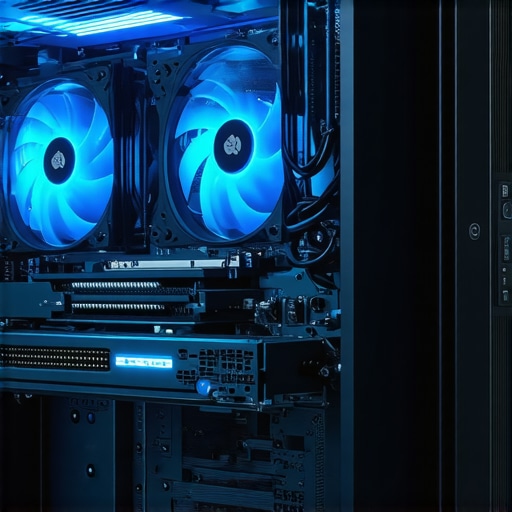
Image prompt: High-performance PC case with optimized airflow pathways, strategically placed intake and exhaust fans, and dust filters, illustrating advanced airflow design concepts for superior cooling efficiency.
Implementing Multi-Stage Fan Curves for Complex Thermal Environments
In scenarios where thermal loads vary dramatically—such as during rendering, gaming, or scientific computations—multi-stage fan curves offer a sophisticated solution. These curves define multiple thresholds, each triggering specific fan speed ranges tailored to different thermal zones within the system. For instance, the CPU and GPU might have independent profiles that activate at different temperature points, ensuring each component receives finely tuned cooling. Achieving this level of control often involves custom BIOS configurations or third-party software like Argus Monitor or SpeedFan, which support multi-variable fan profiles.
What are the best practices for synchronizing multi-stage fan curves across system components?
Synchronization requires comprehensive system monitoring to ensure that thermal responses are harmonized without causing conflicts or oscillations. Best practices include setting overlapping temperature thresholds, establishing priority levels for critical components, and employing hysteresis to prevent rapid fan speed fluctuations. Regular calibration and testing under real workloads are essential to validate and refine these profiles, ensuring a seamless balance between cooling efficiency and acoustic comfort.
If you’re eager to elevate your thermal management expertise, consider engaging with professional communities or consulting with thermal design specialists. Sharing your insights and challenges can lead to innovative solutions and collective mastery.
Explore more about advanced cooling techniques and join the conversation at our contact page.
Unlocking the Potential of Adaptive Fan Curves for Superior Thermal Stability
Modern high-performance PCs benefit immensely from adaptive fan curves that respond dynamically to fluctuating workloads. By employing sophisticated software solutions, enthusiasts can craft non-linear profiles that gradually increase fan speeds during load peaks, thereby minimizing noise and preventing thermal throttling. Integrating real-time thermal data with intelligent algorithms leads to a more resilient system capable of maintaining optimal temperatures during intensive tasks like gaming, rendering, or scientific computations. For detailed implementation strategies, consult specialized resources such as the Thermal Management Journal.
How Do Multi-Component Fan Profiles Enhance Cooling Efficiency in Complex Systems?
In complex computing environments, where CPU, GPU, and VRMs generate distinct heat signatures, multi-stage fan curves enable tailored cooling solutions. These profiles activate specific fan speed ranges at designated thermal thresholds for each component, ensuring precise temperature regulation. Achieving seamless synchronization among these profiles often involves advanced BIOS configurations or third-party software like Argus Monitor or SpeedFan, which support multi-variable fan control. Proper calibration and workload testing are essential to optimize these profiles for stability and noise reduction.
What Are the Latest Innovations in Thermal Margin Monitoring for Overclocking?
Cutting-edge thermal margin monitoring leverages machine learning algorithms and predictive analytics to anticipate thermal spikes before they occur. By analyzing historical temperature data and workload patterns, advanced systems can proactively adjust fan speeds, thereby maintaining stable thermal environments. Implementing tools such as MATLAB or customized scripts within system monitoring platforms allows for the development of anticipatory fan curves, elevating overclocking resilience without risking component damage. For more insights, explore the Thermal Management Journal.
Why Is Case Design Critical for Amplifying Fan Curve Effectiveness?
Effective case design is fundamental to maximizing the benefits of finely tuned fan curves. Features like optimized airflow pathways, strategic vent placement, dust filters, and modular panels create an environment where cooling solutions operate at peak efficiency. A well-designed case minimizes turbulence, maintains positive pressure, and ensures consistent airflow, which amplifies the impact of advanced fan profiles. When combined with high-quality fans and intelligent control algorithms, case design transforms thermal management from reactive to proactive, ensuring components stay cool and quiet even under heavy loads.
Image prompt: Cross-sectional view of a high-performance PC case with optimized airflow pathways, strategic vent placement, and dust filters, illustrating advanced airflow management for superior cooling efficiency.
Integrating Predictive Analytics for Next-Generation Thermal Control
The advent of machine learning facilitates predictive analytics in thermal management, enabling systems to forecast thermal loads based on workload history. By implementing predictive models, enthusiasts can develop anticipatory fan curves that respond to expected thermal events, smoothing out temperature fluctuations and reducing thermal stress on components. This approach requires integrating system monitoring with ML algorithms, often through platforms like MATLAB or custom scripts, to realize a new standard of thermal precision and stability.
How Do Real-Time Thermal Margins Drive Adaptive Fan Management Strategies?
Real-time thermal margin data empowers adaptive fan management systems to fine-tune cooling dynamically. This continuous feedback loop allows fans to operate only as aggressively as necessary, reducing noise and wear while maintaining ideal temperatures. High-end motherboards often incorporate firmware or software solutions supporting such systems, which adjust fan speeds instantaneously based on ongoing thermal readings. This technology ensures optimal thermal performance during overclocking or sustained high workloads, elevating system reliability and user experience.
For those interested in pioneering these techniques, engaging with professional communities or consulting thermal design specialists can provide valuable insights and tailored solutions. Sharing your experiences fosters innovation and collective expertise in advanced PC cooling.
How Does Case Design Influence the Efficiency of Multi-Stage and Predictive Fan Curves?
While sophisticated fan profiles are vital, their effectiveness hinges on the underlying case design. An optimal case facilitates unobstructed airflow, minimizes turbulence, and maintains positive pressure environments, which collectively enhance cooling performance. Properly placed intake and exhaust vents, dust filters, and modular panels ensure that airflow remains consistent and predictable, allowing advanced fan curves to operate at maximum efficiency. When combined, case design and intelligent fan control form a synergistic system that keeps components cool, quiet, and durable during demanding operations.
Expert Insights & Advanced Considerations
1. Precision in Fan Curve Tuning Elevates Thermal Stability
Refining fan profiles through non-linear, dynamic adjustments harnesses real-time thermal data to prevent thermal throttling, especially during overclocking. Leveraging software like HWInfo enhances control and stability.
2. Case Design as a Critical Foundation for Cooling Efficiency
Optimal airflow pathways, positive pressure environments, and modular panels significantly amplify the effectiveness of sophisticated fan curves, ensuring components operate within ideal thermal margins.
3. Integration of Predictive Analytics for Proactive Thermal Management
Machine learning-driven models analyze workload patterns to anticipate thermal spikes, enabling preemptive fan adjustments that maintain system stability under diverse operational conditions.
4. Multi-Component Fan Profiles for Complex Thermal Environments
Custom multi-stage curves activate tailored fan speeds for CPU, GPU, and VRMs, ensuring precise temperature regulation and noise management across system components.
5. Real-Time Thermal Margins as a Foundation for Adaptive Control
Continuous monitoring of thermal margins facilitates intelligent fan speed modulation, reducing wear, noise, and thermal stress, particularly valuable during high-performance workloads and overclocking.
Curated Expert Resources
- Thermal Management Journal: Offers cutting-edge research on predictive analytics and adaptive fan control algorithms, essential for mastering thermal optimization.
- HWInfo Software: Industry-standard tool for real-time thermal monitoring, invaluable for expert fine-tuning of fan curves and thermal margins.
- Cooling Workstation Wizard Guides: Comprehensive tutorials on case airflow, thermal paste application, and advanced cooling configurations tailored for high-performance systems.
Final Expert Perspective
In the realm of PC cooling optimization, integrating sophisticated fan curve strategies with case design, thermal margin analysis, and predictive analytics is paramount. These high-level techniques elevate thermal stability, system longevity, and acoustic performance. As a professional or enthusiast, engaging with authoritative resources like the thermal paste application guides and consulting with thermal management specialists can unlock new frontiers in system cooling mastery. Your pursuit of expert-level understanding not only safeguards your hardware investments but also pushes the boundaries of computing performance—embrace these advanced insights and continue refining your thermal strategies with confidence.




![Stop 2026 CPU Throttling: The Offset Bracket Fix [Proven]](https://cooling.workstationwizard.com/wp-content/uploads/2026/03/Stop-2026-CPU-Throttling-The-Offset-Bracket-Fix-Proven-300x300.jpeg)


![Stop 2026 AIO Pump Hum: The 15% PWM Offset Fix [Proven]](https://cooling.workstationwizard.com/wp-content/uploads/2026/03/Stop-2026-AIO-Pump-Hum-The-15-PWM-Offset-Fix-Proven.jpeg)
This comprehensive article really highlights the importance of integrating software, hardware, and case design for optimal cooling. I’ve recently been experimenting with custom fan curves using MSI Afterburner, and I can attest that dynamic, non-linear profiles significantly improve thermal stability while reducing noise during gaming sessions. It’s fascinating how predictive analytics and machine learning are becoming more accessible for enthusiasts, allowing us to preempt thermal spikes rather than just react to them. I’ve also noticed that case airflow plays a crucial role—not just in the effectiveness of fan curves but also in overall system noise and longevity. Properly design airflow pathways can make even the most advanced fan profiles perform much more efficiently.
One thing I’ve struggled with is fine-tuning multi-stage fan curves across different components like CPU, GPU, and VRMs. Has anyone found reliable software or BIOS configurations that simplify synchronization without causing oscillations? Would love to hear about effective setups or tools that others are using to better coordinate multi-component thermal management.
This article really underscores the growing importance of sophisticated fan curve management, especially when pushing hardware through overclocking or sustained loads. A personal insight I’ve gained is that combining dynamic fan profiles with case airflow optimization can make a noticeable difference in thermal stability and noise levels. During my own builds, I’ve experimented with custom fan curves in MSI Afterburner integrated with system monitoring tools, and the results were quite impressive—temperatures remained more consistent, and noise was minimized even under heavy workload.
One challenge I faced was some oscillation in fan speeds when trying to synchronize profiles across CPU and GPU—especially during rapid temperature changes. Have others experienced this? I’ve found that setting overlap thresholds and establishing hysteresis in software like Argus Monitor helped mitigate those fluctuations. I’m curious—what’s everyone’s approach to smooth synchronization? Are there specific BIOS tweaks or third-party tools that work particularly well for complex multi-component cooling? Would love to hear some more experienced insights on refining these processes.
This deep dive into fan curve customization and airflow dynamics really resonates with my recent project. I’ve been experimenting with dynamic fan profiles to optimize quiet operation during everyday use and ramp up speeds during intensive workloads like gaming or rendering. The part about integrating thermal sensors with intelligent fan control algorithms hit close to home, as I’ve started using software that adjusts fan speeds based on real-time data. One thing I’ve noticed is that case airflow appears to be the silent hero; even the most sophisticated fan curves can be undermined if airflow pathways are poorly designed or turbulence is high. I’ve been considering airflow simulation tools to map out optimal paths in my case—has anyone here tried airflow modeling for their builds? I’d love to hear about what works well in real-world setups, especially for high-performance overclocked systems.
This article really highlights the critical role that intelligent fan curve management and airflow design play in high-performance systems. I’ve personally been experimenting with dynamic fan profiles using SpeedFan and recently integrated some custom BIOS settings to improve synchronization across CPU and GPU fans. One thing I’ve noticed is that the synergy between case airflow and fan profiles can make a surprising difference—reducing noise levels while maintaining safe temperatures for overclocked hardware. It’s clear that a well-structured airflow path, coupled with finely-tuned fan curves, can significantly extend component lifespan and boost stability.
I’m curious, for those who have tackled similar setups, what software or BIOS tweaks have you found most effective for ensuring smooth synchronization during rapid thermal shifts? Also, do you have recommendations for airflow simulation tools that can help visualize turbulence zones before final assembly? Sharing these insights could really help the community fine-tune complex thermal solutions more efficiently.
This article does an excellent job of highlighting the complexity and importance of tailored fan curves combined with airflow design. From my own experience, I’ve found that gradually ramping fan speeds at well-chosen thermal thresholds not only improved thermal stability but also significantly reduced acoustic noise, which is often an overlooked aspect of thermal management. The integration of smart sensors and predictive analytics has changed the game, allowing us to anticipate thermal spikes and adjust proactively rather than reactively. One challenge I faced was ensuring consistent synchronization between CPU and GPU fan profiles, especially when pushing overclocked systems. I’ve had some success using BIOS-level hysteresis settings combined with third-party tools like SpeedFan and FanControl to fine-tune this. Have others experimented with predictive or machine learning models for developing these fan curves? Would love to hear if anyone has specific setups that worked particularly well.
This article really emphasizes how crucial it is to not just rely on basic fan curves but to develop a nuanced, non-linear profile that responds to real-time thermal data. I’ve personally had great success using custom software to create these adaptive profiles, especially in overclocked systems where temperatures can fluctuate rapidly. One thing I’ve noticed is that the case design, airflow pathways, and component placement significantly influence how effective these fan strategies are. I’ve long been a proponent of airflow simulation for optimizing case setup—has anyone here tried tools like FlowDesigner or Blender for airflow modeling before assembly? I believe that combining precise airflow design with intelligent fan curves can significantly improve system stability and noise levels, but it’s often overlooked. Do others have experience with integrating predictive analytics in fan management? Would love to hear different approaches or software recommendations for fine-tuning complex thermal environments.
Reading through this in-depth guide really made me think about how essential case airflow design is when implementing advanced fan curves. I’ve been experimenting with non-linear profiles and noticed that without proper airflow pathways, the benefits of sophisticated fan management can be significantly diminished. For example, turbulence and blocked airflow can cause temperature hotspots, no matter how optimized the fan curve is. It’s fascinating how software-driven dynamic adjustments can only do so much if the physical environment doesn’t support efficient heat dissipation.
I’ve recently started using airflow simulation tools like FlowDesigner to visualize airflow before assembling my case, which has been a game changer. Has anyone else found that pre-visualizing airflow helps in tweaking fan placements or case modifications for better thermal performance?
Also, how do you balance the need for specific thermal margins for overclocking while keeping noise levels in check? Would love to hear additional tips on integrating hardware design with thermal management strategies.