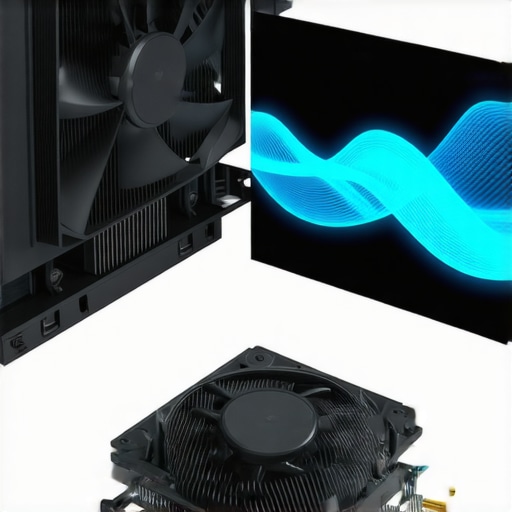

Unlocking the Secrets of Effective Thermal Management in Modern PC Builds
In the realm of high-performance computing, achieving optimal thermal regulation is a sophisticated dance of engineering precision and strategic fine-tuning. Beyond the basic installation, understanding the nuanced interplay between air cooler performance, fan curve customization, and thermal paste application can significantly elevate system stability, longevity, and efficiency.
Deciphering Fan Curves: The Art of Dynamic Cooling Control
Fan curves are more than just simple speed settings; they are complex control profiles that dictate how fans respond to temperature fluctuations. Expert enthusiasts and system builders leverage fan curve customization to optimize airflow and noise levels. Advanced control involves setting progressive RPM increases that align with CPU or GPU thermal thresholds, thus enhancing thermal performance without unnecessary acoustic pollution.
Thermal Paste: The Unsung Hero of Heat Transfer Efficiency
Effective thermal paste application remains a cornerstone of excellent cooling. Modern formulations with high thermal conductivity can reduce junction temperatures by several degrees Celsius, which is critical for overclocked CPUs or densely packed chassis. For detailed insights, refer to thermal paste optimization techniques that can elevate your cooling setup to a professional level.
How Do Fan Curves Impact Overall System Stability and Performance?
What are the advanced considerations when tuning fan curves for multi-component systems with varying thermal loads?
Fine-tuning fan curves for multi-component systems involves balancing the thermal demands of CPUs, GPUs, VRMs, and other peripherals. Sophisticated software solutions enable the creation of multi-zone profiles that respond dynamically to component-specific temperatures, preventing thermal throttling while minimizing noise. The challenge lies in predicting load patterns and adjusting curves proactively, which requires a deep understanding of system behavior and thermal modeling.
For comprehensive guidance, explore air and AIO fan curve strategies designed for peak performance.
Integrating Air Cooler Performance with Fan Curve Optimization
Matching the thermal characteristics of air coolers with tailored fan curves ensures that cooling is both effective and energy-efficient. High-quality air coolers with larger heatsinks and optimized fin designs can operate at lower fan speeds without compromising temperatures, provided the fan curves are correctly calibrated. This synergy maximizes thermal dissipation while minimizing acoustic impact.
Exploring the Future of PC Cooling Technologies and Their Impact on Fan Curves & Thermal Paste
Emerging innovations, such as liquid metal thermal interfaces and intelligent fan control algorithms, promise to redefine traditional cooling paradigms. These advancements enable more precise thermal management, allowing for adaptive fan curves that respond to real-time operating conditions. Staying abreast of these trends ensures that enthusiasts and professionals can continually refine their cooling strategies for maximum system reliability and performance.
For further exploration of cutting-edge cooling solutions, visit our latest air cooler innovations.
The Next Level of Fan Curve Customization: Beyond Basics
In the quest for optimal thermal management, seasoned PC builders recognize that simple static fan settings are no longer sufficient. Instead, dynamic and multi-zone fan curve configurations are essential for balancing cooling efficiency and acoustic comfort. Leveraging sophisticated software such as fan curve customization tools allows for precise control over how fans respond to temperature changes across different components, including CPU, GPU, and VRMs.
How Can Multi-Component Thermal Profiles Revolutionize Your Cooling Strategy?
Creating separate thermal zones within your system enables tailored fan responses for each component, preventing thermal throttling and reducing noise pollution. For example, setting a more aggressive fan curve for the CPU during overclocking while maintaining a quieter profile for idle or low-load scenarios can significantly enhance overall system stability. This approach demands a deep understanding of component-specific thermal behavior and predictive load modeling, which can be facilitated by advanced monitoring tools.
For insights on integrating these profiles effectively, visit air and AIO fan curve strategies.
Are Conventional Wisdom and Real-World Data Aligned in Fan Curve Optimization?
Many enthusiasts assume that higher fan speeds always translate to cooler systems, but this isn’t necessarily true. Expert analysis suggests that optimal fan curve calibration depends on thermal load patterns, airflow dynamics, and chassis design. Overly aggressive fan profiles can lead to unnecessary noise and energy consumption without substantial thermal benefits. Conversely, underestimating cooling needs risks thermal throttling and system instability.
Consult authoritative sources like comprehensive guides on case fans and thermal paste to develop nuanced, data-driven cooling strategies tailored to your setup.
What innovative control algorithms could redefine traditional fan curve paradigms in the near future?
Emerging AI-driven algorithms and machine learning models are poised to revolutionize fan control systems by dynamically predicting thermal loads and adjusting fan speeds in real-time with unprecedented accuracy. These intelligent systems can learn from your specific usage patterns, adapt to environmental changes, and optimize cooling while minimizing noise and power consumption. Staying informed about these technologies is crucial for enthusiasts aiming to push their systems to the next level.
Looking to deepen your understanding of cutting-edge cooling innovations? Explore latest advancements in air cooler technology and consider integrating smart control solutions into your build.
Harnessing Multi-Zone Fan Control to Prevent Thermal Throttling
In high-end PC builds, managing thermal zones with precision can be the difference between peak performance and system instability. Multi-zone fan control allows custom profiles for CPU, GPU, VRMs, and storage devices, responding dynamically to their unique thermal signatures. This targeted approach minimizes unnecessary noise and energy consumption while ensuring each component operates within safe temperature ranges. Implementing these profiles requires sophisticated software like MSI Afterburner or specialized BIOS settings that support multi-zone configurations, along with real-time monitoring to adjust parameters proactively.
Addressing the Nuances of Thermal Load Prediction in Fan Curve Design
Accurately predicting thermal loads based on workload patterns is a complex task that significantly influences fan curve effectiveness. For instance, gaming sessions with sudden spikes in GPU load demand rapid fan speed adjustments, whereas idle periods benefit from quieter, low-speed profiles. Advanced thermal modeling incorporates machine learning algorithms trained on historical data to forecast these fluctuations, enabling more adaptive fan responses. Incorporating sensors that detect environmental variables such as ambient temperature and humidity further refines these predictions, enabling a holistic cooling strategy.
What are the benefits of integrating AI-driven fan control systems in modern PCs?
AI-driven fan control systems, like ASUS AI Cooling or proprietary solutions from system manufacturers, leverage machine learning to tailor fan responses more precisely than traditional static or manually tuned curves. These systems analyze real-time data, learn from user behavior, and adapt dynamically to maintain optimal thermal conditions while minimizing noise. For example, during routine web browsing, fans operate at minimal speeds, but seamlessly ramp up during intensive tasks like rendering or gaming. This intelligent adaptability not only enhances system longevity but also improves user experience through quieter operation.
External Cooling Solutions and Their Role in Advanced Fan Management
Beyond internal fan control, external cooling solutions such as liquid cooling loops, fan controllers, and case airflow optimizers play a vital role in comprehensive thermal management. Liquid cooling, with its superior heat transfer capabilities, can maintain lower component temperatures, reducing the burden on fans and allowing for more conservative fan curves. High-end fan controllers with customizable PWM profiles enable granular control over multiple fans, syncing their operation with system sensors for synchronized cooling strategies. Proper case airflow design, including strategic placement of intake and exhaust fans, complements these systems by ensuring efficient heat dissipation across the entire build.
The Future of PC Cooling: Smart Materials and Adaptive Fan Technologies
Emerging innovations such as phase-change materials, thermoelectric coolers, and smart interface materials promise to revolutionize thermal management. These materials can adapt their thermal conductivity based on temperature, providing passive cooling enhancements that reduce reliance on active fans. Coupled with adaptive fan technologies driven by AI, future systems could self-optimize their cooling profiles, responding instantaneously to workload changes and ambient conditions. Researchers are also exploring the integration of thermal sensors into critical components, enabling a feedback loop that dynamically adjusts cooling strategies in real-time, pushing the boundaries of performance and efficiency.
Interested in staying ahead of the curve? Explore cutting-edge developments in thermal management and how they can be integrated into your gaming or professional workstation for maximum advantage.
Revolutionizing Cooling Efficiency with Innovative Materials and Smart Interfaces
As the quest for higher computing performance intensifies, researchers are exploring groundbreaking materials like phase-change compounds and thermoelectric modules. These smart materials dynamically adapt their thermal conductivity, offering passive cooling enhancements that reduce reliance on active fans. When integrated with intelligent thermal interface materials (TIMs), they enable unprecedented heat transfer efficiencies, paving the way for quieter, more efficient systems. Future developments in this domain could lead to self-regulating cooling architectures that respond instantaneously to workload variations, significantly extending component lifespan and system stability.
Can Adaptive Heat Dissipation Systems Outperform Conventional Cooling Solutions?
Emerging adaptive heat dissipation systems leverage real-time data analytics and AI algorithms to optimize cooling dynamically. Unlike traditional fixed fan curves, these systems analyze environmental variables, workload intensity, and component-specific thermal signatures to modulate cooling parameters proactively. For instance, during low load, fans operate at minimal speeds, conserving energy and reducing noise, while rapidly ramping up during spikes in thermal demand. Such intelligent systems not only enhance thermal performance but also contribute to energy efficiency and user comfort.
How Do Real-Time Thermal Monitoring and Predictive Analytics Shape Future Cooling Paradigms?
Incorporating high-precision thermal sensors across critical components enables real-time monitoring that feeds into predictive analytics models. These models forecast thermal behavior based on workload patterns, ambient conditions, and historical data, allowing preemptive adjustments to cooling profiles. Advanced thermal modeling, combined with machine learning, facilitates self-optimizing cooling strategies that prevent thermal throttling and ensure consistent performance. External tools, such as dedicated hardware monitoring units, further enhance this capability, providing granular control and insights for enthusiasts and professionals alike.
What are the practical steps to implement AI-driven fan control systems in custom PC builds?
Implementing AI-driven fan control involves selecting compatible hardware and software solutions, such as motherboards with native AI cooling features or third-party controllers. Integrating high-accuracy temperature sensors and configuring software like ASUS AI Cooling or proprietary OEM platforms enables real-time adaptive responses. Regular firmware updates and calibration ensure system accuracy and reliability. For advanced users, developing custom scripts or leveraging open-source AI frameworks can tailor the cooling system to specific workload profiles, maximizing efficiency and longevity. Staying informed through trusted sources like Tom’s Hardware or AnandTech ensures you adopt cutting-edge solutions effectively.
Enhancing Multi-Component Thermal Profiles for Precision Cooling
Creating detailed thermal zones within your PC allows for tailored fan responses for CPUs, GPUs, VRMs, and storage devices. This multi-zone approach minimizes unnecessary noise and energy consumption while maintaining optimal temperatures across all components. Software solutions like MSI Afterburner or BIOS-based controls facilitate these configurations, supported by real-time monitoring tools. Precise thermal profiling can prevent throttling during overclocking and extend hardware lifespan, especially in high-demand scenarios such as gaming or workstation tasks.
The Role of External Cooling Devices in Advanced Thermal Strategies
External cooling accessories, including liquid cooling loops and multi-channel fan controllers, complement internal thermal management efforts. Liquid cooling provides superior heat dissipation, reducing the load on case fans and enabling lower RPM operation. High-end fan controllers allow complex PWM profiles and synchronization across multiple fans, optimizing airflow based on component-specific data. Proper case airflow design, with strategic placement of intake and exhaust fans, enhances overall thermal efficiency, especially when integrated with smart control systems for synchronized operation.
What Impact Will Future Cooling Technologies Have on System Design?
Innovations such as adaptive phase-change materials, thermoelectric coolers, and integrated thermal sensors are poised to transform PC cooling architectures. These technologies promise to deliver highly responsive, self-adjusting systems that optimize cooling in real-time, regardless of workload or environmental conditions. The integration of AI and machine learning will enable these systems to learn user behavior and environmental patterns, continuously refining their cooling strategies. As a result, future PCs could operate at higher performance levels with minimal noise and energy footprint, redefining the boundaries of thermal management.
Stay ahead in the ever-evolving landscape of PC cooling by exploring emerging materials and control systems, ensuring your build remains at the cutting edge of thermal efficiency and reliability.
Expert Insights & Advanced Considerations
1. Precision Fan Curve Tuning as a Critical Skill
Mastering the art of fan curve customization allows enthusiasts to fine-tune cooling profiles that respond dynamically to workload fluctuations, minimizing noise while maintaining optimal temperatures. Leveraging multi-zone control software can facilitate this advanced tuning process, ensuring each component’s thermal needs are met efficiently.
2. The Impact of Thermal Interface Materials on Overclocking Stability
High-conductivity thermal pastes and emerging phase-change materials significantly enhance heat transfer from the CPU or GPU, enabling higher overclocking margins and improved stability. Investing in premium TIMs and applying them with meticulous precision is a foundational step towards professional-grade cooling.
3. Integration of AI-Driven Cooling Systems for Future-Ready Builds
Artificial intelligence and machine learning algorithms are beginning to optimize fan responses and thermal management proactively. These systems learn from usage patterns and environmental conditions, providing adaptive cooling that surpasses traditional static or manually adjusted fan curves.
4. Synergizing External and Internal Cooling Solutions
Combining high-performance liquid cooling loops with smart fan controllers and strategic airflow design maximizes thermal dissipation. External solutions, such as radiator placement and auxiliary fans, complement internal components, creating a harmonious cooling ecosystem that adapts seamlessly to demanding workloads.
5. Embracing Emerging Materials for Passive Cooling Enhancements
Innovative materials like thermoelectric coolers and phase-change compounds are poised to revolutionize passive cooling strategies. These smart materials can self-adjust their thermal conductivity, reducing reliance on active fans and paving the way for quieter, more energy-efficient systems.
Curated Expert Resources
- Tom’s Hardware — Thermal Management Guides: Offers in-depth reviews and technical insights on cooling hardware and materials, essential for making informed decisions.
- AnandTech — Advanced Cooling Technologies: Provides analysis of innovative cooling solutions and emerging thermal interface materials, ideal for enthusiasts seeking cutting-edge knowledge.
- Official Motherboard and Cooler Manufacturer Documentation: Critical for understanding hardware-specific fan control capabilities and thermal management features.
- Research Papers on Thermal Materials and Passive Cooling: Academic publications exploring the latest developments in smart materials and passive heat dissipation strategies.
Final Expert Perspective
In the ever-evolving landscape of PC cooling, integrating expert strategies such as precision fan curve tuning, advanced thermal interface materials, and AI-driven control systems is essential for achieving peak thermal performance. These insights not only elevate system stability and longevity but also push the boundaries of what high-performance builds can accomplish. For dedicated enthusiasts and professionals alike, staying informed through authoritative resources and embracing emerging materials ensures your cooling solutions remain at the forefront of innovation. Engage with our comprehensive guides and share your insights to help refine the collective understanding of next-generation thermal management. Explore more at our detailed thermal paste optimization guide and stay ahead in the pursuit of excellence in PC cooling technology.


![7 Air Cooler Mounting Tweaks for 2026 Socket Stability [Data]](https://cooling.workstationwizard.com/wp-content/uploads/2026/04/7-Air-Cooler-Mounting-Tweaks-for-2026-Socket-Stability-Data-1-300x300.jpeg)

![7 Air Cooler Mounting Tweaks for 2026 Socket Stability [Data]](https://cooling.workstationwizard.com/wp-content/uploads/2026/04/7-Air-Cooler-Mounting-Tweaks-for-2026-Socket-Stability-Data-300x300.jpeg)
![140mm vs 120mm Fans: Which 2026 Case Fan Setup Wins? [Data]](https://cooling.workstationwizard.com/wp-content/uploads/2026/02/140mm-vs-120mm-Fans-Which-2026-Case-Fan-Setup-Wins-Data.jpeg)

This comprehensive post really underscores how critical precise fan curve tuning and thermal paste application are for high-performance systems. I’ve personally experimented with multi-zone fan profiles using MSI Afterburner, and the difference in maintaining stable thermals during overclocking is noticeable—especially when you fine-tune VRM and GPU settings separately. One challenge I’ve faced is predicting thermal spikes during prolonged gaming sessions; the advanced models incorporating machine learning sound promising but are still in their infancy. Has anyone had success implementing AI-driven cooling solutions that adapt in real time without needing constant manual adjustments? I’m particularly interested in whether these systems can genuinely outperform well-configured manual profiles in real-world scenarios.
This article really highlights how nuanced thermal management is becoming with the advent of intelligent fan controls and advanced materials. From personal experience, integrating multi-zone fan profiles with real-time sensors has made a noticeable difference during overclocking. The challenge, of course, remains in accurately predicting thermal spikes, especially during sudden workload changes. While AI-driven solutions sound promising, I’ve found that pairing them with high-quality thermal paste and customized fan curves offers a more immediate, tangible improvement. Has anyone experimented with hybrid approaches—using AI systems alongside manual tuning—to optimize both stability and noise levels? I’m curious whether such combined strategies can outperform solely automated or manual methods, particularly in demanding scenarios like gaming or rendering.
This guide is a fantastic deep dive into the intricacies of thermal management. I’ve recently started experimenting with multi-component thermal zoning and noticed a marked improvement in system stability, especially during intense workloads. The idea of combining AI-powered fan curves with traditional hardware monitoring seems particularly promising, but I wonder about the real-world performance gains. Has anyone experienced a noticeable difference in thermal efficiency when integrating AI systems with manual tuning? Personally, I’ve found that precise thermal paste application still makes a significant difference, especially on high overclocks. Also, I’m curious about how emerging materials like phase-change compounds could further enhance passive cooling strategies in future builds. Do you think these passive solutions will eventually reduce the reliance on active fans altogether? Looking forward to hearing about others’ experiences and insights on balancing these advanced technologies.
Reading this post really emphasizes how critical proper fan curve tuning is, especially when managing multiple components like CPU and GPU using advanced software. I’ve found that leveraging multi-zone profiles can significantly reduce noise while maintaining thermal stability during heavy workloads, but it does require a good understanding of each component’s temperature behavior. One tricky part I’ve encountered is fine-tuning the thresholds to prevent thermal throttling without ramping up fans unnecessarily. Has anyone experimented with AI-driven fan control systems that adapt in real time? I’m curious if these innovative solutions are reliable enough to replace manual fine-tuning, or if there’s still a place for user expertise in fine control, especially with overclocked setups. Personally, I believe a balanced approach using AI and manual adjustments can yield the best overall system performance and acoustics.
This post offers a comprehensive overview that truly hits the mark when it comes to understanding the nuances of thermal management. I’ve been experimenting with fan curve adjustments for my overclocked CPU, and I can confirm that fine-tuning these curves based on workload instead of sticking to default settings makes a noticeable difference in thermal stability and noise levels. However, one challenge I face is predicting the thermal spikes during tasks like rendering or gaming. The idea of integrating AI-driven fan control is compelling, but I wonder how reliable these systems are in unpredictable scenarios. Has anyone here successfully implemented AI-based solutions that rapidly adapt without the need for constant manual oversight? Also, I’m curious—do passive cooling enhancements, like phase-change materials, really have the potential to reduce the need for active fans in high-performance builds? It seems like a promising avenue, especially for quieter systems. Would love to hear your insights or experiences on these emerging technologies!
This article provides an excellent deep dive into the complexities of thermal management. I’ve personally experimented with fan curve customization and thermal paste application, and the difference in system stability during overclocking is quite noticeable. One area that often gets overlooked is the importance of predicting thermal spikes, especially during demanding workloads like gaming or rendering. I’ve been exploring AI-controlled fan systems, and while they seem promising, I’ve noticed that their effectiveness varies depending on the quality of sensors and the software calibration. Do you think future advancements will make these AI solutions more reliable and accessible for average builders? Also, passive cooling technologies such as phase-change materials are intriguing — do you see them becoming mainstream enough to reduce dependency on active fans anytime soon? I’d love to hear others’ experiences with integrating these emerging passive solutions into high-performance setups.
This article really emphasizes the importance of integrating multiple advanced cooling strategies to optimize performance and silence. I’ve been experimenting with combining high-quality thermal paste and ultra-quiet fans along with dynamic fan curve adjustments for my overclocked CPU—hearing the system run cool and quiet is a satisfying upgrade. The challenge I often face is accurately predicting thermal loads during sudden work spikes, like quick scene renders or intense gaming sessions. I’ve read about machine learning models that help in creating adaptive fan profiles, but I wonder how well these systems perform in real-world unpredictable scenarios. Has anyone had experience with AI-based fan control systems that genuinely learn and adapt on the fly without needing manual tweaks? I’d also love to know, do you think emerging passive cooling materials like phase-change compounds could make active cooling obsolete in the future? Thanks for a comprehensive guide that gets to the core of what it takes to master thermal management in modern builds.