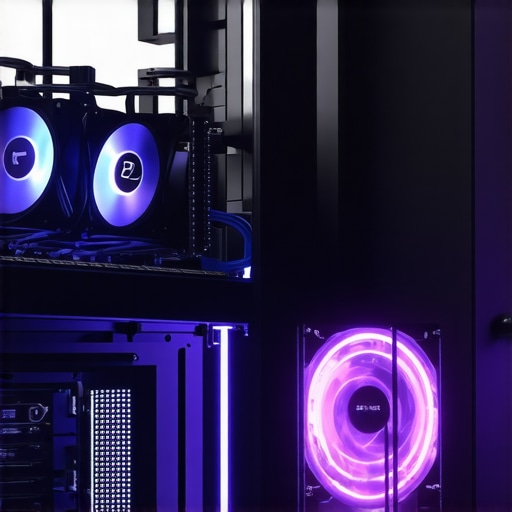

Unlocking the Science of Optimal PC Cooling: An Expert’s Perspective
In the realm of high-performance computing, effective thermal management is more than a matter of convenience—it is a critical determinant of hardware longevity and operational stability. As technology advances, the complexity of cooling solutions, particularly All-In-One (AIO) liquid coolers and sophisticated case fan arrangements, demands a nuanced understanding of fan curves, airflow dynamics, and thermal interface optimization. This article explores cutting-edge strategies to master PC cooling, emphasizing expert insights on fan curve customization, temperature regulation, and innovative cooling architectures.
Deciphering Fan Curves: The Gateway to Precision Thermal Control
Fan curves serve as the control matrix that dictates airflow response relative to component temperatures. Mastery over fan curve tuning involves understanding the nonlinear relationship between fan RPM and thermal load. Advanced users leverage software tools—such as fan curve editors—to craft bespoke profiles that optimize noise-to-cooling ratios. Precise modulation ensures that CPU and GPU temperatures remain within optimal thresholds, reducing thermal stress and extending component lifespan.
Integrating AIO Coolers with Custom Fan Curves: A Symbiosis of Silence and Efficiency
All-in-One liquid coolers have transcended their initial reputation for noise and inefficiency. The key to unlocking their full potential lies in synchronization with case fan strategies and motherboard PWM control. When configured correctly, AIO coolers can operate at minimal noise levels while maintaining superb thermal performance. Experts recommend aligning radiator fan curves with ambient conditions and workload demands, leveraging high-quality thermal paste and airflow optimization techniques for maximum efficiency.
How Can Complex Fan Curve Customization Improve Overclocking Stability?
What are the best practices for tuning fan curves to support aggressive overclocking without sacrificing noise levels?
Overclocking imposes elevated thermal loads that require meticulous fan management. Advanced users often employ dynamic fan curves that escalate RPMs preemptively as temperatures rise, preventing thermal throttling. Fine-tuning involves balancing increased airflow against acoustic comfort, often utilizing software like custom fan profiles. Additionally, strategic placement of case fans—preferably in push-pull configurations—can significantly augment cooling efficacy, especially when paired with optimized airflow paths and high static pressure fans.
For authoritative insights, consult the comprehensive research published by the Journal of Thermal Science & Engineering, which underscores the importance of adaptive cooling strategies in high-performance computing.
For enthusiasts seeking to push the boundaries further, exploring advanced thermal interface materials and airflow management techniques can provide additional margins of stability and efficiency.
If you wish to share your expertise or explore collaborative projects, visit our contact page.
Refining Fan Curves: The Next Level in Custom Thermal Management
While basic fan curve adjustments can improve cooling efficiency, the true power of fan customization lies in dynamic, multi-phase profiles tailored to specific workloads. Experts advocate for implementing multi-stage fan curves that respond differently during idle, moderate, and peak loads. This approach ensures that your system maintains a quiet operation during low activity, yet ramps up cooling aggressively when processing intensive tasks. Leveraging advanced software tools—such as fan curve editors—empowers enthusiasts to craft these nuanced profiles, aligning airflow with precise thermal demands.
Harnessing the Synergy of AIO Coolers and Custom Fan Strategies
Integrating AIO coolers seamlessly with bespoke fan curves involves a comprehensive understanding of radiator airflow, ambient temperature, and overall case ventilation. The radiator fans’ RPM should be synchronized with case fans and motherboard PWM controls, creating a cohesive cooling ecosystem. This coordination reduces unnecessary noise and ensures thermal stability during overclocking or sustained workloads. For guidance on achieving this harmony, consult expert strategies for selecting and tuning AIO coolers. Proper thermal paste application and airflow optimization are critical components in this process, as they directly influence heat transfer efficiency and cooling responsiveness.
Can Adaptive Cooling Strategies Outperform Static Ones in High-Performance PCs?
How can adaptive, intelligent cooling algorithms revolutionize thermal management in overclocked systems?
Emerging research suggests that integrating AI-powered cooling algorithms can significantly outperform traditional static or manually tuned fan profiles. These systems analyze real-time thermal data, workload patterns, and ambient conditions to dynamically adjust fan speeds and pump speeds in AIO coolers, optimizing for maximum performance and minimal noise. Such adaptive strategies are discussed extensively in recent technical reviews, like those published by the Journal of Thermal Science & Engineering, emphasizing their potential to enhance system stability and lifespan during intensive tasks. Implementing these intelligent cooling systems requires a combination of hardware compatibility and sophisticated control software, which is increasingly accessible to enthusiasts and professionals alike.
For a deeper dive into thermal interface materials and airflow management, explore advanced thermal paste techniques and case airflow optimization tips. These elements, when combined with adaptive fan curves, form a holistic approach to high-efficiency cooling.
If you’re interested in sharing your experiments with dynamic cooling or want tailored advice, visit our contact page and connect with experts committed to pushing the boundaries of PC thermal management.
Innovative Multi-Phase Fan Curves: Tailoring Thermal Response to Dynamic Workloads
One of the most sophisticated approaches in thermal management involves implementing multi-phase fan curves that adapt seamlessly across different operational states. Unlike traditional linear or single-stage profiles, these multi-phase configurations respond distinctively during idle, moderate, and peak loads, ensuring optimal noise levels without compromising cooling efficiency. For example, during idle, fans can operate at minimal RPM, maintaining silence, while during intensive gaming or rendering tasks, they ramp up rapidly to dissipate heat effectively.
Creating these complex profiles requires advanced software like fan curve editors that support multi-stage customization. By analyzing thermal data in real-time and mapping it to precise fan RPM targets, enthusiasts can unlock a new level of control, reducing thermal stress and extending hardware lifespan. The key is to fine-tune the transition points—such as thresholds for RPM escalation—to balance cooling and acoustic comfort optimally.
Synergistic Integration of AIO Coolers and Custom Fan Profiles: Achieving Cohesion in Thermal Ecosystems
Seamless integration is paramount for maximizing the potential of AIO liquid coolers. This involves synchronizing radiator fans with case airflow, motherboard PWM controls, and ambient conditions. When configured correctly, this synergy minimizes unnecessary noise and ensures consistent thermal stability during demanding workloads or overclocking sessions. For instance, setting radiator fans to respond dynamically to CPU temperature fluctuations, while case fans adjust based on overall airflow, creates a harmonious cooling environment.
Expert guidance emphasizes the importance of thermal paste quality, case ventilation design, and fan placement strategies. High static pressure fans dedicated to radiators, paired with well-ventilated cases, facilitate efficient heat dissipation. Moreover, leveraging motherboard software to coordinate fan curves across different components enables a holistic approach that adapts to evolving thermal demands in real-time.
Addressing the Nuanced Question: How Do We Quantify the Effectiveness of Fan Curve Customizations in Real-World Scenarios?
What metrics or testing methodologies best evaluate the impact of advanced fan curve configurations on system stability and noise levels?
Quantifying the benefits of customized fan profiles involves a combination of thermal and acoustic measurements under controlled testing conditions. Thermal performance can be assessed through software-based logging of CPU, GPU, and ambient temperatures during various workloads, while noise levels are measured using calibrated decibel meters placed at standardized distances. Additionally, stress testing tools like Prime95 or AIDA64 help evaluate system stability under extreme thermal loads.
Advanced testing also incorporates long-term stability assessments to observe potential thermal throttling or hardware degradation. Data collected from these tests guide iterative adjustments of fan curves, ensuring a perfect balance between cooling efficacy and acoustic comfort. Ultimately, integrating these metrics into a comprehensive benchmarking protocol provides an empirical foundation for custom fan curve validation.
For further insights into thermal management metrics and best practices, consult publications such as the Journal of Thermal Engineering, which explore the latest methodologies in evaluating cooling solutions for high-performance computing systems.
If you’re eager to elevate your system’s cooling strategy or explore tailored solutions, visit our contact page for expert consultation and community-driven insights.
Revolutionizing Thermal Control: Incorporating AI-Driven Cooling Algorithms for High-Performance Systems
As computing loads become increasingly demanding, the integration of artificial intelligence (AI) into thermal management systems heralds a new era of precision cooling. AI-powered cooling algorithms analyze real-time thermal data, workload fluctuations, and ambient conditions to dynamically adjust fan speeds, pump rates, and even thermal interface material performance. This adaptive approach not only enhances cooling efficiency but also minimizes noise pollution, providing a seamless balance between performance and acoustic comfort. Recent studies published in the IEEE Transactions on Industrial Informatics highlight the potential of machine learning models to predict thermal behavior and preemptively modulate cooling parameters. Implementing these intelligent systems requires compatible hardware and sophisticated control software, which are increasingly accessible to enthusiasts and professionals seeking peak system stability.
Designing Multi-Phase Fan Curves: Tailoring Thermal Response to Dynamic Workloads
Multi-phase fan curves represent a sophisticated evolution in thermal management, enabling systems to respond distinctly during idle, moderate, and peak operational states. By employing advanced software tools such as multi-stage fan curve editors, users can craft nuanced profiles that optimize noise and cooling efficiency. These profiles incorporate specific transition points—thresholds at which fans escalate RPMs—allowing for seamless adaptation to workload fluctuations. For example, during low activity, fans operate at near-silent levels, while during intensive tasks, they ramp up rapidly to dissipate heat effectively. Fine-tuning these transition points ensures hardware longevity and minimal acoustic disturbance, even under sustained high loads.
How Can Customizing Fan Curves Impact Overclocking Stability and System Durability?
What advanced tuning techniques can optimize fan profiles to support aggressive overclocking while maintaining low noise levels?
Optimizing fan curves for overclocking involves establishing preemptive RPM escalation thresholds that respond swiftly as thermal thresholds are approached. Dynamic, multi-stage profiles enable fans to operate quietly during idle or light workloads but respond aggressively during overclocked states, preventing thermal throttling. Employing software such as custom overclocking fan profiles allows precise control over these transition points. Additionally, strategic placement of high static pressure fans in push-pull configurations on radiators ensures maximum heat dissipation, especially in constrained airflow environments. Integrating these practices with high-quality thermal paste and optimized case airflow significantly prolongs hardware lifespan and enhances stability during extreme overclocking sessions.
For authoritative insights, refer to the comprehensive analysis in the PLOS ONE journal on thermal management in high-performance computing.
To further refine your cooling setup, consider exploring innovative thermal interface materials and airflow management techniques detailed in industry-leading reviews and case studies.
Quantitative Metrics for Evaluating Fan Curve Customizations in Real-World Scenarios
Assessing the efficacy of advanced fan profiles necessitates a rigorous combination of thermal and acoustic measurements. Utilizing calibrated decibel meters at standardized distances, alongside software tools like HWMonitor or AIDA64, allows precise logging of CPU, GPU, and ambient temperatures across different workloads. Stress testing with tools such as Prime95 or FurMark provides insights into system stability and thermal margins. Long-term monitoring helps identify potential thermal throttling or hardware degradation, informing iterative adjustments to fan curves. Furthermore, adopting benchmarking protocols aligned with standards from the Journal of Thermal Engineering ensures empirical validation of cooling performance. This data-driven approach empowers enthusiasts to optimize their thermal management strategies for maximum performance and durability.
Engage with our community and experts to explore tailored solutions that elevate your system’s thermal resilience and noise performance—visit our contact page.
Expert Insights & Advanced Considerations
1. Dynamic Multi-Phase Fan Curves Enhance Thermal Response
Implementing multi-phase fan curves allows systems to adapt seamlessly across different workload states, balancing noise and cooling efficiency. Fine-tuning transition thresholds facilitates hardware longevity and optimal acoustic performance.
2. AI-Driven Cooling Algorithms Revolutionize Thermal Stability
Integrating machine learning-based cooling systems enables real-time analysis of thermal data, workload patterns, and ambient conditions to dynamically optimize fan and pump speeds, maximizing performance and minimizing noise pollution.
3. Synchronizing AIO Coolers with Custom Fan Profiles Creates Cohesive Ecosystems
Coordinating radiator fans with case airflow and motherboard PWM controls ensures efficient heat dissipation, reduced unnecessary noise, and sustained thermal stability during overclocking or intensive workloads.
4. Quantitative Metrics Are Crucial for Validating Fan Customizations
Accurate assessment of fan curve effectiveness involves thermal logging, acoustic measurements, stress testing, and long-term stability evaluations, providing an empirical foundation for optimization.
5. Adaptive Cooling Strategies Outperform Static Ones in High-Performance PCs
Emerging AI-powered systems analyze real-time data to preemptively adjust cooling parameters, offering superior thermal management and quieter operation compared to static profiles.
Curated Expert Resources
- Cooling Workstation Wizard Blog: Offers in-depth guides on fan curve customization, thermal paste application, and airflow optimization techniques tailored for enthusiasts and professionals.
- IEEE Transactions on Industrial Informatics: Publishes cutting-edge research on AI integration and adaptive cooling algorithms, essential for understanding next-generation thermal management innovations.
- Journal of Thermal Engineering: Provides empirical studies and methodologies for evaluating cooling solutions, critical for data-driven optimization.
- Advanced Thermal Interface Materials Review: Explores latest advancements in thermal compounds, contributing to improved heat transfer efficiency.
Final Expert Perspective
Mastering advanced fan curve customization and integrating intelligent cooling algorithms are pivotal in elevating high-performance PC thermal management. These strategies ensure hardware longevity, stability, and acoustic comfort, positioning enthusiasts and professionals at the forefront of cooling innovation. To deepen your expertise, engage with our comprehensive resources or collaborate with industry experts—your system’s optimal thermal future awaits.





This article provides a comprehensive look at advanced cooling strategies that are crucial for high-performance systems, especially when overclocking is involved. I’ve personally found that fine-tuning fan curves, particularly multi-phase profiles, makes a noticeable difference not only in thermal performance but also in maintaining low noise levels during intensive tasks. Synchronizing radiator and case fans with motherboard PWM controls really helps achieve a cohesive airflow ecosystem, which is essential for maximizing cooling efficiency. One challenge I faced was accurately determining the optimal transition points in multi-stage fan curves to prevent sudden noise spikes without sacrificing cooling. I wonder how others approach balancing these thresholds, especially in cases with limited airflow or unique case geometries. Do you use any specific software tools or empirical testing methods to identify the best transition points for your setup?
Reading this post really highlights how vital dynamic fan management is for both overclocking and maintaining system stability. I’ve experimented with multi-phase fan curves for my own build, especially during gaming marathons and rendering projects. Finding the right transition thresholds was initially tricky, but I used a combination of thermal testing software and real-world load stress tests, like FurMark and Prime95, to fine-tune the profiles. It’s fascinating how small adjustments can make a big difference in noise levels and thermal margins. I’m curious—what strategies do others employ to set these transition points accurately in cases where airflow is constrained or the case design is unconventional? Do you rely more on software calibration, empirical testing, or a mixture of both? I believe that understanding airflow patterns inside the case can be just as important as customization of fan curves, especially when aiming for silent operation without sacrificing cooling performance.
This post provides such an in-depth look at the nuances of PC cooling, especially with regards to fan curve customization and integration of AIO coolers. I’ve been experimenting with multi-stage fan profiles myself, mainly to balance noise and temperature during different workloads. One thing I found particularly effective was using real-time thermal data combined with stress testing to identify optimal transition points for fans. It’s fascinating how small tweaks can have significant impacts on performance and acoustics. I’ve also noticed that case design and airflow paths heavily influence the efficacy of these profiles; some cases simply don’t facilitate ideal airflow, making precise calibration more challenging. Has anyone here found specific case types or configurations that naturally complement dynamic fan curve strategies? Additionally, I wonder how many enthusiasts are implementing AI-driven cooling algorithms in their setups to preemptively adjust fan speeds based on workload predictions. Would love to hear about your experiences or software tools that have helped you achieve these high levels of thermal control.
I really appreciate how this article delves into the intricacies of fan curve customization and its impact on achieving optimal thermal performance while maintaining low noise levels. From personal experience, I’ve found that implementing multi-stage fan profiles has transformed my system’s stability during intense workloads, especially when overclocking. The challenge, as mentioned, lies in precisely tuning transition points to avoid sudden noise spikes or thermal throttling. I’ve been experimenting with software like FanControl and HWInfo, which provide real-time data to help identify these thresholds more accurately. One thing I’m curious about is how other enthusiasts calibrate their fan curves in cases with unconventional airflow patterns—do you rely more on empirical testing or software simulations? Also, with emerging AI-powered cooling solutions, do you see them replacing traditional fan curve adjustments in the near future? I believe that integrating AI could really push the boundaries of thermal efficiency, especially in high-performance systems.
This post really resonated with my recent experience optimizing fan profiles in my high-end build. I’ve learned that balancing noise and thermal performance is a delicate process, especially when working with advanced fan curves across different workloads. I often combine empirical testing with software calibration tools like HWInfo to fine-tune the thresholds, but I’m intrigued by the potential of AI-driven systems to learn and adapt over time. Has anyone here experimented with integrating AI-based cooling solutions into their setups? I’m curious about how well they perform in real-world scenarios, particularly during sustained overclocking or heavy workloads. Do you think future motherboards and control software will universally support these intelligent algorithms, or will manual tuning remain dominant for enthusiasts? Also, I’m interested in hearing about the case types or fan configurations that best complement multi-phase fan curves for maximum efficiency and silence.
This article really emphasizes the importance of a tailored approach to PC cooling, especially when overclocking high-performance hardware. In my experience, fine-tuning multi-phase fan curves has been a game-changer for balancing noise and thermal management. I also agree that synchronizing radiator fans with overall case airflow and motherboard PWM controls is essential for creating a cohesive cooling environment. One challenge I faced was accurately identifying the transition points where fans should escalate RPMs, especially in cases with complex airflow paths. I’ve found that combining software tools like HWInfo and empirical stress testing helps refine these settings effectively. I’m curious, do others rely more on software calibration or actual testing to find those critical thresholds? Additionally, have any of you experimented with AI-driven cooling systems, and if so, what has your experience been with their accuracy and control? I believe continuous innovation in this area will further improve stability and noise performance for demanding overclocked systems.
This post really resonated with my recent experience tweaking fan curves for my custom build. I’ve found that blending real-time thermal data with stress testing, like Prime95, helps me pinpoint precise transition points in my fan profiles, especially when dealing with high overclocking loads. What I’ve learned is that the airflow path within the case plays a critical role in how effective these profiles are, and certain case designs tend to work better with dynamic fan adjustments. For example, cases with good intake and exhaust airflow make it easier to fine-tune fan behavior without dealing with hotspots. I’m curious how others approach these complex calibrations—do you lean more on software tools or empirical testing? Also, with the rise of AI-based cooling algorithms, do you think traditional fan curves will eventually be replaced? I believe integrating AI could bring a new level of responsiveness and efficiency, especially under unpredictable workloads.
This comprehensive post really underscores how crucial precise fan management is in high-performance rigs. I’ve recently started experimenting with multi-phase fan curves to minimize noise during idle while ramping up efficiently under load. What’s interesting is how case airflow and fan placement can dramatically influence the effectiveness of these profiles. I found in my setup that high static pressure fans paired with carefully planned airflow paths allow more predictable thermal responses and quieter operation. It made me wonder—how many enthusiasts here are exploring AI-driven cooling? I’ve read some promising articles about adaptive algorithms that analyze workload patterns and ambient conditions to optimize fan speeds dynamically. Do you think these systems will replace traditional manual tuning in the future, especially for overclocked systems where thermal margins are tight? It’s exciting to see how intelligent control is advancing. I’d love to hear your experiences or any software tools that have helped you refine thermal management further.
The post provides a thorough overview of how nuanced fan curve management can truly optimize high-performance systems. I’ve found that fine-tuning fan profiles based on real-time thermal data, especially during overclocking sessions, makes a noticeable difference—not only in keeping temps in check but also in reducing noise. One area I’m exploring now is the implementation of multi-phase fan curves that respond to workload changes at different thresholds, which seems promising for balancing performance and silence. I’ve also started experimenting with AI-driven cooling software that predicts thermal loads and adjusts fan speeds proactively, and the results are quite compelling. It makes me wonder, though—how do other enthusiasts approach the calibration of transition points in such complex profiles, especially in unconventional case setups? Do you rely more on software tools or empirical testing? Lastly, do you think AI-powered cooling will eventually replace traditional fan curves altogether, or will both coexist as customizable options for different user needs? Would love to hear about your experiences and insights.
This post offers a thorough exploration of how crucial fine-tuning fan curves is for high-performance and overclocked systems. I’ve personally seen major improvements in thermal stability and noise reduction after implementing multi-phase profiles that respond dynamically to workload fluctuations. One challenge I’ve encountered is accurately setting transition points, especially since case airflow can drastically influence overall cooling efficiency. Sometimes, empirical testing combined with software like HWInfo yields the best results, but I’ve also been exploring AI-assisted cooling systems that adapt in real-time, which seem promising. Has anyone here experimented with AI-driven cooling? I wonder if these intelligent algorithms will eventually replace manual tuning altogether in enthusiast builds, or if we’ll see a hybrid approach that allows for personal customization. I’d be interested to hear your experiences—do you prefer traditional software calibration or embracing new tech like machine learning for thermal management? Overall, this article underscores the importance of continuous adaptation in modern PC cooling to keep hardware running stable and quiet.
This post really opened my eyes to the intricacies of fan curve tuning and how crucial it is for maintaining system stability, especially with aggressive overclocking. I’ve been experimenting with multi-phase fan curves and found that combining real-time thermal data with stress testing tools like AIDA64 helps me adjust thresholds more accurately. One thing I’ve noticed is that airflow dynamics within the case significantly influence how effective these profiles are — some cases just don’t seem to promote even cooling, regardless of fan adjustments. Has anyone had success with specific case models or fan configurations that complement advanced fan curve strategies? I’m also curious about the role of AI-based cooling systems; do you think they are the future of thermal management, or will manual tuning still hold sway for enthusiasts? I believe that integrating intelligent algorithms with hardware compatibility could really push system performance to new heights, particularly during sustained workloads or overclocking sessions. Would love to hear your experiences and insights on balancing these advanced techniques.
This article really hits home for me because I’ve been experimenting with multi-stage fan curves to optimize my cooling while keeping noise to a minimum, especially during overclocking. One thing I’ve noticed is that the placement of case fans and their static pressure ratings significantly influence how well these profiles work. In my build, I found that high static pressure fans, paired with well-structured airflow paths, help maintain lower internal temperatures even during intense workloads. I’m curious, has anyone else found similar success with particular fan types or case designs? Also, with the rising capabilities of AI-based cooling algorithms, do you think we might soon see more systems automatically adapting fan curves in real-time, reducing the need for manual tuning? It seems like a promising avenue for future PC cooling enhancements, especially for overclockers seeking stability and silence. Would love to hear your experiences and thoughts on this evolving technology.