

The Critical Role of Fan Curves in Advanced PC Cooling Systems
In the realm of high-performance computing, the meticulous calibration of fan curves serves as a pivotal factor in achieving optimal thermal management. Expert enthusiasts and professionals recognize that static fan settings are inadequate for the dynamic thermal loads experienced during intensive tasks such as gaming, rendering, or scientific computations. By leveraging sophisticated fan curve configurations, users can finely tune airflow response to CPU and GPU temperatures, thus ensuring stability and extending component longevity.
Deciphering the Complexity of AIO and Air Cooler Fan Dynamics
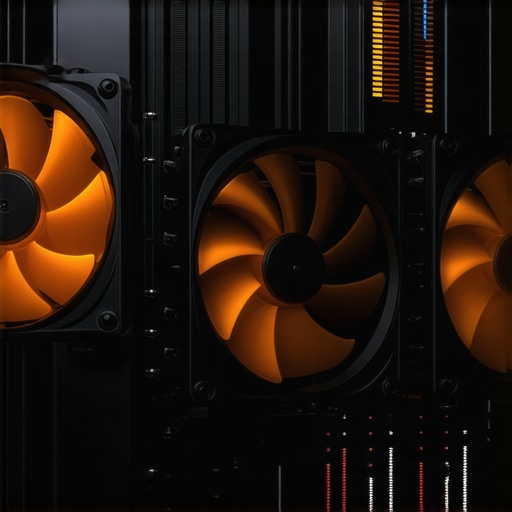
All-in-one (AIO) liquid coolers and traditional air coolers each exhibit unique fan characteristics that influence overall system thermals. AIO coolers often feature PWM fans with adjustable curves designed for high efficiency and silence, while air coolers rely on case airflow and fan placement optimization. Understanding the nuanced differences in fan curve behavior—such as the impact of ramp-up thresholds and RPM limits—enables experts to craft cooling profiles that balance noise and performance effectively. For example, increasing fan speed gradually at specific temperature thresholds can prevent thermal throttling without introducing excessive noise.
Leveraging Thermal Paste for Superior Heat Transfer Efficiency
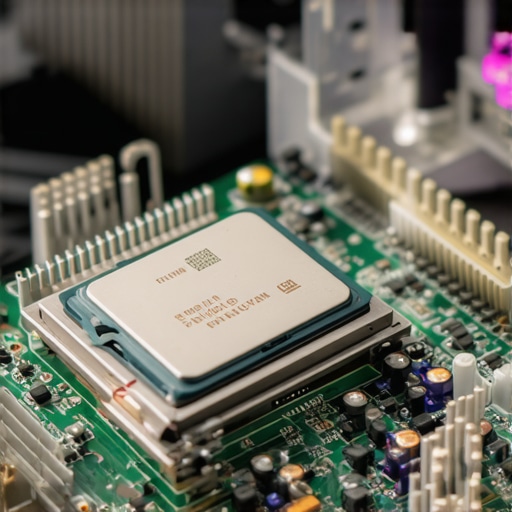
While fan curves manage airflow, the thermal interface material, or thermal paste, plays an equally vital role in heat dissipation. High-quality thermal paste with superior thermal conductivity—such as those listed in this comprehensive guide—reduces the thermal resistance between the CPU and the cooler. Proper application ensures uniform contact and minimizes hotspots, thereby enhancing the efficacy of fan-based cooling strategies and allowing for more aggressive fan curves without risking overheating.
Is Fan Curve Customization a Game-Changer in Overclocking?
Customizing fan curves is often regarded as a game-changing approach for overclockers seeking to push hardware beyond standard limits. By intelligently aligning fan RPMs with thermal load patterns, enthusiasts can sustain higher clock speeds while maintaining safe operating temperatures. This practice demands a careful balance—overly aggressive curves may introduce noise, whereas conservative profiles might compromise thermal headroom. Advanced tools and software, such as MSI Afterburner or SpeedFan, facilitate precise control and real-time monitoring, empowering users to experiment and optimize their cooling setup.
What are the latest innovations in case fan design that complement fan curve tuning?
Emerging innovations include dynamic blade designs, magnetic levitation bearings, and intelligent PWM controllers that adapt fan speed based on real-time thermal data. These advancements enhance airflow efficiency and reduce noise, synergizing with expertly crafted fan curves to deliver superior thermal performance. For insights into how these technologies integrate into modern PC builds, refer to this detailed guide.
For those aiming to elevate their cooling strategies further, exploring resources on fan curve customization and thermal paste application is highly recommended. Engaging with community forums or consulting with thermal management experts can provide practical insights tailored to specific hardware configurations.
Interested in enhancing your cooling setup? Visit our contact page for personalized advice or to share your expert tips on PC thermal management.
Unlocking the Power of Fan Curves for Peak Cooling Performance
Expert PC builders understand that customizing fan curves isn’t just about reducing noise; it’s a strategic approach to managing thermal loads efficiently. Sophisticated fan curve tuning allows for precise control over airflow, ensuring components stay cool during demanding tasks like gaming or rendering. By setting thresholds where fans ramp up gradually, users can prevent sudden temperature spikes and maintain a quieter system overall. This dynamic adjustment plays a crucial role in prolonging hardware lifespan and boosting performance, especially when paired with the latest advancements in fan technology, such as magnetic levitation bearings and adaptive PWM controls, which work harmoniously with tailored fan curves this comprehensive guide.
Why Effective Thermal Paste Application Matters More Than Ever
While fan curves manage airflow, the interface between your CPU and cooler significantly influences heat transfer efficiency. High-quality thermal paste with superior thermal conductivity—like those detailed in this expert guide—reduces thermal resistance, ensuring heat is dissipated swiftly. Applying thermal paste correctly creates a uniform contact surface, minimizing hotspots that can cause thermal throttling. For overclockers and enthusiasts pushing their systems to the limit, combining optimal thermal paste application with finely tuned fan curves is the key to unlocking maximum performance without risking overheating. Remember, even the best cooling hardware can underperform without proper thermal interface management.
Can Smart Cooling Systems Redefine Overclocking Boundaries?
Emerging smart cooling solutions integrate AI-driven fan control, adaptive thermal management, and real-time system monitoring to push the boundaries of overclocking safely. These systems analyze various sensor data to adjust fan speeds dynamically, optimizing thermals while minimizing noise—an approach that traditional static or manually configured fan curves can’t match. By leveraging these innovations, overclockers can explore higher clock speeds with confidence, knowing their cooling is proactively managed. For detailed insights into integrating such advanced systems, refer to this expert resource.
Are there new materials or designs in case fans that enhance synergy with custom fan curves?
Recent innovations include blade designs with adjustable pitch, magnetic levitation bearings, and intelligent PWM controllers that respond swiftly to thermal signals. These advancements enable fans to operate more efficiently and quietly, perfectly complementing finely tuned fan curves. For example, dynamic blade geometries can improve airflow at lower RPMs, reducing noise without sacrificing cooling capacity. To explore how these modern fans can be integrated into your build, check out this detailed overview.
If you’re eager to elevate your PC cooling tactics, experimenting with advanced fan curve settings and thermal paste techniques can yield impressive results. Engage with community forums or consult experts to personalize your setup further. For tailored advice or to share your experiences, visit our contact page.
Mastering Fan Curves for Precision Thermal Control in High-End PCs
In the landscape of overclocking and high-performance computing, the art of customizing fan curves transcends basic fan speed adjustments. It involves a sophisticated understanding of thermal load patterns, airflow dynamics, and the interplay of hardware components. By meticulously designing fan curves that respond dynamically to temperature fluctuations, enthusiasts can achieve a delicate balance between cooling efficiency and acoustic comfort, ultimately extending hardware lifespan and maximizing performance.
Precision Tuning of AIO and Air Cooler Fan Profiles for Optimal Results
All-in-one (AIO) liquid coolers and traditional air coolers each demand tailored fan curve strategies. AIOs, equipped with PWM fans, benefit from finely tuned ramp-up thresholds that respond swiftly to CPU or GPU load spikes—preventing thermal throttling without excessive noise. Conversely, air coolers rely heavily on case airflow management, necessitating a holistic approach that considers case fan placement, intake and exhaust balance, and ambient conditions. Integrating these factors enables the development of hybrid cooling profiles that adapt seamlessly to workload variations.
How can advanced software tools enhance fan curve customization for complex hardware configurations?
Modern utilities like MSI Afterburner, SpeedFan, and proprietary motherboard software empower users to craft highly granular fan profiles. These tools utilize real-time sensor data, allowing for predictive adjustments that preempt thermal spikes. For instance, setting progressive RPM increases at specific temperature thresholds ensures a quieter operation during idle or low load, while ramping up aggressively during gaming or rendering. This approach not only maintains optimal thermals but also minimizes acoustic disturbances, making it a cornerstone of professional-grade cooling solutions.
Synergizing Thermal Paste Quality with Fan Strategy for Peak Performance
A vital yet often overlooked aspect of thermal management involves the selection and application of thermal interface materials. High-quality thermal pastes with enhanced thermal conductivity—such as those based on liquid metal or advanced ceramic compounds—dramatically reduce heat transfer resistance. Proper application techniques, like the pea-sized dot or spread method, ensure uniform contact and eliminate hotspots. When combined with precisely calibrated fan curves, this synergy enables higher overclocking margins and stable operation even under demanding workloads.
Can AI-Driven Cooling Systems Revolutionize Overclocking Boundaries?
Artificial intelligence and machine learning are paving the way for next-generation cooling solutions. These systems analyze real-time data from multiple thermal sensors, dynamically adjusting fan speeds and even liquid pump speeds in AIO setups. By learning from usage patterns, AI-enabled cooling can preempt thermal surges and optimize airflow proactively, reducing noise and enhancing stability. For enthusiasts eager to push their systems to the limit, integrating AI-driven cooling not only simplifies management but also unlocks new overclocking horizons.
What innovative materials or designs are emerging in case fans to support smarter cooling?
Recent breakthroughs include fans with magnetic levitation bearings, which reduce mechanical wear and noise, and blades with adjustable pitch for optimized airflow at varying speeds. Coupled with intelligent PWM controllers, these fans respond swiftly to thermal cues, providing a more efficient and quieter cooling experience. Additionally, the advent of graphene-enhanced bearing materials and aerodynamic blade geometries further improves airflow efficiency, aligning perfectly with finely tuned fan curves for superior thermal performance. For a comprehensive overview of these innovations, consult specialized industry reports and manufacturer whitepapers.
If you’re serious about elevating your PC’s thermal management, integrating advanced fan curve profiles with high-quality thermal paste and exploring smart cooling technologies is essential. Engaging with online communities, expert consultations, and continuous experimentation can lead to breakthroughs tailored to your unique hardware setup. For personalized advice or to share your cooling success stories, visit our contact page.
Innovative Fan Blade Designs for Enhanced Airflow Precision
Recent developments in fan blade engineering, such as aerodynamic shaping and adjustable pitch mechanisms, allow for unparalleled control over airflow distribution within the case. These innovations enable fans to adapt dynamically to thermal demands, working synergistically with meticulously calibrated fan curves to optimize thermal dissipation. By integrating blade geometries that minimize turbulence and maximize static pressure, high-end cooling setups can achieve quieter operation and improved heat removal efficiency.
Dynamic Thermal Load Management Through Real-Time Data Analysis
Implementing sophisticated thermal sensors combined with AI algorithms facilitates predictive fan control that responds proactively to fluctuating CPU and GPU loads. This real-time data analysis allows for preemptive adjustments of fan speeds, preventing thermal spikes before they occur. Such an approach not only enhances stability during overclocking but also extends component lifespan by maintaining optimal operating temperatures consistently. For detailed methodologies, consult the latest research on thermal management systems published in IEEE Transactions on Components, Packaging and Manufacturing Technology.
What are the benefits of integrating AI-driven thermal management in custom cooling setups?
AI integration offers predictive control, reduced noise levels, and improved energy efficiency, transforming traditional cooling paradigms into intelligent systems capable of self-optimization. This evolution enables enthusiasts and professionals to push hardware boundaries safely while maintaining acoustic comfort.
Exploring the Intersection of Heat Sink Materials and Fan Efficiency
Advancements in heat sink materials, such as graphene-enhanced alloys and phase change composites, significantly impact overall thermal performance. When paired with high-quality thermal interface materials—like liquid metal compounds—these innovations facilitate superior heat transfer, reducing reliance on aggressive fan profiles. This material synergy allows for quieter operation and higher overclocking margins, especially when combined with fans designed for low noise at high static pressure.

Harnessing the Power of Modular Fan Controllers for Fine-Tuned Cooling
Modular fan controllers with multi-channel support and customizable profiles empower users to craft highly specific thermal responses across different components. These controllers often feature intuitive interfaces and integration with system monitoring tools, enabling dynamic adjustments based on workload patterns. Such granular control ensures that each fan operates at its optimal efficiency point, conserving energy and minimizing acoustic disturbances during low-load scenarios.
Implementing Phase Change Cooling for Extreme Overclocking
While traditionally reserved for extreme enthusiasts, phase change cooling systems are experiencing a resurgence thanks to miniaturization and improved reliability. These systems leverage refrigerant cycles to maintain ultra-low temperatures, drastically reducing thermal resistance and allowing for unprecedented overclocking headroom. When combined with precision fan control and superior thermal interface materials, phase change cooling can redefine the limits of system performance in professional overclocking environments.
Engage with the Future of PC Cooling Innovation
Staying ahead in thermal management requires continuous exploration of emerging materials, intelligent control systems, and innovative hardware designs. Engage with leading industry publications, participate in specialized forums, and consult with thermal management experts to refine your approach. The integration of advanced technologies like AI, smart materials, and modular controllers promises to elevate your cooling strategies to new heights, ensuring your system remains competitive and reliable under demanding workloads.
Ready to elevate your cooling setup? Dive deeper into these cutting-edge strategies and share your experiences with the community by visiting our contact page. Your journey to mastering thermal excellence starts now!
Elevate Your PC Cooling Strategy with Advanced Insights
In high-performance computing, fine-tuning fan curves is essential for maintaining optimal thermal conditions. Experts emphasize that dynamic fan control, aligned with real-time temperature data, can significantly extend hardware lifespan and boost performance. Incorporating intelligent fan profiles tailored to workloads minimizes noise while maximizing cooling efficiency.
Moreover, the choice and application of thermal paste are critical. High-quality thermal interface materials, when properly applied, reduce hotspots and improve heat transfer, making fan curve adjustments more effective. This synergy between thermal paste and fan control is the hallmark of a meticulously managed cooling system.
Emerging innovations such as AI-driven cooling management and advanced fan blade designs are transforming traditional approaches. These technologies enable smarter, more responsive thermal regulation, pushing the boundaries of overclocking safely and efficiently.
Curated Resources for Deepening Expertise
- Cooling Workstation Wizard’s Thermal Paste Guide: Offers detailed insights into selecting and applying thermal paste for maximum heat transfer efficiency.
- Advanced Fan Control Software (MSI Afterburner, SpeedFan): Provides granular control over fan profiles and real-time monitoring, essential for expert tuning.
- Industry Whitepapers on Fan Blade Innovations: Discuss cutting-edge designs like magnetic levitation bearings and aerodynamic blades that enhance airflow and reduce noise.
Final Perspective from an Expert
Mastering PC cooling through optimized fan curves and thermal paste application is not merely a routine task but a strategic approach that combines technological innovation with precise control. By integrating these advanced methods, enthusiasts and professionals can unlock higher performance thresholds while safeguarding their components. Dive into these resources, experiment with your setup, and contribute your insights to the community—your expertise can inspire the next leap in thermal management excellence.




![Stop 2026 CPU Throttling: The Offset Bracket Fix [Proven]](https://cooling.workstationwizard.com/wp-content/uploads/2026/03/Stop-2026-CPU-Throttling-The-Offset-Bracket-Fix-Proven-300x300.jpeg)


This article really hits the mark on the importance of precise fan curve tuning and thermal paste application for high-performance systems. I’ve personally found that investing time in customizing fan profiles significantly improves both cooling efficiency and noise levels. Using tools like MSI Afterburner allowed me to fine-tune my GPU fan curves, reducing thermal throttling during extended gaming sessions. But I’m curious—what are some effective approaches for balancing aggressive fan curves with minimal noise in a quiet PC build? I’d love to hear about different strategies other enthusiasts have experimented with, especially in cases with limited airflow or ambient noise restrictions. Also, I’ve noticed that even with excellent thermal paste, airflow design plays a crucial role. Has anyone tried combining custom fan curves with airflow modifications like ducting or case modifications to optimize thermal performance further? It seems like a holistic approach yields the best results, but I’d appreciate any insights or practical experiences. Thanks for the detailed guidance—definitely stepping up my cooling game now.