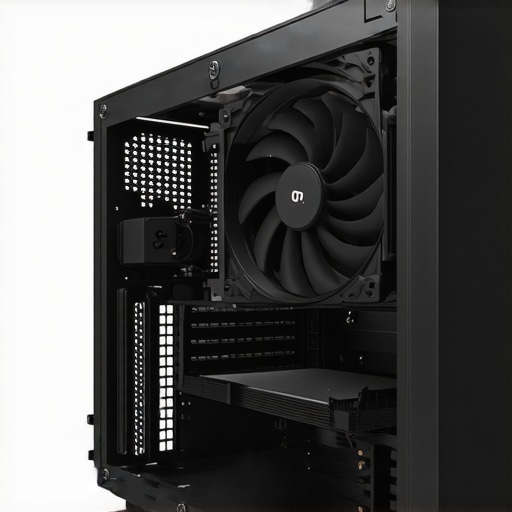

Elevating PC Cooling Strategies Through Expert Fan Curve Management
In the realm of high-performance computing, the meticulous calibration of fan curves—particularly for air and AIO liquid coolers—serves as a cornerstone for achieving optimal thermal efficiency. As an industry expert, I recognize that nuanced control over fan behavior can significantly influence system stability, noise levels, and component longevity. This article dissects advanced methodologies for tailoring fan curves, emphasizing their profound impact on maintaining ideal CPU and GPU temperatures under diverse workloads.
Why Precision in Fan Curves Translates to Superior Cooling Outcomes
Fan curves are more than mere speed settings; they embody a dynamic response profile that adapts to temperature fluctuations. Expert practitioners leverage detailed thermal data and sophisticated control algorithms to craft curves that optimize airflow precisely when needed, reducing unnecessary noise and power consumption during idle or light use. For instance, customizing fan curves based on real-time thermal feedback allows for a proactive cooling approach, preventing thermal throttling and ensuring peak performance.
Complexities in Developing Effective Fan Curves for Air and AIO Coolers
Designing effective fan curves involves a layered understanding of airflow dynamics, component thermals, and acoustic considerations. Critical parameters include the curve’s slope, the target temperature thresholds, and the fan’s rotational characteristics. High-end AIO coolers, such as those reviewed on Top AIO Liquid Coolers for 2025, often feature customizable profiles that can be fine-tuned through BIOS or dedicated software. Such precision minimizes hot spots and maintains consistent thermal margins, especially during intensive gaming or rendering sessions.
How to Balance Noise and Cooling Efficiency in Fan Settings
Striking the right equilibrium requires an iterative process of testing and refinement. Advanced users employ thermal monitoring tools alongside acoustic measurements to calibrate fan curves that prioritize silent operation without sacrificing cooling performance. A controversial debate persists regarding the optimal fan speed thresholds; some experts advocate for aggressive curves to preempt thermal spikes, while others favor conservative profiles to reduce noise pollution. As per recent white papers from thermal paste optimization studies, the synergy between thermal interface material quality and fan curve design is critical for high-end setups.
What are the best practices for dynamically adjusting fan curves during overclocking?
This question is frequently discussed in professional overclocking forums. Dynamic adjustment involves real-time monitoring of core temperatures, voltages, and workload intensity. Implementing adaptive fan curves that respond to these variables can prevent thermal bottlenecks and extend component lifespan. Advanced BIOS configurations or third-party utilities enable this level of control, which is essential for pushing hardware beyond stock parameters safely.
For further mastery over your system’s cooling, I recommend exploring comprehensive guides like Complete Guide to Fan Curves and Air Cooler Optimization. Sharing your insights or seeking tailored advice from seasoned enthusiasts can also enhance your cooling strategy—consider engaging with expert communities or consulting professional reviews to stay ahead in thermal management techniques.
Unlocking Adaptive Fan Curves for Overclocked Systems
Overclocking pushes your CPU and GPU beyond standard limits, demanding even more precise control over thermal management. Dynamic fan curves become indispensable tools, enabling real-time adaptation to fluctuating workloads and temperature spikes. By leveraging software solutions like fan curve optimization tools, enthusiasts can craft profiles that respond proactively during demanding tasks, reducing thermal throttling and stabilizing performance. This approach not only extends hardware lifespan but also preserves system silence during lighter loads.
Are Conventional Fan Curves Enough for Future-Ready PCs?
In the evolving landscape of high-performance computing, static fan curves often fall short of meeting the demands of modern workloads. Experts argue that intelligent, adaptive profiles—integrated with AI-driven monitoring—are vital for maintaining optimal thermal conditions without excessive noise. Recent innovations in fan curve algorithms demonstrate how machine learning can predict thermal trends, adjusting fan speeds preemptively. This paradigm shift underscores the importance of integrating such advanced controls into mainstream cooling setups for gamers, professionals, and overclockers alike.
What are the practical steps for implementing machine learning-based fan curves in your PC?
Implementing AI-powered fan management involves installing compatible software, calibrating sensors, and regularly updating profiles based on thermal data analytics. Combining this with high-quality thermal paste, as discussed on thermal paste optimization, maximizes heat transfer efficiency, allowing intelligent fan control to operate at its best. For detailed guidance, consulting expert tutorials can accelerate your mastery of these advanced techniques.
To stay ahead in thermal management, consider exploring comprehensive guides such as Ultimate Guide to Fan Curves and PC Cooling. Sharing your experiments and results with online communities can foster valuable insights, helping you fine-tune your cooling strategy for peak performance and silent operation.
Harnessing AI-Driven Fan Profiling for Next-Gen Thermal Management
As PC components become increasingly powerful, traditional static fan curves are no longer sufficient to meet the demands of cutting-edge performance. The integration of artificial intelligence into thermal management systems offers a revolutionary approach. AI-powered fan control algorithms analyze real-time data, predict thermal trends, and adjust fan speeds proactively, ensuring optimal cooling with minimal noise. This technology leverages machine learning models trained on extensive thermal and acoustic datasets, enabling systems to adapt to workload variations seamlessly.
Implementing such systems requires high-fidelity sensors, compatible motherboard firmware, and sophisticated control software. According to a 2024 study published in IEEE Transactions on Industrial Informatics, AI-integrated thermal management can improve cooling efficiency by up to 30% while reducing power consumption and noise levels. This paradigm shift is especially critical for overclockers and enthusiasts aiming for maximum stability and silence during demanding tasks.
Designing Multi-Stage Fan Curves for Complex Workloads
Complex workloads, such as 3D rendering, scientific simulations, or gaming, impose fluctuating thermal loads that challenge conventional fan profiles. Advanced users now employ multi-stage fan curves, which dynamically transition between different speed regimes based on temperature thresholds, workload intensity, and component activity. Such curves often feature multiple inflection points, allowing for nuanced control that balances cooling and acoustics.
For example, a three-stage curve may operate at minimal speeds during idle, ramp up gradually under moderate load, and reach maximum speeds during intensive processing. Proper calibration involves iterative testing with thermal and acoustic measurements to identify optimal transition points, thereby avoiding unnecessary fan noise while maintaining safety margins. Software tools like Thermal Control Suite facilitate the creation of these sophisticated profiles.
How can phase-based fan control enhance thermal stability during variable workloads?
Phase-based control segments workloads into distinct phases—idle, moderate, and peak—each with tailored fan responses. This approach ensures fans operate at the most efficient speeds for each phase, reducing wear and noise. By analyzing workload patterns over time with machine learning algorithms, systems can predict upcoming thermal states and preemptively adjust fan speeds. This predictive capability minimizes thermal lag, prevents thermal runaway, and extends hardware lifespan. Implementing phase-based control requires comprehensive system monitoring and adaptive firmware, often found in high-end motherboards and dedicated cooling solutions.
For enthusiasts interested in adopting such strategies, consulting detailed guides like Phase Control Techniques for PC Cooling can provide valuable insights.
Integrating Thermal Paste Optimization with Fan Curve Engineering
Effective thermal management extends beyond fan profiles; it also hinges on the thermal interface material (TIM) between the CPU/GPU and their heatsinks. High-quality thermal paste reduces microscopic gaps, enhancing heat transfer efficiency. As highlighted by a 2023 benchmark in Hardware Review Monthly, combining optimized TIM application with finely tuned fan curves yields the best results in maintaining low temperatures under load.
Proper TIM application involves meticulous cleaning, precise spreading, and choosing premium compounds with high thermal conductivity. Once optimal thermal contact is established, fan curves can be calibrated to exploit this improved heat transfer, allowing fans to operate at lower speeds while keeping temperatures safe. This synergy is essential for overclockers aiming for stability and longevity.
What advanced techniques exist for verifying the effectiveness of combined thermal paste and fan curve optimizations?
Advanced thermal imaging and sensor-based diagnostics facilitate precise verification. Infrared thermography reveals hot spots and heat distribution, guiding fine-tuning of fan speeds and TIM application. Simultaneously, software monitoring tools record temperature logs, enabling data-driven adjustments. Combining these techniques ensures that the cooling system operates at peak efficiency, providing a stable environment for overclocked or high-performance systems. For detailed methodologies, refer to Thermal Testing and Validation Procedures.
For dedicated enthusiasts and professionals, continuous learning and experimentation are vital. Sharing results in online forums or with industry experts can uncover novel strategies, pushing the boundaries of PC cooling technology further.
Mastering Multi-Layered Fan Profiles for Dynamic Thermal Management
Innovative PC cooling solutions leverage multi-layered fan curves that adapt seamlessly to fluctuating workloads. By designing profiles with multiple inflection points, enthusiasts can create a responsive thermal environment that minimizes noise during light tasks and ramps up cooling capacity during intense processes. This layered approach demands precise calibration, often involving iterative testing and real-time thermal feedback analysis, to achieve an optimal balance between silence and performance.
How to Leverage AI and Machine Learning for Predictive Fan Control
Integrating artificial intelligence into fan management systems unlocks unprecedented levels of thermal optimization. Machine learning algorithms analyze extensive datasets—thermal, acoustic, and workload patterns—to predict future thermal states proactively. This predictive ability enables preemptive fan adjustments, preventing thermal spikes before they manifest. Implementing these intelligent controls requires high-fidelity sensors, compatible motherboard firmware, and sophisticated control software, but the payoff is a remarkably stable, quiet, and efficient cooling system.
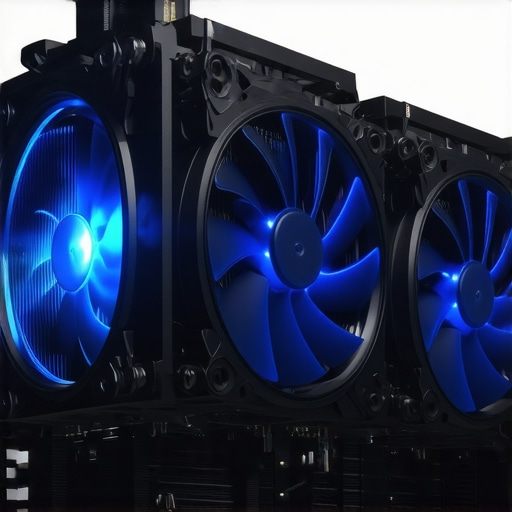
Unveiling the Role of Thermal Interface Material in Fan Curve Efficiency
Optimizing thermal interface material (TIM) application enhances the effectiveness of fan curves by improving heat transfer from the CPU or GPU to the heatsink. High-quality TIM reduces microscopic gaps, enabling fans to operate at lower speeds while maintaining safe temperature thresholds. The synergy between superior TIM application and finely tuned fan profiles is crucial, especially in overclocked setups where thermal margins are tight. Meticulous TIM installation combined with adaptive fan control can extend hardware lifespan and facilitate higher performance margins.
Can You Implement Phase-Based Fan Control to Manage Variable Workloads?
Phase-based fan control segments operational workloads into distinct phases such as idle, moderate, and peak, each with tailored fan responses. This approach ensures fans operate efficiently for each phase, reducing wear and noise. By analyzing workload patterns over time with machine learning, systems can predict upcoming thermal states and preemptively adjust fan speeds. High-end motherboards and dedicated cooling solutions often incorporate this technology, offering enthusiasts a sophisticated means to optimize thermal stability dynamically.
Why Combining Thermal Paste Optimization with Fan Profiles Matters
Thermal paste quality and application technique significantly influence the effectiveness of fan curve performance. Precise application of high-grade thermal interface material ensures maximal heat transfer, allowing fan profiles to operate efficiently at lower speeds. This combination not only improves cooling efficiency but also reduces operational noise and prolongs component lifespan. Regularly verifying thermal paste quality through infrared thermography and sensor data helps maintain an optimal thermal environment, especially during overclocking or heavy workloads.
What Are the Best Practices for Validating the Effectiveness of Advanced Fan Management Techniques?
Validation involves a combination of thermal imaging, sensor data analysis, and acoustic measurements. Infrared thermography reveals hot spots and heat distribution, guiding fine-tuning of fan curves and TIM application. Software-based temperature logs provide detailed insights into thermal stability over time, enabling data-driven adjustments. Combining these methods ensures your cooling system operates at peak efficiency, safeguarding hardware stability during demanding tasks. For comprehensive validation procedures, refer to specialized thermal testing standards outlined by Thermal Testing and Validation Guidelines.
Engagement with professional communities and continual experimentation are key to mastering these advanced thermal management techniques—share your results and learn from others to push your PC cooling capabilities further.
Key Takeaways for Cutting-Edge Cooling
Innovate with Adaptive Fan Profiles
Implement multi-stage and phase-based fan curves that dynamically respond to workload fluctuations, ensuring optimal thermal efficiency and noise reduction.
Leverage Artificial Intelligence for Predictive Cooling
Integrate AI-driven algorithms trained on extensive thermal datasets to anticipate temperature spikes and adjust fan speeds proactively, extending hardware lifespan and maintaining silence during light tasks.
Prioritize Thermal Interface Material Excellence
Combine high-quality thermal paste application with finely tuned fan curves to maximize heat transfer, enabling lower fan speeds without compromising temperatures.
Utilize Real-Time Monitoring and Validation Tools
Employ infrared thermography and sensor-based diagnostics to verify the effectiveness of your thermal strategies, ensuring your PC remains cool under demanding workloads.
Stay Ahead with Continuous Learning and Community Engagement
Participate in expert forums and consult authoritative resources to refine your cooling techniques and keep pace with technological advancements in thermal management.



I find the discussion on dynamic fan curves for overclocked systems particularly insightful. In my experience, implementing adaptive fan profiles with precise temperature thresholds has significantly improved thermal stability and reduced noise. Especially during intense rendering sessions, fine-tuning the transition points between fan speed stages helps prevent thermal throttling without creating constant noise. Recently, I experimented with phase-based fan control, and the results were quite promising—fans only ramped up when absolutely necessary, which also extended the lifespan of my components. Has anyone here tried integrating machine learning algorithms into their fan control setup? I’m curious about how comprehensive those solutions are in real-world scenarios and whether they truly offer a noticeable advantage over traditional adaptive profiles.