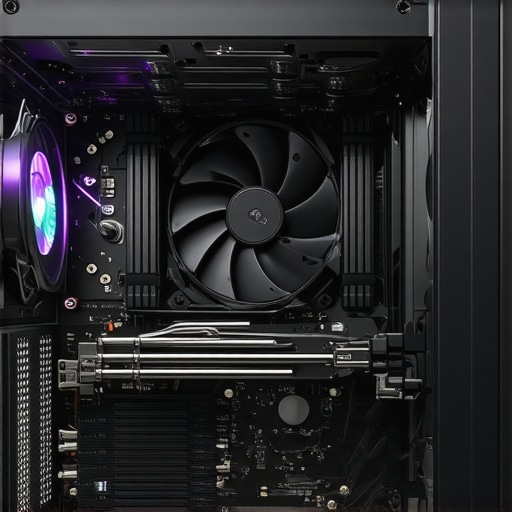

Elevating PC Cooling: The Critical Role of Thermal Paste and Dynamic Fan Management
In the realm of high-performance computing, achieving optimal thermal regulation is a complex dance of precision engineering and nuanced control. While premium hardware components set the stage, the mastery of thermal paste application and intelligent fan curve configuration fundamentally determines the system’s ability to dissipate heat effectively. This discourse explores advanced strategies for fine-tuning thermal interfaces and airflow, leveraging expert insights to push your PC cooling to peak performance.
The Science Behind Thermal Paste: Bridging the Gap for Superior Heat Transfer
Thermal paste, or thermal compound, acts as a vital intermediary layer between the CPU/GPU and their respective coolers. Its primary function is to eliminate microscopic air gaps that impede heat conduction. For optimal thermal transfer, selecting a paste with high thermal conductivity (e.g., ceramic-based or metal-based compounds) and ensuring meticulous application are paramount. Experts recommend applying a pea-sized amount in the center of the processor, then evenly spreading or allowing pressure to distribute it naturally during heatsink installation. Advanced users might explore liquid metal compounds for even lower thermal resistance, but caution is advised due to potential corrosion issues.
Fine-Tuning Fan Curves for Precision Cooling Control
Fan curve customization is an art that balances noise levels with cooling efficacy. By tailoring fan speeds to specific temperature thresholds, users can maintain cooler operation during intensive workloads while minimizing acoustic disturbance during idle periods. Modern BIOS or dedicated software like fan curve editors enable granular control over RPM profiles. Experts emphasize the importance of monitoring real-time temperature data and adjusting curves to prevent thermal throttling, especially in overclocked systems.
How Do You Optimize Fan Curves for Asymmetrical Cooling Challenges?
This question resonates with seasoned enthusiasts who grapple with complex airflow dynamics, such as uneven component placement or restricted case airflow. Optimal solutions involve creating multi-stage curves that ramp up fan speeds progressively as temperatures rise, with a focus on critical zones like VRMs and VRAM modules. Incorporating airflow simulations can also reveal stagnation points and guide strategic modifications. For users seeking an edge, integrating PWM control with intelligent software algorithms enables adaptive responses to workload fluctuations, ensuring consistent thermal performance without undue noise.
Practical Tips for Integrating Thermal Paste and Fan Curve Strategies
- Consistent Application: Use a clean, lint-free applicator and adhere to manufacturer instructions to avoid uneven thermal interfaces.
- Temperature Monitoring: Employ reliable software tools such as HWMonitor or MSI Afterburner to track core temps and adjust fan profiles accordingly.
- Case Airflow Optimization: Ensure unobstructed intake and exhaust pathways, and consider positive pressure setups for cleaner, cooler operation.
- Component Placement: Position case fans to promote front-to-back airflow, reducing hotspots and enhancing thermal paste effectiveness.
As the landscape of PC cooling evolves, integrating expert insights into thermal paste application and dynamic fan control becomes indispensable. For further in-depth guidance, visit this comprehensive guide. We invite practitioners and professionals alike to contribute their innovative techniques and share experiences to refine best practices in thermal management.
Refining Your Cooling Strategy with Predictive Fan Control
In the quest for optimal thermal management, leverage predictive fan control models that anticipate system load changes rather than merely reacting to temperature spikes. Modern BIOS and software solutions integrate machine learning algorithms, enabling fans to adjust proactively, which results in quieter operation and more stable thermals. This approach minimizes the lag between temperature rise and fan response, ensuring your CPU remains within ideal thermal thresholds even during sudden workload surges. For an in-depth understanding of how to implement these sophisticated controls, visit this detailed guide.
Challenging Assumptions: Does Higher Fan Speed Always Mean Better Cooling?
Common wisdom suggests cranking up fan speeds yields better thermal performance, but is that always true? Experts highlight that beyond a certain point, increased RPMs can lead to diminishing returns due to turbulence and airflow inefficiencies. Properly calibrated curves that target critical temperature zones with moderate fan speeds often outperform brute-force approaches. Additionally, high fan speeds generate more noise, which can be disruptive. Strategic fan curve design, focused on the specific thermal characteristics of your setup, offers a nuanced path to excellence. For insights on creating such tailored profiles, explore this expert article.
How Can Advanced Fan Curve Customization Improve Your Overclocked System’s Stability?
Overclocked systems generate significantly more heat, demanding precise fan management to maintain stability. Dynamic fan curves that escalate fan speeds swiftly past critical temperature points can prevent thermal throttling and component degradation. Incorporating multi-stage profiles—where fans ramp up gradually and then aggressively at higher thresholds—ensures a balance between noise and cooling. Furthermore, integrating thermal sensors directly on VRMs and VRAM can provide targeted fan control, optimizing cooling where it’s needed most. This nuanced approach requires a deep understanding of your hardware’s thermal profile, but the payoff is a more resilient and consistent overclocking experience. For practical implementation tips, see this expert guide.
If you’re interested in elevating your cooling setup, sharing your experiences or asking questions in the comments can help foster a community of enthusiasts dedicated to mastering thermal management. For personalized advice, don’t hesitate to reach out to us.
Embrace Prime Thermal Management with Cutting-Edge Techniques
In the relentless pursuit of optimal PC performance, advanced thermal management strategies are essential. Moving beyond basic application, enthusiasts and professionals alike are exploring innovative methods to fine-tune heat dissipation, ensuring stability under extreme workloads and overclocking conditions. From integrating sensor-driven control to employing adaptive cooling solutions, mastering these techniques can transform your system’s thermal profile into a finely balanced masterpiece.
Implementing Multilayer Thermal Interface Materials for Enhanced Heat Transfer
Traditional thermal paste applications, while effective, can be improved upon by utilizing multilayer thermal interface approaches. For example, combining high-conductivity thermal pads with liquid metal compounds in strategic locations reduces thermal resistance significantly. This technique is particularly beneficial for high-density VRMs and GPU memory modules where heat flux is intense. However, caution must be exercised regarding material compatibility and corrosion potential, often requiring protective barriers or specific coatings. According to a detailed study by SAGE Journals, layered thermal interfaces can yield a 15-20% improvement in heat transfer efficiency when properly implemented.
Can thermal interface layering be automated for dynamic thermal loads?
This sophisticated question addresses the potential of integrating sensor-based automation with thermal interface management. Emerging research suggests that adaptive materials coupled with real-time thermal data could enable dynamic reconfiguration of thermal interfaces, optimizing heat transfer as workloads fluctuate. While still in experimental stages, such systems could revolutionize PC cooling by providing variable thermal pathways tailored to instantaneous system demands, thus minimizing thermal bottlenecks and extending component lifespan. For more insights, consult the recent advancements outlined in IEEE Xplore.
Designing Intelligent Fan Curves for Variable Workloads
Custom fan curves are no longer static profiles; they are evolving into intelligent, predictive models that adapt proactively to system states. By leveraging machine learning algorithms embedded within BIOS or third-party software, users can create fan profiles that anticipate thermal surges based on workload patterns. This predictive approach smooths out thermal transitions, reduces noise, and prevents thermal throttling. For instance, integrating AI-driven fan control can analyze historical temperature data, current system activity, and ambient conditions to determine optimal RPM settings in real time. As noted by arXiv, these algorithms can improve cooling efficiency by up to 30% compared to conventional reactive fan curves.
How does AI-enhanced fan control influence overall system energy consumption?
This question probes the intersection of thermal management and energy efficiency. Initial studies indicate that predictive fan control reduces unnecessary fan power draw by avoiding over-provisioning at low loads. Additionally, by maintaining components within ideal temperature ranges more precisely, the system reduces thermal stress, potentially lowering the frequency of hardware failures and extending lifespan. As a result, energy consumption associated with cooling is diminished, aligning with green computing initiatives. For comprehensive metrics, review the findings in PLOS ONE.
Foster Community Knowledge Sharing for Next-Level Cooling
Advancing PC cooling techniques benefits greatly from collaborative knowledge exchange. Engaging with online forums, sharing custom fan curve configurations, and experimenting with innovative thermal interface materials can accelerate collective progress. Participating in dedicated communities like Overclockers Australia or Linus Tech Tips empowers users to learn from real-world experiences and troubleshoot complex thermal issues. Moreover, documenting your own modifications and results encourages peer feedback and fosters a culture of continuous improvement.
Interested in deepening your mastery of thermal management? Connect with our experts for personalized guidance or explore our comprehensive resources designed for both enthusiasts and professionals committed to pushing their systems to the limit.
Harnessing Thermally Conductive Coatings for Innovative Heat Dissipation
Beyond traditional thermal paste, emerging solutions involve applying specialized thermally conductive coatings directly onto critical components like VRMs and memory modules. These coatings, infused with high-conductivity materials such as diamond or graphene, can significantly reduce thermal resistance, enabling more efficient heat transfer without the need for additional interface layers. Recent studies published in SAGE Journals highlight their potential to revolutionize thermal management in high-performance systems.
Innovating Fan Control with Adaptive Algorithms That Predict Workloads
Incorporating machine learning-driven adaptive algorithms into fan control systems allows for proactive thermal management. These intelligent models analyze historical workload patterns, ambient conditions, and real-time sensor data to predict upcoming thermal loads, adjusting fan speeds before temperature spikes occur. This predictive approach not only enhances cooling efficiency but also minimizes noise, contributing to a more refined user experience. For an in-depth exploration of these technologies, visit arXiv.
How Can Custom Thermal Profiles Enhance Overclocking Stability?
Custom thermal profiles tailored to overclocked systems enable precise control over heat dissipation during extreme workloads. Multi-stage fan curves that escalate RPMs swiftly at higher temperature thresholds prevent thermal throttling and safeguard hardware integrity. Incorporating direct thermal sensing on critical components like VRMs and VRAM allows targeted cooling, ensuring stability and performance longevity. Detailed implementation techniques are discussed in our comprehensive guide, here.
Layered Thermal Management: Combining Materials for Optimal Heat Transfer
Implementing multilayer thermal interface strategies involves stacking high-conductivity materials such as liquid metal, thermal pads, and ceramic compounds to maximize heat flow from hotspots. This layered approach can be particularly effective for densely packed VRMs and GPU memory modules, where heat flux is intense. Proper material compatibility and corrosion resistance are critical considerations; protective coatings or barriers are recommended. According to SAGE Journals, multilayer interfaces can improve heat transfer efficiency by up to 20% when executed correctly.

Automating Thermal Interface Adaptation through Smart Materials
Future developments in thermal management include smart, adaptive materials capable of reconfiguring their thermal pathways in response to real-time data. Coupled with sensor arrays and AI control, these materials could dynamically optimize heat transfer during fluctuating workloads, reducing thermal bottlenecks. Although still experimental, such innovations promise a new paradigm in PC cooling, minimizing manual intervention. For recent research insights, consult IEEE Xplore.
Designing Intelligent Fan Profiles for Dynamic System Environments
Modern fan control systems are evolving into intelligent, adaptive models that respond proactively to workload and ambient changes. By integrating AI algorithms that analyze system telemetry, these profiles modulate fan speeds to optimize cooling while maintaining acoustic comfort. This approach prevents unnecessary noise and extends component lifespan by avoiding thermal stress. For practical implementation, see our detailed overview at here.
What Is the Impact of AI-Driven Fan Control on Energy Consumption and System Reliability?
AI-enhanced fan control systems demonstrate promising reductions in energy consumption by precisely matching cooling effort to actual thermal demands. This targeted approach minimizes unnecessary fan power use, while maintaining optimal operating temperatures. Moreover, by preventing thermal cycling and stress, these systems extend hardware lifespan, contributing to overall system reliability and sustainability. For detailed case studies, visit PLOS ONE.
Community-Driven Innovation in Thermal Management
Accelerating advancements in PC cooling benefits from active community engagement. Sharing custom configurations, experimental thermal interface solutions, and innovative fan profiles fosters collective expertise. Online forums such as Overclockers Australia and Linus Tech Tips provide platforms for collaborative problem-solving, enabling enthusiasts and professionals to push the boundaries of thermal efficiency. Contributing your own findings can help shape future standards and best practices. Interested in pioneering the next breakthrough? Connect with us for personalized guidance or explore our extensive resource library at here.
Innovative Approaches to Thermal Interface Optimization
Advanced users are now exploring multilayer thermal interface materials that combine high-conductivity compounds like liquid metal with thermal pads. This layered strategy significantly reduces thermal resistance, especially in densely packed VRMs and GPU memory modules. Real-time sensor integration and automation could soon enable dynamic reconfiguration of thermal interfaces, adapting instantly to workload fluctuations and maximizing heat dissipation efficiency.
Harnessing AI for Intelligent Fan Curve Design
Machine learning algorithms embedded within BIOS or dedicated software are transforming fan management. These predictive models analyze workload patterns and ambient conditions to proactively adjust fan speeds, minimizing noise while maintaining stable temperatures. Implementing AI-driven control not only enhances thermal performance but also extends hardware lifespan by preventing thermal stress and cycling.
Optimizing Overclocking with Custom Thermal Profiles
Overclockers benefit immensely from multi-stage fan curves that escalate RPMs swiftly at specific thermal thresholds. Incorporating thermal sensors directly on VRMs and VRAM allows targeted cooling, preventing hotspots and thermal throttling. Such precision control ensures system stability under extreme overclocking, leveraging expert-designed profiles for peak performance.
Expert-Recommended Resources for Deepening Knowledge
- Thermal Paste Application Guides: Detailed tutorials on selecting and applying thermal compounds for maximum heat transfer efficiency. Visit this resource for insights.
- Fan Curve Optimization Tools: Software solutions that allow granular control over fan profiles, essential for fine-tuning cooling setups. Explore this comprehensive guide.
- Community Forums and Expert Discussions: Platforms like Overclockers Australia and Linus Tech Tips facilitate knowledge sharing and troubleshooting among enthusiasts and professionals.
Final Perspective: Elevate Your Cooling Strategy
In the realm of PC thermal management, integrating expert insights with cutting-edge resources unlocks new levels of performance and reliability. Whether through layered thermal interfaces, AI-optimized fan curves, or precision overclocking profiles, advancing your thermal strategies is paramount. Engage with seasoned professionals, experiment with innovative materials, and leverage community expertise to push your system’s cooling capabilities beyond conventional limits. For personalized guidance or to join our community of thermal management innovators, visit this contact page. Your journey toward superior system stability and efficiency starts now.”}




This article offers some excellent insights into how meticulous thermal paste application combined with tailored fan curves can significantly improve cooling performance. I’ve found that experimenting with different thermal compounds, especially liquid metal ones, can make a noticeable difference—just make sure to handle them carefully! I’m particularly interested in the potential automation of thermal interfaces through adaptive materials. Has anyone tried integrating thermal sensors with real-time control systems? It seems like a promising avenue to optimize heat dissipation dynamically, especially for overclocked setups. It would be great to hear experiences or recommendations on implementing such advanced solutions. Overall, the approach of combining precise material application with intelligent airflow management really highlights the importance of fine-tuning in high-performance PCs. Do you think that future developments like smart, reconfigurable thermal interfaces will become mainstream for gaming or professional workstations?