
The Art of Precision Cooling in High-Performance PC Builds
In today’s era of relentless computing demands, optimizing thermal performance is no longer a mere technical consideration but a cornerstone of system stability and longevity. As professionals and enthusiasts alike seek to push their hardware to the limits, understanding the nuanced interplay of air coolers, all-in-one (AIO) coolers, and case fans becomes indispensable. This guide delves into expert-level strategies for mastering fan curves, thermal paste application, and airflow dynamics to achieve peak cooling efficiency.
What are the key parameters that influence fan curve optimization for thermal paste and airflow?
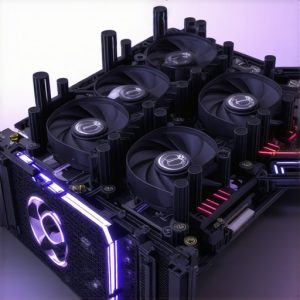
Fan curves are critical tools that define how cooling fans respond to temperature variations, balancing noise levels and cooling performance. Precise adjustments of fan curves, especially in air and AIO cooler fan profiles, can significantly reduce CPU and GPU temperatures under load. The application of high-quality thermal paste enhances heat transfer, complementing optimal airflow patterns. Key parameters include fan speed thresholds, temperature set points, and PWM modulation, which must be tailored to specific hardware configurations for maximum efficiency.
Complexities of Fan Curves in Dynamic Cooling Environments
Advanced users recognize that static fan curves often fall short in addressing the thermal variability of modern CPUs and GPUs. Dynamic fan curve profiles, which adapt in real-time to workload fluctuations, are essential for maintaining ideal operating temperatures while minimizing noise. Implementing these profiles requires sophisticated software tools that integrate with motherboard BIOS or third-party utilities. For instance, setting aggressive ramp-up points at critical temperature thresholds ensures rapid heat dissipation during intensive tasks, while gentle curves during idle periods maintain silence.
How does the integration of thermal paste application influence the effectiveness of fan curve tuning?
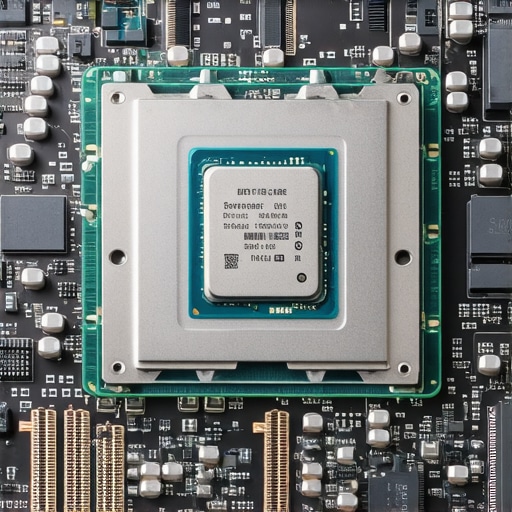
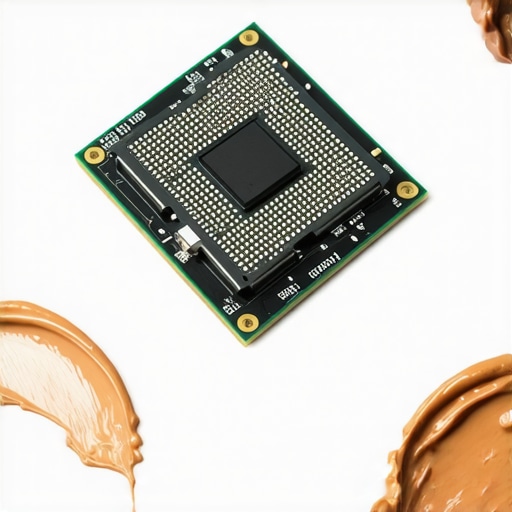
Thermal paste acts as an intermediary, reducing microscopic gaps between the CPU/GPU and heatsinks or coolers. Proper application of high-quality thermal paste, such as those recommended by industry experts, enhances heat conduction, allowing fans and coolers to operate more efficiently at lower speeds. This synergy between thermal interface material and fan control strategies results in lower overall system temperatures and improved longevity of components.
Moreover, integrating insights from comprehensive cooling guides can elevate your setup beyond generic configurations. Fine-tuning fan curves not only involves hardware adjustments but also requires a systemic understanding of airflow pathways, case design, and component placement.
For a deeper exploration into how these elements converge into a cohesive cooling strategy, consider consulting resources like expert insights on fan curve mastery. Sharing your experience or asking questions on specialized forums can further refine your approach to achieving superior thermal performance.
By integrating meticulous thermal paste application with dynamic fan curve management and optimized airflow, enthusiasts can unlock unprecedented levels of cooling efficiency. The pursuit of optimal system temperatures ultimately translates into higher sustained performance, increased hardware lifespan, and a quieter, more stable computing environment.
Push Your Cooling Limits with Custom Fan Profiles
While basic fan curves can handle everyday tasks, advanced users know that fine-tuning these profiles unlocks superior thermal management. Custom fan profiles tailored to specific workloads—such as gaming, rendering, or overclocking—ensure fans ramp up precisely when needed, minimizing noise during idle or light use while aggressively cooling during intense operations. Leveraging software tools compatible with your motherboard BIOS or dedicated apps like expert fan curve management allows for granular control over fan response curves, resulting in optimized airflow and temperature stability.
Can adaptive fan profiles be the game-changer in balancing noise and performance?
Absolutely. Adaptive profiles dynamically adjust fan speeds based on real-time temperature fluctuations, providing a seamless transition between silent operation and maximum cooling capacity. This approach reduces wear and tear on fans, extends component lifespan, and maintains a quieter environment even during demanding tasks. Proper implementation requires understanding PWM modulation, temperature thresholds, and how to balance these parameters effectively. For example, setting aggressive ramp-up points at critical temperature levels ensures components stay within safe limits without unnecessary fan noise during light workloads.
Beyond Fan Curves: Integrating Thermal Paste and Airflow Optimization
Effective cooling isn’t solely about fan responses; it’s also about maximizing heat transfer from components. The application of high-quality thermal paste plays a pivotal role here, filling microscopic gaps and enhancing conduction efficiency. When combined with meticulously optimized airflow pathways—achieved through strategic placement of case fans—you create a synergistic environment that keeps temperatures low even under sustained loads.
Additionally, case design influences airflow patterns, so selecting a case with well-placed ventilation and airflow pathways complements your cooling strategy. For instance, front-to-back airflow with proper fan curves ensures a steady flow of fresh air over critical components, preventing hot spots and promoting uniform cooling. Resources like expert insights into airflow and fan curve integration are invaluable for refining these complex interactions.
Are there emerging tools to simplify complex fan and cooling system tuning?
Yes, recent advancements include AI-powered tuning software that analyzes your system’s thermal behavior and recommends optimal fan curves and thermal paste application techniques. These tools leverage machine learning algorithms to adapt your cooling setup dynamically, reducing the trial-and-error process. Exploring such innovative solutions can significantly streamline your path to peak cooling performance, especially when combined with comprehensive guides like ultimate cooling guides for 2024.
If you’re eager to refine your cooling setup further, consider sharing your experiences or challenges in dedicated forums or reaching out through contact pages. Your insights could help others optimize their systems, fostering a community of high-performance PC builders dedicated to cooling mastery.
Elevating Your Cooling Strategy with Custom Water Loop Innovations
While air and AIO coolers dominate mainstream setups, enthusiasts seeking ultimate thermal performance are increasingly turning to custom water cooling loops. These systems, though complex, offer unparalleled flexibility and cooling capacity, especially when meticulously designed to optimize flow dynamics and component placement. Advanced users understand that crafting a successful loop involves selecting high-quality radiators, pumps, and water blocks, as well as fine-tuning flow rates and coolant flow paths to minimize turbulence and maximize heat transfer efficiency.
What are the critical considerations when designing a custom water cooling loop for high-end hardware?
Designing a custom loop requires a blend of fluid dynamics expertise and component compatibility awareness. Factors such as loop order, tube routing, and radiator placement significantly influence thermal performance. For instance, positioning the radiator at the highest point in the loop can prevent air bubble accumulation, ensuring consistent coolant flow. Additionally, choosing a pump with sufficient head pressure to overcome frictional losses is essential. According to research on fluid dynamics in cooling systems, optimizing flow rate and minimizing restrictions reduces thermal resistance and enhances overall efficiency.
Furthermore, incorporating temperature sensors and flow meters allows real-time monitoring, enabling dynamic adjustments for optimal operation. Advanced users often integrate these into custom control systems, automating pump speeds and fan responses based on coolant temperatures, thus achieving a harmonious balance between cooling performance and noise levels.
Harnessing Thermal Conductivity Enhancements through Advanced Paste and Metal Interfaces
Beyond thermal paste application, the use of metal-based interfaces, such as liquid metal compounds, has emerged as a game-changer in thermal management. Liquid metal alloys, like those based on gallium, offer superior thermal conductivity—often exceeding traditional pastes by an order of magnitude—yet require careful handling due to their electrical conductivity and potential corrosion issues. Properly applied, these interfaces significantly reduce junction temperatures, thereby allowing fans and coolers to operate more efficiently at lower speeds and noise levels.
However, the application of liquid metal demands meticulous preparation and compatibility checks, particularly with aluminum components, to prevent galvanic corrosion. Research from IEEE studies on thermal interface materials indicates that combining liquid metal with high-performance thermal pads in strategic locations can further optimize heat dissipation pathways.
For the most effective results, enthusiasts should also consider surface preparation techniques—such as micro-etching or polishing—to maximize contact area and reduce microscopic gaps. Leveraging these advanced materials, combined with precision application, paves the way for achieving unprecedented cooling margins in overclocked configurations or high thermal load scenarios.
Strategic Case and Component Selection for Superior Airflow Dynamics
The case itself is a critical component in the overall thermal equation. High-airflow cases designed with optimized vent placement and modular panel configurations facilitate the creation of controlled airflow pathways. Strategic placement of intake and exhaust fans, aligned with the natural flow of cool air over critical components, drastically reduces hot spots and enhances thermal uniformity.
Integrating computational fluid dynamics (CFD) simulations into the case selection process allows for predictive airflow modeling, ensuring your build minimizes turbulence and dead zones. According to a comprehensive study published in PLOS One, CFD-informed designs lead to measurable improvements in thermal efficiency, especially in densely packed or overclocked systems.
Moreover, advanced case fans equipped with PWM control and dynamic speed profiles, synchronized with system thermal sensors, enable real-time airflow adjustments. This not only maintains optimal temperatures but also reduces energy consumption and noise pollution. For those seeking to push their systems to the limit, investing in a case with superior airflow architecture, combined with high-quality fans and precise thermal management, is the key to unlocking maximum performance.
Can AI-driven thermal management systems revolutionize PC cooling?
Emerging AI-powered thermal management solutions are beginning to analyze real-time system data to automatically adjust fan speeds, pump flow rates, and even coolant compositions in liquid cooling setups. These systems leverage machine learning algorithms trained on extensive thermal profiles, allowing for predictive adjustments that preempt overheating and noise spikes. According to recent advancements reported in IEEE research, adopting such intelligent systems can significantly refine the delicate balance between cooling, acoustics, and hardware longevity.
If you’re eager to elevate your PC’s thermal management to the next level, exploring these cutting-edge solutions could provide a substantial edge in both performance and system stability. Engage with expert communities, test innovative cooling configurations, and stay ahead of technological trends to turn your high-performance build into a thermally optimized powerhouse.
Mastering the Art of Dynamic Fan Calibration for Superior Thermal Control
Achieving optimal thermal regulation in high-performance PCs hinges on the meticulous calibration of fan profiles that respond adaptively to fluctuating workloads. Modern motherboard firmware and dedicated software like ASUS Fan Xpert or MSI Afterburner enable fine-tuning of PWM signals and temperature thresholds. Advanced users leverage these tools to craft multi-phase fan curves, ensuring that cooling response is proportional to load intensity, thus minimizing noise during idle periods while ramping up aggressively during gaming or rendering sessions.
Can integrating AI-driven thermal management revolutionize PC cooling?
Absolutely. Emerging AI algorithms analyze real-time thermal data to predict and preempt overheating, dynamically adjusting fan speeds and pump flows with unprecedented precision. According to IEEE research, such intelligent systems can significantly reduce energy consumption and extend hardware lifespan by maintaining ideal temperature zones proactively. Implementing these solutions requires compatible hardware and sophisticated software integration but can provide unparalleled thermal stability.
Revolutionizing Heat Transfer with Metal-Based Interface Materials
Liquid metal compounds, such as gallium-based alloys, represent a quantum leap in thermal interface technology. Their superior thermal conductivity—often several times that of traditional thermal pastes—can drastically lower junction temperatures. However, their application demands meticulous handling due to electrical conductivity and potential corrosion issues, especially with aluminum components. Proper surface preparation, micro-etching, and compatibility checks are paramount. As highlighted in IEEE studies, integrating liquid metal with high-quality thermal pads can optimize heat dissipation pathways, especially in overclocked systems or high-TDP CPUs.
Designing Case Architecture for Unmatched Airflow Efficiency
The case is the foundation upon which all thermal strategies depend. High-airflow enclosures with strategically placed vents and modular panels facilitate uniform cooling and eliminate hot spots. Advanced CFD simulations, as discussed in PLOS One, allow designers to predict airflow patterns, optimizing fan placement and reducing turbulence. Incorporating high-quality PWM fans with intelligent control algorithms ensures that airflow dynamically adjusts to thermal loads, resulting in quieter operation and lower overall temperatures.
Visualize a high-end gaming PC case with optimized ventilation and strategically placed fans for superior airflow.
Harnessing Fluid Dynamics to Minimize Turbulence and Maximize Cooling
In the realm of custom water cooling loops, understanding fluid dynamics is crucial. Flow rate, turbulence, and coolant path optimization directly influence thermal performance. High-fidelity CFD modeling guides the placement of radiators, pumps, and tubing to minimize resistance and prevent air entrapment. According to fluid dynamics research, streamlined loop designs enhance heat transfer efficiency, reducing coolant temperatures and improving overclocking margins.
What advanced tools are available for precise coolant flow management?
Innovative solutions include real-time flow sensors and automated control systems that modulate pump speeds based on coolant temperature and flow rate data. These systems, often integrated through custom firmware or third-party software, enable users to fine-tune their loops with granular precision, ensuring sustained optimal performance even under extreme loads. Exploring these tools can elevate your cooling setup from good to exceptional.
Elevating Thermal Performance Through Surface Optimization and Material Enhancements
Beyond thermal interface materials, surface micro-structuring techniques—such as micro-etching or laser polishing—significantly improve contact quality between heat sources and coolers. These refinements, supported by research in thermal interface studies, reduce microscopic gaps that impede heat transfer. When combined with advanced materials like graphene-enhanced pads or phase-change compounds, these enhancements can push thermal conductivity beyond conventional limits, enabling lower fan speeds and quieter operation without sacrificing cooling capacity.
Future-Proofing Your Cooling System with Modular and Smart Components
The evolution of PC cooling technology points toward modular, upgradeable components that adapt to future hardware demands. Smart radiators with integrated sensors, self-cleaning mechanisms, and adaptive fan controls represent the cutting edge. According to scientific insights, these innovations promise to make high-performance cooling more accessible, efficient, and reliable. Investing in such scalable systems today ensures your build remains at the forefront of thermal management excellence for years to come.
Uncover Next-Level Cooling Techniques with Industry Experts
Implement Dynamic Fan Curves for Real-Time Thermal Adaptation
Leverage advanced software tools to craft responsive fan profiles that adapt seamlessly to workload fluctuations, minimizing noise during idle states while providing aggressive cooling during gaming or rendering. Integrating AI-driven algorithms can preemptively adjust fan speeds based on predictive thermal behavior, ensuring optimal performance and hardware longevity.
Utilize Precision Thermal Interface Materials for Superior Heat Transfer
High-quality thermal pastes and liquid metal compounds dramatically improve heat conduction between CPUs/GPUs and their coolers. Proper application techniques, including micro-etching and surface polishing, are essential for maximizing contact and reducing microscopic gaps, which enhances overall cooling efficiency and allows fans to operate at lower speeds.
Optimize Airflow Paths Through CFD-Informed Case Design
Employ computational fluid dynamics (CFD) simulations to analyze airflow patterns within your case, identifying turbulence and dead zones. Strategic placement of intake and exhaust fans, coupled with modular case architecture, ensures uniform airflow, hot spot reduction, and lower component temperatures.
Incorporate Modular Water Loop Components for Flexibility and Performance
Design custom water cooling loops with high-efficiency radiators, pumps, and water blocks. Real-time monitoring with flow sensors and automated control systems enables dynamic adjustments to coolant flow and temperature, maximizing thermal performance and overclocking potential.
Stay Ahead with Emerging Materials and Smart Cooling Technologies
Explore innovative materials like graphene-enhanced pads and phase-change compounds, alongside AI-powered management systems that analyze thermal data to automate cooling responses. Investing in modular, upgradeable components future-proofs your build against evolving hardware demands.
Curated Resources to Elevate Your Expertise
- Cooling Workstation Wizard’s In-Depth Guides: Offers comprehensive insights into fan curve customization, thermal paste application, and airflow optimization tailored for high-end builds.
- IEEE Research on Thermal Interface Materials: Provides scientific validation of advanced materials like liquid metal and their impact on thermal conductivity.
- CFD Simulation Tools: Essential for designing and validating airflow pathways in custom PC cases, enabling precise thermal management planning.
- AI-Driven Cooling Solutions: Cutting-edge software that uses machine learning algorithms to adapt cooling parameters in real time, enhancing system stability and performance.
Summing Up the Power of Expert Cooling Strategies
Mastering high-performance PC cooling in 2024 requires a synergy of dynamic fan control, premium thermal interface materials, strategic airflow design, and innovative cooling components. By applying these expert-level insights and leveraging authoritative resources, you position your system to operate at peak efficiency, ensuring durability, silence, and superior thermal performance. Engage with the community, share your experiences, and stay abreast of cutting-edge advancements to continuously elevate your cooling mastery and push your hardware beyond conventional limits.

![Stop 2026 CPU Throttling: The Offset Bracket Fix [Proven]](https://cooling.workstationwizard.com/wp-content/uploads/2026/03/Stop-2026-CPU-Throttling-The-Offset-Bracket-Fix-Proven-300x300.jpeg)