
Elevating PC Thermal Management through Expert Fan Curve Strategies
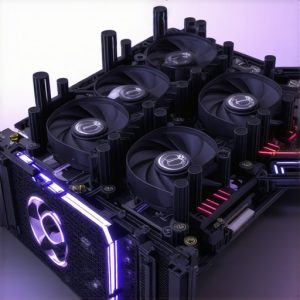
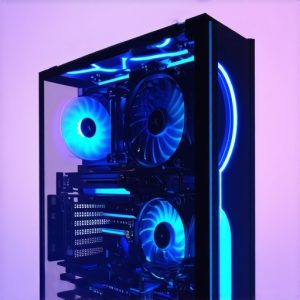
Mastering the art of PC cooling involves a nuanced understanding of how fan curves, AIO cooler configurations, and thermal paste application synergize to achieve optimal temperatures. As hardware demands escalate, particularly in gaming, rendering, and overclocking scenarios, conventional cooling methods often fall short. This guide explores the intricacies of fine-tuning fan curves and integrating high-performance thermal solutions for peak efficiency.
The Critical Role of Fan Curves in Dynamic Thermal Regulation
Fan curves are not mere settings but are dynamic tools that influence airflow and temperature regulation across different load conditions. Advanced users leverage custom fan profiles to preempt thermal throttling, balancing noise levels with cooling performance. Understanding fan curves at an expert level entails analyzing CPU and GPU thermal thresholds, adjusting for case airflow, and factoring in ambient conditions. Properly calibrated curves enable proactive cooling, reducing stress on components while maintaining an acoustically comfortable environment.
Synergizing AIO Cooler Performance with Fan Curve Optimization
An all-in-one (AIO) liquid cooler’s efficiency hinges on its pump and radiator fans working in harmony. Tailoring fan speeds in relation to coolant temperature and CPU load allows for quieter operation during idle and peak performance during intensive tasks. Best practices for AIO configuration involve setting aggressive fan curves at high loads and gentle profiles during low activity, ensuring thermal stability without excessive noise.
Thermal Paste: The Unsung Hero of Thermal Conductivity
While often overlooked, thermal paste application quality profoundly impacts heat transfer from the CPU or GPU to the heatsink or cooler. Expert application involves precise, even spread and selecting high-quality compounds with superior thermal conductivity. Thermal paste tips can reduce thermal resistance, enabling fans and coolers to operate at lower speeds for the same cooling performance, thus prolonging component lifespan and reducing noise.
How do I balance fan speed and noise when optimizing my PC cooling system for overclocked CPUs?
Balancing fan speed and noise involves a detailed analysis of load conditions, component temperatures, and ambient environment. Implementing a layered fan curve that ramps up gradually with temperature increases can prevent abrupt noise spikes while maintaining thermal safety margins. Additionally, integrating high-quality thermal paste and ensuring proper contact pressure can lower the required fan speeds for effective cooling.
Explore more about optimizing your PC cooling system for advanced insights. For professional guidance or to share your custom configurations, reach out to our expert team.
Push Your Cooling Limits with Fine-Tuned Fan Curves
Fan curves are not static settings but dynamic tools that can drastically improve your PC’s thermal performance and noise levels. By customizing fan profiles based on component temperatures, you can prevent thermal throttling while maintaining a quieter environment. For example, setting gradual ramp-ups during load increases can help avoid sudden noise spikes and maintain component stability. To unlock the full potential of your cooling system, consider exploring expert-level fan curve strategies that account for ambient conditions and case airflow.
Integrating AIO Coolers with Fan Curve Precision
High-performance AIO liquid coolers thrive on synchronized operation of pump speeds and radiator fans. Fine-tuning fan curves to respond to coolant temperatures can optimize both noise and thermal performance. During idle or low workloads, gentle curves keep noise minimal, while aggressive curves during gaming or rendering help keep temperatures in check. For detailed guidance on configuring your AIO cooler, visit top AIO cooling strategies.
The Thermal Paste Factor in Cooling Excellence
Applying thermal paste correctly is often underestimated but is crucial for effective heat transfer. Proper application involves a thin, even layer that fills microscopic surface imperfections, reducing thermal resistance. Choosing high-quality thermal compounds with superior thermal conductivity amplifies cooling efficiency. This synergy allows fans and coolers to operate at lower speeds, prolonging their lifespan and reducing noise. For expert tips on thermal paste application, see thermal paste optimization tips.
What’s the best way to balance cooling performance with acoustic comfort for overclocked CPUs?
Achieving this balance involves customizing layered fan curves that respond smoothly to temperature changes, avoiding abrupt speed increases that cause noise. Incorporating high-quality thermal paste ensures efficient heat transfer, reducing the need for high fan speeds. Additionally, optimizing case airflow and selecting the right fan types can further diminish noise while maintaining cooling efficiency. For advanced tuning techniques, explore comprehensive fan curve guides. To share your setup or seek personalized advice, contact our cooling experts.
Designing Intelligent Fan Profiles for Overclocked Systems
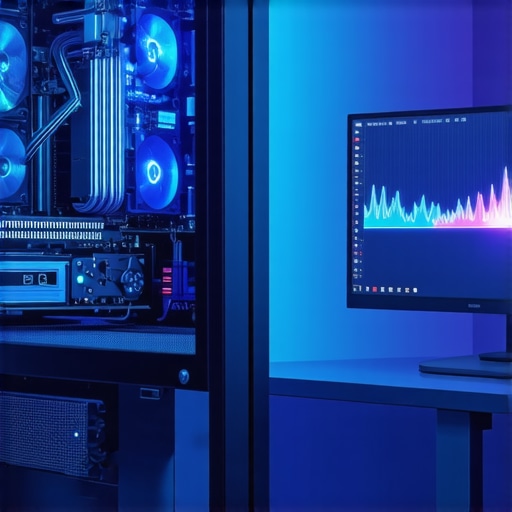
Overclocking introduces a complex set of thermal challenges that demand sophisticated fan curve strategies. Instead of static profiles, consider dynamic, multi-phase fan curves that adapt not only to temperature thresholds but also to workload patterns. For instance, during transient spikes in CPU load, a rapid ramp-up can prevent thermal runaway, whereas during sustained low loads, gentle fan speeds maintain quiet operation. Implementing these profiles requires software that supports multi-parametric control, such as Argus Monitor or SpeedFan, combined with real-time thermal monitoring to refine these curves continuously.
Maximizing Thermal Paste Efficacy in High-Performance Cooling
In high-performance builds, thermal paste application transcends the simple
Unlocking the Potential of Adaptive Fan Profiles for Overclocked Systems
Overclocking imposes unprecedented thermal demands on your PC components, necessitating innovative approaches to fan curve customization. Moving beyond static profiles, expert enthusiasts leverage multi-phase, workload-responsive fan algorithms that dynamically adjust to transient thermal loads. Such profiles often incorporate real-time data from thermal sensors and utilize sophisticated control software like Argus Monitor, SpeedFan, or proprietary motherboard utilities to finely tune cooling responses. This advanced methodology ensures thermal stability during peak overclocking while maintaining minimal acoustic disruption, enabling enthusiasts to push hardware boundaries confidently.
The Art of Thermal Paste Application for Micro-Level Heat Transfer
While thermal paste may seem trivial, its precise application at the microscopic level can dramatically influence heat dissipation efficacy. The optimal approach involves applying a thin, uniform layer that fills microscopic surface irregularities, minimizing thermal resistance. High-end thermal compounds with nanomaterial-enhanced thermal conductivity, such as liquid metal or ceramic composites, are preferred for extreme performance builds. Achieving perfect contact pressure and surface cleanliness further amplifies heat transfer efficiency, allowing cooling solutions to operate at lower fan speeds and noise levels. For detailed guidance, consult reputable sources such as Tom’s Hardware thermal interface reviews.
How can custom fan curve design mitigate thermal runaway risks during aggressive overclocking?
Designing fan curves that preempt thermal runaway involves setting rapid, yet smooth, ramp-ups at critical temperature thresholds, coupled with proactive fan speed increases during transient workload spikes. Integrating thermal margin buffers and predictive algorithms within control software can prevent sudden temperature surges, protecting hardware integrity. For those seeking to refine their thermal management, exploring multi-parametric control with real-time monitoring is essential. Advanced users should consider software solutions like SpeedFan’s scripting capabilities or BIOS-level custom profiles to implement these strategies effectively.
Discover more about advanced fan curve tuning techniques and elevate your cooling game. For personalized setups or expert advice, connect with industry professionals.
Incorporating Liquid Metal Thermal Compounds for Superior Conductivity
Liquid metal thermal compounds, such as those containing gallium alloys, drastically outperform traditional ceramic or carbon-based pastes in thermal conductivity. Their application, however, demands meticulous surface preparation and careful handling to prevent short circuits or corrosion. When properly applied, liquid metal enhances heat transfer from CPU and GPU dies to heatsinks, enabling lower operating temperatures and quieter fan operation. This technology is particularly advantageous in high-performance, overclocked systems where every degree counts. For safety and application tips, consult specialized guides from reputable hardware review sites like AnandTech.
What are the best practices for safely integrating liquid metal compounds into high-end cooling setups?
Best practices include thorough cleaning of contact surfaces with isopropyl alcohol, precise application using applicator tools, and ensuring no leaks or spills. Additionally, selecting compatible, corrosion-resistant coolers and maintaining proper contact pressure are vital. Regular inspections are recommended to detect potential corrosion issues early, especially in systems with mixed metal components. For comprehensive safety protocols, explore resources from industry experts and thermal interface specialists.
Enhance your thermal management knowledge and stay ahead of cooling innovations by visiting Hardwareluxx’s in-depth reviews. Ready to optimize your cooling system? Contact our expert team for tailored advice.
Cutting-Edge Techniques in PC Cooling Optimization
In the realm of high-performance computing, leveraging sophisticated fan curve configurations and thermal interface enhancements can dramatically elevate cooling efficiency. Industry experts recognize that static fan settings are obsolete; instead, dynamic, workload-aware profiles deliver superior thermal stability and acoustic comfort. Implementing multi-phase, adaptive fan algorithms that respond in real-time to sensor data ensures your system remains within safe thermal margins while minimizing noise pollution.
Harnessing Authoritative Resources for Deep Expertise
- Tom’s Hardware Thermal Interface Guides: Renowned for detailed reviews on thermal compounds and application techniques, these resources provide insights into maximizing heat transfer efficiency.
- Motherboard Manufacturer BIOS Utilities: Many high-end boards include custom fan calibration tools, enabling precise, workload-dependent fan curve adjustments.
- Specialized Software like Argus Monitor and SpeedFan: These tools support multi-parametric control, allowing real-time thermal management tailored to overclocked or high-demand systems.
- Hardware Review Sites such as AnandTech and Hardwareluxx: Offering in-depth analyses of cooling components and innovative thermal solutions, these sites inform expert-level decision-making.
- Official Thermal Paste Manufacturer Documentation: Providing application best practices and performance data essential for micro-level thermal management.
Synthesizing the Expert Perspective on PC Cooling Mastery
Achieving optimal PC cooling hinges on integrating adaptive fan curve strategies with high-quality thermal interface materials and precise thermal paste application. This holistic approach not only enhances thermal performance but also extends component lifespan and reduces operational noise. For those committed to pushing their hardware to the limit, continuous engagement with industry-leading resources and adopting a proactive, expert mindset is indispensable. To deepen your expertise or share innovative cooling configurations, connect with industry professionals or explore advanced guides available through trusted sources.

![Stop 2026 CPU Throttling: The Offset Bracket Fix [Proven]](https://cooling.workstationwizard.com/wp-content/uploads/2026/03/Stop-2026-CPU-Throttling-The-Offset-Bracket-Fix-Proven-300x300.jpeg)