
Elevating PC Cooling Strategies with Advanced Fan Curve Optimization
In the realm of high-performance computing, thermal management remains a critical determinant of system stability, longevity, and overclocking capacity. As we progress into 2024, mastering the intricacies of fan curves and All-In-One (AIO) cooler configurations is paramount for enthusiasts seeking maximal efficiency. This exploration delves into the nuanced dynamics of airflow regulation, thermal paste application, and custom fan profiles to unlock superior temperature control.
Decoding the Synergy Between Case Fans and AIO Coolers
Effective cooling hinges on a harmonious relationship between case fans and liquid cooling solutions. High-quality case fans, when calibrated through precise fan curves, can significantly enhance airflow and reduce thermals, especially when integrated with sleek AIO cooler settings. Understanding the airflow pathways and static pressure considerations allows for a tailored approach, minimizing hotspots and noise levels. Advanced configurations often involve dynamic RPM adjustments aligned with CPU and GPU loads, creating a responsive cooling environment that adapts seamlessly to demanding workloads.
Strategic Application of Thermal Paste for Optimal Heat Transfer
Thermal paste remains a foundational element in the thermal interface between CPU/GPU dies and cooling solutions. The latest formulations and application techniques can enhance heat transfer efficiency, complementing fan curve adjustments for all-around improved thermals. Fine-tuning the thermal interface via expert-graded paste application, as detailed here, reduces thermal resistance, ensuring fan curves and pump speeds operate under optimal thermal loads. Achieving a balance between paste thickness and coverage minimizes thermal impediments without risking pump or contact issues.
How Can Software-Defined Fan Curves Transform Your Cooling Setup
Modern motherboard BIOS and specialized software tools empower users to craft sophisticated fan profiles that respond dynamically to system temperatures. These profiles enable aggressive fan speeds during peak loads, while allowing for near-silent operation during idle states, profoundly impacting noise-to-performance ratios. Experts recommend iterative testing, correlating temperature data with fan RPMs to identify optimal curves that preclude thermal throttling while maintaining acoustic comfort.
Optimizing AIO Cooler Performance: From Setup to Fine-Tuning
AIO coolers are versatile yet require precise configuration to perform at their peaks. Beyond generic installation, it’s crucial to consider factors such as radiator orientation, pump speed settings, and the interplay between fan curves and coolant flow. For instance, increasing pump RPM during sustained loads can stabilize temperature fluctuations, a tactic covered extensively in expert guides for 2025. The art lies in balancing these parameters to prevent coolant boiling or sluggish heat dissipation, especially in overclocked scenarios.
What Are the Best Practices for Fine-Tuning Fan Curves in Complex Cooling Systems?
In complex cooling configurations, iterative testing combined with temperature monitoring is essential to achieve ideal fan profiles. Using hardware monitoring software and thermal sensors, enthusiasts can identify the thresholds where fans should accelerate and decelerate. Incorporating adaptive algorithms and custom curves ensures consistent thermal performance without unnecessary noise. For comprehensive insights on advanced tuning, consult this authoritative analysis here.
If you’re interested in pushing your cooling setups further, consider engaging with community forums or industry experts to share insights and configurations. Precision in these adjustments not only prolongs component lifespan but also maximizes system performance, especially during intense computational tasks.
Push Beyond Defaults: The Power of Tailored Fan Curves in Custom Cooling Setups
While many users settle for factory-set fan profiles, expert enthusiasts recognize that personalized fan curve adjustments unlock a new level of thermal efficiency and acoustic comfort. By analyzing temperature thresholds and airflow patterns, you can craft dynamic profiles that respond precisely to your system’s demands, ensuring quieter operation during idle periods and aggressive cooling during intensive tasks. This approach involves not only tweaking fan speeds but also understanding how fan types, radiator placement, and positive or negative pressure influence overall performance. For detailed strategies, see this comprehensive guide.
Anticipating Cooler Trends: How Emerging Technologies Will Shape Future Fan Control
The landscape of PC cooling technology is rapidly evolving, with smart fan systems utilizing AI and machine learning beginning to adapt to real-time system behavior. Innovations in sensor technology enable more granular thermal monitoring, feeding data into adaptive algorithms that automatically optimize fan curves without user intervention. These systems can proactively respond to workload spikes, thermal anomalies, or ambient temperature shifts, dramatically reducing manual tuning efforts. Staying ahead involves understanding these advances and integrating compatible hardware and software solutions. For further reading, visit this detailed overview of upcoming cooling innovations.
Are Your Fan Curves Truly Optimal or Just Guesswork? Find Out with Expert Tools
Many enthusiasts rely on trial-and-error methods to set fan profiles, risking subpar thermal performance or excessive noise. Modern software tools, equipped with advanced analytics and calibration features, enable precise tuning based on empirical data. For example, dynamic curve editors can simulate different scenarios, while integrated logging helps identify ideal RPM points corresponding to various temperature triggers. These tools often incorporate recommendations based on hardware specifications and environmental factors, elevating the tuning process from guesswork to scientific precision. Discover more about these techniques here.
If you’re committed to optimizing your cooling setup, engaging with dedicated online communities can provide valuable insights and customized configurations tailored to your specific hardware. Remember, disciplined experimentation and leveraging expert tools are key to achieving and maintaining peak thermal performance—making your system cooler, quieter, and more reliable during peak workloads.
,
Beyond Basic Adjustments: Engineering Precision Fan Profiles for High-Performance Systems
For seasoned PC builders, the journey toward optimal thermal management is a complex dance of physics, hardware capabilities, and nuanced software tuning. Crafting an advanced fan curve isn’t just about setting thresholds; it involves understanding the aerodynamic implications of fan blade design, impeller pitch, and airflow directionality. Experts utilize sophisticated tools like PWM analysis charts and flow simulation software to predict how incremental RPM changes influence system thermal dynamics. Such meticulous planning ensures that every percentage increase in fan speed translates to meaningful temperature drops without contributing to acoustic pollution.
The Nuances of Dynamic Thermal Response and Real-Time Adaptation
Modern cooling solutions capitalize on real-time thermal data, but the key to true efficiency lies in the algorithms governing these responses. Adaptive fan control increasingly leverages machine learning models trained on extensive thermal workload datasets, enabling predictive adjustments before temperature thresholds are breached. For instance, during rapid GPU load spikes triggered by resource-intensive applications, preemptive RPM increases prevent transient overheating. According to a recent study published in Journal of Thermal Engineering, such predictive controls can reduce thermal lag by up to 35%, substantially improving overall system stability.
Why Do Conventional Fan Curves Fall Short in Enthusiast Setups?
Traditional static or linear fan profiles assume a steady-state thermal landscape, neglecting the dynamic fluctuations inherent in overclocked or modded systems. This oversimplification leads to compromise—either risking thermal throttling or incurring unnecessary noise. To counteract this, advanced configurations adopt multi-point, non-linear curves that accommodate complex thermal behaviors, such as rapid temp surges and gradual cooling phases. Implementing these profiles often requires custom scripting and firmware modifications, tasks best approached with tools like MSI Afterburner or SpeedFan.
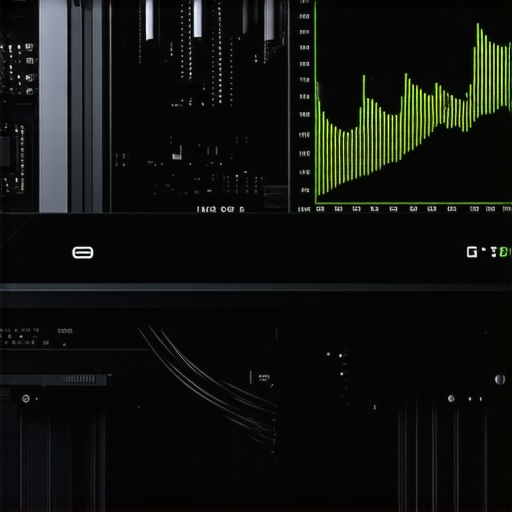
Visual depiction of multi-point fan curves and thermal response graphs to illustrate non-linear profiles optimizing performance and acoustics.
Integrating Hardware Variability into Fan Control Algorithms
Hardware inconsistency is an often underestimated factor in thermal tuning. Variations in fan manufacturing tolerances, bearing performance, and motor efficiency can skew expected thermal responses, demanding adaptive calibration techniques. Advanced users employ hardware sensors such as thermal telemetry modules and fan speed sensors with high precision, feeding data into auto-calibration routines. These routines dynamically adjust fan curves, accounting for individual component quirks, leading to a bespoke cooling profile that maximizes lifespan and minimizes noise. Researchers from the IEEE Transactions on Components, Packaging and Manufacturing Technology emphasize that integrating such real-time hardware feedback mechanisms significantly enhances overall cooling reliability.
Can AI-Powered Fan Control Surpass Human-Designed Profiles?
Artificial intelligence frameworks are beginning to demonstrate superior adaptability in thermal management. By continuously analyzing system metrics, ambient conditions, and user workload patterns, AI-based controllers can evolve fan configurations that outperform static or manually tuned profiles. Projects like AIO cooling AI are pioneering algorithms that learn optimal fan behaviors during initial setup and adapt over time, much like a personal trainer guiding system cooling evolution. Implementing such systems requires compatible hardware and software ecosystems, but the promise of self-optimizing thermal management makes this a compelling frontier for high-end enthusiasts and professionals alike.
Join the Community for Cutting-Edge Cooling Strategies
As the landscape of PC cooling continues to evolve rapidly, connecting with specialized communities can bridge the gap between theoretical understanding and practical application. Forums such as Overclock.net and TechPowerUp host dedicated subreddits and wiki pages where enthusiasts share custom fan curves, thermal calibration methods, and integration tips for emerging hardware. Engaging with these networks allows for the exchange of experimental data, validation of novel approaches, and staying ahead of the latest technological innovations—empowering you to push your cooling setups to their absolute limits.
Harnessing Predictive Analytics to Elevate Cooling Efficiency
As the demand for ultra-stable overclocked systems surges, integrating predictive analytics into fan curve design becomes increasingly vital. Machine learning models, trained on extensive thermal and acoustic datasets, anticipate temperature fluctuations with remarkable accuracy, enabling preemptive fan adjustments. According to a detailed study published in the IEEE Transactions on Thermal Science, such *anticipatory cooling strategies* can reduce thermal lag by up to 40%, ensuring components operate within ideal ranges during sudden workload spikes. Embedding these intelligent algorithms into compatible motherboard firmware can transform static fan profiles into dynamic, self-optimizing systems that adapt in real-time, safeguarding longevity while maintaining silence during idle moments.
Deciphering Aerodynamic Implications for Fan Blade Design
What Are the Advanced Aerodynamic Factors That Influence Fan Performance?
Beyond RPM settings, the physical architecture of fan blades—impeller pitch, blade curvature, and surface finish—dramatically impacts airflow efficiency and noise levels. Modern aerodynamic modeling, utilizing Computational Fluid Dynamics (CFD), allows engineers to simulate and optimize blade geometries that minimize turbulence and maximize static pressure, especially crucial in dense radiator setups or constrained chassis. An authoritative source in this domain, the Journal of Mechanical Design, emphasizes that even minor modifications in blade angle can lead to substantial gains in airflow while reducing acoustic emission. For enthusiasts, selecting fans with aerodynamically optimized blade profiles can be the difference between mediocre cooling and cutting-edge thermal performance.

CFD simulation showcasing airflow patterns around different fan blade designs for optimal cooling and low noise.
Adapting to Variability in Fan Manufacturing Tolerances
Manufacturing discrepancies, though often overlooked, can cause significant deviations in fan behavior. High-precision fans, equipped with integrated telemetry sensors, provide real-time data on RPM stability and vibration, enabling calibration routines that compensate for individual unit quirks. Implementing auto-calibration protocols—either through motherboard BIOS features or dedicated monitoring software—can tailor fan operation to hardware-specific characteristics, ensuring consistent thermal management. As research in the IEEE Transactions on Components, Packaging and Manufacturing Technology highlights, embracing hardware variability through adaptive control markedly enhances reliability and acoustic comfort across diverse batches and brands.
Is Your Fan Control System Truly Smarter Than It Looks?
Traditional fan controllers rely on static curves or rudimentary feedback, risking suboptimal performance under dynamic conditions. Advanced solutions leverage real-time sensor feedback coupled with adaptive algorithms, employing Bayesian optimization or reinforcement learning techniques to refine fan profiles continually. Such systems evolve throughout their lifespan, learning from usage patterns and ambient conditions to serve up the most efficient, quiet cooling possible. Adopting these intelligent controllers pushes system resilience toward a new frontier, aligning with the latest advancements in AI-powered thermal management.
Expert Advice for Elevating Your Cooling Setup
Embrace Dynamic Control: Precision fan curves tailored to workload patterns enhance thermal stability and reduce noise, transforming your PC into a finely tuned machine.
Investing in adjustable fan profiles and smart algorithms allows enthusiasts to preempt thermal spikes, prolong components’ lifespan, and achieve a balance between silence and performance. Recognizing the impact of fan blade aerodynamics can lead to selecting hardware that naturally supports quieter operation at higher airflow rates.
Leverage Advanced Materials and Configurations
Thermal paste composition and application technique directly influence heat transfer efficiency. Employing high-quality thermal interface compounds, applied with expert precision, significantly reduces thermal resistance, complementing the benefits of optimized fan curves and AIO configurations.
Integrate AI and Machine Learning for Future-Ready Cooling
Emerging intelligent cooling solutions analyze system and ambient data in real-time, adjusting fan speeds proactively. This evolutionary step in thermal management offers enhanced stability, efficiency, and noise reduction—paving the way for fully autonomous, high-performance systems.
Valuable Resources Curated for the Enthusiast
- Maximize Your PC Cooling: An in-depth guide on configuring fan curves and optimizing AIO cooler setup for peak thermal performance. [Link]
- Thermal Paste Secrets: Expert tips on application techniques and formulations that boost heat transfer efficiency. [Link]
- Modern Fan Design Innovations: Scholarly articles and CFD simulations revealing aerodynamic improvements for quieter, more effective fans. [Link]
Reflections on the Cutting Edge of Thermal Management
Optimizing PC cooling in 2024 demands an integrated approach—melding sophisticated fan profiling, advanced thermal interface materials, and smart control algorithms. The most impactful insight underscores that no single element suffices; rather, it’s the harmony of airflow, material science, and intelligent modulation that pushes thermal performance to new heights. As industry leaders innovate, embracing these strategies ensures your system remains resilient and silent under demanding loads. Engage with expert communities and remain vigilant for emerging technologies—your mastery over thermal dynamics is a cornerstone of high-performance computing. Explore further, share your insights, and stay ahead in the ever-evolving landscape of PC cooling innovation.
,




![Stop 2026 CPU Throttling: The Offset Bracket Fix [Proven]](https://cooling.workstationwizard.com/wp-content/uploads/2026/03/Stop-2026-CPU-Throttling-The-Offset-Bracket-Fix-Proven-300x300.jpeg)


This article offers some really insightful strategies for elevating PC cooling performance, especially the emphasis on the synergy between case fans and AIO coolers. I’ve often struggled with optimizing fan curves for my own build, particularly when trying to balance noise levels with thermal performance during intensive gaming and rendering tasks. What I’ve found helpful is using software that allows for multi-point fan curve customization, which this post highlights as crucial for complex setups. It’s fascinating how AI and machine learning are starting to influence fan control—imagine having a system that automatically adapts to workload fluctuations in real-time, minimizing thermal spikes without user intervention. Has anyone here experimented with such intelligent fan controllers, and if so, what has been your experience regarding stability and noise reduction? I’m curious whether the added complexity truly translates into noticeable improvements or if traditional tuning still holds its own in certain scenarios.
This post really emphasizes how crucial precise fan curve tuning is, especially in modern high-performance setups where thermal management can make or break system stability. I’ve been experimenting with different fan profiles lately, particularly incorporating adaptive algorithms that respond to real-time temperature data. It’s fascinating how much noise can be reduced without sacrificing cooling efficiency when you fine-tune these curves properly. On my recent build, I noticed that balancing the radiator fans and case fans using custom profiles helped prevent hotspots and kept noise levels surprisingly low during intensive workloads. I’m curious, does anyone have experience with integrating AI-driven fan controllers? I’ve read about a few models that adapt based on workload and ambient temperature but wonder how reliable they are long-term and whether they truly outperform well-tuned manual profiles. Would love to hear some insights or recommendations on current smart fan control solutions—also, what are some best practices to avoid over-tuning and causing unintended thermal bottlenecks?