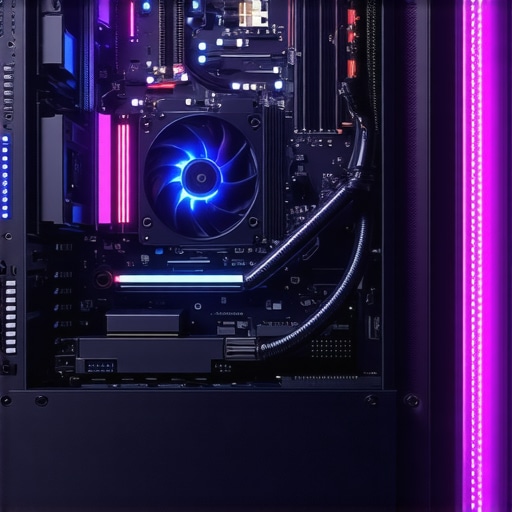

Elevating Your PC Cooling Strategy Through Expert-Level Adjustments
In the realm of high-performance computing, mastering the intricacies of cooling systems becomes essential for maintaining optimal operation and extending hardware longevity. This comprehensive guide explores advanced techniques such as fine-tuning fan curves, configuring AIO cooler settings, and applying thermal paste with precision—elements that collectively elevate your cooling efficiency to professional standards.
Refining Fan Curves for Superior Airflow Management
Fan curves are the backbone of dynamic thermal regulation, allowing precise control over case fans and CPU coolers. By customizing fan profiles, enthusiasts can balance noise levels against cooling demands, ensuring quieter operation during idle states and robust cooling under load. Advanced users leverage software tools like SpeedFan or motherboard BIOS settings to craft nonlinear fan curves that respond intelligently to temperature fluctuations, thereby preventing thermal throttling and optimizing acoustic comfort.
Configuring AIO Cooler Settings for Peak Performance
All-in-One (AIO) liquid coolers offer a sophisticated platform for thermal management, but their true potential is unlocked through detailed configuration. Adjustments such as pump speed, fan PWM settings, and radiator fan curves are critical for maximizing heat dissipation. Expert users often experiment with custom profiles that adapt to workload intensity, ensuring that the AIO cooler maintains a low thermal profile without unnecessary noise. For deeper insights, consult the ultimate guide to fan curves and thermal paste.
Optimizing Thermal Paste Application for Consistent Heat Transfer
Thermal paste remains a fundamental component for effective heat transfer between the CPU and its cooler. Proper application techniques—such as the pea-sized dot, spread method, or line application—can significantly influence thermal conductivity. Advanced practitioners perform surface cleaning and use high-quality thermal compounds to minimize thermal resistance. The choice of thermal paste, paired with optimal application, can reduce CPU temperatures by several degrees, which is crucial during overclocking or sustained high loads.
How Do Modern Cooling Solutions Balance Noise and Thermal Efficiency?
Modern cooling solutions incorporate variable-speed fans, smart pump controllers, and adaptive fan curves to strike a balance between acoustic comfort and thermal performance. Innovations such as AI-driven fan modulation and intelligent thermal sensors enable real-time adjustments that optimize both parameters. Industry-leading brands like Noctua and Corsair continually push the envelope, integrating these technologies into their air and liquid cooling products. For a detailed comparison of these innovations, see the comprehensive guide to cooling solutions.
To truly excel in PC cooling, enthusiasts must combine nuanced software configuration with meticulous hardware maintenance. Explore related content such as how to select the best AIO cooler or thermal paste secrets for performance boost for in-depth techniques and expert tips. Your journey to professional-grade PC cooling begins with understanding and applying these advanced concepts.
Harnessing the Power of Dynamic Fan Curves for Ultimate Cooling
Refining fan curves is an art that combines software finesse with hardware understanding. Modern systems allow users to craft nonlinear fan profiles that respond to subtle temperature shifts, ensuring your PC remains cool without excessive noise. Utilizing tools like the fan curve optimization guides, enthusiasts can fine-tune each fan’s response to load variations, effectively balancing thermal performance and acoustic comfort.
Elevating AIO Cooler Performance through Custom Configurations
Advanced users understand that the true potential of AIO liquid coolers lies in meticulous configuration. Adjusting pump speeds, radiator fan curves, and coolant flow can dramatically influence thermal efficiency. For example, setting higher fan speeds during gaming sessions or rendering tasks ensures sustained low temperatures. To achieve this, consult comprehensive resources like the ultimate guide to fan curves and thermal paste, which details how to synchronize these settings for peak performance.
Perfecting Thermal Paste Application for Consistent Heat Dissipation
Applying thermal paste with precision is crucial for optimal heat transfer. Techniques such as the pea-sized dot, spread method, or line application each have their merits, but the key lies in surface preparation and paste quality. High-quality thermal compounds paired with proper application can reduce CPU temperatures by several degrees, providing stability during overclocking or extended workloads. For expert advice on thermal paste application, explore thermal paste secrets that unlock your CPU’s full potential.
What if we could predict future cooling needs based on workload patterns?
Emerging AI-driven thermal management solutions aim to analyze workload trends and automatically adjust fan curves and pump speeds in real-time. This proactive approach minimizes temperature spikes and noise, creating a smarter cooling environment. Industry leaders like Corsair are integrating such innovations into their latest cooling products, emphasizing the importance of adaptive thermal solutions. For more insights into cutting-edge cooling tech, see expert guides on cooling optimization.
Ready to push your cooling setup further? Share your experiences or ask questions in the comments, or explore more advanced techniques by browsing our detailed articles on air and AIO cooling strategies.
Unlocking the Secrets of Optimal Thermal Regulation in High-End PCs
Achieving superior cooling performance goes far beyond basic fan setups and thermal paste application. It involves integrating sophisticated control algorithms, leveraging cutting-edge hardware modifications, and understanding the nuanced physics of heat transfer. For enthusiasts and professionals aiming to push their systems to the limit, understanding the interplay between these elements is crucial. Recent developments in AI-powered thermal management and custom liquid cooling loops are transforming the landscape, offering unprecedented levels of control and efficiency.
Implementing Intelligent Fan Profile Automation for Dynamic Environments
Manual fan curve adjustments, while effective, often lack the responsiveness required for fluctuating workloads. Enter AI-driven thermal management systems capable of predictive adjustments based on workload patterns, ambient temperature, and even user behavior. These systems utilize machine learning algorithms trained on vast datasets, enabling real-time optimization that minimizes noise without sacrificing cooling performance. Companies like ASUS and MSI are pioneering integrated solutions that adapt seamlessly to gaming, rendering, or idle states, providing a balanced acoustic and thermal environment. Investing in such intelligent control systems can significantly prolong hardware life and improve user comfort.
Designing Custom Liquid Cooling Solutions for Extreme Overclocking
For those venturing into the realm of extreme overclocking, standard AIO coolers often fall short. Custom loop designs, featuring high-quality radiators, water blocks, and pumps, allow for meticulous thermal management tailored to specific hardware configurations. Advanced techniques include integrating temperature sensors directly onto VRMs and RAM modules to monitor localized heat zones, enabling targeted cooling efforts. Moreover, the choice of coolant—such as biocide-enhanced mixtures—can prevent corrosion and microbial growth, maintaining system stability over prolonged periods. This resource offers detailed guides on custom loop assembly and maintenance.
Can Thermal Conductivity Be Engineered for Future-Ready Cooling?
The foundation of effective cooling lies in the thermal conductivity of interface materials. Recent advances in nanomaterials, such as graphene-enhanced thermal pastes and phase-change materials, promise breakthroughs in heat transfer efficiency. Researchers are exploring these innovations to develop next-generation interface compounds that outperform traditional pastes, especially under high thermal loads. Such materials could revolutionize CPU and GPU cooling, enabling higher overclocking margins and longer component lifespans. Industry collaborations with material science labs are accelerating the commercialization of these cutting-edge solutions.
As cooling technology evolves, staying informed about emerging materials and control methodologies becomes essential. For in-depth insights, consider consulting authoritative publications like the Journal of Thermal Science and Engineering.
What are the practical challenges in scaling nano-enhanced thermal interface materials for mass-market PCs?
Scaling nanomaterial-based thermal interfaces from lab prototypes to consumer products involves overcoming issues related to manufacturing consistency, long-term stability, and cost. Ensuring uniform dispersion of nanomaterials within the matrix is critical to maintaining predictable thermal performance. Additionally, compatibility with existing CPU and GPU architectures must be validated to prevent adverse reactions. Industry leaders are actively researching scalable production techniques, such as nanomaterial ink printing and advanced polymer composites, to address these challenges. The successful commercialization of these materials could dramatically enhance cooling efficiency across a broad spectrum of applications.
To explore these innovations further, engage with industry white papers and attend specialized conferences on thermal management and materials science. Your system’s future cooling performance depends on staying ahead of these technological trends.
Harnessing Cutting-Edge Thermal Management Technologies
In the pursuit of optimal cooling performance, integrating advanced materials such as graphene-enhanced thermal compounds and phase-change interface materials can revolutionize heat transfer efficiency. These innovations promise significant reductions in CPU and GPU temperatures, enabling higher overclocking margins and increased component longevity. Industry collaborations with leading material science laboratories are accelerating the development and commercialization of these next-generation solutions.
Leveraging Predictive Analytics for Adaptive Cooling
Modern thermal management benefits immensely from AI and machine learning algorithms that analyze workload patterns, ambient conditions, and user behavior. These systems dynamically adjust fan speeds, pump flow rates, and radiator fans to preempt thermal spikes, ensuring a silent yet cool operation. Companies like ASUS and MSI are pioneering AI-driven thermal solutions that adapt in real-time, significantly enhancing system stability and user comfort.
Designing Custom Cooling Architectures for Overclocking Extremes
For extreme overclockers, standard AIO solutions often fall short. Developing custom liquid cooling loops with high-capacity radiators, precision water blocks, and variable-speed pumps allows meticulous thermal control tailored to specific hardware configurations. Incorporating temperature sensors directly onto VRMs and RAM modules facilitates localized cooling, while selecting biocide-enhanced coolants prevents corrosion, maintaining long-term system stability.
What Are the Scientific Limits of Thermal Conductivity Engineering?
Emerging nanomaterials, such as graphene and boron nitride composites, are pushing the boundaries of thermal interface materials (TIMs). These materials offer unparalleled thermal conductivity, potentially transforming the landscape of PC cooling. Researchers are exploring scalable manufacturing methods, like nanomaterial ink printing, to integrate these materials into consumer-grade thermal solutions, promising a future where heat dissipation is virtually instantaneous.
How Can Industry Overcome Challenges in Scaling Nano-Enhanced TIMs?
Scaling nanomaterial-based TIMs from laboratory prototypes to mass-market products involves overcoming manufacturing consistency, long-term stability, and cost-efficiency hurdles. Ensuring uniform nanomaterial dispersion, compatibility with existing hardware, and affordability are critical factors. Advances in scalable production techniques, such as nanomaterial ink deposition and polymer composites, are promising pathways to overcome these barriers. Staying informed through industry white papers and technical conferences is essential for professionals aiming to leverage these innovations.
Engage with the latest research and participate in specialized forums to stay at the forefront of thermal management innovations, ensuring your cooling solutions remain competitive and future-proof.
Expert Insights That Shape the Future of Cooling
Achieving optimal thermal management in high-performance PCs requires a nuanced understanding of advanced techniques. Experts emphasize the importance of dynamic fan curve customization, integrating AI-driven thermal solutions, and leveraging cutting-edge materials like graphene-enhanced thermal pastes. These strategies are not just theoretical but are actively transforming how enthusiasts and professionals approach cooling systems, leading to quieter, more efficient operations and extended hardware lifespan.
Implement Adaptive Control for Peak Efficiency
Utilizing intelligent algorithms that predict workload fluctuations allows for real-time adjustments to fan speeds and pump flow rates. This proactive approach reduces thermal spikes and noise, creating a more stable and comfortable environment. Industry leaders such as ASUS and MSI are pioneering these adaptive systems, setting new standards in thermal management.
Harness Next-Generation Materials
Emerging nanomaterials like phase-change interface compounds and graphene composites promise unprecedented heat transfer capabilities. These innovations could revolutionize thermal interface solutions, enabling higher overclocking margins and longer component longevity. Keeping abreast of these developments offers a competitive edge in the constantly evolving cooling landscape.
Curated Resources for Deepening Your Expertise
- Cooling Workstation Wizard’s Advanced Guides: Detailed articles on optimizing AIO liquid coolers, customizing fan curves, and applying thermal paste with precision, essential for serious enthusiasts.
- Academic Journals on Thermal Materials: Publications such as the Journal of Thermal Science provide insights into nanomaterial advancements and their practical applications in PC cooling.
- Industry White Papers and Technical Conferences: Engage with the latest research and innovations by reviewing white papers from leading manufacturers and attending specialized events focused on thermal management.
The Final Word from the Cooling Experts
Mastering PC cooling at an expert level demands continuous learning, experimentation, and adaptation. Embracing advanced control algorithms, exploring innovative materials, and leveraging authoritative resources can dramatically enhance your system’s performance. Whether you’re pushing the limits with overclocking or striving for silent operation, your journey begins with informed choices and strategic implementation. Dive deeper into these topics, share your insights, and join the community committed to excellence in thermal management.

![Stop 2026 CPU Throttling: The Offset Bracket Fix [Proven]](https://cooling.workstationwizard.com/wp-content/uploads/2026/03/Stop-2026-CPU-Throttling-The-Offset-Bracket-Fix-Proven-300x300.jpeg)





This article offers a fantastic overview of advanced PC cooling techniques. I especially appreciate the emphasis on customizing fan curves and the potential of AI-driven thermal management. In my own setup, I experimented with nonlinear fan profiles using fan control software, and the results were impressive—quieter operation during idle while maintaining low temperatures under load. As someone who’s dabbling in custom liquid cooling setups, I find it fascinating how integrating temperature sensors directly on VRMs and RAM can make such a difference, especially during overclocking. I’m curious, though, how do others balance the complexity of such custom setups with reliability? Are there pitfalls or common mistakes to watch out for when implementing these high-level modifications? Overall, this seems like a worthwhile pursuit for enthusiasts looking to push their hardware to the limit while keeping noise levels manageable.
This detailed guide really hits the mark for anyone serious about elevating their PC cooling systems. I personally had some success tweaking my fan curves using BIOS settings, and I found that gradual nonlinear profiles helped significantly with balancing noise and temperature, especially during high loads. The section on custom AIO configurations is particularly interesting—adjusting pump speeds and radiator fans can make such a difference in thermal performance. I’ve been exploring some AI-based thermal management solutions lately, and I believe they could revolutionize how we maintain optimal temps in real-time, adapting on the fly without constant manual tweaking. However, these features can sometimes add complexity and potential reliability concerns, especially when interfacing with custom setups. Do others have experience with integrating these smart systems into a highly overclocked or custom loop environment? Are there risks or best practices you’ve found useful? Overall, continuous innovation in this space is exciting, and I look forward to seeing how manufacturers improve reliability while pushing tech boundaries.
This article provides some excellent insights into pushing PC cooling to a professional level. What really caught my attention was the section on customizing fan curves and how nonlinear profiles can help balance noise with thermal performance. I’ve been experimenting with similar setups using motherboard BIOS tweaks, and it’s fascinating how precise control can lead to quieter, cooler systems. I also agree that integrating temperature sensors directly on VRMs and RAM can offer more accurate temperature management, especially when overclocking. My experience shows that reliability can be a concern, though, especially if sensors or control software are not carefully calibrated. Have others found effective ways to simplify these advanced configurations without sacrificing accuracy or stability? I believe the future of PC cooling will rely heavily on AI-driven adaptive systems that can predict and respond to workload changes automatically—what’s everyone’s take on that potential? Overall, this post has sparked some interesting ideas for my next upgrade. Looking forward to hearing others’ thoughts on balancing customization complexity with reliability.
Reading through the post, I appreciate how it emphasizes the importance of combining software finesse with hardware tweaks to achieve optimal cooling performance. I’ve found that customizing fan profiles using both BIOS and dedicated control software can really transform the system’s noise levels and stability, especially during intensive tasks like gaming or rendering. One thing I’ve experimented with is integrating temperature monitoring on VRMs and RAM, which helped me identify hot spots during overclocking sessions. It’s fascinating how even small adjustments in pump speeds and fan curves can make a difference in thermals. Has anyone tried pairing these manual customizations with AI-driven thermostatic controls? Do these systems tend to complement each other, or are there risks of conflicting adjustments? Overall, the push towards more intelligent and personalized cooling solutions is exciting, and I’m curious to see how future hardware will incorporate these advancements seamlessly. Would love to hear about others’ experiences with balancing manual tuning and automated control systems.