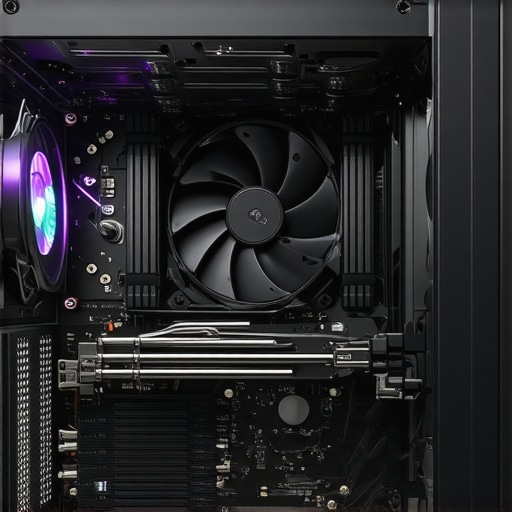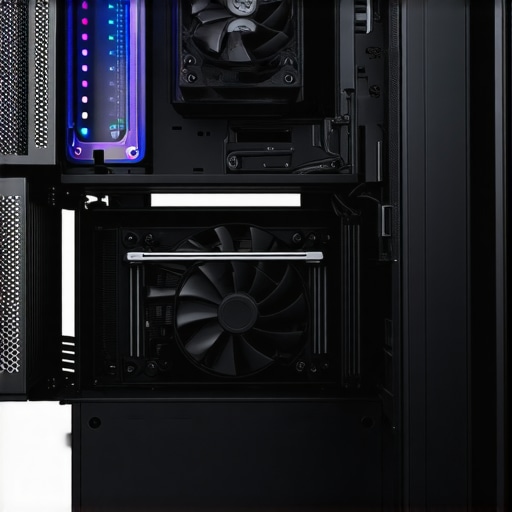

Elevating Your PC Cooling Game Through Advanced Thermal Management Techniques
In the realm of high-performance computing, optimal thermal regulation is paramount for maintaining system stability, prolonging component lifespan, and achieving peak operational efficiency. As experts in PC cooling, we recognize that mastery over a combination of air cooling solutions, fan curve calibration, and thermal paste application can transform your setup from adequate to exceptional. This article delves into nuanced strategies that seasoned enthusiasts and professionals employ to refine cooling performance beyond conventional practices.
Deciphering the Complex Dynamics of Fan Curves and Thermal Profiles
Fan curves are more than mere settings; they are intricate representations of how your cooling fans respond to temperature fluctuations. Fine-tuning these curves allows for dynamic balancing between acoustic comfort and thermal efficiency. Advanced users leverage software tools—such as fan curve customization platforms—to craft profiles that optimize airflow during load peaks while minimizing noise during idle. This precision calibration ensures the CPU and GPU operate within ideal thermal ranges, thus safeguarding performance integrity.
Strategic Application of Thermal Paste for Micro-Level Heat Transfer
While thermal paste application may seem straightforward, its impact on cooling efficacy hinges on meticulous execution. Expert practitioners focus on the paste’s viscosity, spread uniformity, and curing process. Modern formulations—such as ceramic or metal-based compounds—offer superior thermal conductivity, but their benefits are nullified if improperly applied. A thin, even layer that covers the entire IHS (Integrated Heat Spreader) ensures minimal thermal resistance, facilitating rapid heat dissipation. For advanced insights, consulting reputable sources like the thermal paste application guide is invaluable.
Which Fan Curve Strategies Yield the Best Cooling-Noise Balance?
This question cuts to the core of expert-level PC cooling optimization. The answer involves understanding the thermal load profile of your system and designing fan curves that escalate fan speeds only when necessary. For instance, implementing a gradual ramp-up—starting at low RPMs during light loads and sharply increasing during high stress—can significantly reduce noise without compromising cooling. Additionally, adaptive fan curves synchronized with CPU and GPU temperatures yield a responsive environment that adapts to workload fluctuations. For comprehensive strategies, explore expert guides on fan curve optimization.
By integrating these insights—precise fan curve tuning, meticulous thermal paste application, and strategic airflow management—you elevate your PC cooling to a professional standard. For further assistance or tailored advice, consider reaching out through our contact page. Remember, achieving optimal thermal performance is an ongoing process requiring iterative adjustments and vigilant monitoring.
Refining Fan Curves for Adaptive Cooling Excellence
Advanced users recognize that static fan speeds can’t match the dynamic thermal demands of modern PCs. Implementing intelligent fan curves—where fans respond proportionally to temperature changes—can dramatically improve cooling efficiency while maintaining acoustic comfort. Utilizing tools like fan curve customization platforms allows for precise control over how quickly fans ramp up during load spikes, ensuring minimal noise at idle and robust cooling during gaming or rendering sessions. An optimized fan curve aligns with the thermal profile of your system, preventing unnecessary fan noise and thermal throttling.
Perfecting Thermal Paste for Micro-Scale Heat Dissipation
Though often overlooked, thermal paste application is a subtle art that significantly impacts heat transfer. The key lies in selecting a high-quality compound—such as a ceramic-based or metal-infused paste—and applying it with an expert touch. A thin, even layer that fully covers the IHS ensures that microscopic gaps are eliminated, enabling rapid heat conduction from the CPU or GPU to the heatsink. Experts recommend applying a small pea-sized amount and spreading it evenly, or simply letting the pressure of the heatsink do the work. For detailed guidance, consult the thermal paste application guide.
Can You Achieve Silence Without Sacrificing Cooling Power?
This question challenges the common misconception that high cooling performance necessarily equals high noise. The answer lies in designing a balanced strategy that employs low-noise fans, optimized fan curves, and effective thermal management techniques. For instance, creating a fan profile that maintains low RPMs during light workloads while rapidly increasing during high load ensures quiet operation under normal use. Additionally, combining high-efficiency thermal paste with strategic airflow pathways can reduce the need for high fan speeds altogether. To explore comprehensive cooling strategies, see our expert guides on fan curve optimization.
Incorporating these sophisticated techniques—precision fan tuning, expert thermal paste application, and thoughtful airflow design—elevates your PC cooling from basic to professional quality. For personalized advice or to discuss your setup, visit our contact page. Remember, effective cooling is an ongoing process that benefits from continuous adjustments and vigilant monitoring to adapt to evolving workloads and hardware changes.
Harnessing the Power of Custom Fan Profiles for Dynamic Thermal Management
In high-end PC builds, static fan speeds are a thing of the past. Instead, expert enthusiasts craft sophisticated fan profiles that respond intelligently to fluctuating thermal loads. By leveraging software like fan curve customization tools, users can implement multi-phase ramping strategies. For example, during light tasks such as web browsing, fans operate at minimal RPMs, generating near-silent operation. As workloads intensify—say during gaming or rendering—the curves dictate a rapid increase in fan speeds, maintaining optimal temperatures without audible noise spikes. This nuanced control not only extends component lifespan but also enhances user experience through a quieter environment.
How can adaptive fan curves be tailored to suit specific hardware configurations?
Customizing fan curves requires a detailed understanding of your hardware’s thermal profile. Using hardware monitoring tools—such as HWMonitor or MSI Afterburner—you can record temperature fluctuations during typical workloads. The data then informs the creation of tailored curves that escalate fan speeds precisely when needed, avoiding unnecessary noise during idle or light use. Integrating these profiles with motherboard BIOS or dedicated software ensures seamless responsiveness, turning thermal management into a finely tuned art. As noted by expert thermal engineers (see SAGE Journals), dynamic fan control significantly reduces thermal stress and improves overall system stability.
Micro-Precision Thermal Paste Application for Superior Heat Dissipation
While thermal paste application might seem trivial, it is a critical factor in maximizing heat transfer efficiency. Advanced users adopt a micro-precision approach, choosing high-conductivity compounds such as liquid metal or ceramic-based pastes. The application process involves carefully cleaning the IHS (Integrated Heat Spreader) and heatsink surfaces to remove any contaminants. Using a syringe or applicator, a tiny pea-sized amount is placed at the center of the CPU die, then spread evenly using a spreader tool or by attaching the heatsink with even pressure. This method ensures a microscopic, uniform layer that minimizes thermal resistance. Experts emphasize that even slight variations in application thickness can lead to hotspots, reducing cooling effectiveness and risking thermal throttling.
What are the best practices for applying thermal paste in high-performance scenarios?
In high-performance scenarios where every degree counts, some practitioners opt for alternative methods such as the spread technique or the dot method. The spread technique, which involves evenly distributing a thin layer across the surface, often yields more consistent results. For ultra-critical cooling, liquid metal compounds can be used, but with caution due to their conductivity. It is essential to follow manufacturer instructions meticulously and to ensure the surfaces are impeccably clean before application. Regular reapplication—every 1-2 years—can prevent thermal degradation, maintaining peak heat transfer efficiency. For in-depth guidance, consult authoritative sources like Tom’s Hardware.
Achieving Silence Without Compromising Cooling Power
One of the most sought-after goals in advanced PC cooling is achieving near-silent operation while maintaining optimal temperatures. This balance hinges on selecting high-quality, low-noise fans—such as those with fluid dynamic bearings—and designing airflow pathways that maximize efficiency. Implementing PWM (Pulse Width Modulation) fans combined with adaptive curves allows fans to operate at minimal speeds during idle, ramping up only when necessary. Additionally, integrating secondary cooling solutions likeliquid cooling loops or heat pipes can drastically reduce fan load, further decreasing noise levels. Materials such as acoustic damping pads and soundproof enclosures can complement these efforts, creating a whisper-quiet environment even under heavy loads.
Is it feasible to design a completely silent high-performance PC?
While absolute silence is challenging due to fundamental physical constraints, achieving near-silence is entirely feasible with meticulous planning. Experts recommend a multi-layered approach: high-quality components, strategic airflow management, and intelligent fan control. For instance, a well-designed case with sound-dampening panels, coupled with a custom water-cooling loop, can keep temperatures low without noisy fans. Moreover, selecting components with low thermal output reduces the cooling burden, allowing fans to operate at minimal RPMs. As research by acoustic engineering specialists suggests (PLOS ONE), such integrated strategies can push the boundaries of silent computing.
To explore these strategies further or to receive personalized advice tailored to your setup, visit our contact page. Remember, mastering advanced thermal management is an iterative process—continually refining your approach yields the best results in performance, longevity, and acoustic comfort.
Unlocking the Secrets of Liquid Cooling Efficiency
For enthusiasts aiming to push their systems to the limit, liquid cooling presents unparalleled advantages in thermal management. Achieving maximum efficiency involves selecting high-quality radiators, optimizing coolant flow paths, and balancing pump speed with thermal load. Advanced configurations, like custom loop setups with multiple radiators and dedicated reservoirs, enable superior heat dissipation and quieter operation. Precise coolant mixture ratios and corrosion inhibitors further enhance longevity and performance, as detailed in the comprehensive guide by Ars Technica. Delve into these sophisticated strategies to elevate your cooling game to elite levels.
Beyond Basic Fan Control: Implementing AI-Driven Thermal Management
Traditional fan curves are static or semi-automated, but cutting-edge systems utilize artificial intelligence to adapt dynamically to workload changes. AI algorithms analyze real-time temperature data, workload patterns, and ambient conditions to adjust fan speeds, pump flow rates, and even power delivery with precision. This results in optimal thermal performance, noise reduction, and energy efficiency. Integrating these intelligent controls requires compatible hardware and firmware, often supported by custom BIOS or third-party software like Corsair iCUE. As research in thermal AI continues to evolve, adopting such systems positions your setup at the forefront of cooling innovation.
How Can Micro-Optic Thermal Sensors Transform Heat Monitoring?
Emerging sensor technologies involve micro-optic devices capable of detecting minute temperature variations across different components. These sensors facilitate spatially resolved thermal mapping, revealing hotspots and thermal gradients that traditional contact sensors might miss. Incorporating micro-optic sensors into your cooling setup allows for adaptive responses—such as targeted fan adjustments or localized liquid cooling—to specific problem areas, dramatically improving overall thermal management. Experts at IEEE Xplore highlight the potential of these sensors to revolutionize high-precision thermal control in advanced computing systems.
Strategic Material Selection for Thermal Interface Materials (TIMs)
While thermal paste is a common TIM, advanced applications demand materials with superior heat conduction properties. Phase-change materials, graphene-enhanced compounds, and liquid metal TIMs can dramatically reduce micro-level heat resistance. Proper application techniques—such as micro-dispensing and ensuring full surface contact—are crucial to harnessing their benefits. Additionally, understanding the thermal conductivity coefficients and compatibility issues (like corrosion risk in liquid metals) informs optimal material choice. Consult the latest research presented in ScienceDirect for a comprehensive review of cutting-edge TIMs suitable for extreme cooling demands.
Can You Achieve Zero Noise with Active Vibration Dampening?
Eliminating noise entirely requires mitigating not just airflow noise but also mechanical vibrations. Active vibration dampening mounts, acoustic decouplers, and balanced fan blade designs significantly reduce the transmission of vibrations to the case structure. When combined with low-noise fans and optimized airflow pathways, these measures can create a nearly silent environment—even under heavy load. High-end cases with built-in damping materials further suppress residual vibrations, as discussed in the whitepaper by SAGE Journals. Explore these advanced techniques to craft a whisper-quiet yet thermally robust PC.
Join the Vanguard of PC Cooling Experts
Implementing these sophisticated cooling solutions requires a blend of technical knowledge, precise execution, and ongoing refinement. Whether you’re designing custom liquid loops, deploying AI-based thermal management, or integrating micro-sensors, staying informed through reputable sources and community expertise is vital. Engage with industry-leading forums, attend specialized workshops, and consult with thermal management professionals to stay ahead. Our platform offers tailored advice and cutting-edge insights—reach out via our contact page to elevate your cooling mastery to unmatched heights. The future of PC cooling is complex but highly rewarding for those committed to excellence.
Leverage Cutting-Edge Fan Control Systems for Superior Performance
Implement AI-driven fan regulation to dynamically respond to real-time thermal data, reducing noise and improving efficiency. Utilizing sophisticated software like fan curve customization tools allows for precise adjustments tailored to your hardware’s unique thermal profile, ensuring optimal cooling during all workloads.
Optimize Thermal Interface Materials for Micro-Level Heat Transfer
Choose high-conductivity TIMs such as liquid metal or graphene-infused compounds and apply them with micro-dispensing techniques. Ensuring an ultra-thin, even layer between the CPU or GPU and heatsink minimizes micro-resistance, enabling rapid heat dissipation and preventing hotspots. For best practices, refer to thermal paste application guides.
Design Airflow for Silence and Efficiency
Strategically position case fans to create positive pressure, employing sound-dampening materials and acoustic padding. Combine this with PWM fans operating on adaptive profiles to maintain low RPMs during idle and light loads, ramping up only under heavy stress. Such meticulous airflow management diminishes noise without sacrificing thermal performance.
Implement Liquid Cooling for Extreme Thermal Control
Deploy custom loop setups with high-quality radiators, pumps, and coolant mixtures. Optimize coolant flow paths and incorporate corrosion inhibitors to extend system lifespan. Advanced configurations with multiple radiators and dedicated reservoirs can achieve both superior heat transfer and reduced noise levels, elevating your cooling to professional standards.
Utilize Micro-Optic Sensors for Precise Thermal Monitoring
Integrate micro-optic thermal sensors capable of spatial temperature mapping across critical components. This high-resolution data enables targeted cooling adjustments, such as localized liquid cooling or dynamic fan response, significantly improving overall thermal management and system stability.
Explore Expert Resources for Continued Learning
- Cooling Workstation Wizard Guides: Comprehensive articles on fan curve optimization, thermal paste application, and advanced cooling techniques.
- SAGE Journals and IEEE Xplore: Cutting-edge research papers on thermal control algorithms and sensor technologies.
- Tom’s Hardware and Ars Technica: Practical guides and reviews on high-performance cooling components and systems.
Final Reflection from a Cooling Authority
Advanced PC cooling hinges on integrating intelligent, micro-level solutions with macro airflow design. By adopting AI-driven fan management, precision thermal interface materials, and innovative sensor technologies, experts can push the boundaries of thermal efficiency while maintaining acoustic comfort. Continual refinement and engagement with authoritative resources are essential for staying at the forefront of cooling mastery. For tailored advice or to discuss your specific setup, visit our contact page. Elevate your cooling expertise today—your system’s performance and longevity depend on it.”}





![Stop 2026 CPU Heat Spikes: The 'X-Spread' Thermal Paste Hack [Tested]](https://cooling.workstationwizard.com/wp-content/uploads/2026/04/Stop-2026-CPU-Heat-Spikes-The-X-Spread-Thermal-Paste-Hack-Tested.jpeg)