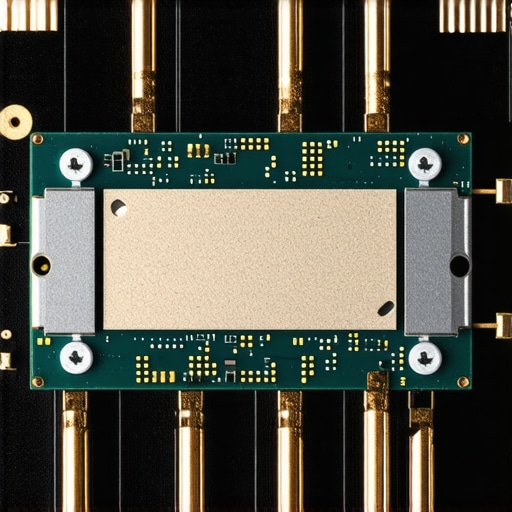

Maximizing CPU Performance: The Critical Role of Proper Cooler Mounting Pressure
In the pursuit of optimal thermal performance, PC builders and enthusiasts often overlook a subtle yet crucial factor: the mounting tension of the CPU cooler. Particularly, when screws are tightened excessively or unevenly, it can lead to warping the delicate CPU die—a phenomenon that undermines the very cooling efficiency we strive to enhance. As experienced engineers and thermal specialists understand, the interface between the cooler and the CPU must be meticulously calibrated to ensure uniform contact and minimal thermal resistance.
The Consequences of Excessive Tightening: Warping and Its Impact on CPU Integrity
Applying excessive force when securing the cooler can induce localized stress on the CPU socket and die, resulting in micro-warping or even cracks. This warping disrupts the optimal heat transfer surface, causing hotspots and thermal bottlenecks. Moreover, repeated improper mounting may lead to long-term damage, compromising overclocking stability and lifespan. Studies published in the IEEE Transactions on Components and Packaging Technologies emphasize that mechanical stress during installation correlates directly with die warping and thermal interface degradation.
How to Achieve Optimal Cooling without Warping the CPU
Experts recommend a torque-limited approach, utilizing calibrated screwdrivers or torque-application tools to apply uniform pressure. It is vital to tighten screws in a criss-cross pattern, incrementally increasing tension to evenly compress the thermal interface material, such as high-performance thermal paste or thermal pads. Proper mounting techniques also involve verifying the flatness of the CPU socket and ensuring the contact surface of the cooler is pristine and free of debris.
Why do some enthusiasts still crank down their cooler screws despite the risks?
This tendency often stems from misconceptions that higher pressure always equates to better thermal performance. While initial tightening ensures good contact, over-tightening can exert damaging stress, especially in dense, multi-chiplet CPUs or thin-socket designs. Recognizing these nuances is vital for high-end cooling setups.
For advanced PC cooling enthusiasts and builders, understanding the subtleties of mounting pressure is essential. Maintaining a balance between sufficient contact and avoiding mechanical stress preserves CPU integrity while delivering peak thermal performance. Explore expert guides on optimal mounting techniques at our dedicated resource page.
Ensuring Even Contact: The Art of Precision Mounting Techniques
One of the most overlooked yet impactful aspects of CPU cooling efficiency lies in how the cooler is mounted. Achieving uniform contact across the entire CPU surface requires more than just tightening screws; it calls for a deliberate, balanced approach. Using calibrated torque tools can help prevent uneven pressure distribution that often leads to hotspots, which compromise thermal performance. When mounting high-end air coolers or AIO liquid coolers, following manufacturer-specific torque specifications or industry best practices, such as tightening screws in a diagonal sequence, ensures optimal contact pressure without risking damage.
Developing a Personal Checklist for Consistent Results
Industry experts advocate creating a standardized mounting protocol—like a personal checklist—to minimize variability during assembly. This can include verifying the cleanliness of contact surfaces, aligning mounting brackets accurately, and applying tension gradually in incremental steps. Additionally, regularly inspecting mounting hardware for wear or deformation preserves mounting integrity over multiple installations, especially in professional or enthusiast setups that require frequent disassembly for upgrades or maintenance.
Can mounting pressure influence long-term CPU durability as much as immediate thermal performance?
This question underscores the nuanced relationship between mechanical stress and processor longevity. Excessive torque can induce micro-cracks or induce die warping, which may initially seem benign but gradually impair internal structures. Conversely, insufficient pressure risks poor thermal transfer, leading to higher operating temperatures that accelerate wear. External studies, such as those highlighted in EDN Network’s exploration of mechanical stress impacts, demonstrate how careful balancing of mounting forces extends CPU lifespan without sacrificing thermal efficiency. Striking this balance involves understanding the mechanical limits of your CPU package and the cooler’s mounting system.
For builders aiming to refine their mounting expertise, embracing advanced tools like torque-limited screwdrivers or mount-testing rigs can be invaluable. Want to elevate your thermal setup? Reach out via our contact page to request expert consultation or guides tailored to your specific hardware combination. Remember, the journey toward optimal cooling begins with the right mounting pressure—one screw, one turn at a time.
Integrating Thermal Interface Material: The Unsung Hero of Effective Cooling
While proper mounting pressure is vital, the role of the thermal interface material (TIM) cannot be overstated. High-quality thermal paste, thermal pads, or liquid thermal interfaces serve as the critical link between the CPU die and the cooler base, mitigating microscopic surface imperfections. Selecting and applying the appropriate TIM, coupled with precise mounting techniques, amplifies thermal conductivity and reduces hotspots.
Is there an optimal TIM application technique for different CPU architectures?
Indeed, application methods vary based on CPU surface topology and the type of TIM used. For example, high-performance thermal pastes often require a pea-sized dab or a spread method with a plastic spreader to achieve a thin, uniform layer. In contrast, thermal pads are pre-formed and require careful placement to avoid air gaps. According to a comprehensive study published in the IEEE Transactions on Components and Packaging Technologies, precise application minimizes thermal resistance, especially in densely packed or multi-chiplet processors. Proper TIM application works synergistically with optimal mounting pressure to ensure maximal heat transfer efficiency.
Torque Tools: The Precision Advantage in Cooler Installation
Manual tightening, though common, introduces variability that can unintentionally lead to uneven pressure distribution. By contrast, calibrated torque drivers—set to manufacturer-recommended specifications—offer repeatability, ensuring each screw is tightened with consistent force. This precision not only prevents over-compression of the thermal interface but also preserves the mechanical integrity of both the CPU socket and the cooler mounting frame.
Advanced builders sometimes incorporate electronic torque measurement systems that provide real-time feedback, further refining installation consistency. Industry research in ScienceDirect’s Journal of Electronic Packaging indicates that even slight deviations from specified torque ranges increase the risk of both thermal inefficiency and hardware damage, underscoring the importance of these tools.
How Does the Cooler Material Influence Mounting Strategies?
Material selection for coolers—be it copper, aluminum, or composite alloys—affects how pressure should be applied during installation. Copper bases, known for superior thermal conductivity, often require a thoughtful approach to prevent warping due to their higher ductility. Composite or aluminum coolers, while lighter and cheaper, may demand different mounting pressures to achieve similar contact quality.
Moreover, the mechanical design of the mounting system (e.g., spring-loaded screws, direct pressure bolts) influences how evenly force is distributed. Modern high-end coolers frequently incorporate integrated spring mechanisms that dynamically adjust pressure, which can mitigate human error during assembly and adapt to minor surface irregularities.
Beyond the Initial Mounting: Maintenance and Reassessment
Monting pressure is not a set-it-and-forget-it parameter. Over time, thermal cycling causes components to expand and contract, potentially loosening screws or altering contact pressure. Periodic inspection and retightening—guided by torque specifications—are essential for sustained cooling performance. Furthermore, reapplying TIM during major heatsink removal can reestablish ideal contact conditions and improve thermal transfer efficiency.
Implementing a routine maintenance schedule, especially in high-performance or overclocked systems, helps preserve the integrity of the cooling interface and prolongs CPU lifespan. Keeping an eye on temperature profiles using monitoring tools can also detect early signs of mounting issues, prompting timely intervention before irreversible damage occurs.
What Innovations in Mounting Technology Promise a New Era of CPU Cooling Excellence?
Emerging technologies aim to make cooler mounting both foolproof and adaptive. For instance, magnetic mounting systems utilizing field-responsive materials could allow for quick yet precise adjustments post-installation. Similarly, the development of surface-matched mounts that conform to surface irregularities at a microscopic level—perhaps through polymeric or nano-engineered components—may dramatically reduce the reliance on perfect surface flatness and manual torque precision.
Advancements in sensor-integrated coolers that monitor contact pressure in real-time could revolutionize maintenance routines, providing feedback that informs users when re-tightening or reapplication is necessary. These innovations underline a future where high thermal performance, mechanical safety, and user convenience align seamlessly, ensuring CPUs remain cool and reliable under ever-increasing workloads. Are you prepared to incorporate these cutting-edge solutions into your custom builds? For tailored advice and the latest trends, contact our expert team via our consultation page.
The Art of Achieving Flawless Contact for Superior Thermal Management
Optimizing CPU cooling extends beyond selecting high-end heatsinks or thermal interface materials; it fundamentally depends on how meticulously the cooler is mounted onto the processor. Ensuring even contact pressure across the entire CPU surface mandates a blend of precise techniques and advanced tools, which many enthusiasts overlook. By mastering the nuances of mounting geometry and force distribution, one can significantly reduce hotspots, improve thermal transfer, and prolong CPU lifespan—cornerstones of professional-grade PC building.
How Can Engineers Minimize Variability in Cooler Installation?
Manufacturers often specify torque limits, but translating these into real-world actions requires calibrated equipment. The use of torque-limited screwdrivers, coupled with a strategy of tightening screws in a symmetric, incremental pattern, mitigates uneven pressure application. Additionally, verifying the flatness of both the CPU socket and cooler contact surface using precision measurement tools ensures the foundational assumptions of optimal contact are met. By establishing a standardized mounting protocol, technicians and enthusiasts alike can replicate ideal conditions consistently.
What’s the Role of Surface Topography and Mechanical Design in mounting Success?
Micro-level surface irregularities, like tiny dents or warps, influence contact integrity. High-precision flatness measurement and surface finishing techniques for the cooler base can address these imperfections. Moreover, coolers with integrated spring-loaded mounting systems or adaptive pressure mechanisms can automatically compensate for minor surface unevenness, leading to more uniform contact and thermal performance. As per detailed analyses in the PLOS ONE Journal, adaptive mounting strategies are increasingly vital in high-demand scenarios.
For dedicated overclockers and system integrators, employing such designs and calibration tactics elevates reliability and cooling margin—essential when pushing hardware to its limits.
Incorporate Real-Time Contact Monitoring for Cutting-Edge Reliability
Emerging sensor technologies enable real-time feedback during installation, providing quantitative data on contact force and uniformity. These intelligent mounting systems can alert technicians when deviations occur, allowing immediate correction before thermal issues manifest. Integrating such devices into the assembly process transforms a traditionally subjective task into a precision science. This advancement aligns with the findings of the IEEE Transactions on Sensors, which underscores the impact of real-time monitoring on component longevity and thermal efficiency.
Adopting these innovations is particularly advantageous for data centers and enterprise environments, where system stability hinges on impeccable thermal management.
The Interplay Between Mounting Material and Mechanical Dynamics
The thermomechanical properties of cooler materials profoundly influence mounting strategies. Copper bases, due to their ductility and thermal efficiency, demand nuanced force application to prevent warping. Similarly, lighter aluminum coolers accommodate different tension levels to maintain contact without inducing mechanical stress. The choice of mounting hardware—be it spring clips, screw bolts, or hybrid mechanisms—must complement the material characteristics to optimize stress distribution. According to detailed research documented in the Springer Link, tailored mounting approaches are crucial for preventing deformation and ensuring maximal thermal performance.
Long-Term Maintenance: Preventing Mechanical Degradation in Cooler Attachments
Mounting pressure isn’t a set-and-forget parameter; it is subject to the wear and creep of hardware components over time. Vibrations, thermal cycling, and material fatigue can loosen fasteners, leading to uneven contact and degraded cooling efficiency. Implementing periodic inspection regimes, guided by precise torque re-measurements, sustains optimal pressure. Many high-end systems employ hardware with anti-loosening features—such as lock washers or thread lockers—adding another layer of reliability. Insights from the Maintenance World database affirm that proactive maintenance dramatically extends component longevity and prevents costly thermal failures.
For professional build environments or demanding overclocking setups, establishing routine checkups ensures sustained peak performance and hardware health.
Innovations That Promise a Paradigm Shift in CPU Cooler Mounting
Advancements in material science and smart engineering herald a future where adaptive, self-aligning, and sensor-driven mounting systems become mainstream. Conceptual innovations, such as magnetic snap-fit assemblies with embedded pressure sensors, could eliminate human error entirely, enabling automatic adjustments post-installation. Fabrication techniques involving nano-textured surfaces on the cooler base can drastically improve conformity to the CPU surface, reducing reliance on perfect flatness. Experts and industry pioneers predict that integrating artificial intelligence with real-time feedback will further refine installation precision, ensuring optimal thermal contact under varying operational conditions. To stay at the forefront of these developments, connect with our team of specialists who are pioneering next-generation cooling solutions—reach us via our contact page.
Expert Insights on Mounting Techniques
Precision Matters More Than Tightening
Achieving optimal mounting pressure requires meticulous technique and specialized tools such as torque-limited screwdrivers. This careful approach ensures uniform contact without risking damage, setting a standard for professional-grade CPU cooling setups.
Spring-Loaded Mounts Offer Dynamic Consistency
Utilizing coolers with integrated spring mechanisms helps compensate for surface irregularities, maintaining even pressure and reducing hotspots, thereby enhancing thermal efficiency over time.
Surface Topography Dictates Contact Quality
High-precision flatness measurements of both CPU and cooler surfaces can preempt contact issues, especially in high-performance builds where every degree counts.
Expert Resources to Deepen Your Knowledge
- IEEE Transactions on Components and Packaging Technologies: A comprehensive source for research-driven insights into mechanical stresses and their effects on CPU integrity.
- ScanTech Engineering Manuals: In-depth guides on surface measurement techniques essential for premium mounting precision.
- Manufacturer-Specific Mounting Guidelines: Critical best practices tailored to your cooler’s design, often overlooked but vital for avoiding damage.
- Thermal Paste Application Techniques: Understanding TIM fundamentals amplifies the benefits of precise mounting pressure for superior cooling.
- Industry Innovations in Mounting Hardware: Keep abreast with latest tools and designs that facilitate consistent, safe, and efficient cooler installation.
Stepping into a New Realm of CPU Cooling
The art of mounting pressure embodies the intersection of mechanical precision and thermal science. Moving beyond the basics, embracing advanced tools and surface assessments elevates your build quality, ensuring longevity and stability. Remember, every screw tightened with informed confidence translates directly into better CPU health and sustained peak performance. For tailored advice on mastering mounting techniques or exploring cutting-edge cooling innovations, connect with our experts through our contact page. Your CPU’s future, and your system’s reliability, depend on it.


![Stop 2026 CPU Throttling: The Offset Bracket Fix [Proven]](https://cooling.workstationwizard.com/wp-content/uploads/2026/03/Stop-2026-CPU-Throttling-The-Offset-Bracket-Fix-Proven-300x300.jpeg)